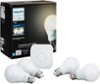
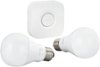
“This is my first time buying a smart bulb. I don’t have any other smart items in my house. Could you please explain how exactly I can use it. Or can I just plug into a regular lamp and connect it to my phone. Or do I need something ?”
Answer This Question
1-5 of 5 Answers
Yes. Plug into any lamp and hue app will detect it and cotrol it for brightness and color Asn
Sorry, there was a problem. Please try again later.You’ll need to get a starter kit with the hub and download the Hue app. I also recommend the IFTTT app.
Sorry, there was a problem. Please try again later.Hello, you need to buy the starter kit or Hue hub to really enjoy the benefits of this product. The hue hub connects to your route/modem and from there you can utilize the Hue app from the Play store to set up brightness, on/off schedules, etc. If you decide to buy a Google/Amazon voice assistant, you can also connect your lights to their respective apps to enable voice activated light control, which is the best part.
Sorry, there was a problem. Please try again later.You will need a bridge that plugs into your router. This allows your lights to connect to the internet and be controlled form your phone. It is a little pricy but I would get the starter kit which includes 3 bulbs and a bridge.
I would recommend:
Sorry, there was a problem. Please try again later.OK, in order to use this bulb, you will also need the Hue Bridge, so that you can control it with the Philips Hue App from your smartphone.
Sorry, there was a problem. Please try again later.