“Have a Onkyo receiver and a New Samsung 65”tv. Couldn’t get sound t thru the receiver with hdmi cord so went to the fiber optic cord and still no sound. Any ideas?”
Answer This Question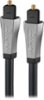
1-4 of 4 Answers
Make sure you have the TV set to the right output and make sure the receiver is set to the proper input.
Sorry, there was a problem. Please try again later.Check what source you have selected.
Sorry, there was a problem. Please try again later.Make sure your audio settings on your receiver are in optic mode.
Sorry, there was a problem. Please try again later.Hi there! We're very sorry to read you are experiencing this issue with one of our products, please contact our customer service at 800-620-2790 Daily 8am - 9pm CT, we'll be more than happy to assist you regarding this matter. Rocketfish Support Angela www.rocketfishproducts.com
Sorry, there was a problem. Please try again later.