A:AnswerHi,
Yes, the DU6900 TV is Bluetooth-enabled. I recommend reaching out to the manufacturer of your headphones to ensure compatibility.
~Samsung Advisor
A:AnswerHi C,
Yes, you can connect your Soundbar via Bluetooth. If you wish to connect it via digital optical cable you will need to move up to the Samsung DU8000 TV.
~Samsung Advisor
A:AnswerMegsmom,
The DU6900 TV offers 2 HDMI ports and is Bluetooth and Wi-Fi capable, allowing a seamless connection across multiple devices at a time. If your external device requires an Optical port, we recommend utilizing an HDMI to Optical Converter. These can be found at your local electronics store. Please also keep in mind that an Optical port can be found on our DU8000F Series and above.
~Samsung Pro
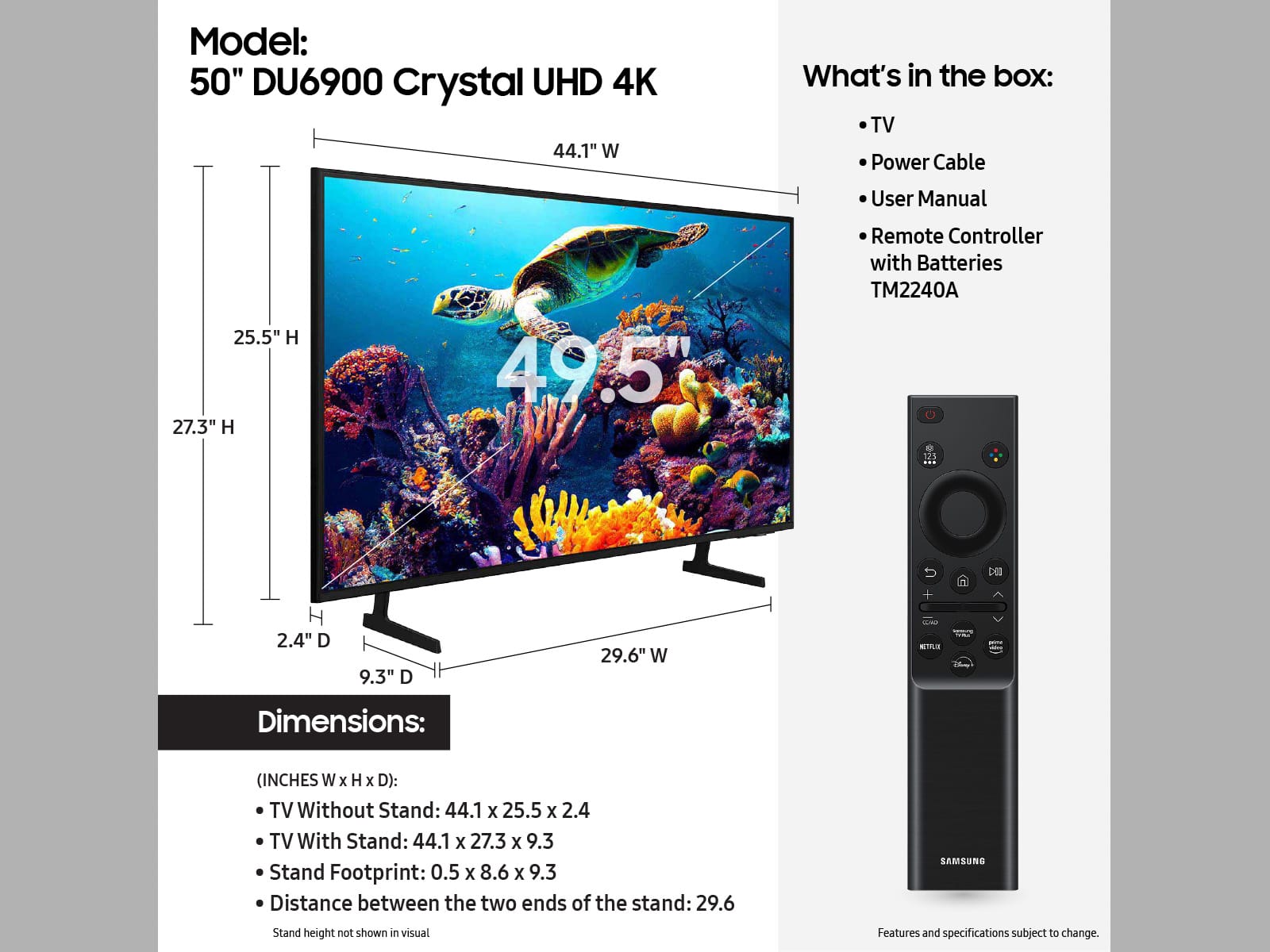
A:AnswerOn the remote there’s two black rectangle looking buttons. You should be able to push it either up or down on the left one to adjust the volume
A:AnswerHello,
Please give us the opportunity to better assist with this by reaching Samsung Support at: 1-800-SAMSUNG, 8AM - 12AM EST, 7 days a week, or Chat with us on Samsung.com: https://www.samsung.com/us/support/contact/
~ Samsung Pro
A:AnswerOrphie,
Please give us the opportunity to assist by reaching Samsung Support at 1-800-SAMSUNG, 8 AM – 12 AM EST, 7 days a week, or Chat with us on Samsung.com: https://www.samsung.com/us/support/contact/
~ Samsung Pro
A:AnswerJill,
Please give us the opportunity to better assist with this by reaching Samsung Support at 1-800-SAMSUNG, 8 AM – 12 AM EST, 7 days a week, or Chat with us on Samsung.com: https://www.samsung.com/us/support/contact/
~ Samsung Pro
A:AnswerThis TV does have a Bluetooth connection and I have been able to pair my external speaker to it with no issues so I’m not sure what the issue is with your speaker! I’m just saying that when I did it, my speaker hooked right up to it! Good luck, trying it again!