A:AnswerHi Jayne,
Yes, the DU7200 TV offers a Sleep Timer. Go to Settings > All Settings> General > System Manager > Time > Sleep Timer.
~Samsung Advisor
A:AnswerHi CMPC,
To assist you further, we need to know where the content is coming from and the original filming of the content. To best help, please reach out to us at 1-800-SAMSUNG, 8 AM - 12 AM EST, seven days a week. Our LiveChat agents are also available by clicking on the ‘Support’ link on our website.
~ Samsung Advisor
A:AnswerHi Bo,
Samsung remotes are designed to be convenient and useful, but we understand if you’d prefer to use a third-party remote, whether it’s a universal remote, a game controller, or something else! Whether you are replacing a lost remote or using an alternative remote to help reduce clutter, a third-party remote is a great option to use to control your Samsung TV.
~Samsung Advisor
A:AnswerHi Coach,
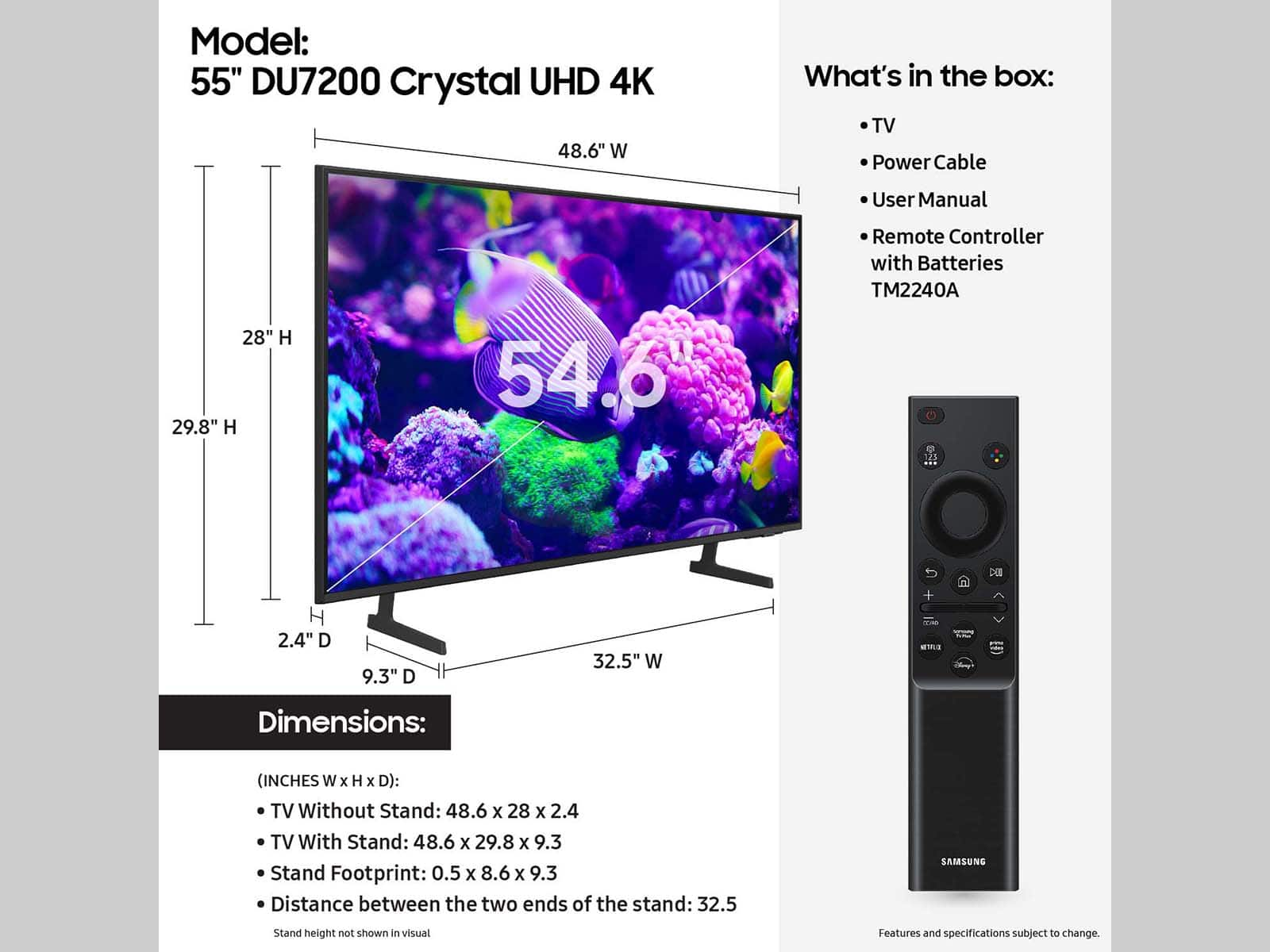
The 55" DU7200 TV measurements are (WxHxD) 48.6" x 28" x 2.4" without the stand, 48.6" x 29.8" x 9.3" with the stand at its lowest height, and 48.6" x 31.2" x 9.3" with the stand at its tallest.
~Samsung Advisor
A:AnswerHi Dee,
We provide the Proposition 65 warning on Samsung’s DU7200 TV to comply with California’s Proposition 65 (“Prop 65”) law. A Prop 65 warning does not mean a product is in violation of any product safety standards or requirements. We believe our products are not harmful when used as designed. For more information, please refer to: https://oehha.ca.gov/proposition-65/general-info/proposition-65-plain-language
~Samsung Advisor

A:AnswerHi Steve,
Yes! The Samsung DU7200 offers a built-in app store with hundreds of apps available for download, including YouTube and Peacock.
~Samsung Advisor