“can you transfer the information from my old tablet to the new one”
Answer This Question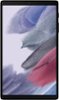
1-1 of 1 Answer
If you logged in to your Google account or your Samsung account, things like Contacts and Calendar info and Messages should transfer. Probably automatically. If they don't, you can use the built-in Samsung apps to copy data from your old device to this one. You can also use the Google Files app to 'beam' things from one device to another and you can copy things like your photos/documents/anything to a memory card in your old one, and put the memory card in this one.
Sorry, there was a problem. Please try again later.