Early Black Friday DealsNew Doorbusters every Friday.Shop now

Main Content

Questions & Answers

Your price for this item is $269.99
Page Showing 101-120 of 212 questions
  • Questiondoes this come with a spreadsheet program?

    Asked by Anonymous.

    • Answer Hi, thanks for taking the opportunity to ask us your question about the Samsung Galaxy Tab A9+. No, the Tab A9+ does not have a pre-installed program for spreadsheets, however, you can easily download apps to this device by visiting the Google Play Store. Let us know if you have additional questions for us by reaching out to Samsung Support. Thanks for being a valued Samsung customer. - Debra
      Answered by Samsung

  • QuestionDoes it come with a power brick?

    Asked by shelleye5455.

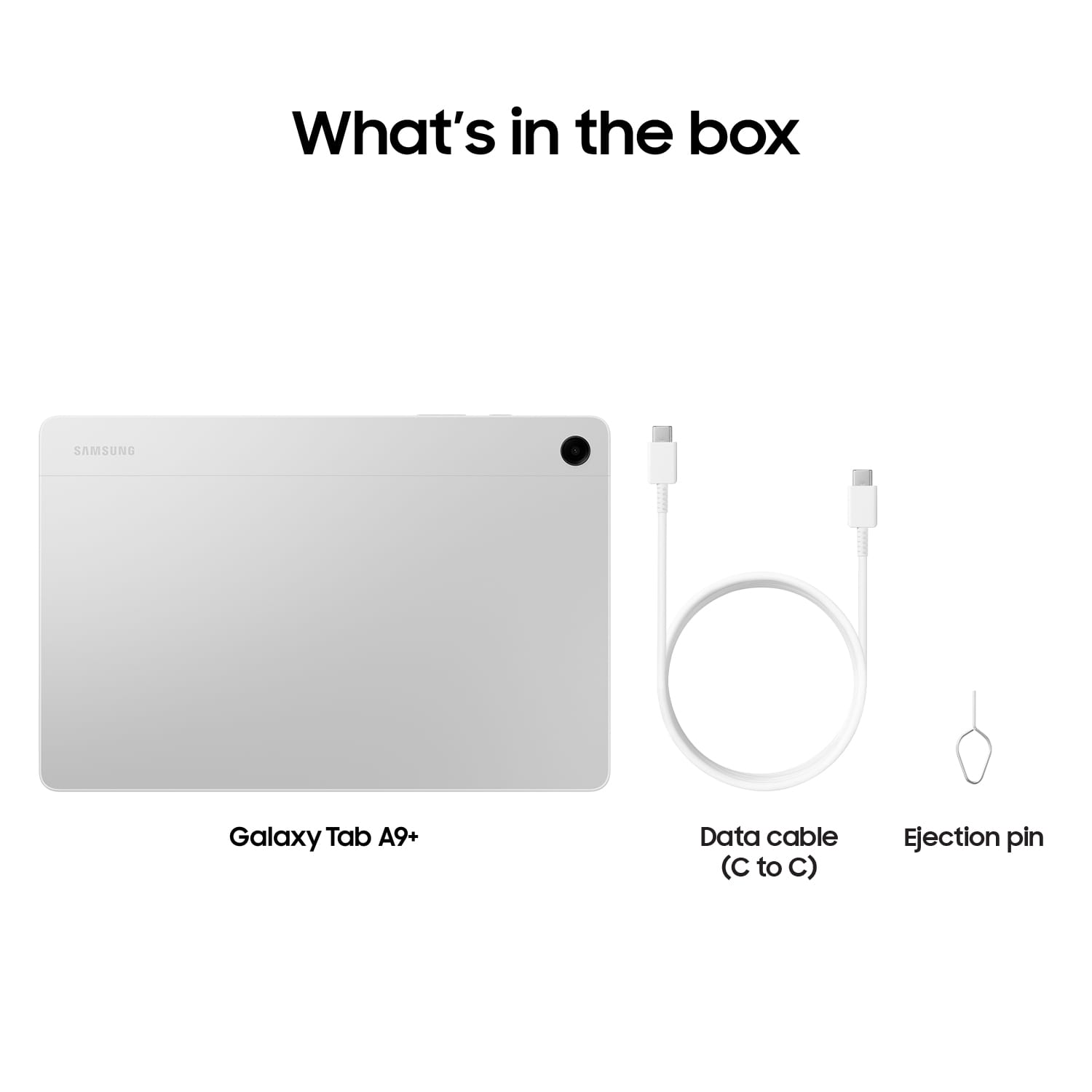
    • Answer no.

      Answered by RamonaC

  • QuestionDoes Samsung have ANY tablets that have a SIM card slot and able to use cellular data? I've searched everywhere and can't get a straight answer from anyone or anywhere. My Samsung Tab A7 Lite has a SIM card and uses cellular data.

    Asked by Anonymous.

    • Answer Thanks for reaching out to us! We always look forward to assisting our valued customers. Although this tablet is a Wi-Fi tablet, we do offer tablets with LTE connectivity. If you have any further questions, please do not hesitate to reach out to us at Support. -Kelvin

      Answered by Samsung

  • QuestionIs this a touch screen tablet?

    Asked by Christine.

    • Answer Hey Christine, thank you for finding the time out of your bustling day to ask us your question about the Samsung Galaxy Tab A9+. Yes, the Tab A9+ does indeed offer a touch screen display. If you have any other questions, please feel free to reach out to Samsung Support at your leisure. Thank you for being a trustworthy Samsung customer. - Debra

      Answered by Samsung

  • QuestionCan I access the playstore? I think the Google Android version?

    Asked by Kiwi.

    • Answer Hi Kiwi, thanks for taking the time out of your day to ask us your question about the Samsung Galaxy Tab A9+. Yes, the Tab A9+ does have access to the Google Play Store. If you have any other questions, please feel free to contact Samsung Support. Thank you for being a cherished Samsung customer. - Debra

      Answered by Samsung

  • QuestionDoes it have hdmi output not the port just output

    Asked by Andre.

    • Answer It's great to hear from you, Andre. We always look forward to assisting you. We see that you are interested in the Galaxy Tab A9+. The Tab A9+ does not have a HDMI port. If you have any further questions, please do not hesitate to reach out to us at Support. -Kelvin

      Answered by Samsung

  • QuestionCan we use it to take notes?does it support any pen?

    Asked by Akash.

    • Answer Hello Akash, thank you for finding the time out of your lively day to ask us your questions about the Samsung Galaxy Tab A9+. Yes, you can absolutely take notes with the Tab A9+. The S Pen is not supported with this device, however, you may utilize a passive or capacitive stylus, if you'd like. If you have any other questions for us, do not hesitate to contact Samsung Support. Thank you for being a treasured Samsung customer. - Debra

      Answered by Samsung

  • QuestionWhat is the release date of this item.

    Asked by Anonymous.

    • Answer Greetings, thank you for finding the opportunity to ask us your question about the Samsung Galaxy Tab A9+. The Tab A9+ was released in October 2023. If you have any other questions for us or if you would like any other questions, do not hesitate to reach out to Samsung Support. Thank you for being a trustworthy Samsung customer. - Debra

      Answered by Samsung

  • QuestionWill this tablet allow speech to text during a college lecture ?

    Asked by Speechtotext.

    • Answer Hi Speechtotext, thanks for taking the time out of your day to ask us your question about the Samsung Galaxy Tab A9+. The Galaxy Tab A9+ does offer Text-to-speech as one of its features. You can easily configure your Text-to-Speech (TTS) options. TTS is used for various accessibility features, such as Voice Assistant. Here's how: > From Settings, tap General management > Text‑to‑speech for options: * Preferred engine: Choose either the Samsung or Google Text-to-speech engine. Tap Settings for options. * Language: Set the default speech language. * Speech rate: Set the speed at which the text is spoken. * Pitch: Set the pitch of the speech. * Play: Tap to play a short demonstration of speech synthesis. * Reset: Reset the speech rate and pitch. If you have any other questions for us, feel free to reach out to Samsung Support at your leisure. Thank you for being a cherished Samsung customer. - Debra

      Answered by Samsung

  • QuestionDoes the A9+ work with Cricut Design Space?

    Asked by CraftyChic.

    • Answer I would imagine you would have to download a cricut app off of Play Store(Google).

      Answered by MikellM

  • QuestionIs there a keyboard offered for this tablet?

    Asked by Anonymous.

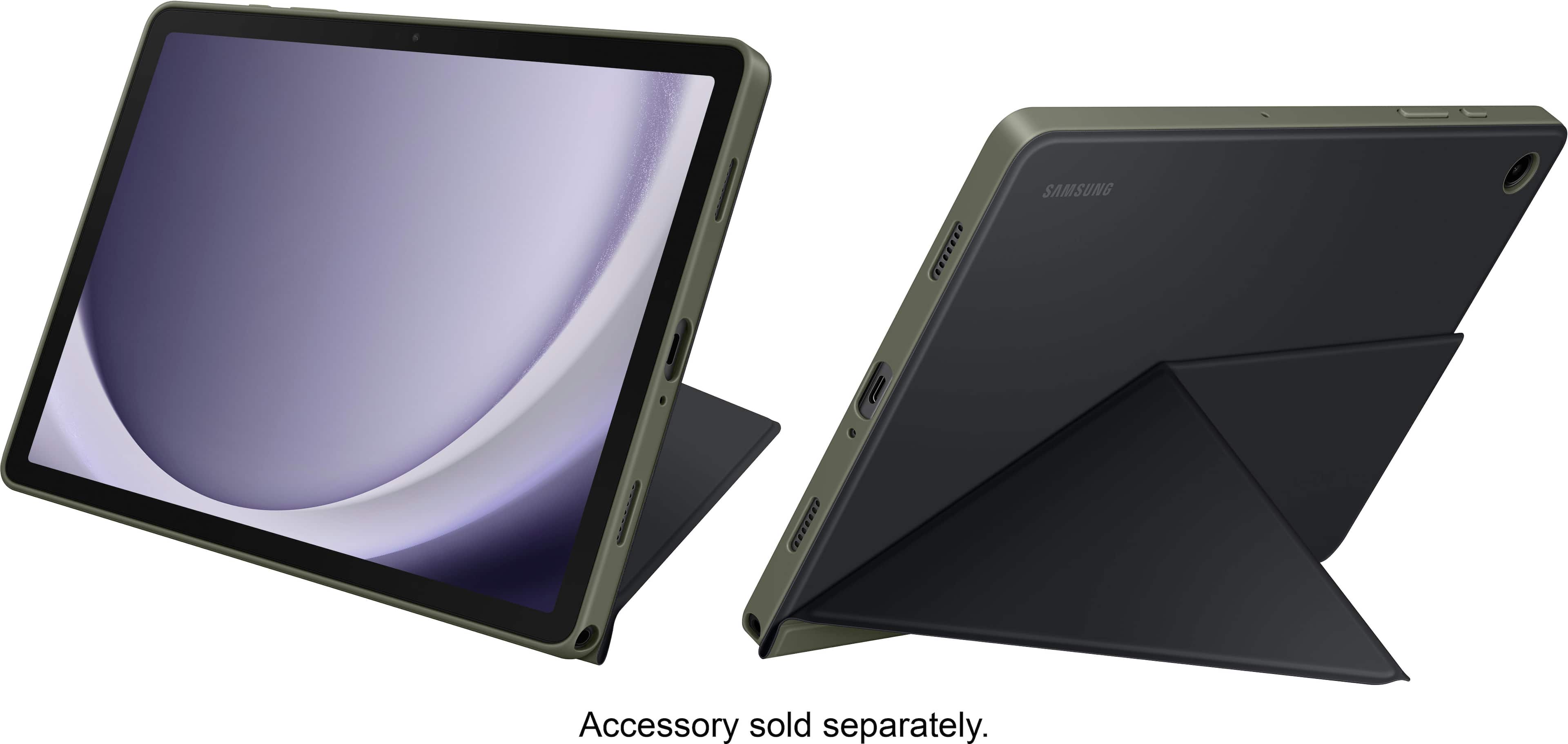
    • Answer We appreciate you reaching out to us. We see that you reached out regarding the Tab A9+. You can transform your Galaxy Tab A9+ into a versatile mobile workstation with the inclusion of the Book Cover Keyboard Slim. This sleek and lightweight tablet cover not only provides protection but also boasts a built-in keyboard, allowing you to seamlessly transition from entertainment to productivity. Its slim and portable design empowers you to work or create from any location, providing the flexibility that fits your on-the-go lifestyle. With the Book Cover Keyboard Slim, you have the freedom to maximize the potential of your tablet, making it an indispensable tool for both work and leisure. If you have any further questions or concerns, reach out to us at Support. -Kelvin

      Answered by Samsung

  • QuestionCan I download kids movies to this tablet and watch without wifi

    Asked by Julie.

    • Answer Thank you for reaching out to us, Julie! We're glad to help our valued customers. We see that you asked about the Tab A9+. Yes, you can definitely do that as long as you have enough storage available. The My Files app is where all your files on your phone or tablet are stored. It's similar to the File Explorer on a PC or Finder on Mac, allowing you to easily view and organize photos, videos, music, documents, and more. You can also delete files from the My Files app if you no longer need them. The Trash feature in My Files should be enabled by default, but it's a good idea to double-check just to be sure. If you need instructions on how to do so, you can refer to the article "Manage files on your Galaxy phone or tablet". If you have any further questions, feel free to reach out to Support. - Kelvin

      Answered by Samsung

  • QuestionWhat is the warranty on this open box tablet ??

    Asked by Brotheral.

    • Answer Hi Brotheral, thanks for taking the time out of your day to ask us your question about the Samsung Galaxy Tab A9+. The advertised Tab A9+ is being sold as a brand-new device with a 12-month warranty on our products for manufacturing defects in materials and workmanship. If you think of additional questions for us, feel free to reach out to Samsung Support for further assistance. Thank you for being a cherished Samsung customer. - Debra

      Answered by Samsung

  • QuestionDoes this tablet 5G-enabled?

    Asked by Karen.

    • Answer Salutations Karen, thanks for taking the time out of your busy schedule to ask us your question about the Samsung Galaxy Tab A9+. The advertised Galaxy Tab A9+ is Wi-Fi enabled version that lacks cellular capabilities. It would require a steady Wi-Fi signal in order for it to be fully functional. It sounds like you're looking for an LTE/cellular version of this tablet if you are wanting a cellular carrier to provide mobile services to it when you are not in the presence of a Wi-Fi connection. If you have additional questions for us, feel free to contact Samsung Support at your leisure. Thank you for being a faithful Samsung customer. - Debra

      Answered by Samsung

  • QuestionIs this tablet unlocked? I need my provider to connect so I can do my family admin stuff on a larger screen. Thanks

    Asked by djzforever.

    • Answer Hey Djzforever. We see that you reached out to inquire about the Galaxy Tab A9+. Since this tablet is a Wi-Fi tablet, it will not be able to connect to a data plan. We do offer 5G tablets if you are interested in using your device on the go. If you have any further questions, please do not hesitate to reach out to us at Support. -Kelvin

      Answered by Samsung

  • QuestionCan you put a data plan on this tablet?

    Asked by Cris.

    • Answer Hi Cris! Thank you for reaching out to inquire about the Galaxy Tab A9+. Its adaptive refresh rates of up to 90Hz provide a smooth experience, whether you're scrolling or gaming. You'll enjoy vibrant visuals when watching shows or playing games on its brilliant display. Please note that this tablet is Wi-Fi only, meaning you won't be able to add a data plan to it. However, we do offer other tablets that support data plans. For any further questions or concerns, please do not hesitate to reach out to us at Support. -Kelvin

      Answered by Samsung

  • QuestionCan I download free books from my public library to my Galaxy A9+

    Asked by TomTerrific.

    • Answer Aloha TomTerrific, thank you for finding the opportunity to ask us your question about the Samsung Galaxy Tab A9+. Yes, it is possible to download and read eBooks on the Tab A9+. If you have any other questions for us, do not hesitate to reach out to Samsung Support. Thank you for being a staunch Samsung customer. - Debra

      Answered by Samsung

  • QuestionHow is the video recording quality of this tablet? Is it clear or does it go blurry recording a sports game?

    Asked by Erin.

    • Answer Thanks for reaching out to us, Erin. We see that you reached out to ask about the Galaxy Tab A9+. The Galaxy Tab A9+ features a 5.0 MP front camera and an 8.0 MP rear camera. It supports video recording at FHD (1920 x 1080) resolution at 30fps, great for recording sporting events! The main camera does not have a flash but does include auto-focus. For any further questions, please do not hesitate to reach out to us at Support. -Kelvin

      Answered by Samsung

  • Questioncan i use a stylus on this tablet

    Asked by stylus.

    • Answer Thank you for contacting us with your question. We noticed that you are reaching out about the Tab A9. Unfortunately, the only Samsung tablets that are compatible with the S Pen are the Tab S6, Tab S7, Tab S8, and Tab S9. If you have any more questions, please don't hesitate to contact our support team. - Kelvin

      Answered by Samsung

  • QuestionDo you give senior didcounts

    Asked by Anonymous.

    • Answer I did not get any senior discount.

      Answered by Grandma67