A:AnswerI have not run across any that will not play. If you go to Folder mode, it just plays the songs in order in the folder you select. When you choose Music, you can choose to play them by song, artist or album. You can also create playlists on the computer and transfer them to the mp3 player, you can find instructions on that in SanDisk's online manual for the device.
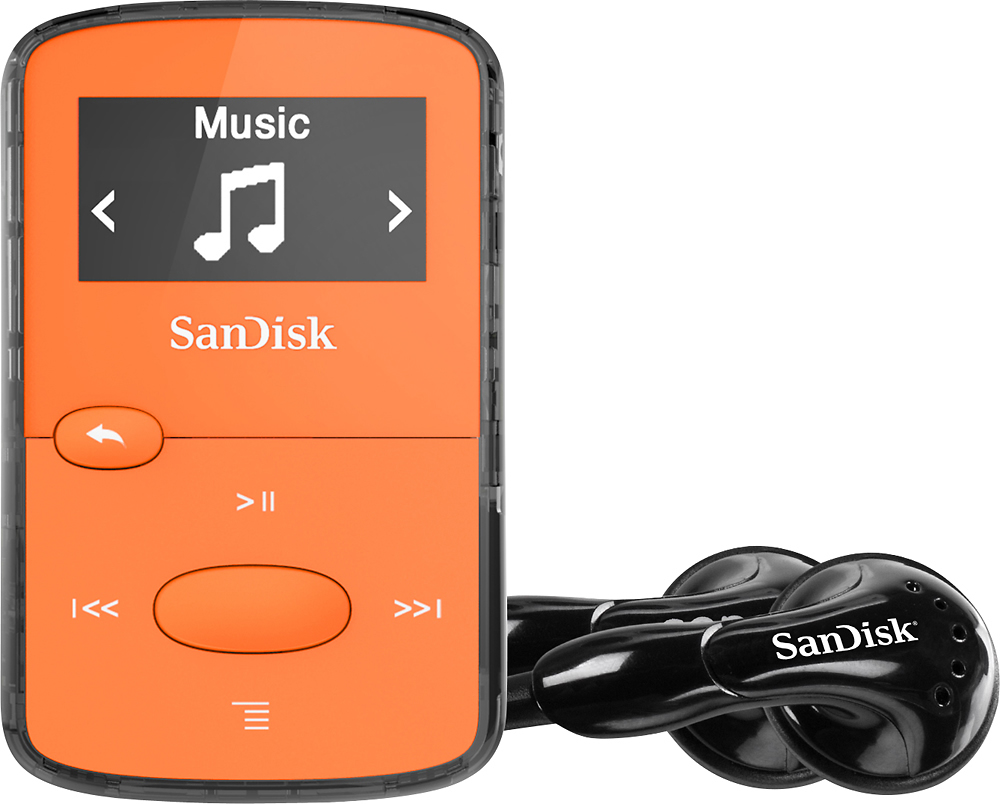
A:AnswerI'm using it with windows 11 and it works fine.
Just checked on my wife's windows 10 and it was recognized and showed what was on the drive so you should be good to go.
A:AnswerPlease allow us to inform you that you can play FM radio when this MP3 player is connected with 3.5mm earphones. You may also check the user manual using the provided link : -- https://downloads.sandisk.com/downloads/um/clipjam-um.pdf
A:AnswerPlease allow us to inform you that you can play FM radio when this MP3 player is connected with 3.5mm earphones. You may also check the user manual using the provided link :
-- https://downloads.sandisk.com/downloads/um/clipjam-um.pdf
A:AnswerPlease allow us to inform you that you can transfer mp3 files to this MP3 player using a computer. However, you will require to download mp3 file from youtube to your computer first then you can transfer them to the MP3 player.
A:AnswerPlease allow us to inform you that you can transfer music to the SanDisk® MP3 players using a Windows or Mac computer. You may also refer to the Provided link :
-- https://kb.sandisk.com/app/answers/detail/a_id/100
A:AnswerPlease allow us to inform you that this MP3 player come with 3.5mm audio jack and you can connect any audio device which has 3.5mm jack. However, we also provide an earphone's inside the packaging of this MP3 player.
A:AnswerPlease allow us to inform you that you can transfer songs to this MP3 player using Windows or Mac computers. You may also refer to the provided steps to know the instructions :
-- https://kb.sandisk.com/app/answers/detail/a_id/100
A:AnswerYes, the SanDisk® Clip Jam MP3 player come with playback options such as repeat, Shuffle, music EQ etc you may refer to the user manual using the provided link :
-- https://downloads.sandisk.com/downloads/um/clipjam-um.pdf
A:AnswerNo, the SanDisk® Mp3 players does not come with pedometer. In order to know more about this MP3 player, please refer to the user manual using the below mentioned link :
-- https://downloads.sandisk.com/downloads/um/clipjam-um.pdf
A:AnswerNo, you will not be able to transfer music file directly to this MP3 using an iPhone. You can transfer files to the SanDisk® MP3 players using a Windows or Mac computer, you may also refer to the below mentioned link :
-- https://kb.sandisk.com/app/answers/detail/a_id/1141
A:AnswerYes, the SanDisk® Clip Jam MP3 player packaging content has USB 2.0 cable included. You may also refer to the user manual to know all the packaging content, please refer to the below mentioned link :
-- https://downloads.sandisk.com/downloads/um/clipjam-um.pdf
A:AnswerSorry but not sure. I mainly use mine for audio books and this is the most inexpensive one and I miss blue tooth capability with it so you may want to consider that fact.
A:AnswerPlease be informed that you'll be able to see the playing song on the screen and you can also navigate Menu options while playing the song. You may also refer to the user manual of this MP3 player using the below mentioned link :
-- https://downloads.sandisk.com/downloads/um/clipjam-um.pdf
A:AnswerPlease allow us to inform you that this MP3 player has preloaded music for testing however, you will require to load music. You may refer to the below mentioned link to know the same :
-- https://kb.sandisk.com/app/answers/detail/a_id/100
A:AnswerPlease allow us to inform you that the SanDisk® Clip Jam MP3 player can store up to 2000 songs. You may also refer to the article for the same using the below mentioned link :
-- https://kb.sandisk.com/app/answers/detail/a_id/74