1-1 of 1 Answer
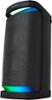
Hello Mellymel, Thank you for your interest in Sony products! We’re delighted to assist you. The Sony SRS-XP700 speaker can indeed be connected to your TV through either Bluetooth or a wired connection, depending on your preferences and your TV’s capabilities. Bluetooth Connection: To connect via Bluetooth, please ensure your TV supports the Advanced Audio Distribution Profile (A2DP). If it does, follow these steps to pair your SRS-XP700 with your TV: Activate Pairing Mode on the Speaker: Press and hold the Bluetooth button on the SRS-XP700 until the Bluetooth indicator begins to flash rapidly, signaling that the speaker is in pairing mode. Pair with the TV: Navigate to the Bluetooth settings on your TV and select the SRS-XP700 from the list of available devices. Once selected, the connection will be established. Wired Connection: Alternatively, you can connect the SRS-XP700 to your TV using a wired connection. The speaker has a stereo mini jack (3.5mm) input, so simply use a compatible audio cable to connect the speaker to your TV’s headphone or audio output jack. Please note that the SRS-XP700 does not support HDMI or optical audio connections, so ensure your TV has the appropriate output options for a wired setup. For more detailed instructions on pairing and wired connections, please visit the following link: https://helpguide.sony.net/speaker/srs-xp500/v1/en/index.html If you have any further questions, feel free to reach out. Best regards, -Fred
Sorry, there was a problem. Please try again later.