Questions & Answers
- Model:
- WJRV3 - 101N
- |
- SKU:
- 6563882
Highly rated by customers for: Haptic Feedback, Immersion, Comfort
Page Showing 1-11 of 11 questions
Q: QuestionIs this technology (and the current device) compatible with or being considered for use with iRacing, the most advanced, physics-based racing software I know of?
Asked by Bulldog.
- A:Answer Hi There. iRacing looks and sounds amazing. The Woojer technology is designed to translate any environmental sounds into physical sensations, so for your racing game it will transfer engine noise, road condition and bumps into bodily sensations thus increasing gameplay immersion, it is fully compatible as long as you can run the sound through the vest and tune the effect intensity to where you like them. Note that this vest will not produce G-force effects, you'll have to go to the real track for that :)
Answered by TeamWoojer
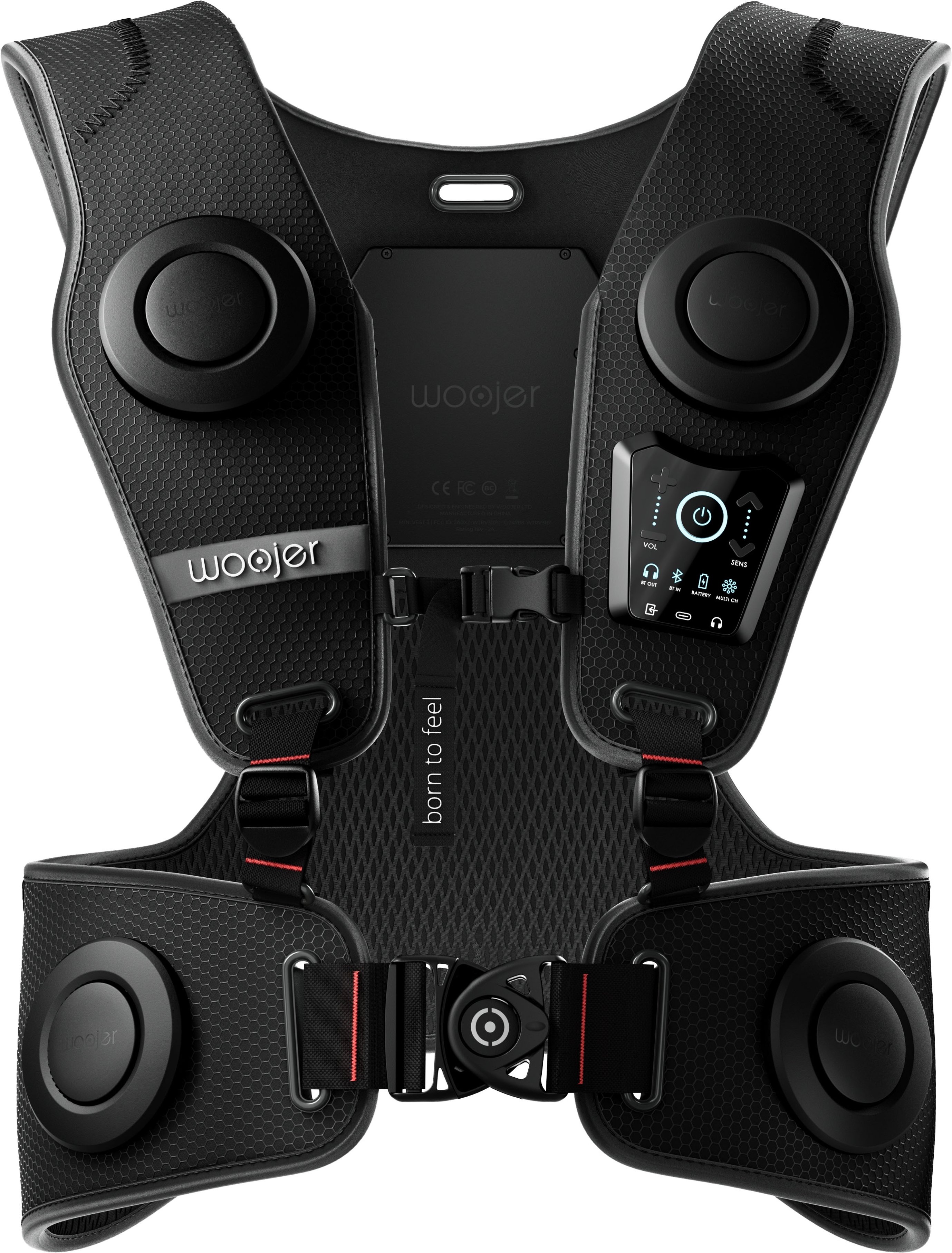
Q: QuestionHow would this connect to my PS5? I'm assuming it'll require a 3.5mm cable just not sure from where to where. Same applies when connecting with the Quest?
Asked by RobertM.
- A:Answer Thank you for your question. You're correct. For optimal performance in latency-sensitive applications, such as gaming, it is highly recommended to use a 3.5mm AUX cable. For the PS5, simply connect a short cable from the audio jack located at the rear of the controller to the input jack on the front of the vest. Subsequently, a headset can be connected to the vest, either through a wired or wireless connection. As for the Quest, it is equipped with an audio jack connector on its side. We recommend establishing a similar connection using a male-to-male 3.5mm AUX cable. Please feel free to reach out to us via our website if you require further assistance.
Answered by WoojerSupport
Q: QuestionCan this be worn by people with a pacemaker?
Asked by Andy.
- A:Answer The Woojer has a permanent magnet in the chest area so should not be used with pacemakers, as also stated in the official manual under the safety section: https://www.woojer.com/pages/vest-3-manual
Answered by troyspencer
Q: QuestionDoes it work when it comes using iPhones? I would like to know if the vest can be connected to iPhone, laptop, and iPad? If so, how can it be connected?
Asked by CR.
- A:Answer Yes it does , I’ve used it on my iPhone , MacBook Pro and galaxy tab ultra. I use mines mostly for music and love it
Answered by Tech868
Q: QuestionI’m considering purchasing this for my son, what is the suggested age group.
Asked by Granger.
- A:Answer He will love it. It says one size fits most but I have an slim athletic build and struggle to get it to contact my body.
Answered by xIEthanHuntIx
Q: QuestionCan it connect to a stand alone headset? Like if I have a Meta Quest 3, can I just use that?
Asked by Anonymous.
- A:Answer Yes the vest can connect to a stand alone headset connected through Bluetooth.
Answered by JakeD
Q: QuestionDoes this connect to Xbox? If so how would I go to connect it.
Asked by Xbox.
- A:Answer Yes! It connects to XBOX. Just use the provided audio cable to connect to the XBOX controller. There are more connection options and you can find them in Woojer's website.
Answered by TeamWoojer
Q: QuestionHow do you connect to a playstation 5 VR 2? Can you do this without a headset and without a 3.5mm cable?
Asked by Wendy.
- A:Answer No, unfortunately it does not connect with any type of video game or console via Bluetooth. you have to use the cable That was my experience, so I returned it to the store
Answered by GerardoZ
Page 1, Showing 1-11 of 11 questions