Customer Ratings & Reviews























- Model:
- ADO951800F158
- SKU:
- 6424570
to a friend
Customers are saying
Customers commend Photoshop Elements & Premier Elements 2021 for its ease of use and intuitive navigation, as well as its inclusion of both photo and video editing capabilities. The software's value and the range of features available are also frequently praised. Many users find the performance satisfactory, even on systems with moderate specifications.
This summary was generated by AI based on customer reviews.
- Pros mentioned:Ease of use
Software
||Posted . Owned for 3 weeks when reviewed.This reviewer received promo considerations or sweepstakes entry for writing a review.Easy to use.works great. Great for a beginner.i would buy again.
I would recommend this to a friend - Pros mentioned:Ease of use
review
||Posted . Owned for 3 weeks when reviewed.This reviewer received promo considerations or sweepstakes entry for writing a review.great for beginner to learn photoshop . very happy
I would recommend this to a friend - Pros mentioned:Video editing
Photo Software
||Posted . Owned for 3 weeks when reviewed.This reviewer received promo considerations or sweepstakes entry for writing a review.Best photo software in the market today. Would recommend.
I would recommend this to a friend Useful but had problems activating.
||Posted . Owned for 11 months when reviewed.This reviewer received promo considerations or sweepstakes entry for writing a review.The sales price was good but had problems activating it. I exchanged it and had the same problem. Best Buy gave me Adobe's 800 number. The activation issuse was resolved aften a long phone conversation.
I would recommend this to a friendNot compatible windows 11
||Posted . Owned for 1.5 years when reviewed.This reviewer received promo considerations or sweepstakes entry for writing a review.Won’t work with windows 11. Missing DLL files. Not going to spend large amount of time to contact manufacturer
No, I would not recommend this to a friendThis software will do just about anything you need
||Posted . Owned for 8 months when reviewed.This reviewer received promo considerations or sweepstakes entry for writing a review.Photoshop Elements has improved every year since it came out. With this version, I was able to salvage some poorly exposed images that a friend had taken on vacation. It was their only family vacation and the pics meant a lot to them. And of course, you can always correct or improve you own pics.
I would recommend this to a friendphotoshop ?
||Posted . Owned for 3 weeks when reviewed.This reviewer received promo considerations or sweepstakes entry for writing a review.is a good software , i believe i do not buy the correct one but still good . they need more info not in the box , but in the website and no the best buy store butt the photoshop software etc.
I would recommend this to a friendGreat upgrade from PSE 13.
||Posted . Owned for 3 weeks when reviewed.This reviewer received promo considerations or sweepstakes entry for writing a review.I have been using Photoshop elements 13 and wanted to put an upgrade version on my laptop. It has a few more options that I like and recommend if you want a disc in lieu of a subscription, and you don't need a lot of "bells and whistles," this is a great option.
I would recommend this to a friendAdobe Photoshop Elements and MBP Battery Drain
||Posted . Owned for 5 months when reviewed.This reviewer received promo considerations or sweepstakes entry for writing a review.Purchased for new MacBook Pro. Initial install was draining the MBP battery. Uninstalled Adobe Creative Cloud component fixed the problem - https://tech-blogs.com/adobe-creative-cloud-is-draining-the-battery-too-fast/ Adobe Photoshop element works well now.
I would recommend this to a friendGood Product for seasoned photo editor
||Posted . Owned for 3 weeks when reviewed.This reviewer received promo considerations or sweepstakes entry for writing a review.Good product and enjoy the flexibiltiy of the use, but this is not for a casual photo editor, since it does require a level of skill and determination to use properly
I would recommend this to a friend- Pros mentioned:Video editing
not worth the price and problems
||Posted . Owned for 1 month when reviewed.This reviewer received promo considerations or sweepstakes entry for writing a review.Nice new features like removing haze but - often does not allow opening of workspace ie working template, and limited to 1k video editing requires much more expense pro version to edit 4k. I chose VideoPad Video editor for free or $30 for pro version that does a great job on everything from mov to 4k video
No, I would not recommend this to a friend Powerful photo software
||Posted . Owned for 10 months when reviewed.This reviewer received promo considerations or sweepstakes entry for writing a review.Still the gold standard in photo editing software. However, it just seems to be less intuitive and not as easy to use as earlier versions.
I would recommend this to a friend- Pros mentioned:Video editing
Not bad.
||Posted . Owned for 1 week when reviewed.This reviewer received promo considerations or sweepstakes entry for writing a review.Does the job. Nice editing. Got it on sale. Could be more user friendly.
I would recommend this to a friend - Pros mentioned:Performance

Easy to use, light on resources
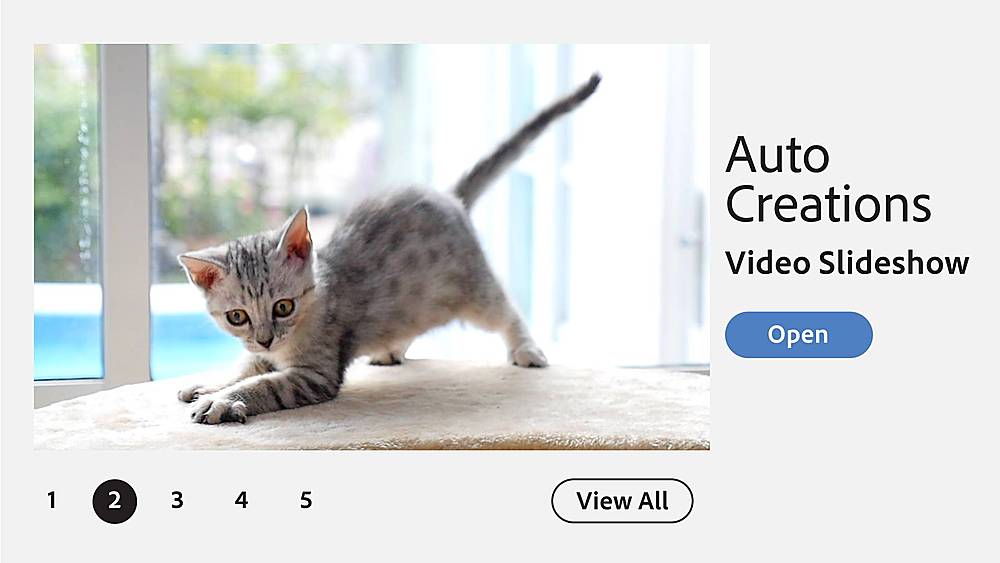
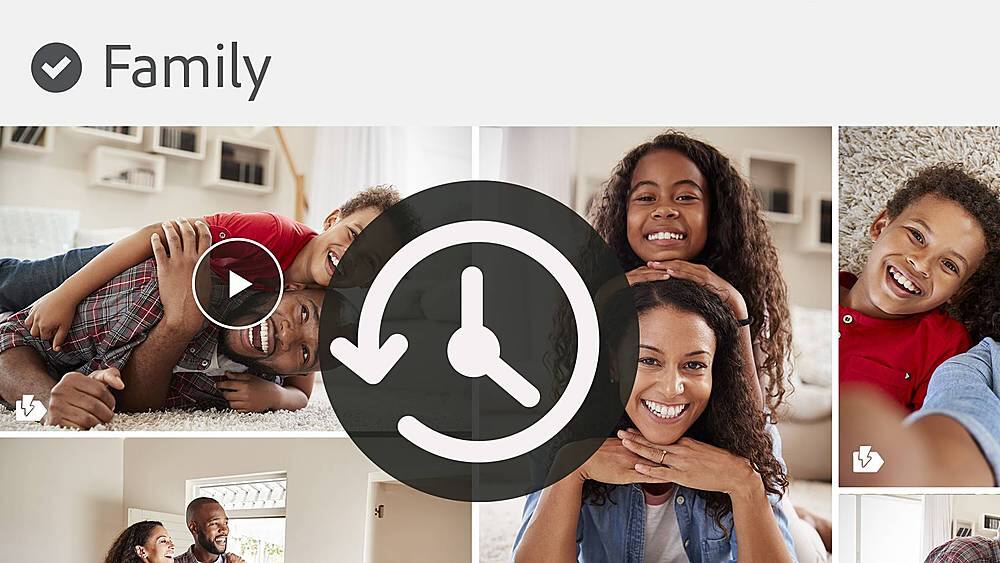
|Posted .This reviewer received promo considerations or sweepstakes entry for writing a review.This was my first time trying the two app Elements bundle in years. I normally either get Premiere or Photoshop Elements individually. Despite being a bundle, the installation feels a bit disjointed. Rather than installing a unified suite, I installed two separate programs using two separate product keys. Premiere took much longer to install than Photoshop and both programs placed separate shortcuts on my desktop. Although Photoshop and Premiere are installed and launched separately, they appear to share the same home screen. The Home screen layout is simple, easy to navigate and the only difference is the name at the top depending on which app was launched. The home screen contains links to open the Photoshop and Premiere workspaces as well as the Adobe Organizer. It also has tiles that link to tips, tricks, projects and auto-creations for all three programs regardless of which was launched. There is no separate shortcut or program menu icon for the Organizer. It must be accessed from within the Premiere or Photoshop home screen. The only other shortcut that was installed is for Adobe Creative Cloud but it's more of a marketing blitz than useful tool. The organizer is robust, very useful and convenient. In addition to cataloging, tagging and arranging media, there are numerous quick tasks that can be performed or launched right from within the organizer workspace. Users can create quick movies, edit photos or create projects like collages and slideshows. Some tasks open the relevant workspace for Premiere or Photoshop but others, like photo touch-ups and slideshows, are performed completely within the organizer. The organizer is also excellent for organizing and tagging gigabytes or terabytes worth of unsorted disorganized media. Media can be individually or batch imported and sorted by people, places or events. I prefer the traditional method of organizing by date. Media can also be sorted into albums. The places feature is cool because it will bring up a world map to show where media was captured. Much of the sorting relies on the media's metadata and some features like geotagging may have to be manually added to older media or non-GPS tagged media. Thankfully, the organizer makes this and other metadata tasks very easy to perform. Premiere and Photoshop also share similar workspaces with three modes offered: Quick, Guided and Expert. The quick and guided modes are very similar visually in both apps. Only the expert mode looks noticeably different in both. Quick mode is a basic storyboard interface in Premiere and a basic photo editor in Photoshop. This mode is good for a quick no frills project. The guided mode is self-explanatory. In both programs it opens to an assortment of helpful tiles that link to tutorials and projects. This is probably the best place for new users to start in both programs because in addition to regular and just for fun projects it also has several tiles with useful tutorials on the basics of using Premiere or Photoshop Elements. Lastly, expert mode is the traditional timeline mode with 3 video tracks, 3 audio tracks, a narration track and a music track in Premiere. Expert mode in Photoshop Elements looks like a slightly less complicated version of its bigger and more powerful sibling. Both programs offer more than enough features for most home users. I personally prefer creating brief, polished videos with limited tasteful effects that contribute rather than distract. Whether that's the goal or a huge special effects loaded production, both can be easily accomplished with these programs. Photoshop Elements is also robust enough for illustration and web content uses in addition to photo editing. It can't do everything Photoshop does but it does enough and will prove more than sufficient for most people. Performance is good even on mid-range systems. I'm running both programs on a mid-range laptop with a 1.30GHz Intel i7 CPU, 8GB RAM, 500GB M2 drive and a GeForce MX230 graphics card. It's not a basic laptop but it's hardly what I'd consider a power system spec-wise. Both programs run smoothly during use and I can even use my computer while 4K video projects are rendering. I can certainly feel where better specs, specifically more RAM, would definitely be beneficial but overall, performance is stable, even when working with 4K video. I can render three minutes of 4K video with modest effects and transitions down to an HD MP4 file in about 10 minutes. I can even work on my machine while 4K video is rendering although it's pretty obvious that system resources are taxed while it renders. Overall, the Elements bundle isn't bad. It offers a good balance of features and price. The interface is among the easier that I've used and so far it has run stable on my moderately spec'd system. I have yet to experience a freeze or crash. Either program can be purchased individually in lieu of the bundle. The only downside to purchasing either program individually is the shared home screen. In the past, it always annoyed me that there were links to the other product on the home screen even if I didn't own it. Clicking a tile or link simply opened an offer to buy or trial the missing program. It appears that may still be the case.
I would recommend this to a friend 5 star review
||Posted .This reviewer received promo considerations or sweepstakes entry for writing a review.I am giving it a 5 star review for all the amazing effects that it can create. I just haven't figured out how to get my stuff to look like that. Thankfully, there are YouTube adobe instructional videos.
I would recommend this to a friendShould have bought it sooner
||Posted . Owned for 1 week when reviewed.This reviewer received promo considerations or sweepstakes entry for writing a review.I really don't know how I went without an upgrade for so long. My last PS was version 10. This is like another world. Got this as a deal of the day and it's actually worth the regular price. Fantastic
I would recommend this to a friendVery capable program
||Posted . Owned for 1 month when reviewed.This reviewer received promo considerations or sweepstakes entry for writing a review.I bought this for the video creation capabilities and quite honestly I’m still getting the hang of it. From what I’ve seen thus far, this program provides a good upgrade to earlier versions of the software.
I would recommend this to a friendDoes The Job
||Posted . Owned for 4 months when reviewed.This reviewer received promo considerations or sweepstakes entry for writing a review.A great companion to my purchase of a Nikon Z5. Now all I need is for travel restrictions to disappear!
I would recommend this to a friendPhotoshop
||Posted . Owned for 2 months when reviewed.This reviewer received promo considerations or sweepstakes entry for writing a review.Great computer program, but you should watch videos on how to use it.
I would recommend this to a friendMo is the best
||Posted . Owned for 3 weeks when reviewed.This reviewer received promo considerations or sweepstakes entry for writing a review.Great service. Mo literally is the best. He's grown so much since he first started with bestbuy. He's a huge asset to the company.
I would recommend this to a friend