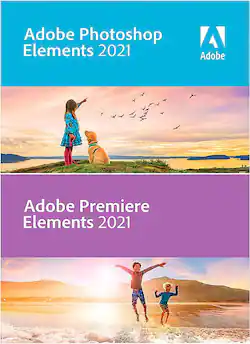
Adobe - Photoshop Elements & Premier Elements 2021 - Android, Apple iOS, Windows
- Key Specs
- Operating System Compatibility: Android, Apple iOS, Windows
- Software Format: Physical (Physical software requires a disc, cartridge, etc. be inserted into the gaming console or computer to download and/or operate the software. Digital software allows for downloading and/or playing the software on the gaming console or computer without a physical disc, cartridge, etc. Physical (Download Code Only) software is purchased in physical form with a code that allows for downloading and/or playing the software on the gaming console or computer without a physical disc, cartridge, etc.)
- General
- Product Name: Photoshop Elements & Premier Elements 2021
- Brand: Adobe
- Publisher: Adobe
- Model Number: ADO951800F158
- Features
- Editing Type(s): Photo editing, Video editing
- Compatibility
- Operating System Compatibility: Android, Apple iOS, Windows
- Software Format: Physical (Physical software requires a disc, cartridge, etc. be inserted into the gaming console or computer to download and/or operate the software. Digital software allows for downloading and/or playing the software on the gaming console or computer without a physical disc, cartridge, etc. Physical (Download Code Only) software is purchased in physical form with a code that allows for downloading and/or playing the software on the gaming console or computer without a physical disc, cartridge, etc.)
- Compatible File Types: H.264, MP3, MPEG-1, MPEG-2, MPEG-4
- Requirements
- System Requirements: Intel 6th Gen CPU and up or AMD equivalent with SSE4 support; Windows 10 64-bit 1903 and up; macOS 10.14 through 10.15 or macOS 11; 8GB RAM; 1280x800 resolution; internet connection for product activation and content download (The software that a product must have for it to be able to integrate with another product.)
- Other
- UPC: 883919280318
Enhance your creativity potential with this Adobe Photoshop Elements 2021 and Premiere Elements 2021 bundle. The Adobe Sensei AI technology powers automated options to get a starting point for creative exploration, and step-by-step Guided Edits let you create double exposure and animated mattes.
- Add motion to your static images: With one click, transform your favorite shots into moving photos-fun animated GIFs with 2D and 3D camera motion. It's easy and perfect for sharing on social media.
- Automatically colorize your photos: Give black-and-whites new life or change up the colors in your pics with automatic colorization.
- Fine-tune face tilt: Make sure everyone in your photo is looking in the right direction by adjusting the position of a person's face. It's great for selfies.
- One-click subject selection: Automatically select the subject of your photo with a single click. Then, easily make isolated edits to the subject or the background.
- Adjust facial features: Get the perfect shot every time by automatically opening closed eyes, turning frowns upside down, and more.
Whats Included
- Adobe Photoshop Elements & Premier Elements 2021
Q: Is this a one year subscription? Or does buying this give me the program to use forever as is?
A: I do not believe that Photo Element is a subscription. I have several versions and never paid for a subscription to use. You just have to buy a new version if you want updates every year or whenever they drop a new version.
Q: Does the software come on a disc?
A: Yes
Q: Can I purchase a book to go accompany this particular DVD ?
A: If you are looking for instructions, good luck with that. I went back to Best Buy where I bought it, to return it but they would not take it back. The manager said that I would need to buy a manual to go with it and said it would cost about $50.00. Apparently they don't carry that manual. I spoke with Adobe numerous times and they said that there are no written instructions. They sent the same link several times explaining 'collages'. Collages are not what I bought the software to do. Before I bought this software, I called Adobe from an ad and asked them if they had software that would help me do something particular. I want to take three pictures and transfer pieces of two of them onto one main background picture. They told me that this software would do exactly what I want and that it would be so simple. I went to Best Buy and the sales person told me the same thing. No one bothered to tell me that you have to be very knowledgeable in layering and photo transfer and such. I am not knowledgeable with this stuff. Long story short, I'm stuck with the software that I have no idea how to work with, and Best Buy was no help at all and Adobe's customer support is pathetic. You can look on you tube and see some instructions and how to's but you need to have an idea about how to do some of the things that they require. As for a book? I have found nothing. Good luck with yours.
A: Support had to assist with the redemption code and everything works fine
Q: does the ELEMENTS do some similar jobs like Adobe Lightroom?
A: Yes it does, I mean, Lightroom does a lot of things like editing photos, that Photoshop Elements does it pretty well and even I like it more than Lightroom. Just keep in mind that the question only says “Elements”, there is Premiere Elements and Photoshop Elements, the first is for video editing only. I recommend buying them together
Q: Can I put this on my laptop and desktop while only buying it once?
A: The following is per the Adobe Elements 2021 FAQ page: "Technical Questions May I install Photoshop Elements on more than one machine? You can install your product on up to two computers. If you want to move your product to a new computer, simply choose Help > Sign Out in the product from one of the computers that has an active license. You can then install the product on your new computer." https://www.adobe.com/products/photoshop-elements/faq.html
Q: Can you open a pdf and save as jpeg?
A: Yes, you can right click on the pdf and choose open in, then Adobe Photoshop Elements. You can also use the open command within Photoshop and navigate to the file (just make sure all files is selected under type of file). Once it is loaded, you can choose to save as jpeg.
A: If you aren't completely experienced in doing this, then don't waste your money... there are no instructions included and Adobe Customer Support is no help at all... I wanted to put three pictures into one picture (not a collage) and Adobe told me that this software would do what I wanted... to quote them, 'its so simple'... I went to Best Buy and the sales person told me the same thing... 'its simple to do'... After installing it and having difficulty with the serial numbers being accepted, I finally had it installed... I got the Adobe PhotoShop Elements 2021 and Adobe PhotoShop Premier Elements 2021... no instructions whatsoever... I went back to Best Buy and they said they couldn't do anything about it... the manager suggested that I buy a manual for $50.00... I have spoken to Adobe Customer Support close to a dozen times on their online chat support... the first thing they want to do is to remote access my computer... and I say no way... They have sent me links on how to do collages... even those links are not usable to me as they are for 2019, and I have 2021... One thing I have learned is that if I had known what a waste of money this was going to be, and the lack of customer support from not just Adobe but Best Buy as well, I would never have bought the software... So, again, unless you are very experienced in this sort of thing, don't waste your money... it's not worth the frustration....




















