Customer Ratings & Reviews


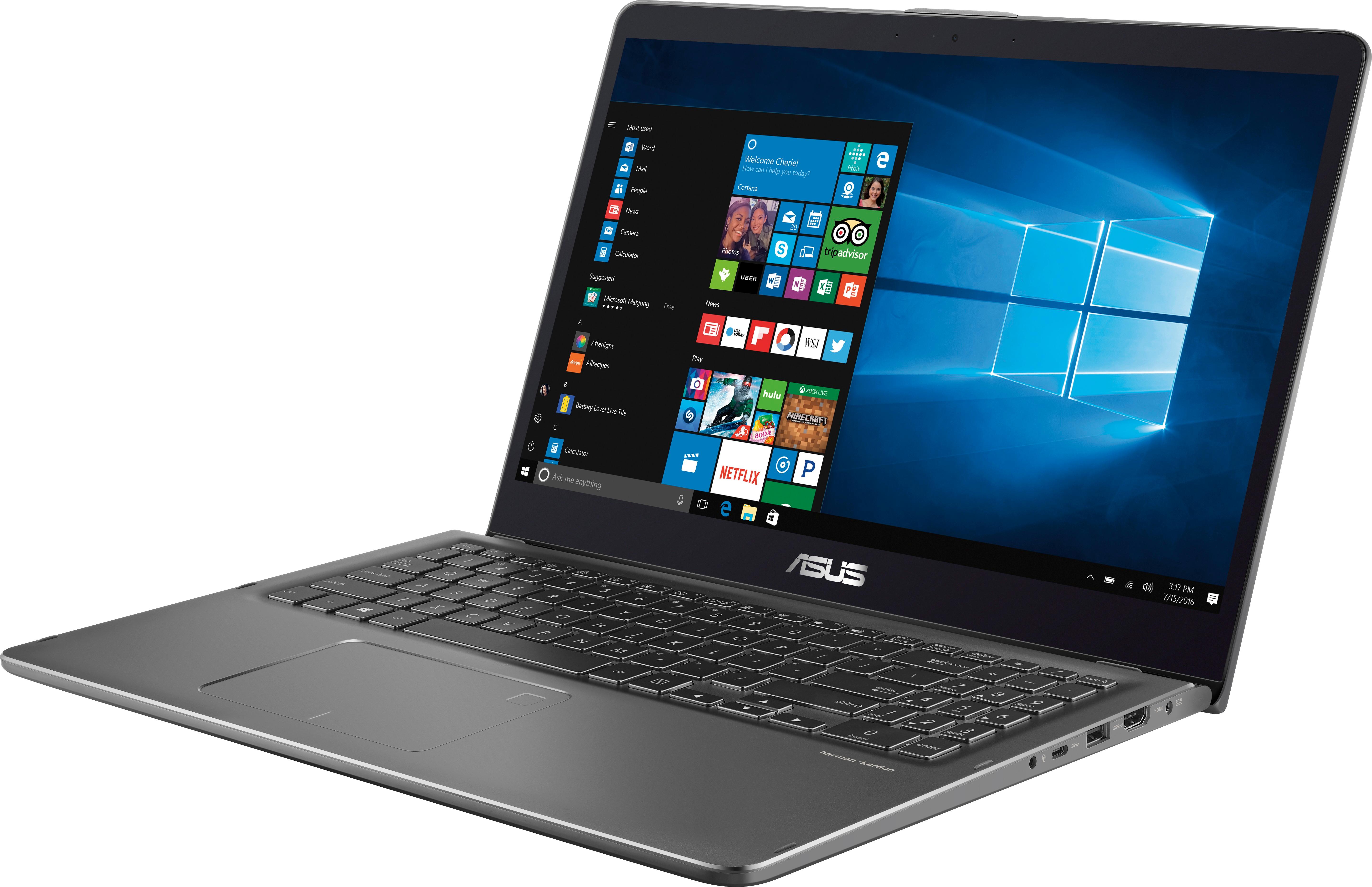

- Model:
- Q525UA-BI7T9
- SKU:
- 6077505
Rating by feature
- Value
Rating 3.7 out of 5 stars
- Quality
Rating 3.9 out of 5 stars
- Ease of Use
Rating 4.0 out of 5 stars
Customers are saying
Customers are impressed with the touch screen's sensitivity, the laptop's lightweight design, and the amount of storage it has. They also appreciate its user-friendly interface, solid performance, long battery life, and reasonable price. However, some users have experienced freezing issues when multiple Chrome tabs are open, and a few found the setup process to be lengthy.
This summary was generated by AI based on customer reviews.
ASUS Laptop review
||Posted .This reviewer received promo considerations or sweepstakes entry for writing a review.I have had this laptop for about 2-3 years now. I first didn’t have any issues throughout the first year then it just started to go directly into the EZ mode constantly while using it. The geek squad honestly had been useless while I had this laptop, they were never able to help. So please KEEP THAT IN MIND before purchasing it.
No, I would not recommend this to a friendNice but has issues
||Posted . Owned for 1 year when reviewed.This reviewer received promo considerations or sweepstakes entry for writing a review.I’m having a lot of freezing, crashing, USB failure, slow boot up etc
No, I would not recommend this to a friendGarbage
||Posted . Owned for more than 2 years when reviewed.This reviewer received promo considerations or sweepstakes entry for writing a review.Garbage- do not buy ASUS I purchased two of these at the same time- close to 1,000 each... both are collecting dust, I will not buy ASUS again because of these. Just made it out of the warranty period... really My HP I bought to replace them is killing it! and it is almost two years old
No, I would not recommend this to a friendLight
||Posted .This reviewer received promo considerations or sweepstakes entry for writing a review.Computer is slower than expected. Light. Good screen.
No, I would not recommend this to a friendBuy Quality
||Posted .This reviewer received promo considerations or sweepstakes entry for writing a review.Got the ASUS at the recommendation of the sales assoc. Horrible laptop. Ridiculously slow with nothing downloaded or uploaded. Brought it back and got a Dell. Very happy now
No, I would not recommend this to a friendVery slow....
||Posted .This reviewer received promo considerations or sweepstakes entry for writing a review.Not as responsive as I would have quested and no back lite keyboard?????
No, I would not recommend this to a friendBrand response from Asus_Answers
Posted .Dear Gritts02,
Thank you for writing a comment for the product. I do understand your disappointment if you are experiencing slow system speed or performance and a backlight keyboard issue. The unresponsive and slow system speed is temporary during the initial WINDOWS setup and before installing cumulative WINDOWS Update, regardless what brand name of computer this may be. Once initial setup and WINDOWS Update installation completed, system speed or performance will be optimized. Cumulative WINDOWS Update needs to be installed periodically in order to maintain optimum system stability and performance. If you are accessing web applications, please make sure the unit has access to an established router and internet service is working properly since this will definitely affect system speed and performance. Also, clearing internet cache or browsing history will improve system performance. In regards to the backlight keyboard, please press the hotkeys, " Fn + F4 in order to activate the backlight and increase the brightness level, pressing "Fn + F3" decreases the light and deactivate it. If you need further assistance, please email me at cl-rodel@asus.com and I would be happy to help. Or, you can speak to an ASUS live support agent 24/7 at http://bit.ly/AsusLiveChat.
Thank you for choosing an ASUS product.
Regards,
Rodel
ASUS Customer Loyalty
Not good.
||Posted .This reviewer received promo considerations or sweepstakes entry for writing a review.A waste of my money! It doesn't perform as the sales person indicated!
No, I would not recommend this to a friendBrand response from Asus_Answers
Posted .Dear Bwise2,
I do understand your disappointment with the product and the inconvenience this may have caused you if you are experiencing performance issues with the laptop. On the contrary, lots of satisfied customers, having positive experience using the product, will agree with me that the unit is a decent system that is perfect for running basic and light computing applications, without compromising system stability and performance. In order to maintain optimum system stability and performance, cumulative WINDOWS Update needs to be installed periodically. If you are accessing web applications, please make sure the unit has access to an established router and internet service is working properly since this will definitely affect system speed and performance. Also, clearing internet cache or browsing history will improve system performance. Should you need further assistance with the product, please email me at cl-rodel@asus.com and I would be more than happy to help.
Thank you for choosing an ASUS product.
Regards,
Rodel
ASUS Customer Loyalty
Good laptop for non power users
||Posted .This reviewer received promo considerations or sweepstakes entry for writing a review.I bring this laptop to with me to work and it seems to heat up fast when i am using it. Also, even in power saver mode the laptop does not seem to want to go to sleep unless i push the power button to conserve battery during my work day. Usually when using the laptop at home it heats up within 15 minutes.
No, I would not recommend this to a friendCrashed
||Posted .This reviewer received promo considerations or sweepstakes entry for writing a review.Worked well for a few months, then completely crashed and now it's stuck on some weird boot screen. It's nothing but an expensive paperweight now.
No, I would not recommend this to a friendBrand response from Asus_Answers
Posted .Dear LivPhree,
I do understand your disappointment with the product if the laptop will no longer bootup normally in WINDOWS. Please try to do a power cycle several times or do a PC Reset. If successful, please install cumulative WINDOWS Update before running any applications. If PC Reset didn't work in order to resolve the issue, you can do a factory restore using a Recovery Media. If you were not able to create one, you can use the Media Creation tool to create one. The tool and the ISO image for WINDOWS is available and can be downloaded at the Microsoft website. You can use a memory card or an external USB device to create the recovery image. In order to maintain optimum system stability and performance, cumulative WINDOWS Update needs to be installed periodically. If you need further assistance, please email me at cl-rodel@asus.com and I would be happy to help.
Thank you for choosing an ASUS product.
Regards,
Rodel
ASUS Customer Loyalty
Avoid
||Posted .This reviewer received promo considerations or sweepstakes entry for writing a review.This computer was a mistake from the moment that I opened the box. It beeped randomly, was incredibly slow, would freeze frequently, and could barely run programs without issues.
No, I would not recommend this to a friendSlow
||Posted .This reviewer received promo considerations or sweepstakes entry for writing a review.Extremely disappointed in this computer. I can’t even surf the web at a decent speed. My macs and other Dell laptops run perfectly with 175mbps.
No, I would not recommend this to a friendBrand response from Asus_Answers
Posted .Dear Alex,
Thank you for posting your feedback on this model. We're sorry to hear that you're disappointed in our product. Please allow us to make your experience with ASUS a better one. We would recommend that you back up your important data and perform reset on this model. If the issue persist, we would recommend that you have this device sent in for servicing. For further assistance please feel free to reach out to us by email: customerloyalty@asus.com. Please use a link to this review as reference. I do look forward to your response. Have an extraordinary day.
Thank you for choosing ASUS.
Best Regards,
Joan
ASUS Customer Loyalty US Support
Locks up half the time.
||Posted . Owned for 1 year when reviewed.This reviewer received promo considerations or sweepstakes entry for writing a review.I would probably not buy an ASUS again. When it works, it's great, but it's been a little wonky- freezing, locking up, etc. But mostly, I have never had such a slow boot up time- at least 5 minutes!
No, I would not recommend this to a friend1 Week later it died
||Posted .This reviewer received promo considerations or sweepstakes entry for writing a review.Bought it for my daughter's birthday and a week later we got the black screen of death. Hard reset and waited 2 hours to no avail. Asking the store to take it back rather than Geek Squad it. Won't buy Asus again.
No, I would not recommend this to a friendBad
||Posted .This reviewer received promo considerations or sweepstakes entry for writing a review.Hard disk broke Best Buy won’t take it back 15 day policy . It was an ex display . I am out the money ... hoping bestbuy will reconsider
No, I would not recommend this to a friendBrand response from Asus_Answers
Posted .Dear Juniperjoef,
I certainly understand your disappointment and the inconvenience this may have caused you. All ASUS products undergo intensive quality control testing and inspections, this is a random problem. Normally, ASUS provides one year warranty coverage, if product was purchased brand-new, in order to fix or repair any hardware or, part that stop working prematurely under normal usage. If you need more information or further assistance with the warranty for the product, please email me at cl-rodel@asus.com and I would be more than happy to help.
Thank you for choosing an ASUS product.
Regards,
Rodel
ASUS Customer Loyalty
Loud and slow, get an SSD
||Posted .This reviewer received promo considerations or sweepstakes entry for writing a review.This computer was horrible, the battery life was bad as well as response time. The 16 GB ram makes no difference when it is combined with useless hardware. Buyer beware.
No, I would not recommend this to a friendBrand response from Asus_Answers
Posted .Dear Valued Customer,
Thank you for sharing your feedback on this model. We're sorry to hear about the issues you're having with this device. Please allow us to make your experience with ASUS a better one. Can you please provide us with more details on the issue you're having? There's a possibility that there are background apps and Windows updates causing the unit to perform as it does. What we've observed with the Windows 10 operating system is that once the unit is not being used all background and installed apps including Windows updates will fire up. We would recommend that the user check for and install all updates for all installed applications. For further assistance please feel free to reach out to us by email: customerloyalty@asus.com. Please use a link to this review as reference. Have an extraordinary day.
Thank you for choosing ASUS.
Best Regards,
Joan
ASUS Customer Loyalty US Support
Poor quality and speed
||Posted .This reviewer received promo considerations or sweepstakes entry for writing a review.The computer is not worth the money. The speed is very slow send can’t function with even minimal usages.
No, I would not recommend this to a friendBrand response from Asus_Answers
Posted .Dear Chrism,
I do understand your disappointment with the product if you are experiencing slow system speed or performance with the laptop. This issue is temporary during the initial WINDOWS setup and before installing cumulative WINDOWS Update, regardless what brand name of computer this may be. This may take a longer time depending on the network traffic from the update server and the stability of your high-speed internet service. Once initial setup and WINDOWS Update installation completed, system speed or performance will be optimized. In order to maintain optimum system stability and performance, cumulative WINDOWS Update needs to be installed periodically. If you are accessing web applications, please make sure the unit has access to an established router and internet service is working properly since this will definitely affect system speed and performance. Also, clearing internet cache or browsing history will improve system performance. If you need further assistance, please email me at cl-rodel@asus.com and I would be happy to help.
Thank you for choosing an ASUS product.
Regards,
Rodel
ASUS Customer Loyalty
Not good
||Posted .This reviewer received promo considerations or sweepstakes entry for writing a review.Not user friendly. Even settling up a password was difficult. Had to pay extra for anti-virus software.
No, I would not recommend this to a friendBad
||Posted . Owned for 1.5 years when reviewed.This reviewer received promo considerations or sweepstakes entry for writing a review.Slow and bad. Gets too slow after some time even if the 32% of the RAM is used.
No, I would not recommend this to a friendWorst laptop
||Posted .This reviewer received promo considerations or sweepstakes entry for writing a review.Worst computer i have ever had, broke down after year
No, I would not recommend this to a friendOpen Box Item
||Posted .This reviewer received promo considerations or sweepstakes entry for writing a review.This computer had serious issues once I got it home. I returned the item.
No, I would not recommend this to a friendBrand response from Asus_Answers
Posted .Dear Robf72,
I do understand your disappointment if you are experiencing slow system speed or performance issue with the laptop. This issue is temporary during the initial WINDOWS setup and before installing cumulative WINDOWS Update, regardless what brand name of computer this may be. This may take a longer time depending on the network traffic from the update server and the stability of your high-speed internet service. Also, laptop will do several system reboot or restart during the update process. Once initial setup and WINDOWS Update installation completed, system speed or performance will be optimized. In order to maintain optimum system stability and performance, cumulative WINDOWS Update needs to be installed periodically. If you are accessing web applications, please make sure the unit has access to an established router and internet service is working properly since this will definitely affect system speed and performance. Also, clearing internet cache or browsing history will improve system performance. If you need further assistance, please email me at cl-rodel@asus.com and I would be happy to help.
Thank you for choosing an ASUS product.
Regards,
Rodel
ASUS Customer Loyalty