Customer Ratings & Reviews
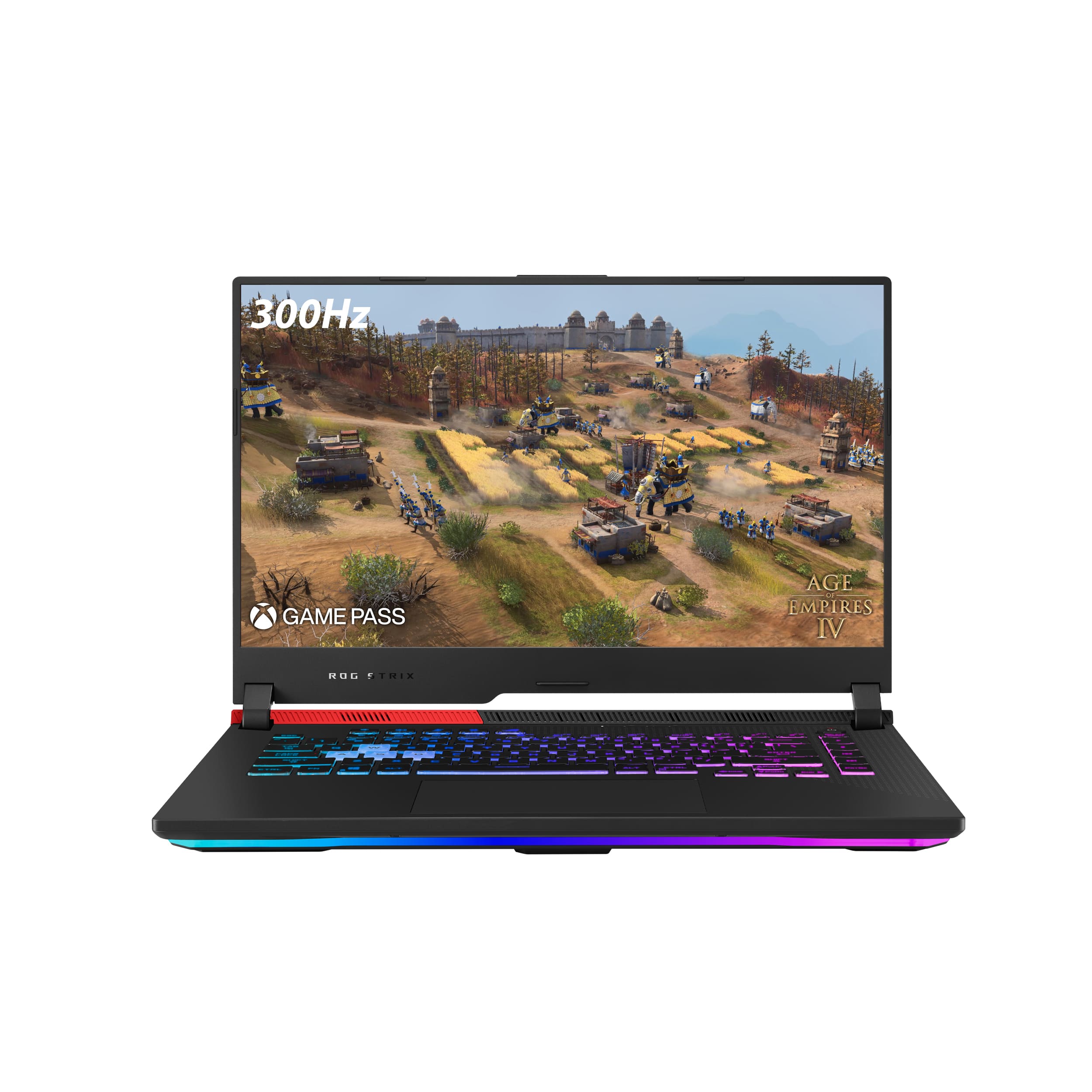
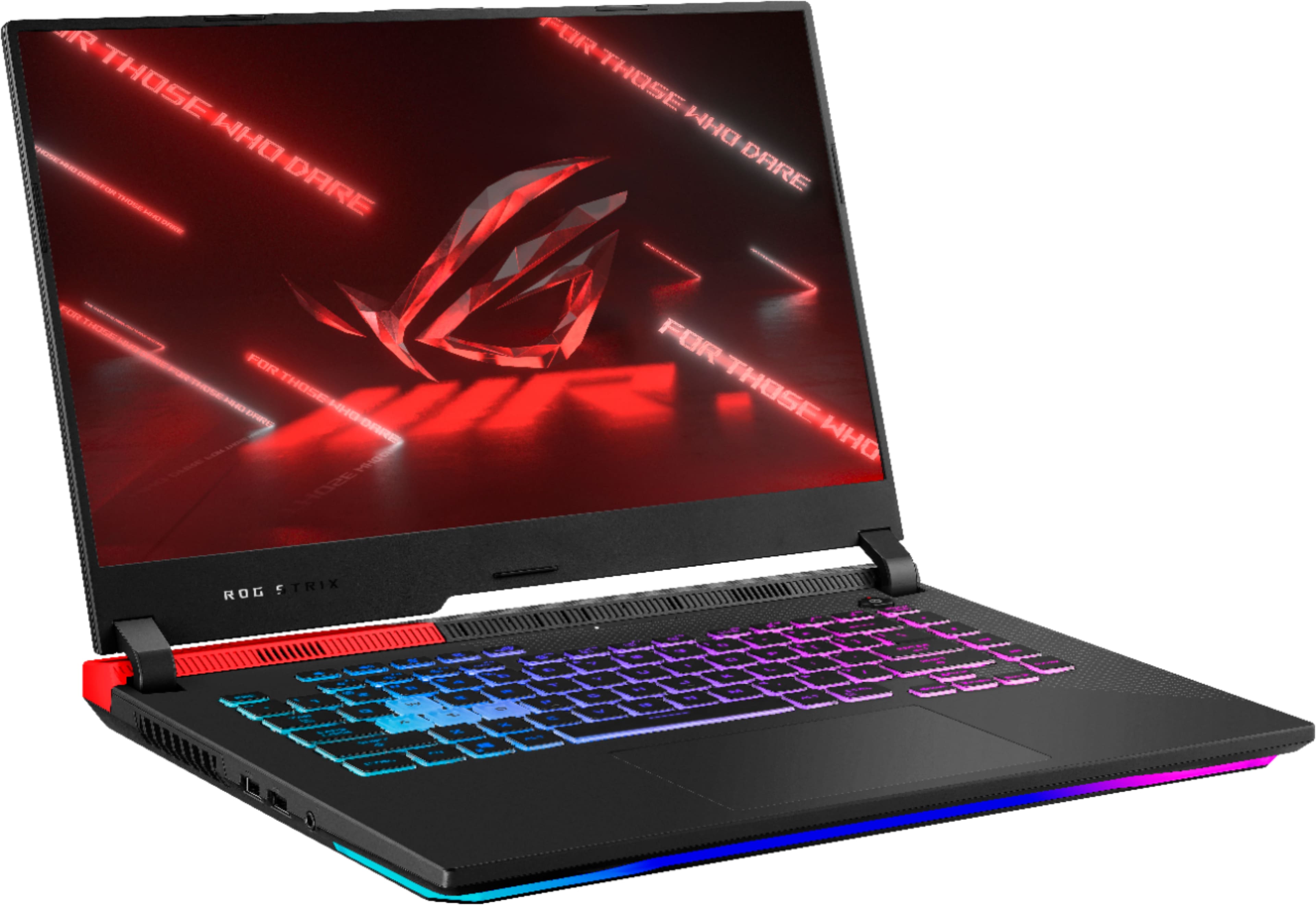
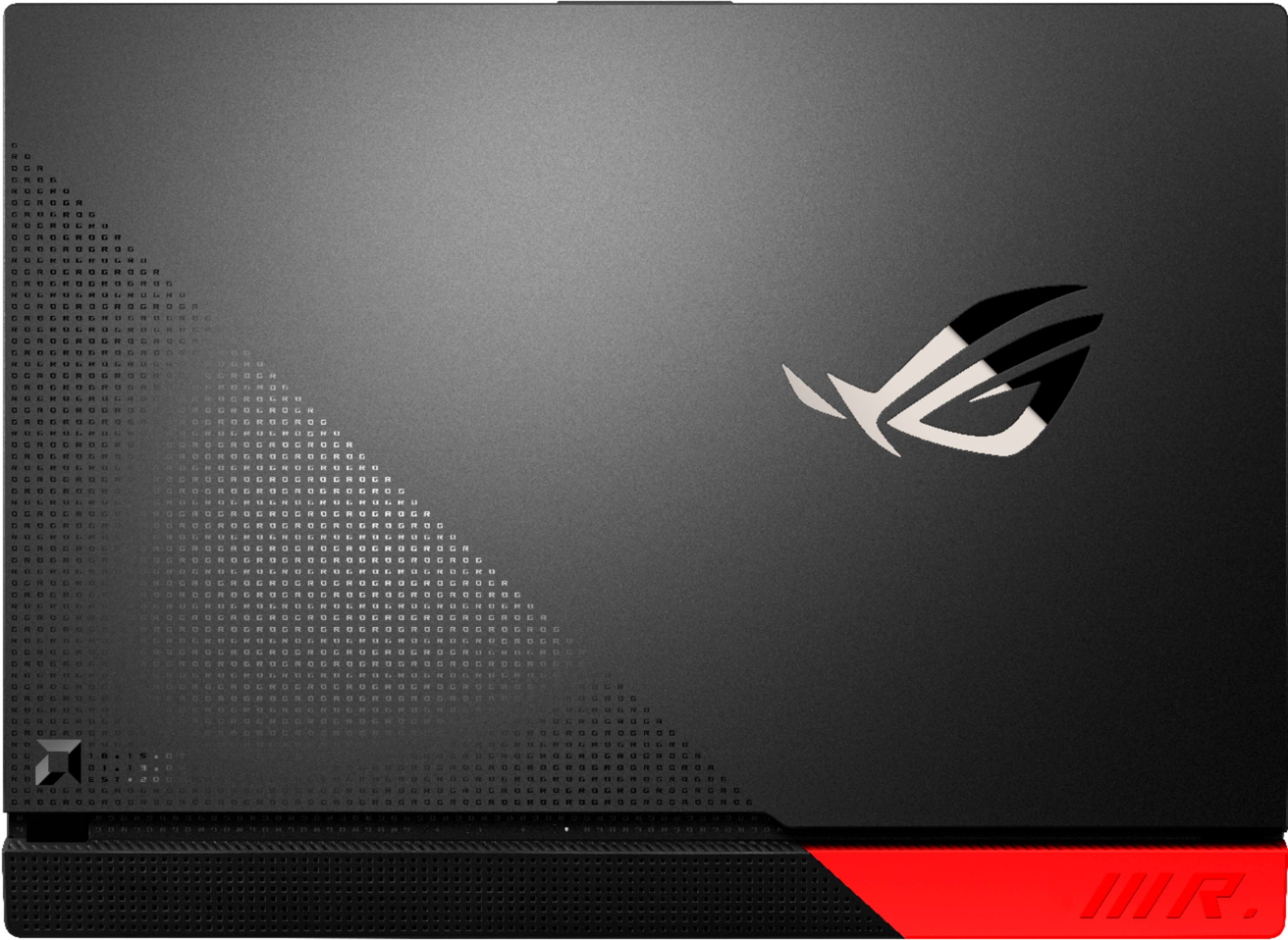
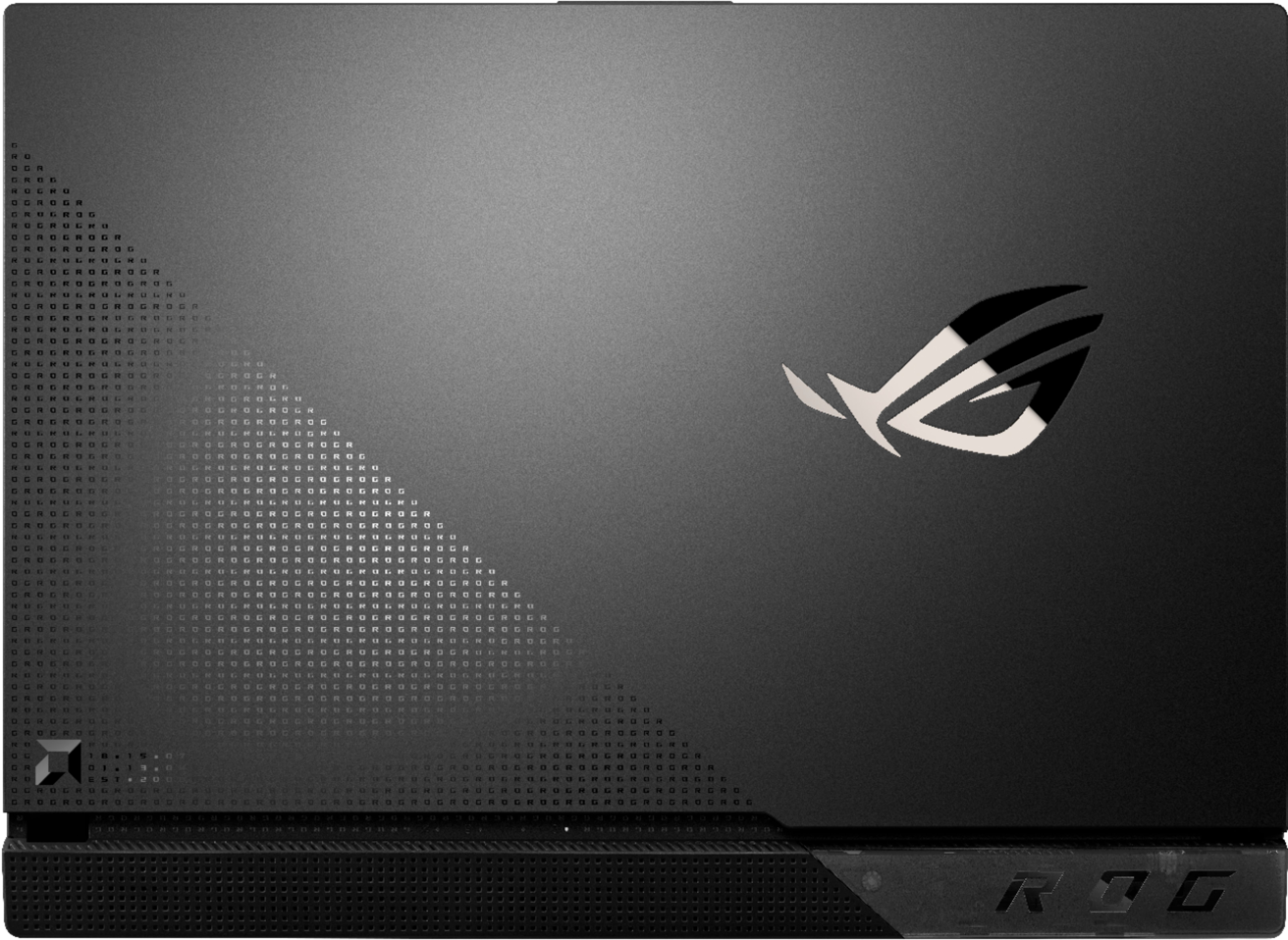
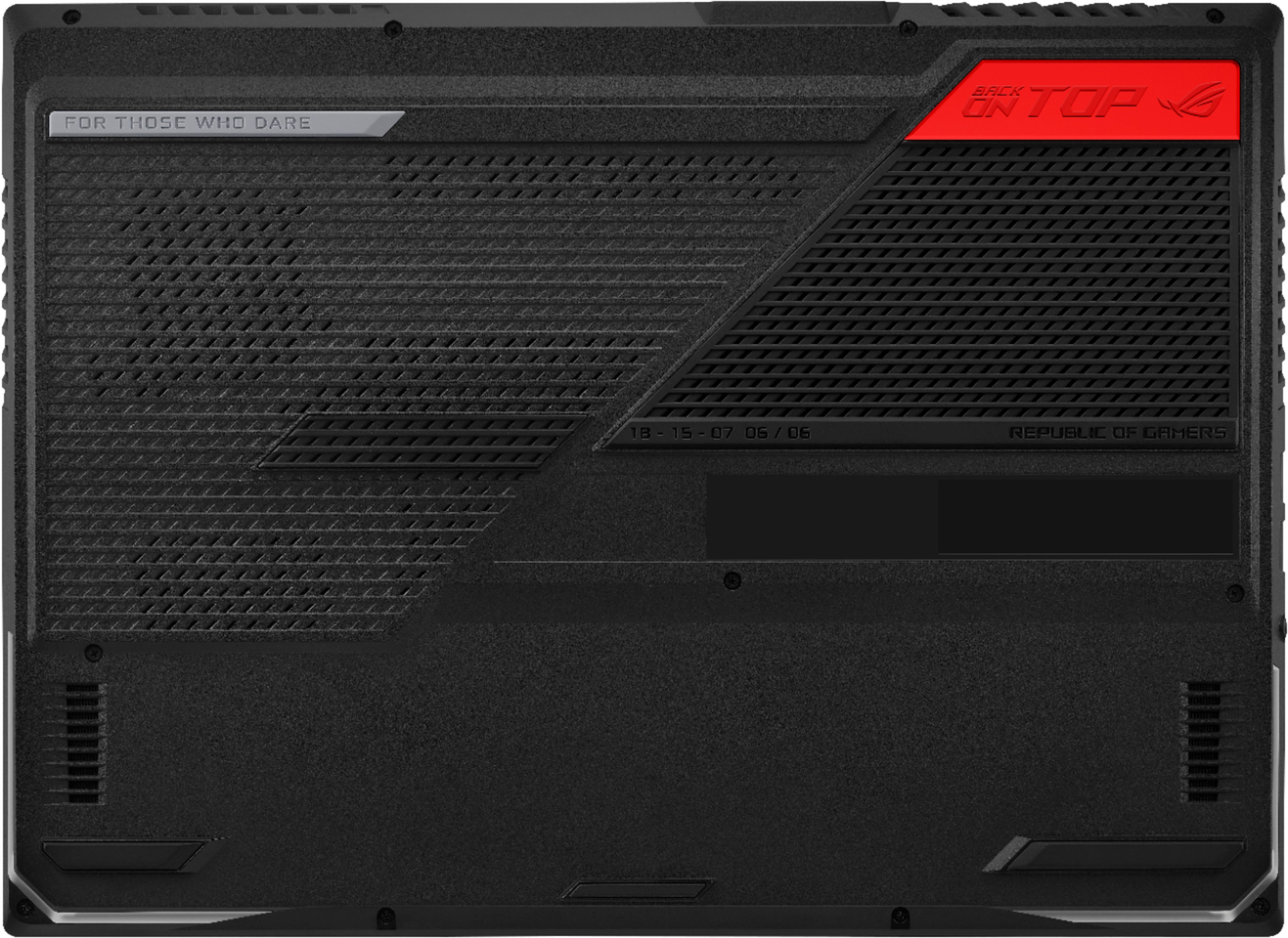


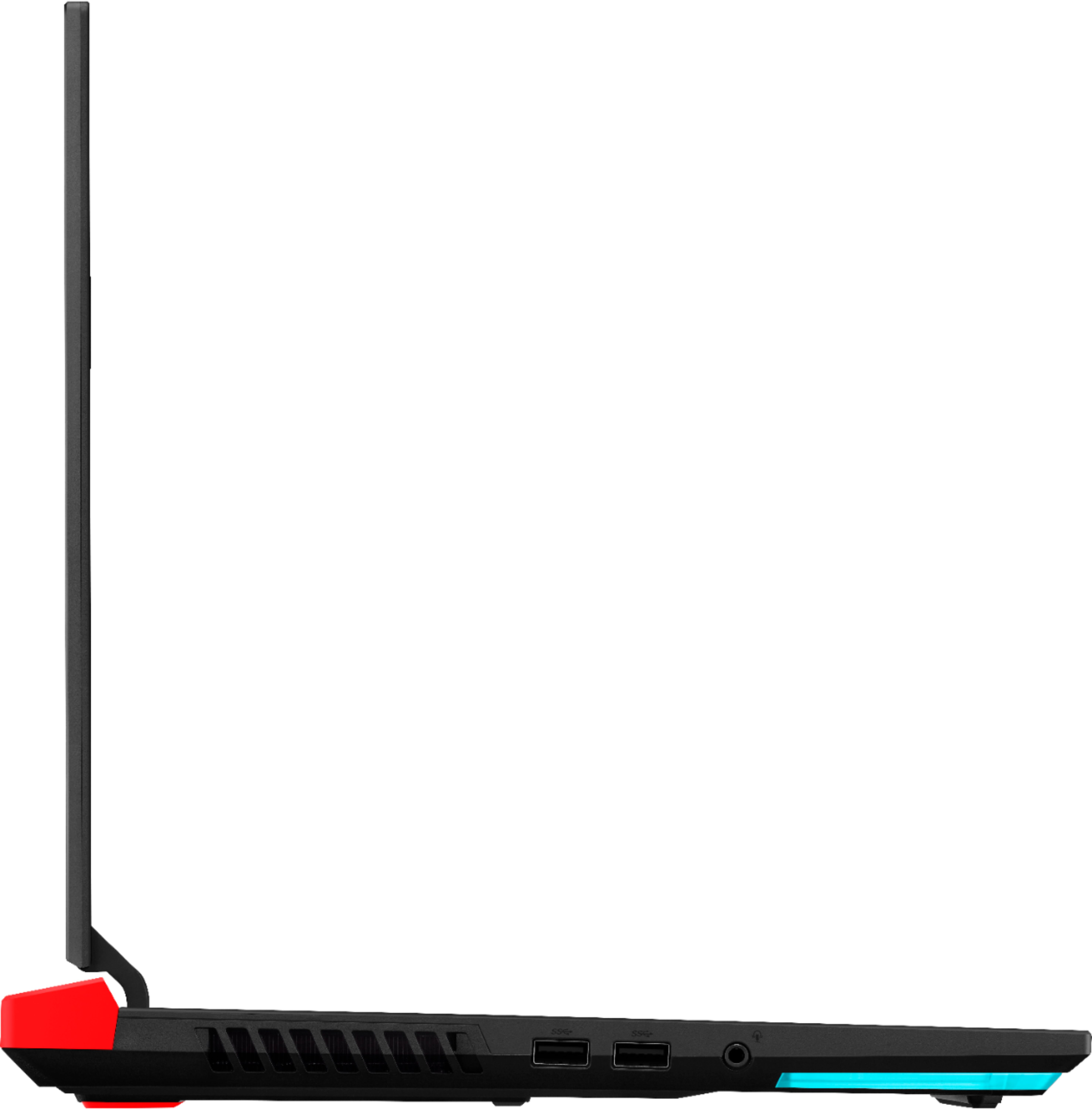
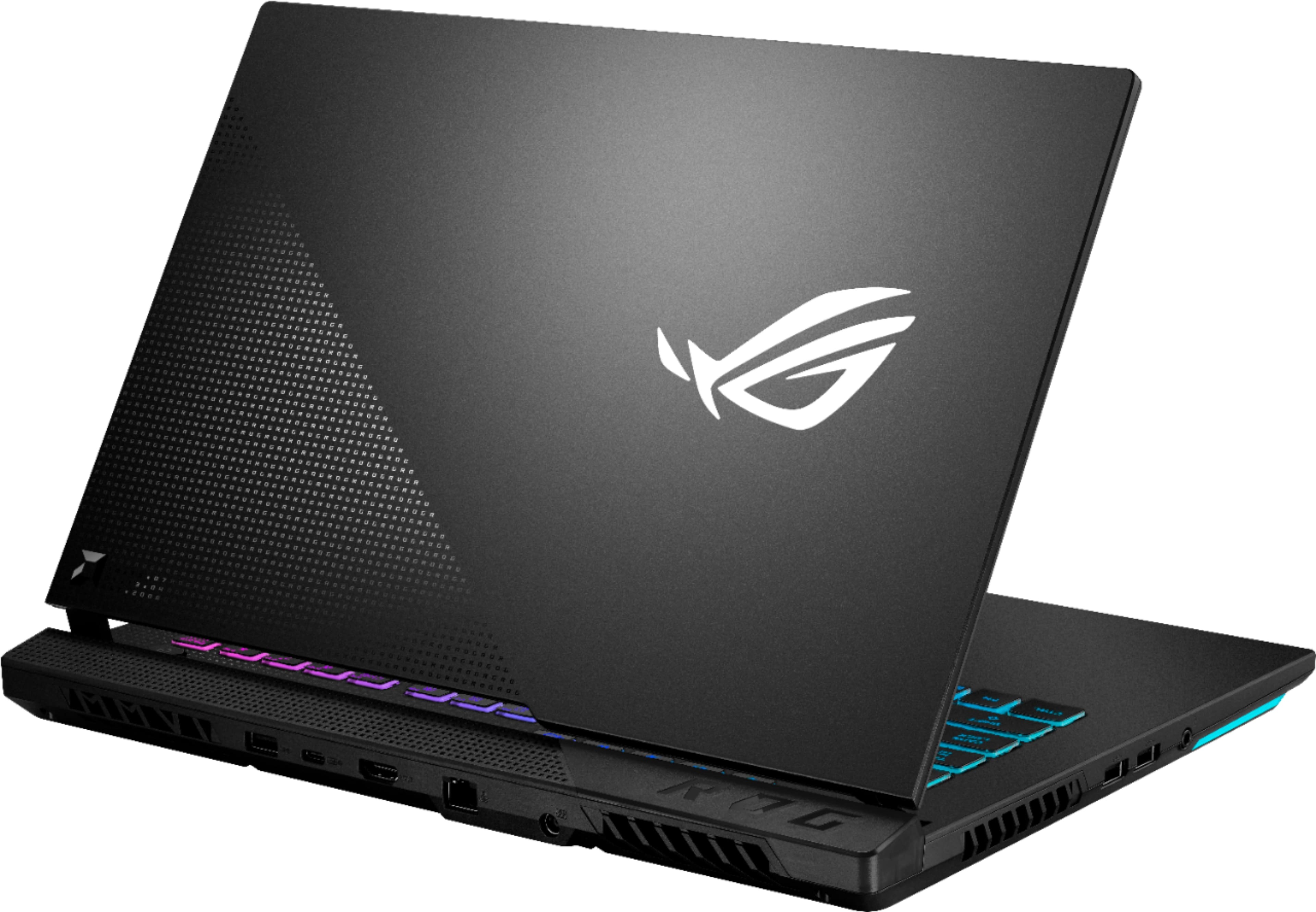

- Model:
- G513QY-212.SG15
- SKU:
- 6466550
Rating by feature
- Battery Life
Rating 4.3 out of 5 stars
- Speed
Rating 4.7 out of 5 stars
- Display
Rating 4.5 out of 5 stars
Customers are saying
Customers praise the ROG Strix G15 Advantage Edition for its exceptional performance, long battery life, and stunning graphics. They appreciate the customization options of the keyboard and the overall build quality. However, some customers have expressed concerns about the slow stock RAM, lack of a webcam, limited storage, overheating issues, and random restarts.
This summary was generated by AI based on customer reviews.
Great laptop poor customer service
||Posted . Owned for less than 1 week when reviewed.This reviewer received promo considerations or sweepstakes entry for writing a review.This laptop is amazing, great features and hardware. Best thing ive purchased in a longtime. Id have given it 5 stars but only going with 4 because the laptop was supposed to come with windows 10 pro and yet it only came with windows 10 home. All the reviews and the ASUS website confirm it is windows 10 professional software , so i contacted BestBuy and was transferred 3 times before getting hung up on. very displeased about this.
I would recommend this to a friend- Pros mentioned:Performance
Very powerful!!!!
||Posted . Owned for less than 1 week when reviewed.This reviewer received promo considerations or sweepstakes entry for writing a review.The first one i got was a open box, well surprise surprise i got a dud, so i took that one back and bought a brand new one, and man will i say im very impressed. this is hands down the best and the most powerful laptop ive ever had. so far so good!!!
I would recommend this to a friend - Pros mentioned:Performance
Faulty gpu and possibly ram?
||Posted . Owned for 2 months when reviewed.This reviewer received promo considerations or sweepstakes entry for writing a review.Bought this and received it on July 20th. It runs games just about as good as my i7 7700k/1080ti desktop. Ram is kinda meh, but that's easily upgraded if I want. Can't really complain at the performance side. However, within a month of having it I started getting random BSODs. Mostly due to "page fault in non-paged area". Did memchecks, etc and nothing stood out as to what was going on. Random restarts for no apparent reason.(Thought it was maybe windows updates restarting it, since I go afk often and may have missed them) Finally on 9/13 (less than 2 months after I bought the thing) it crashed while playing No Man's Sky. Since that crash the discrete gpu inside of it has not worked. It no longer even shows up in device manager, armoury crate says "extreme power saving", and when I load a game it runs off the integrated graphics from the cpu and I get a weird error box from the armoury app? Further research has shown me many others have had gpu problems, potentially the liquid metal thermal liquid? So if you're considering this, know my issue is not that uncommon, apparently. Sent a tech support email to hopefully get it rma'd and still waiting on response.
No, I would not recommend this to a friendBrand response from ASUS Answers
Posted .Dear Valued Customer,
We're sorry to hear about he unfortunate experience you're having with the GPU on this model. Based on the issue described we would definitely recommend a RMA. You can have the RMA created online or you can reach out to us and we will have the RMA created for you. Here's the link: https://www.asus.com/us/support/article/818
For more information, you can reach out to us at our Official ASUS North America Support twitter at AsusHelpUS. We’ll do our best to provide a quick resolution to your case. Your feedback is important as it helps with improvements to ASUS Support channels. Please copy a link to this post as a reference.
Thank you for choosing ASUS.
Best Regards,
Joan
ASUS Customer Loyalty US Support
One of the best 15-inch gaming laptop this gen
||Posted . Owned for 1 week when reviewed.This reviewer received promo considerations or sweepstakes entry for writing a review.My first Asus laptop. Was concerned about the GPU failure in saw in the comments. After using the machine for several days I would say it's totally worth the money. Best thermal performance in 15-inch laptops I've ever used. Raw power of 6800M is incredible, easily achieved 3080 mobile level performance in TimeSpy. With the wide adoption of RDNA2 (and FSR) , hopefully both Smartshift and 6000M can get more optimization down the way. Even there's no MUX switch, the penalty is neglectable for most games. The only thing I'm not happy is for some reason the HDMI is also connected to iGPU, only Type-C is connected to dGPU which is less common. Screenshot is using stock ram sticks. Glad I didn't pay $1700 for a 5800H+3060 machine with worse performance and thermal.
I would recommend this to a friend- Pros mentioned:Ssd
From high expectation to utter disappointment.
||Posted . Owned for less than 1 week when reviewed.This reviewer received promo considerations or sweepstakes entry for writing a review.I was so excited about this ROG Strix G15 Advantage Edition G513QY because it features a great AMD and Radeon CPU + GPU combo that will clash with NVIDIA's RTX 3070/3080 mobile chips and other competitors for way less cost. But my excitement just went pit bottom when I got to run it for the first time. I purchased this brand new because I've been hearing a lot, and I mean, a LOT of horror stories about this particular model. Especially with the first manufactured batches of this laptop about excessive liquid metal application and how it starts to kill either the CPU and GPU from shorting circuits. And just as I feared, some of the horrors proved true. Minutes into the setup, I got this forced reboot screen that took more than 15 minutes to disappear or until the laptop battery drains on its own. I have NOT, in any way, installed any demanding games or software in it, and this is what meets me. A second run didn't fix the issue either. This makes me think that this laptop is FLAWED straight from the factory. Considering that I paid about $1600 for this, BRAND NEW (previous promo price and tax), I requested Best Buy for a replacement unit of the same model, hopefully from a NEWER batch, and with PROPERLY applied liquid metal so it WORKS RIGHT, OUT OF THE BOX. Or whatever issues they may have, or have had with this in the past. I get it, many people around the world bought this and save for the unfortunate few including me, they had theirs properly working and the only things they encounter are mostly driver and software issues, things that aren't hard to fix for the average user who doesn't have a lot of experience replacing thermal paste/liquid metal or any other hardware problems. And certainly, are not major in gravity. To future buyers, please be aware of this. If you're going to risk on promising tech that screams "bang-for-the-buck", do not by any means disregard the fact that any product, no matter how good, WILL always have flaw/s. Despite my fuming disappointment right now, I'm still willing to take a chance with the replacement one. My review on it can still change, assuming they get this right.
No, I would not recommend this to a friendBrand response from ASUS Answers
Posted .Dear Valued Customer,
It's unfortunate to hear about your issue with notebook. All ASUS products undergo intensive quality control, testing, and inspections. What you've experienced was not intentional and this was a random case. If you received your replacement and need technical assistant, feel free to reach out to me at customerloyalty@asus.com and provide this link for reference. I'll do my best to provide a quick resolution to your case. Your feedback is important as it helps with improvements to ASUS Support channels.
Thank you for choosing ASUS!
Best Regards,
Jamalie,
ASUS Customer Loyalty US Support
Gaming Laptop 300hz 6800m version
||Posted . Owned for 2 months when reviewed.This reviewer received promo considerations or sweepstakes entry for writing a review.A few strange issues upon updating the GPU and occasionally programs not opening fully, such as MYASUS. However, i dig it. I just wish AMD Adrenalin Edition didnt fail, and almost cause it to soft lock.
I would recommend this to a friend- Pros mentioned:Battery life, Build qualityCons mentioned:Webcam

Definitely hits Price / Performance Target!
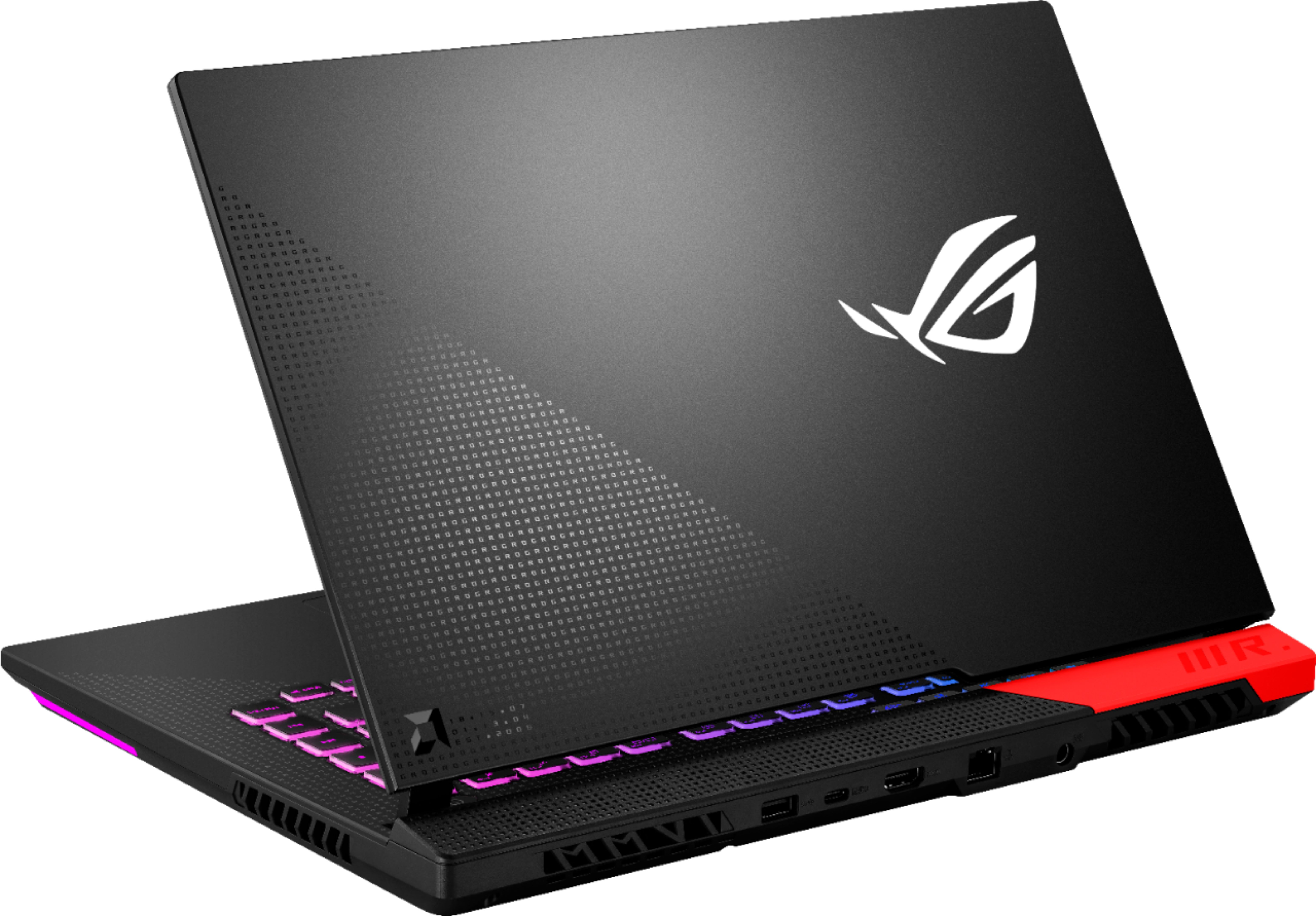
|Posted .This reviewer received promo considerations or sweepstakes entry for writing a review.AMD has been on a roll ever since the Ryzen CPUs came out and they are not done yet. Giving Nvidia a serious challenge is next and this product is the proof. You can buy a faster system but it will cost you quite a bit more and the difference may not even be noticeable except in certain situations. If you install faster memory you should be on par with, and in some cases, exceed the best out there from what I have read and seen. When I requested this laptop my research about it began. This was going to be one killer gaming laptop and after I had mine up and running I wasn’t disappointed. However, when it became available at Best Buy some unfavorable reviews started to appear stating some pretty serious problems like dead GPUs. With some reviews, it seemed to me that maybe those people didn't read the specs closely enough and didn’t understand how the CPU+GPU and high performance GPU work together automatically to distribute the load based on demand. I held off posting my review until I could research these issues farther. I have had no problems with my system as of yet. I’m not going to state numbers of frame rates and other specs. There’s plenty of that by professional reviewers with stacks of laptops to compare to on YouTube and on the web. I’m sure anyone reading this likely knows this already. So I’m going to focus on other things. On the positive side: It has a bright 300hz FHD screen with 100% sRGB (99% in my testing, see photo) and looks absolutely stunning. Games, Benchmarks and other programs that can utilize the RX 6800M GPU flat out scream! Extremely long battery life with proper settings. Very Good sounding speakers for a laptop. Keyboard has a very good feel. Keys for changing performance settings among other things. Good heat dissipation and fans don’t get too loud unless running at full speed and from what I can gather they are a little quieter than most gaming laptops at any price. Has an infrared sensor to keep the gaming section of the keyboard from getting too warm. Good looking gaming laptop in general. Red corner has changeable silver and gray pieces too. Lots of settings to easily customize for the screen, sound, performance and looks. The negatives: Everyone agrees that the stock RAM is slower than what it should have come with and that installing faster RAM will give up to a 10% or better performance increase depending on the game. Lack of a MUX switch to lock in the RX 6800M for exclusive use can render certain games and benchmark software useless. One pro reviewer on YT stated that you must upgrade the RAM and use an external monitor via the display port to get the most out of this system. I cannot verify his assessment beyond memory as stated earlier. USB C / display port is the only way to be able to use the RX 6800M exclusively. Lacks a webcam. According to some reviewers on here they got a DOA Laptop, DOA GPU or GPU dies after use with one blaming it on liquid metal being applied wrong. From the photos they posted they may be right. A bad early batch? I don’t know. But it is possible. No company is immune to this. Other observations: Lacks an SD or microSD slot. Power port on the back and not the side. Big power brick and short thick cable to handle the higher wattage. There’s also an Ethernet Port, HDMI, USB C and USB C type A port on the back. Two USB C type A ports and headphone-microphone port are on the left side and there are no ports on the right side. Customizable 4 zone RGB backlit keyboard and RGB trim around the front. The lid and frame around the keyboard are aluminum. The rest is plastic. Solid build quality overall. Shows fingerprints easily. Boot sword clashing sound can be annoying but you can disable it in the Amoury Crate. Lots of options for the keyboard lighting but I never found a way to disable the lighting around the front. In My experience this is an outstanding Gaming laptop for the price. I also installed Photoshop and Lightroom on it and they rocked! You have options to use the RX 6800X GPU to speed them up and boy will it!! Comparing this to my 2018 vintage Acer Nitro 5 (Corei5 8300H & Nvidia 1050ti) and 2017 vintage Lenovo IdeaCentre (Ryzen 7 1700 Radeion & RX560) is about as what you would think.. No contest. This blows them away. At least 3 to 4 times faster from what I can tell. Keep in mind the 300hz screen the others lack makes a big difference too. My machine was easy to set up, typical Windows 10, and hasn’t crashed a single time. No WiFi problems either. When I calibrated the screen with my datacolor Spyder X Pro I had to disable ASUS Smart Display Control in startup to get it to calibrate and check the color palette. This had no effect on GPU performance but would keep the screen color consistent after calibration. And even with it disabled, going to certain screens like Windows Settings at the Start screen, would cause the colors to change. There is an ICC Color Profile for the LCD panel that you can always use as default if you need to undo changes. From what I could find out Sharp makes the LCD panel. I think this laptop is an outstanding value despite a few shortcomings and some negative reviews. I highly recommend it!
I would recommend this to a friend - Pros mentioned:Ssd
GamingAMD6800M
||Posted .This reviewer received promo considerations or sweepstakes entry for writing a review.It’s been pretty great so far with the driver updates. Also I recommend upgrading the RAM from what it’s shipped with and Solid State Drive (SSD) to at least 1 TB due to high storage needed for open world games alone. Great value for the all AMD gaming laptop.
I would recommend this to a friend - Pros mentioned:Performance
Great Buy!!!
||Posted . Owned for 7 months when reviewed.This reviewer received promo considerations or sweepstakes entry for writing a review.ASUS - ROG Strix G15 Advantage Edition 15.6" FHD Gaming Laptop - AMD Ryzen 9-5900HX - 16GB Memory - Radeon RX 6800M - 512GB SSD Very impressive performance, especially for the price!!! Highly recommended.
I would recommend this to a friend - Pros mentioned:SsdCons mentioned:Fan noise, Webcam
Awesome, just awesome!
|Posted .This reviewer received promo considerations or sweepstakes entry for writing a review.In the PC gaming world, there has always been a debate of what’s more important, the CPU or GPU. AMD attempts to solve this question by saying yes… With the ASUS Strix G15 Advantage Series, AMD is the provider for both the CPU and GPU. The Strix has AMD’s latest CPU and mobile GPU. From what I’ve seen in the marketing, it says that the CPU and GPU work together to allocate more power to either the CPU or GPU depending on what the game in question requires. I think the concept is great, but it’s difficult to tell in an actual game session if it’s doing what it says it does. (Without in depth benchmarking I mean) I will cover this more in the gaming reviews section. Aesthetically the laptop itself has a nice pleasing design. The laptop is somewhere in the middle of not thin and not thick. The screen and hinges feel sturdy. I will say that the power plug that comes with the laptop has a large power brick. I guess this saves ASUS from trying to fit it into the chassis of the laptop making it even bigger. The RGB lights are very prevalent on the Strix. There’s a light bar on the front/bottom portion. You can change the preferences. It’s actually quite nice to look at if you’re in a low light area. It offers no functionality other than looking cool. The keyboard is also fitted with RGB lights. By default they’re red, and you can also customize the preferences. There are a lot of options. I didn’t mess with the settings at all, so on my keyboard it’s set to factory default. The WASD buttons stand out in their own light blue hue. They keyboard itself feels great. They have great response and good spacing. The touchpad itself is large and good for what it is. It’s responsive, but 99.99% of gamers will most likely use a mouse. It’s serviceable for other uses. There are 3 USB A ports. Two on the left side, and one on the back of the laptop. There’s also a HDMI port, a USB C port, an ethernet port, and the power plug. One thing that’s missing is a webcam. I guess not many gamers use the webcam, and if someone wanted to stream, they would have to purchase a separate webcam. It’s not a big issue for me personally, but for others, they may find it surprising. Now we get to the meat of the review. For this review, I have decided to use a well-known FPS shooter (Non battle royale). For the game testing, I have the settings set at ultra. The laptop itself was set on performance mode. Visually the game looked amazing. All the textures were crisp, the screen’s refresh rate really shines. I didn’t experience any draw distancing issues and textures popped. The Radeon GPU really showed its muscle here. The refresh rate and response time made the game feel very fluid. There wasn’t any ghosting during any of my matches. The sound is what really surprised me. Laptops haven’t always had the greatest speakers, and people tend to use headsets during games. I must say that I was pleasantly surprised by the Dolby Atmos sound. I watched a short movie and not only did I get that immersive feeling, but the speakers are quite loud too. There were some instances where the laptop’s fan started getting louder. Overall, this is a beast of a laptop. This should easily play any of the newest games on ultra settings. I would definitely recommend this to anyone who is looking to get a gaming laptop.
I would recommend this to a friend - Pros mentioned:Battery life
Very powerful machine
||Posted . Owned for 2 weeks when reviewed.This reviewer received promo considerations or sweepstakes entry for writing a review.I bought the same day it was and I'm glad I did. Firstly, it was sold out a week later after I bought it and secondly the performance of the machine. It's extremely powerful and has excellent battery life especially considering the price.
I would recommend this to a friend - Pros mentioned:SsdCons mentioned:Webcam
This gaming laptop delivers, it's amazing!
|Posted .This reviewer received promo considerations or sweepstakes entry for writing a review.I’ve been playing video games almost my entire life, but I’ve had little experience with laptops that are actually designed for gaming. My previous laptop was in the same price range and promised a decent gaming experience but it definitely did not live up to my expectations. The ASUS ROG Strix G15 on the other hand, delivers. It’s a great looking laptop with the power you need to play basically any game you want. The main advantages are the 16GB of memory, a 512 SSD, an Ethernet port and an AMD Ryzen 9 5000 Series processor. Combined with a beautiful 1080p display, it makes gaming smooth and fun. This laptop offers up to a 300 Hz refresh rate with only a 3 ms response time, which is very impressive for a laptop. It’s also a very colorful laptop with the RGB backlit keyboard and light bars on the side. That little red piece can be replaced with included clear and silver alternatives. So how well does Fortnite run? Amazingly smooth. I actually played Fortnite for the first time on this laptop, and managed to win my first two games. I played with a Steelseries headset (wirelessly) and an Xbox controller. I will mention that my Xbox controller became lost connection a couple of times, but this was resolved with a firmware update for the controller. I never thought I could get so immersed while playing a video game on my laptop in my kitchen, but this laptop did it. Well done, ASUS! While playing on battery with a few power saving features (factory settings), I did get some screen tearing. Keep this in mind, in case you’re playing on the go. Turn off anything that messes with the refresh rate. It’s all in the Asus control panel. This will affect the battery life of course, which will already be heavily affected by running a modern video game. I recommend always using the power brick, which is a bit larger than a typical laptop one. What about the speakers? This must be the first time I’m not actually disliking the sound coming out of laptop speakers. Technology has served us well in that department, although I would still recommend a good headset for gaming. If you’re just browsing the web or watching YouTube, the speakers do a good job. The laptop has plenty of connections with 3 USB 3.2 ports, 1 USB-C port, 1 LAN port, 1 HDMI port and a 3.5mm jack. The audio jack works with headsets with microphones, in case you want to do call outs to your teammates. There’s also a built-in microphone with proper noise-canceling, if you’re without a headset. I prefer using a wireless headset because it improves the sound and the microphone level. The touchpad is good, but I highly recommend a mouse or controller for gaming. It makes it much more fun! If you like video chatting, you should know there’s no integrated webcam, but let’s be honest, have you ever liked the quality of a laptop webcam? I didn’t think so! Get a Logitech or AVerMedia webcam and you’ll never miss it. What else is there to say? This is a great gaming laptop that I highly recommend to anyone looking for an amazing portable gaming experience. This is the one!
I would recommend this to a friend - Pros mentioned:Processor speed
FAST LAPTOP BUT VERY, VERY BUGGY
||Posted . Owned for 2 weeks when reviewed.This reviewer received promo considerations or sweepstakes entry for writing a review.I bought this laptop for mostly audio production and some video editing. So far, the laptop has demonstrated to be fast for easy tasks like Office and web surfing. However sometimes when playing music and opening a new app, it makes annoying static noise. Like if for some reason it takes a lot of cpu power to open a simple app like notepad. Also, I have a 1080p monitor that I connected through the USB C port. Somethings when plugged and returning from sleep, the highest resolution permitted is a very low 832x624p. Also, the main laptop screen would remain stuck without loading windows, it would just remain black with just the cursor on the screen (see photos attached). Also when returning from sleep, the Rgb lights and the wifi card would not work very often. I wouldn't recommend it. I had better expectations but they failed to be met.
I would recommend this to a friendBrand response from ASUS Answers
Posted .Dear Rodrigo,
We're sorry to hear about the issues you're having with this model. The noise that is emitting from the computer is known as coil whine. When the electrical current is increased to a certain point, the magnetic field around the coil can cause it to vibrate, which produces the whiny sound. After a short amount of time the noise should go away as the components regulates. However, if it is that the sound is too much for you, then we would recommend that you have this device sent in for servicing. We would recommend that you back up your data and perform a system reset.
For more information send us an email at customerloyalty@asus.com and provide the link of this review for reference. We’ll do our best to provide a quick resolution to your case. Your feedback is important as it helps with improvements to ASUS Support channels. Please copy a link to this post as a reference.
Thank you for choosing ASUS.
Best Regards,
Joan
ASUS Customer Loyalty US Support
- Pros mentioned:PerformanceCons mentioned:Weight
Nice Gaming Laptop with Lots of Features
|Posted .This reviewer received promo considerations or sweepstakes entry for writing a review.The ASUS - ROG (Republic of Gamers) Strix G15 Advantage Edition is a great looking piece of kit, from the moment you open the box. The laptop is 'presented' to you like some kind of trophy as you open the box. At 5.29lbs, this laptop does have some heft to it. As for the machine itself, it took quite some time to get it set up, the usual Windows 10 configuration, which with all the flashing lights on the laptop, infuriated my son, as he wanted to get stuck in and personalize it for himself. After the initial set up, he had fun setting the Aura Creator up to get the laptop looking just how he wanted it. The RGB backlit keyboard with dedicated WASD key highlights is almost infinitely customizable, along with the C shaped light bar along the front edge and 1/3 of the sides. The screen is nice and bright, colorful, it is NOT touchscreen, no matter how hard you press it. My son's desktop PC is touchscreen so this took a moment to adjust for him. Its a 1920x1080 (full HD screen) at a nice 15.6" diameter with a 300hz refresh rate and 3ms response time. We tested this laptop out with two key games, Roblox for him and Call of Duty Warzone for me. I tend to prefer dedicated game consoles, my son prefers gaming PCs. With Roblox, everything ran as expected, until we got into some intense multiplayer action, when there appeared to be some interpolation on the screen, the graphics effectively 'scrolled' to refresh down the screen. Not the end of the world, but not what I was expecting from a dedicated gaming laptop. Similar situation with Call of Duty even during the opening video, the interpolation was there, causing an almost scrolling refresh of the graphics as the animation continued. Need to delve deeper into the settings to find the optimal set up for both types of games and demands on the machine. The SSD is kind of small (at 512GB), especially when considering most game downloads these days exceed 100GB, so either an external storage solution, or upgrading the internal drive to a much larger one will be needed. I don't understand why companies who are designing for gamers, and know the typical download size of a game are making the drives so relatively small. Same is happening with consoles too. It has 16GB RAM on board, but that really needs to be upgraded as well, to increase performance. I've read that several people have had issues with the Radeon 6800M GPU, either not switching, or even being DOA. I haven't found that to be an issue, yet, but having only had the laptop a week, only time will tell. So far so good, I haven't had a similar experience. AMD Smartshift aims to increase performance by as much as 10% by using a hardware boosting interface that shifts power between the CPU and GPU, but in all honesty, I didn't notice any significant increase in performance during gameplay. The sound is very impressive, I must say. The intro start up sound takes you aback and grabs your attention. The laptop has Dolby Atmos compatibility, with dedicated headphones (not included). The battery is a 4-cell Lithion-Ion Polymer and has 'decent' life to it, but don't expect to game all day on a single charge. As mentioned, there are many other features of this laptop including a 'vapor chamber' that offers better and faster heat dissipation, an IR sensor that monitors the temperature of the keyboard, so that the cooling can adjust to keep the keyboard as cool as possible, it has two-way noise cancellation that helps filter out unwanted noise during voice communication, has a HDMI out to enable you to expand to a High Definition monitor or TV, a multitude of connectivity options including USB 3.2 Type C and 3 USB Type A 3.2 ports. The machine is also WiFi 6 certified with two data streams and two antennas for improved responsiveness. It also has swappable 'armor cap', (the red bar on the top left of the laptop) - there are two other caps, a silver and a graphite one buried under the packaging in the box. Overall, I've been happy with the ASUS ROG STRIX G15 Advantage Laptop in the short time I've owned it. Could it be better? Sure. Is it a decent laptop? Absolutely, it provides a great platform to build on, with a lot of nice features, great aesthetics and a substantial overall feel.
I would recommend this to a friend Gaming computer
||Posted . Owned for 2 weeks when reviewed.This reviewer received promo considerations or sweepstakes entry for writing a review.Compact gaming computer for my 15 YO son. Graphics work seamlessly with all his games. He likes the size. Says keys work great. Light up keyboard.
I would recommend this to a friend- Cons mentioned:Heat
Works okay, when it works
||Posted . Owned for 5 months when reviewed.This reviewer received promo considerations or sweepstakes entry for writing a review.This laptop seems great, but it truly isn’t. After numerous times of it randomly restarting after the house cursor freezes, I ended up doing a second clean install of windows. More recently, the software they suggest having, MyAsus, installed a bios update. It asked to restart my laptop, so I did. The bios update FAILED, then the laptop crashed, screen would not turn on and the laptop made no sound(no fans, nothing). Only the leds worked, awesome!! I sent it in to Asus for a warrantied repair, but they determined that I scratched my screen and put a large dent in the cover. Still waiting for my laptop to be delivered after paying $450. Funny thing? I took pics of the laptop before I sent it. No scratches, no dent. I sent them the pics I had, including the failed bios update pic which lead to the laptop crashing. They give a generic reply that the damage was caused by me. The laptop runs hot when it works, yeah it has a 300hz screen, but what game is actually gonna get 300fps that anyone plays nowadays? Modern games won’t get that frame rate, so enjoy playing counter strike or something older. Maybe Fortnite. Added pictures showing the laptop with no damage previous to sending them in. I wonder if the laptop will work after they only replaced the screen.
No, I would not recommend this to a friendBrand response from ASUS Answers
Posted .Dear MyCatIsKevin,
We're sorry to hear about the unfortunate experience you'rehaving with this model. Can you please provide us with your case/ RMA number so we can have our team look into this issue? We would love to have our team look into this issue.
For more information send us an email at customerloyalty@asus.com and provide the link of this review for reference. We’ll do our best to provide a quick resolution to your case. Your feedback is important as it helps with improvements to ASUS Support channels. Please copy a link to this post as a reference.
Thank you for choosing ASUS.
Best Regards,
Joan
ASUS Customer Loyalty US Support
- Pros mentioned:Battery life, Processor speed
The Full 'Advantage' ... with a few quirks
|Posted .This reviewer received promo considerations or sweepstakes entry for writing a review.Presentation The ROG Strix G15 Advantage Edition comes in slightly flashy package, with swappable accent trim, a mostly plastic case and a front oriented light bar & 4-zone, keyboard backlighting arrangement. Absent are a web-cam, a finger print reader and any type of ‘soft-touch’ surface treatment you’d likely find on a higher cost, boutique model. Ventilation is seriously directed out of the back of the unit, aided by a big complex of bottom panel openings and left & right intakes, located on either chassis side, up near the screen hinge positions. This is an important facet of this machine as most of the IO ports are located on the rear… so make sure any USB dongles or such have plenty of length to their cables or those ‘modules’ will get a constant blast of hot air. Overall, I am pretty impressed with the 2021 Strix G15 platform. Coming from a 2019 vintage Zephyrus and knowing how the previous gen Strix machines can come of a tad bit ‘gamey’, this year’s models have a more understated and stealthier presentation. Not monochrome mind you, just toned down. The display may seem a bit of overkill, at 300 Hz, but the resulting image @ 1080p is pretty amazing. It is bright in its 300ish Nit’s rating (give or take…) and the contrast rendering, uniformity and detail are right up there with most all the Asus serious gaming laptops I’ve encountered. Could it be brighter? Certainly. I didn’t find myself wanting for more once I got to playing several gaming titles. It looks great. And really, who really expects to be competitive on a 15.6-inch screen? The multi-speaker arrangement in this model is also right up there with other, strong performing Asus laptops. The fans on this machine are well tamed (more on that later…) and gaming in Performance mode on the G15 Advantage is doable with just the internal speakers. Again, not competitively, but casually… it works just fine. There is bass and easily adjustable mid-range and treble gain. Straight out of the box, I found the sound profile to be a bit crispy, but the speaker drivers need to be used for more time before I make a final assessment and the Dolby app assigned to the equalizer tasks is good. So, about those fans. I’ve reviewed, demo’d, toyed with and purchased & returned my fair share of gaming tops over the past 24 months and one thing that still blows my mind is how poorly most companies do ‘fan profiles and skip the hard work to reduce or eliminate pure tones or pitchy sound in their fan designs. The fans are pretty much undetectable in day-to-day mundane tasks and simple productivity activities. And when you game, the fans produced a well control ‘white noise’ character that I personally find more than just tolerable. So, kudos to the Asus team for all that went into the fan complex, the cooling system and the use of liquid metal. Besides the utter beastly performance of this machine and the mind-blowing battery life, the noise abatement efforts are right up there in the top three facets of why I think this machine is the one to get and the one to beat. The keyboard is good, not what I would call great, but not junk either. I preferring mechanical keyboards lately but the Strix G15 Advantage keyboard is still good. That said, the trackpad is top-shelf. It’s smooth just the way I prefer and is the perfect size. The simplest description is that it just feels Premium. Initial Setup Now for some of the more painful aspects of getting this rig up and running. The initial setup. Word to wise and those in a hurry; when first booting up this machine and personalizing Windows, let all the Asus configuration stuff happen first before going into Windows Update and forcing those installations. I didn’t on my first attempt and all havoc broke out. What resulted was a machine that froze up and needed to be factory, re-imaged - which was a good test of that process – but still unpleasant. Gong back to square one was simple enough and that process worked without a hitch. So, my recommendation is, make sure Armoury Crate, MyAsus AI (the support utility) and all the complimentary pieces are up & running [including the Ryzen/Radeon Software package) before you jump into focusing on obtaining all the latest Windows Updates. I’m not referring to the Store App UWP’s, those will and need to be updated and should do so automatically. Just stay out of the Windows (action center) System settings until everything Asus is up-to-date. And also make sure to update the system BIOS that may be available at the time… Repeat Setup Once the Strix G15 Advantage was set up and I was loading Steam and Blizzard came folders, I started to experience something else that was odd; the sleep mode. One thing I’ve noticed on all the Ryzen based laptops I’ve had my hands on over the past 12 months or so, is that their Power Profiles are no where near the level of complexity of their Intel counterparts. (See attached photo). What is strange and forced me to do a second, entire Windows setup to makes sure the problem was consistent, was how the Strix G15 Advantage won’t go into sleep mode via the Windows Start Menu button. It will sleep on its own via the Power Plan timers but when I attempt to force a menu activated sleep, it simply returns to the Login In/Lock Screen. The same thing occurs when I attempt to us the dedicated “Z” (sleep) function key. Doesn’t make sense to me why this is happening but I believe it is a result of the modified AMD structured Power Plan manifests and/or something funky with the BIOS/Drivers. Performance Now onto the good stuff… This machine is super quick. Opening applications, messing around in Windows, browsing the web, opening up files; everything is just quick as can be. None of the vastly more expensive gaming machines in the $2000+ category I’ve tried in the last 12 months can hold a candle to this Advantage beast. It smokes everything! And it also does it with nearly imperceivable cooling performance. Now that’s why we want Ryzen, right? I’d also like to mention that contrary to reputable review ‘venues’, the Strix G15 Advantage doesn’t have an Intel Wi-Fi module. It has a MediaTek module and it IS Wi-Fi 6 Certified. No other laptop I’ve experienced holds onto and stays right up there with my rated broad-band speed at a distance of ~50 feet, through walls and a door way, like this machine can. Who needs Intel? Who needs Killer? On wired connections, my average yielded speeds are round about 480 Mbit/sec and the Strix G15 Advantage hung in there – consistently – at around 450 wirelessly, no matter what else is going on in my home network environment. So, hats off to MediaTek and Asus! A few words about the software environment. Armouy Crate use to be a real pain but it has gotten much better in 2021 (as experienced on my 2019 Zephyrus…) but on this all-AMD platform, it works really well and I haven’t noticed anything in the way of rogue Win Reliability Error events that were once all too common just a few years back. A-Crate is also pretty straightforward for all the commonly used controls, including turning off that annoying start up ROG Sound and enabling the three-stage, Battery Saver mode for those that primarily use their laptops plugged in. I’ve read complaints about no Mux switch... but honestly… there’s no practical, material benefit to it for most people in this all-AMD environment. Cinebench R23 scores consistently come in well above 14000 points for multi-core rendering and around 1500 for single thread. That multi-core score level is twice the performance of my 2019 Zephyrus. Ryzen FTW! Gaming Performance Moving on to gaming, I’ve demo’d a varied set of titles: L4D, MW Remastered, Insurgency Sandstorm and CoD Cold War. All were played at max or very high, game-controlled quality settings and all looked and played absolutely beautifully. Rendering was smooth and detailed, with no stutter or lock ups and the IPS-like panel popped great color gradation and dynamic range. For those that are admittedly buying the Strix G15 Advantage for gaming as their primary use case … get the 1080p configuration. Summary Overall, I am completely thrilled with the Strix G15 Advantage. It has that Asus build quality that is not easily equaled – even by many more expensive competitors; the bling is subtle yet fun; the audio system blows away most other laptops out there; the on-battery duration IS truly around 10 hours doing more day-to-day things and the cooling system/fan profiles are something to truly marvel. I’m sold on the ‘Advantage’ program and believe it foretells great things to come – if these first gen models are any indication. This is truly a multi-purpose gaming laptop for those not needing critically important aspects such as high-end color accuracy or fine detail, as they relate to content creation. As I’ve mentioned, I’ve been through a bunch of gaming notebooks and this is the first one that ‘ticks’ all my requirements, exceeded my expectations AND blows my mind in terms of raw performance – all at the same time. At this point, for this amount of money, nothing even comes close to the feature set and performance level of the Strix G15 Advantage. Pros: Top tier Asus build quality Awesome non-reflective screen with minimal light bleed Fantastic cooling system and well tamed fan profiles – even when gaming Full fidelity speakers that do produce bass and can be used while gaming casually Just enough lighting bling to satisfy most Solid selection of ports and ideal port placement Stellar 10+ hour battery life for everything, non-gaming Best Wi-Fi 6 I’ve experienced to-date Notables: Make sure to let the initial setup process complete for all Asus related software & utilities before jumping in and forcing Windows Updates Cons: Skimpy Power Plan profiles and strange Sleep Mode behavior
I would recommend this to a friend - Pros mentioned:Battery life, Processor speed, Ssd
Hail to the KING
|Posted .This reviewer received promo considerations or sweepstakes entry for writing a review.Sit back and let me spin you the yarn of a super fast, unreal living legend that is the ASUS ROG Strix G15 Advantage. I never thought I'd see the day that a laptop would beat a simlarly configured desktop computer but that day has arrived. My desktop I currently use to game on has an i7-7700K 4.2Ghz paired with an ASUS 3070 RTX and WD750 m.2 nvme SSD. It's fast. Real fast. But this ASUS ROG Strix G15 Advantage, which I shall call the Advantage from here on out, is even a little bit faster than my desktop! When I received this laptop........er notebook as they don't call them laptops anymore, I was impressed by the minimalistic box that it came in. It's just the notebook, the power supply (one of those big ol' power supply cords) cord and the 2 extra case corner tips. Bright red is what comes on the Advantage and I've read reviews stating that it's fugly, and you may think that as well, but I think it looks truly amazing and it shall remain on this notebook for a long time until perhaps someday I tire of it and try one of the gray or dark ones. Turning it on shows some really cool effects, the keyboard lights up with highlighted WASD and you can see the RGB emanate from the bottom. I know some folks may not like RGB (WHY??) but I love it and so this just tickled me pink to see. The thing loaded up in a flash, and we were into Windows 10 setup. I was sort of clearing space on my desk and so not really sitting at the keyboard and I just answered Cortana's questions and voila, about 5 minutes later without really touching the keyboard I was into Windows 10 and setup. No Bloatware that I found. I did see someone wrote it has McAfee on it but I did not see it load (I still need to check and remove if so) but nothing else there needed removed. This is a refreshing change of pace from a lot of computers that come installed with a bunch of things you do not need. Now this does come with a one month trial of Office 365 and Cortana asked me to active/use upon startup and I declined. That's about it, no bloatware! Judging from the specs I knew this notebook would be fast. But I had no idea it would beat my desktop. Now granted my desktop with the 3070 RTX does push a 38" Alienware 3840x1600 and this test for the Advantage was on a 27" Acer Predator 2540x1400 but it is still impressive. I ran Microsoft Flight Simulator on Maxed out Ultra everything and got 20-30 FPS. Scaling it back to medium it ran everything at 60 FPS. Tried out Project Cars 3 and it ran everything maxed out, everything, at a cool 55-60 FPS. Diablo 3 of course ran maxed out but it is an older game. And lastly, Doom Eternal ran about 40 FPS on Ultra Nightmare. All of these were just slightly better than my desktop. It's pretty clear that AMD has some voodoo magic going on when you combine an AMD processor with an AMD Video card. Because individually my desktop beats both of these statistics wise. But there's not the same synergy going on between an Intel processor and an Nvidia RTX card it seems as there is between an AMD processor and an AMD 6800 card. Note that I used this for a few days without a single glitch, a single crash or any issues at all. This is highly impressive! The only aspect of this notebook I can mention that is sort of a con is the hard drive, at 500Gb, is going to need to be supplemented or replaced for us gamers. 500Gb meant that just installing Flight Simulator, Project Cars 3, Diablo and Doom Eternal filled up my hard drive, leaving only 30Gb free. I just ordered a WD Blue 1Tb SSD Nvme to upgrade my storage. Although I haven't opened up the notebook yet I have read online that there is an open nvme bay for adding a second m.2 and you're going to want to do that asap for gaming. All in all I figured I'd be impressed by the Advantage but I had no idea the true awesomeness of this machine and how truly blazing fast that it would be. To compete with, and beat, a desktop with a 3070 RTX (with 32Gb of RAM I might add) is just unreal. HAIL TO THE NEW KING OF GAMING! If you have the means to buy this then this is a no brainer, ABSOLUTELY POSITIVELY RECOMMENDED!!!!!
I would recommend this to a friend Open box, wont power on.
||Posted . Owned for 1 week when reviewed.This reviewer received promo considerations or sweepstakes entry for writing a review.Loved the laptop itself. Doesnt come with chrome installed. I got an open box marking this a nice 400$ cheaper (around 1200) and had it out of the box for a whole day before it died. I plugged it in through out the day so it wouldnt die but the one time i let the battery drop to 0 it powered off and no matter the charger (tried 2), outlet (tried 6, 2 on different surge protectors, 4 on different wall outlets), how well everythings plugged in (checked the connection multiple times) i can not get it to power back on. Im sure brand new its a great product i just didnt have the means to fork over 1600 dollars for a laptop. The images show how everything is connected there is no led, i left it like this for 30 mins multiple times (different cords and outlets) and no matter how much or long i press the power button its just dead. I will unfortunately returning this product. :/
No, I would not recommend this to a friendBrand response from ASUS Answers
Posted .Dear Skyler,
We're sorry to hear about the unfortunate experience you had with your unit not posting and that you had to return it. All our products do go through an intensive quality control testing process to ensure that customers get units that are in proper working condition, what you've experienced was not intentional. We do value our customers and take negative customer service experience very seriously. We do stand behind our product and we continuously strive to improve our approach and processes in order to achieve customer service excellence.
For more information send us an email at customerloyalty@asus.com and provide the link of this review for reference. We’ll do our best to provide a quick resolution to your case. Your feedback is important as it helps with improvements to ASUS Support channels. Please refer to this case number (N2106046872-0037) for us to better assist you.
Thank you for choosing ASUS.
Best Regards,
Ramon
ASUS Customer Loyalty US Support
ROG G15
||Posted . Owned for 1 month when reviewed.This reviewer received promo considerations or sweepstakes entry for writing a review.Everything is good but seems there are some problem with the audio It buzz when you use it
I would recommend this to a friend