Customer Ratings & Reviews

- Model:
- BBY-3CXF7FX
- SKU:
- 5744102
Rating by feature
- Value
Rating 4.2 out of 5 stars
- Quality
Rating 4.1 out of 5 stars
- Ease of Use
Rating 4.2 out of 5 stars
Customers are saying
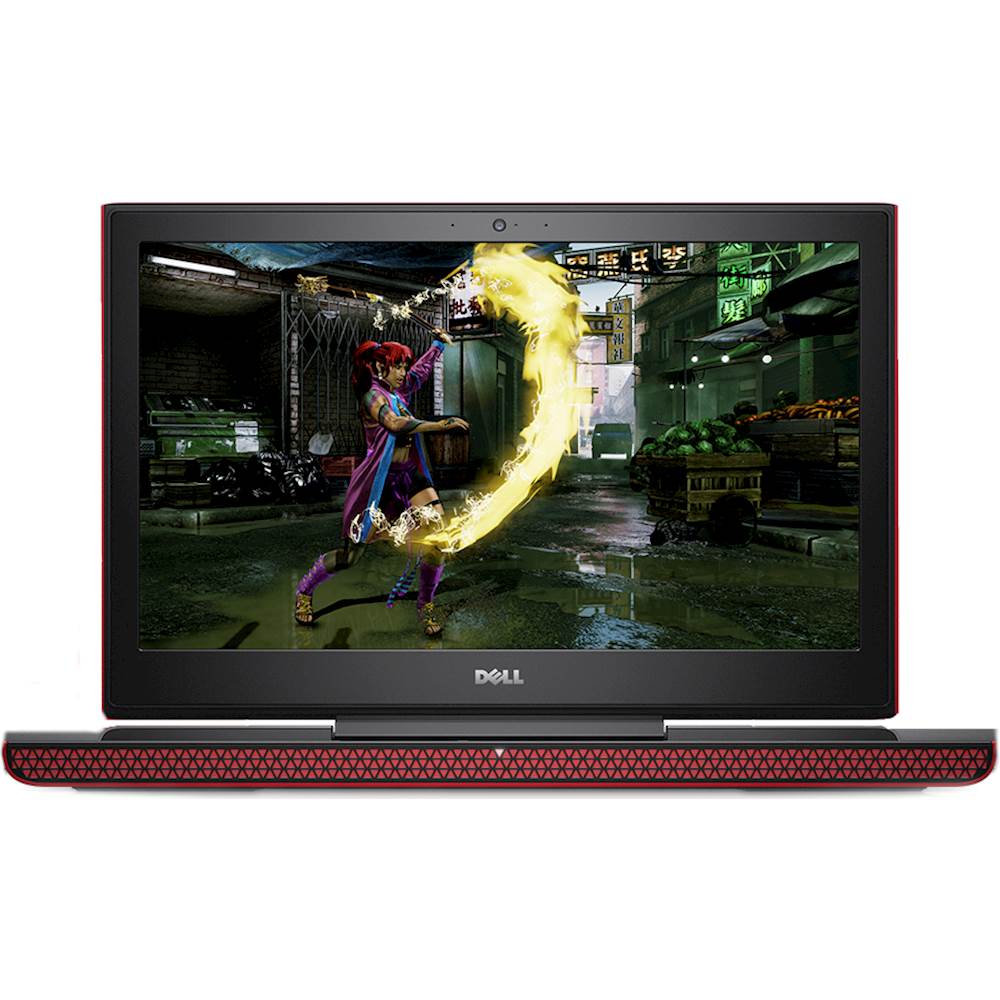
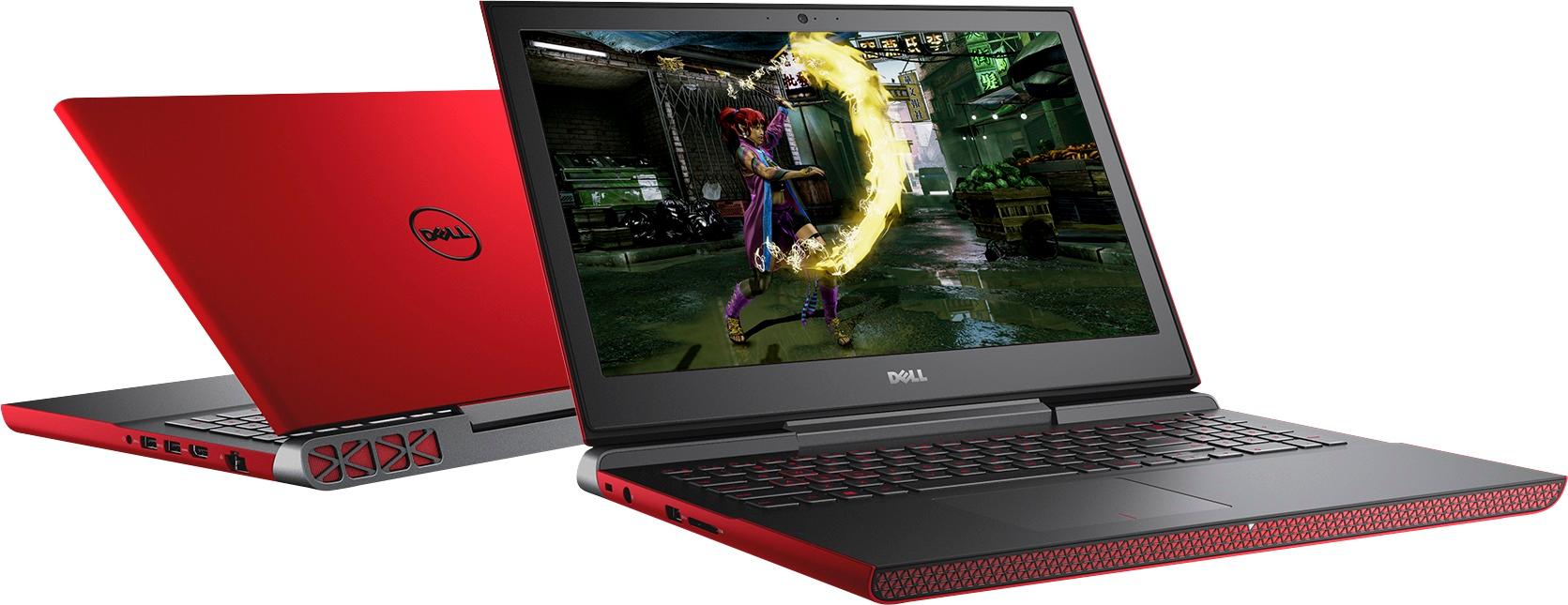
Customers highly value the Inspiron 15.6" Laptop for its gaming capabilities, praising its fast processor and suitability for gaming. The price point is also seen as a positive aspect, with customers appreciating the value for money. While some users have concerns about the screen quality and weight of the laptop, many are satisfied with its performance, battery life, memory, storage, and multitasking abilities.
This summary was generated by AI based on customer reviews.
Great starter laptop
||Posted .This reviewer received promo considerations or sweepstakes entry for writing a review.Bought this for my teenage son. He uses it for gaming and schoolwork. He says it's not the best gaming laptop but gets the job done.
I would recommend this to a friendMoney spent better on another brand.
||Posted .This reviewer received promo considerations or sweepstakes entry for writing a review.Definitely should have put the money I spent to an HP or Lenovo. I bought this laptop because I thought it was a great price for what I was getting in this computer. 2 months into having this at home it started having performance issues like running slow even on easy tasks, not even gaming. Not even six months into owning it I was bringing back to Best Buy because the hard drive went bad. Dell did a warranty replacement on both my hard drive and motherboard because they were bad. I get it back and a day and a half later it won't boot my operating system. Best buy says it is probably an update that is causing the problem and reloads my operating system. Another two days later same thing happens. I don't know what kind of product Dell is putting out these days but this one wasnt worth the money. I basically have an $800 paperweight for a computer. I also have a Lenovo laptop at home with no where near the kind of hardware the Dell has, and it runs perfectly. On the other hand Best Buy has been amazing through all my trouble with this computer and this has not deterred me from buying from them.
No, I would not recommend this to a friendBrand response from YourDellTeam
Posted .Hello Cmaz,
We're very sorry to hear about the troubles that you've been having with your computer. We'd recommend that you run Dell's SupportAssist app to make sure that you are running the latest software and drivers on your computer.
If you'd like to see articles about your computer you can visit our Product Support Page here: http://dell.to/2i4b41B.
Best,
Bryan
1-800-624-9896
Horribble product battery doesn’t charge
||Posted .This reviewer received promo considerations or sweepstakes entry for writing a review.Horribble product battery doesn’t charge n laptop is slow !! It’s possible BestBuy sells used or rebuild laptops !!!!
No, I would not recommend this to a friendBrand response from YourDellTeam
Posted .Hello JohnG, Thanks for your review. We're sorry to hear that you're having trouble charging the battery for your new computer. Please make sure that all of the cord connections are fully plugged in and that the outlet is working properly. Here are some tips to enhance the length of time that your battery lasts when it is charged:
Change the Power Plan:
1. On the notification area of the taskbar, right-click the Battery icon.
2. On the options list, click Power Options.
3. Select a power plan on the battery meter, such as Power Saver or Balanced. Windows 10 has a built in 'Battery Saver' mode that can be activated to extend your system's battery life. The Battery Saver mode will monitor and limit background activity and other features such as push notifications. You do have the option to enable or disable this mode within settings or within advanced Battery Saver settings you can customize the mode to best suit your needs.
1) Click on the Action Center icon within the taskbar and select the tile for Battery Saver.
2) If running Cortana then type Battery Saver into the search box and select from the results.
Within the Battery Saver settings page you will be able to turn on and off the feature and customize the feature to best meet your needs.
3) Turn Battery Saver On or Off.
4) Additional settings available via the Battery use and Battery saver settings links.
5) Battery use shows further info on apps and their power usage.
6) Battery Saver Settings screen allows you to customize further Battery Saver feature. If you are still experiencing problems with how slow the computer is we'd suggest the following: Delete temporary files and directories 1. Click Start, then in the search bar type "disk". Disk Cleanup should appear on the menu above the search box. 2. Run disk cleanup and eliminate unneeded temporary files (Search results, Internet Cache and other windows temp files you may no longer need) 3. Select files you want to delete then click OK to start the cleanup process. Uninstall applications you no longer use
1) Open the Programs and Features application in Control Panel.
2) Scan the list of applications installed for ones that you no longer use.
3) Highlight any application you no longer use and then click the uninstall button at the top of the list. Follow the prompts to uninstall.
4. Repeat for each application you want to uninstall.
5. Move large files and/or seldom used files to backup media (Photos, Music you seldom listen to, application downloads after the application has been installed etc.).
6. Empty the Recycle Bin.
You can read the full article here - http://dell.to/2tSulGV. - Bryan
DELL
||Posted . Owned for 1 year when reviewed.This reviewer received promo considerations or sweepstakes entry for writing a review.SORRY!! DON'T KNOW ANYTHING BOUT THE PRODUCTS. BOUGHT IT FOR SOMEONE AS GIFT AS RECOMMENDATION.
I would recommend this to a friendEh
||Posted . Owned for 1 year when reviewed.This reviewer received promo considerations or sweepstakes entry for writing a review.You would think a laptop with a gtx 1050 could handle basic games but no. Lags and locks up
No, I would not recommend this to a friendLess an a week
Posted .This reviewer received promo considerations or sweepstakes entry for writing a review.Had for less an a week. Updated it. crash. A lot.. I'm resetting the PC now to return to the store
No, I would not recommend this to a friendBrand response from YourDellTeam
Posted .Wadei, We're sorry to hear about your computer crashing on you. If you haven't returned it yet we'd recommend running a diagnostic on it -
1. At the desktop, click the Search the web and Windows box and type "problem reports".
2. Select View all problem reports to view a list of errors that have occurred on your computer and possible solutions for them, such as updating drivers, flashing your system BIOS, or checking for updates to the software.
3. Under the Source column, look for Windows and under Summary, look for Shut down unexpectedly.
4. Right-click the line item and select Check for a solution. You can read the full article here - http://dell.to/2u98Cct.
We hope this helps your computer perform better for you. - Bryan
No so good
||Posted . Owned for more than 2 years when reviewed.This reviewer received promo considerations or sweepstakes entry for writing a review.No good. Have a troubling with dell PC. The mouse freezing every day.
No, I would not recommend this to a friendIt's good
||Posted .This reviewer received promo considerations or sweepstakes entry for writing a review.It's good but anything u download can break it so, it worked really well on the first day though!
No, I would not recommend this to a friendBrand response from YourDellTeam
Posted .Hey there Ququ, we love hearing about your experience, but we regret to see and read that you haven't been 100 percent satisfied. Please give our customer service team a call, 1 (800) 624-9897, and they can assist you more.
Best Bang for the Buck
||Posted .This reviewer received promo considerations or sweepstakes entry for writing a review.The price is fair for the performance you get. This would be the glock of all laptops lol.
I would recommend this to a friendBrand response from YourDellTeam
Posted .Jarvangw,
We're happy to hear that your computer is performing the way that you had hoped it would. If you have questions about your device you can visit our Product Support Page here - http://dell.to/2i4b41B.
Best,
Bryan
1-800-624-9896
Good computer
||Posted .This reviewer received promo considerations or sweepstakes entry for writing a review.Computer is much better than her old one but sometimes it just turns itself off..weird
I would recommend this to a friendBrand response from YourDellTeam
Posted .Dear Ladydi, Thanks for your review. We're sorry to hear about the troubles that you're having with this computer. You may want to check your computer's Power and Sleep Settings to make sure that your computer stays on when you'd like it to. We hope this helps and if you have any additional questions you can view our Product Support Page here - http://dell.to/2i4b41B. - Bryan
Had to reinstall windows
||Posted .This reviewer received promo considerations or sweepstakes entry for writing a review.I had to reinstall windows because it was so slow because all the pre-installed software
I would recommend this to a friendBrand response from YourDellTeam
Posted .Dear Groblesv, Thanks for your recent Dell laptop purchase but we're sorry to hear that you've already had to reinstall Windows. Please check out some of the following tips to help speed up your device: Delete temporary files and directories - 1. Click Start, then in the search bar type "disk". Disk Cleanup should appear on the menu above the search box. 2. Run disk cleanup and eliminate unneeded temporary files (Search results, Internet Cache and other windows temp files you may no longer need) 3. Select files you want to delete then click OK to start the cleanup process. Uninstall applications you no longer use - 1. Open the Programs and Features application in Control Panel. 2. Scan the list of applications installed for ones that you no longer use. 3. Highlight any application you no longer use and then click the uninstall button at the top of the list. Follow the prompts to uninstall. 4. Repeat for each application you want to uninstall. Move large files and/or seldom used files to backup media (Photos, Music you seldom listen to, application downloads after the application has been installed etc.). 5. Empty the Recycle Bin. For additional tips you can read the following - http://dell.to/2tSulGV. Thanks again and good luck!
- Pros mentioned:Price
Perfect laptop for work
||Posted .This reviewer received promo considerations or sweepstakes entry for writing a review.Great choice for the price, does what i need for my job
I would recommend this to a friendBrand response from YourDellTeam
Posted .- Peggy, We're glad to hear that your new Dell Inspiron Laptop is meeting your needs for work. If you do have any questions or need to troubleshoot anything you can always view your product support page here - http://dell.to/2i4b41B. Thanks again and best of luck!
- Pros mentioned:Battery life, GamingCons mentioned:Hard drive, Screen
Great laptop for the price
Posted .This reviewer received promo considerations or sweepstakes entry for writing a review.This laptop is by far one of the best ones I've used in my entire life. If you are looking for a new laptop to get the job done, I highly recommended this one. Pros: - Great for gaming - The speakers sound really nice (plus there's a subwoofer) - Battery life is surprisingly good for the gaming that I do - Very fast and easy setup - The camera is pretty good quality - Wi-Fi and Bluetooth, works great with my Beats Cons: - A bit bulky, but that may only affect some people - The display can be a little fuzzy with smaller windows - The hard drive is a little slow I would also like to mention that some reviews mention a blue screen coming up. I did get one on it, although, I only got it once, updated my drivers, and haven't got one since. I recommend installing the NVIDIA drivers for the GTX 1050.
I would recommend this to a friend Fair
||Posted .This reviewer received promo considerations or sweepstakes entry for writing a review.It was a decent laptop for gaming but don’t expect anything crazy
No, I would not recommend this to a friendBrand response from YourDellTeam
Posted .Mk6gtijo,
We appreciate your feedback. We hope that your laptop continues to meet your needs. If you have any questions please refer to our Product Support Page here: http://dell.to/2i4b41B.
Best,
Bryan
1-800-624-9896
Good laptop
||Posted .This reviewer received promo considerations or sweepstakes entry for writing a review.Bad screen, terrible colors, terrible viewing angles, but good performance
No, I would not recommend this to a friendBrand response from YourDellTeam
Posted .Stevie - We're happy to hear that your new gaming laptop from Dell is performing well for you. If you'd like to read some tips about the screen settings you can view this article - http://dell.to/2f7Pwg5. We hope these tips help you to get the screen in the format that you'd like it to be in. - Bryan
college student
||Posted .This reviewer received promo considerations or sweepstakes entry for writing a review.they definitely work! at 1st I could only hear on one side of headphone.
I would recommend this to a friendOk laptop
||Posted .This reviewer received promo considerations or sweepstakes entry for writing a review.Not so great but it thats a ok job helped me with some
No, I would not recommend this to a friendSons computer
||Posted .This reviewer received promo considerations or sweepstakes entry for writing a review.He likes it and as long as it works for what he wants it for.
I would recommend this to a friendBrand response from YourDellTeam
Posted .Hi Jinxed95, Thanks for your review. We're happy to hear that the new computer is working well for your son. If either of you have any questions about the computer you can always check out the Product Support Page here - http://dell.to/2i4b41B. - Bryan
great
||Posted .This reviewer received promo considerations or sweepstakes entry for writing a review.Love it Love it Love it Love itLove itLove itLove itLove it
I would recommend this to a friendBrand response from YourDellTeam
Posted .Johnnyboy, Thanks so much for your recent Dell laptop purchase and for your honest and positive review. We hope that you'll continue to be satisfied with your new device.
entry level for video editing
||Posted .This reviewer received promo considerations or sweepstakes entry for writing a review.Nice entry level laptop to start editing GoPro video's
I would recommend this to a friendBrand response from YourDellTeam
Posted .Hi Rabbit,
We're happy to hear that you're pleased with the performance of your new Dell computer. If you have any questions about your new device you can always check out our Product Support Page here - http://dell.to/2i4b41B.
Best,
Bryan
1-800-624-9896