Customer Ratings & Reviews





- Model:
- C7486-3250GRY-PUS
- SKU:
- 6299820
Rating by feature
- Battery Life
Rating 4.0 out of 5 stars
- Speed
Rating 4.0 out of 5 stars
- Display
Rating 4.5 out of 5 stars
Customers are saying
Customers are impressed with the Inspiron 2-in-1 Chromebook's ease of use, responsive touchscreen, and excellent battery life. Many also praised its performance and value for the price, particularly appreciating the 14” screen size. However, some customers found the device to be heavy, and a few expressed concerns about the limited RAM and compatibility with certain applications. The lack of an HDMI port was also noted as a minor drawback by some users.
This summary was generated by AI based on customer reviews.
- Pros mentioned:Battery life, Touchscreen
Great chromebook for the price.
||Posted . Owned for 1 week when reviewed.This reviewer received promo considerations or sweepstakes entry for writing a review.Excellent features for a chromebook. Battery and charging including touch screen tablet like with a stylus. Best value for a quality chromebook.
I would recommend this to a friend - Pros mentioned:Processor speedCons mentioned:Weight
Everything you need in a Chromebook
||Posted . Owned for 3 weeks when reviewed.This reviewer received promo considerations or sweepstakes entry for writing a review.This thing is plenty fast and has everything you need in a Chromebook. I've had several Chromebooks over the years and this one has been the best by a mile! It's a little heavier than I'd like but it's well-made and feels sturdy. I had purchased a Surface Pro a few months ago and it just never satisfied me. It struggled to do things that this computer handles easily. I don't really multitask much on a Chromebook so 4GB of RAM works for me. The Core i3 is what sets it apart from even my Surface Pro and this cost half the price!
I would recommend this to a friend - Pros mentioned:Battery life, Performance, Touchscreen
Fantastic Chromebook
||Posted . Owned for 1 year when reviewed.This reviewer received promo considerations or sweepstakes entry for writing a review.Killer performance, beautiful display, excellent battery life. Built quality is immaculate. Touchscreen is accurate and fast.
I would recommend this to a friend - Pros mentioned:Battery life, Processor speed, Touchscreen

A FAST Professional Chromebook!
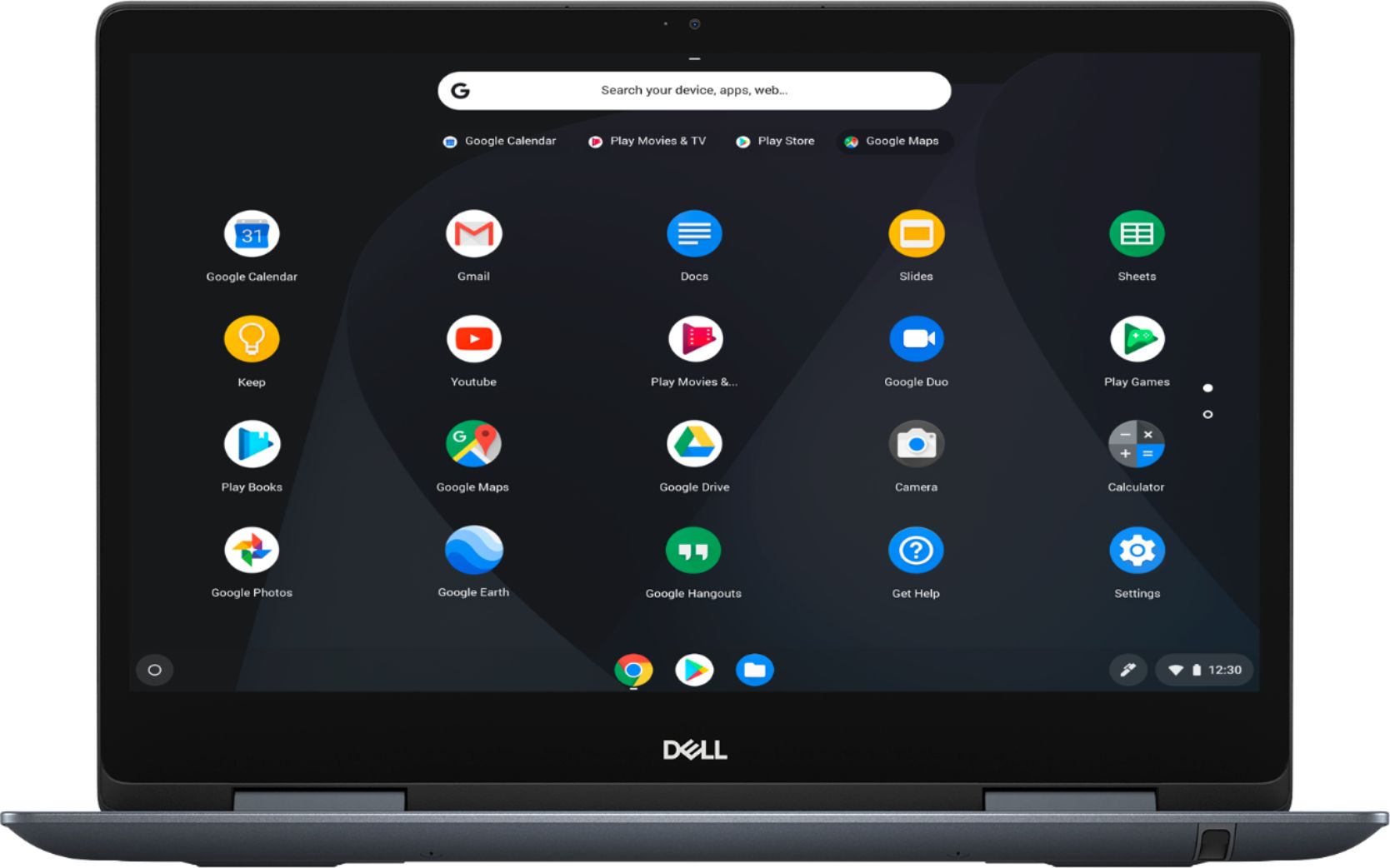
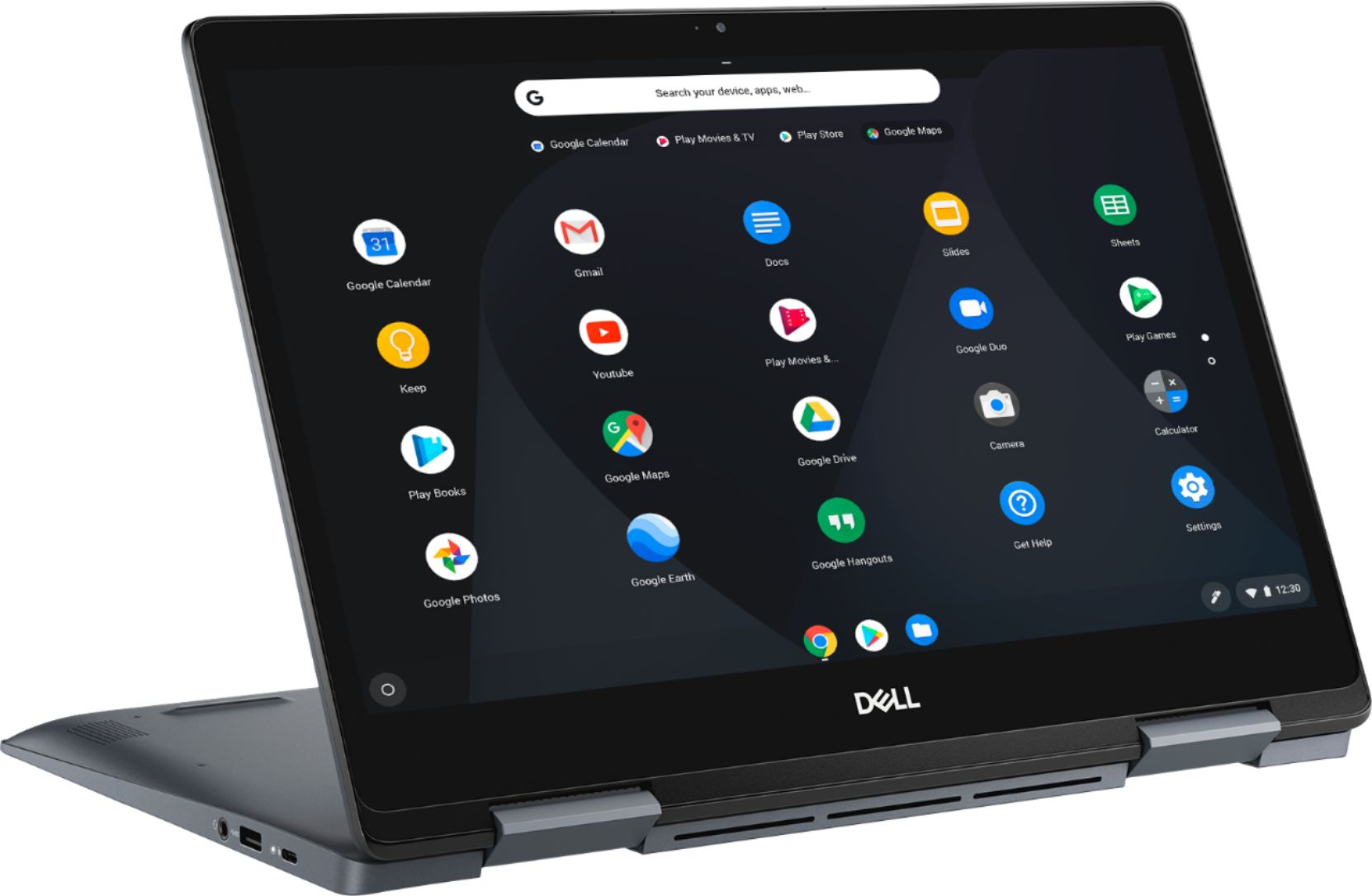
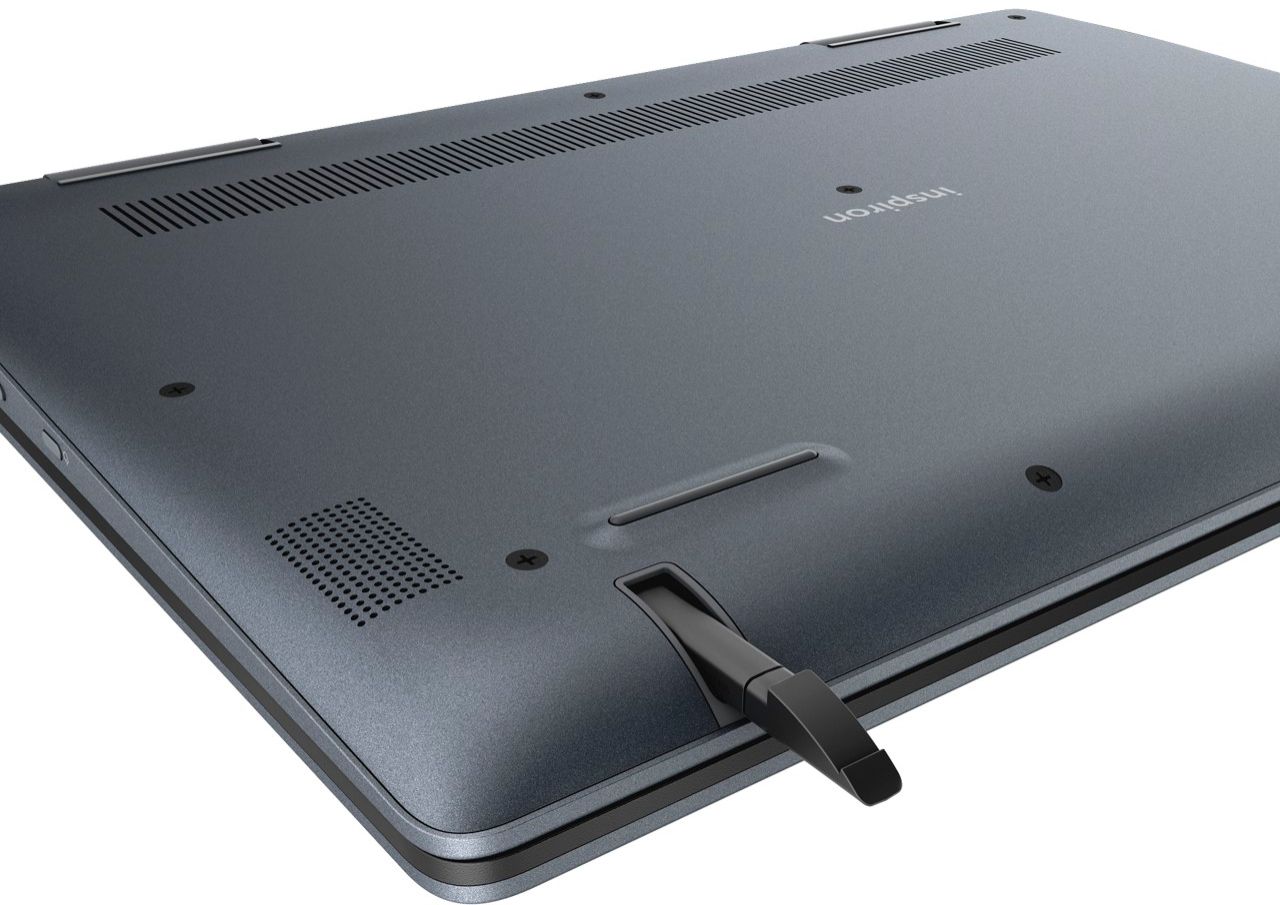
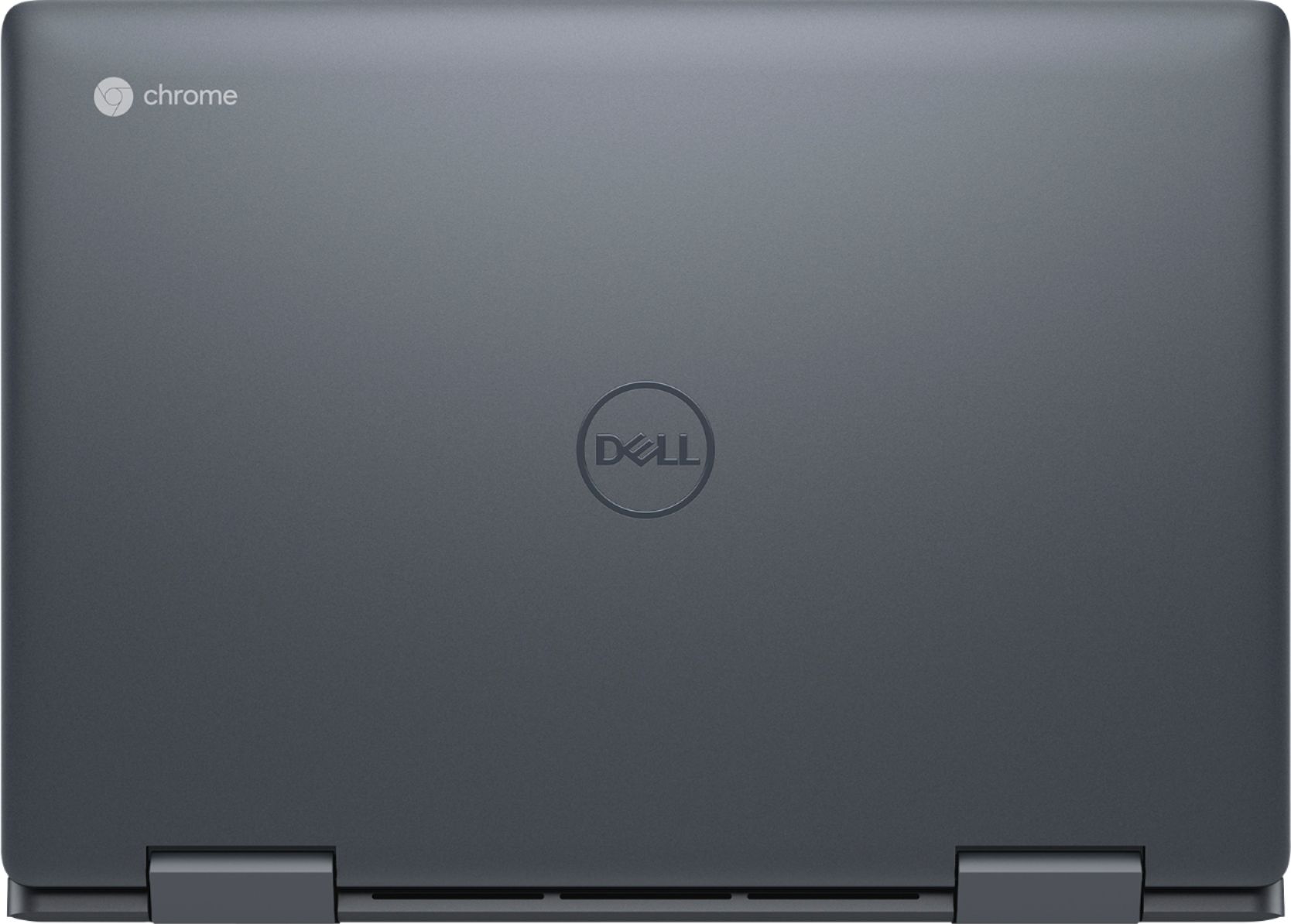
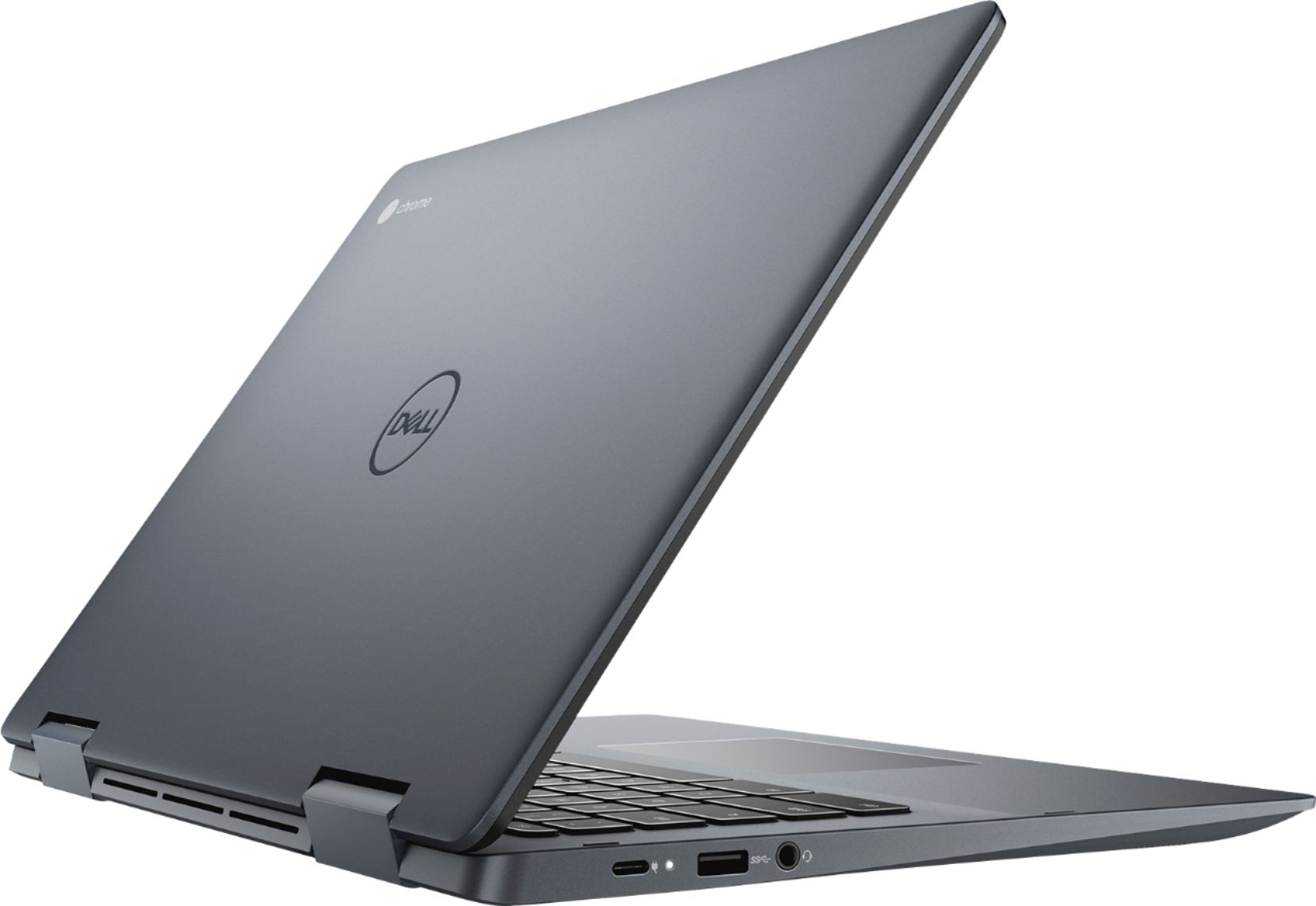
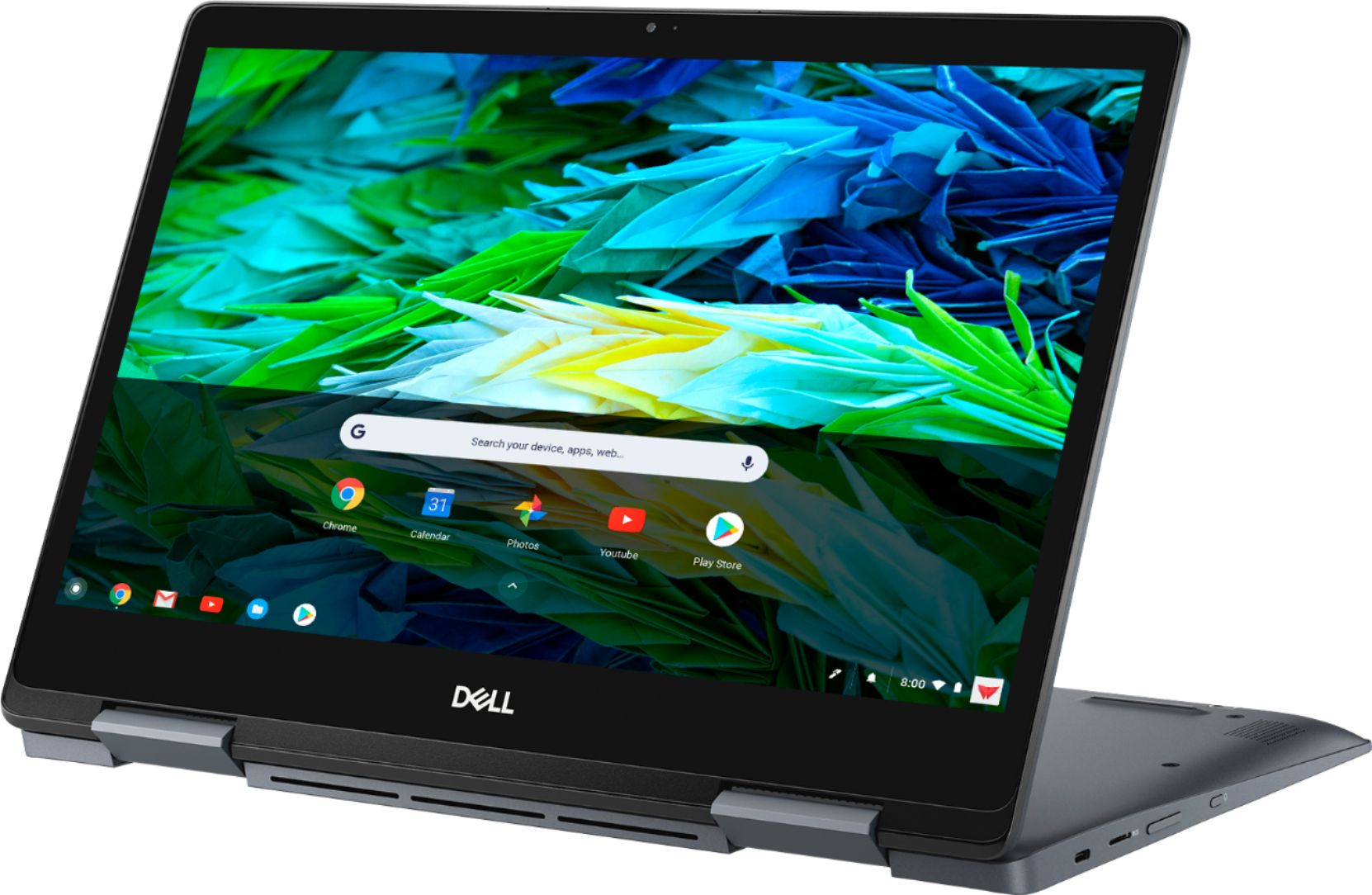
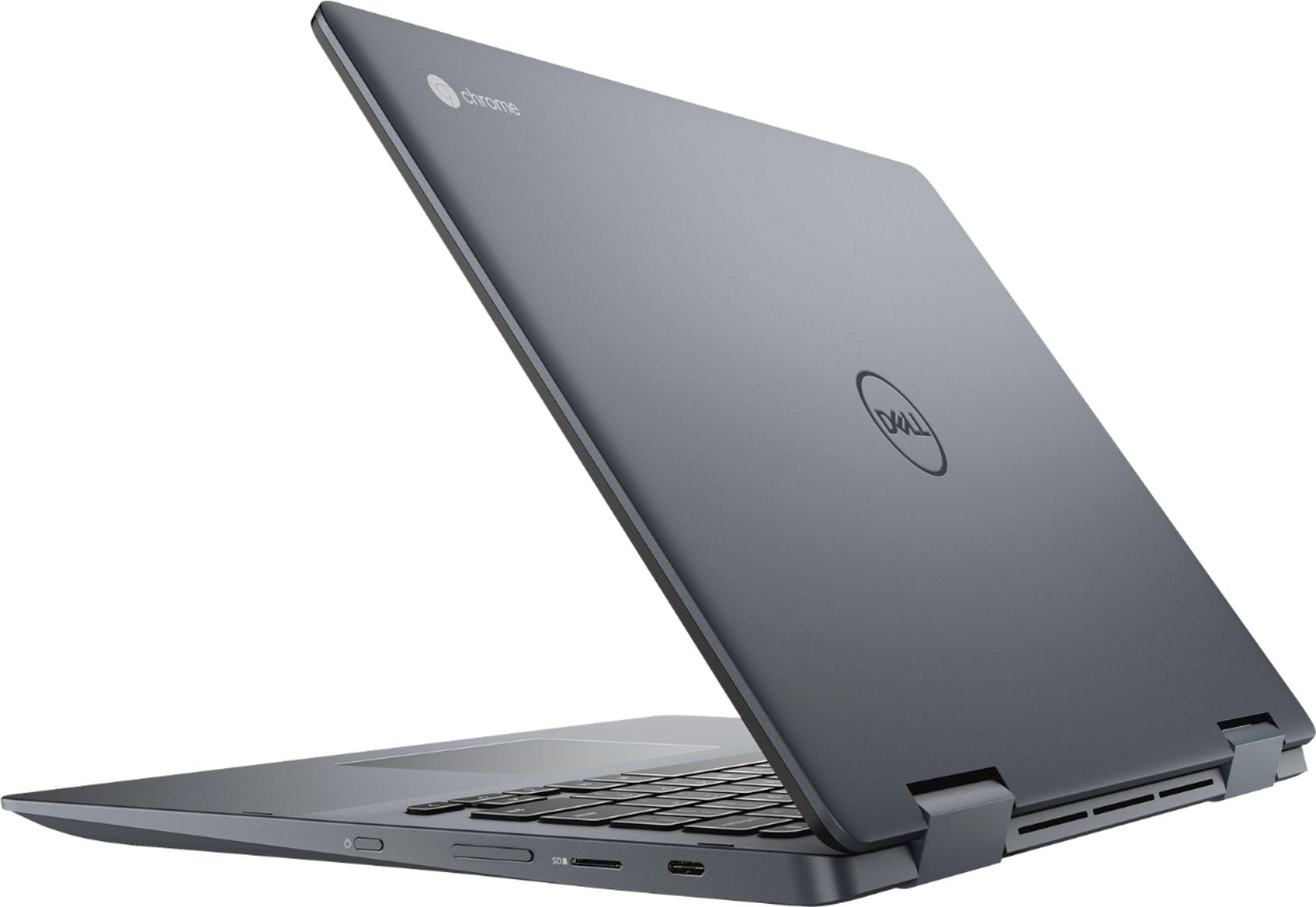
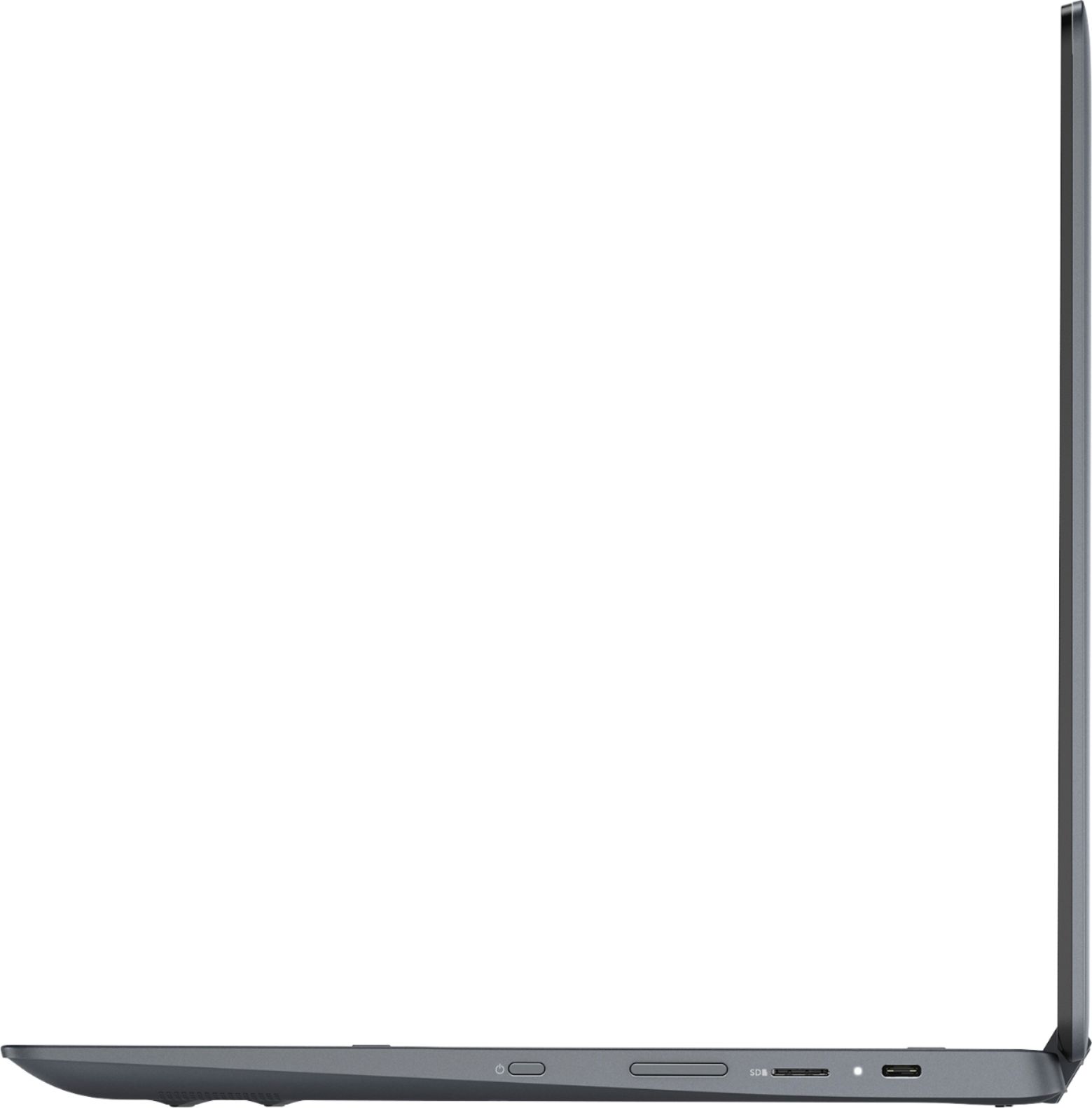
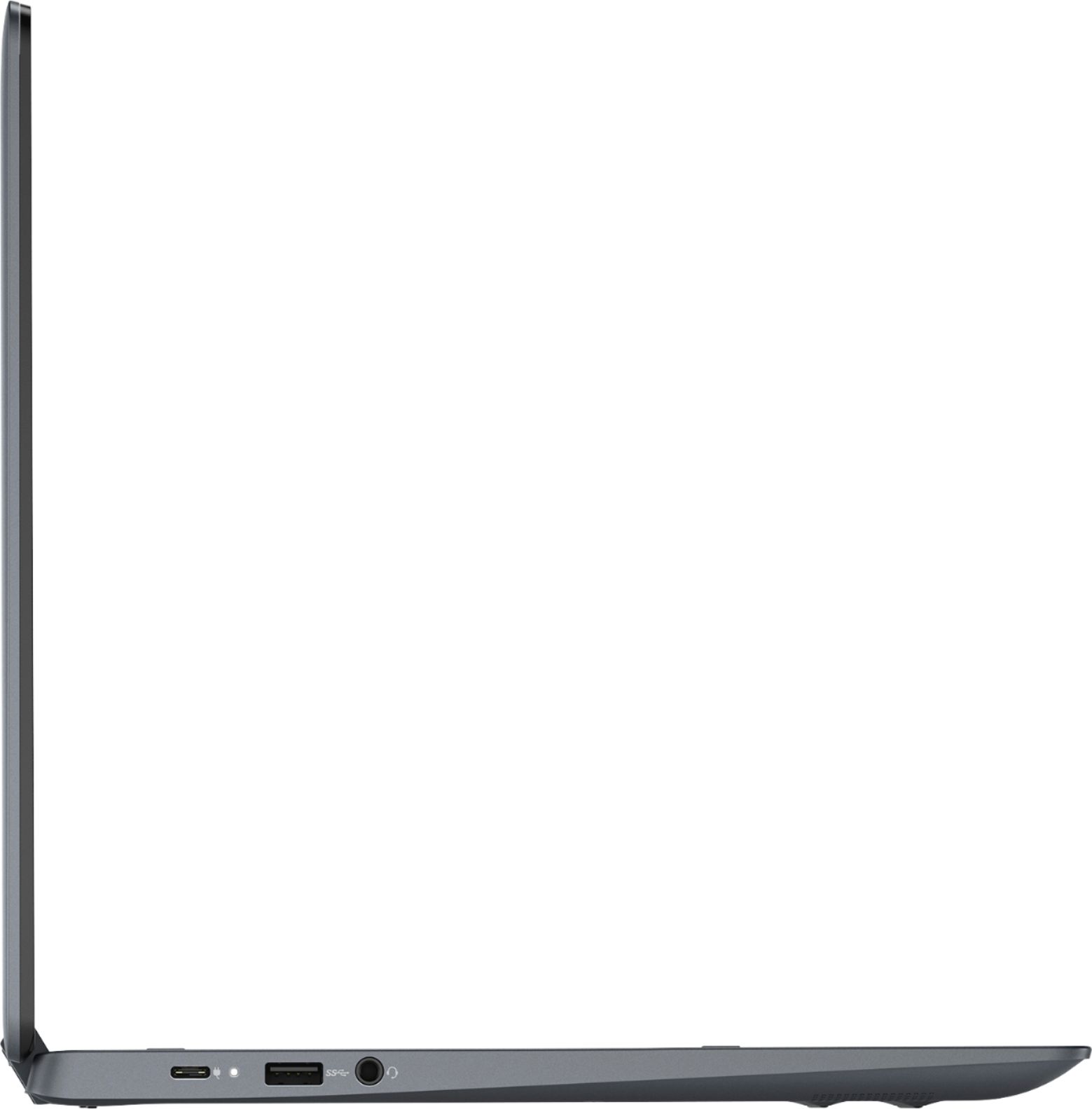
|Posted .This reviewer received promo considerations or sweepstakes entry for writing a review.When I heard that Dell was coming out with a premium chromebook for mainstream consumer and business use, I jumped at the opportunity to try the new Inspiron 14” 2-in-1 touchscreen chromebook. Here's what I like about the Inspiron 14” chromebook: +It’s equipped with an Intel core i3, 8th generation processor. It’s not some cheaper celeron or pentium processor. +4GB of RAM. This is plenty for a chromebook, but 8GB would have been nice for some heavy duty multi-tasking work and to stay ahead of the competition. +128 gb of eMMC flash memory, which is more than sufficient for onboard storage for all the apps that you’ll be downloading. If that’s not enough for you, there is a micro SD slot for expandable memory for your pictures, videos, music, documents, etc. +Love the 14” screen size. 13”-14” laptops are the perfect size in portability for traveling as it’s easy for carrying in your hand or putting away in a bag or backpack. +At 4 lbs., it’s relatively light for a 14” chromebook. +Premium look and feel. The exterior shell has a smooth gray ash color to make it look like a metallic finish. On first glance someone might just mistaken it for a Dell XPS. +Beautiful 14” full HD screen. Vibrant colors and contrast, with wide viewing angles. This is a glossy screen, so be careful of placement next to windows or bright lights otherwise you’ll see lots of reflection. +Backlit keyboard. Kudos to Dell for including a backlit keyboard. Although I don’t need a backlit keyboard, the white lights that illuminate the keys below look cool. Speaking of the keyboard, it has just the right amount of keystroke travel for good tactile feedback. Spacing of the keys should also suffice for larger hands. I type a lot, and I didn’t experience any fatigue in using the keyboard. +Smooth and responsive trackpad. +2-in-1 so it can fold up into tablet mode. Hinges are firm and strong. +It comes with a stylus that is unobtrusively stored in a compartment underneath the laptop and can easily be overlooked if you’re not paying attention. The stylus glides across the screen effortlessly, and responds well and adjusts to the variation of pressure applied at the tip. The stylus is useful for the occasions that I need to jot down quick notes or sketch up some ideas during business meetings. +Excellent connectivity for a premium chromebook: 2 x usb type c ports, 1 x usb 3.0 type A port, micro SD slot, and 3.5mm aux for headphones/headset. I’m really pleased Dell includes 2 usb type c ports, one on each side of the chromebook. The chromebook can also be re-charged at either port, so that means you can conveniently connect the power cord to the type c connector at which ever side is closer to the a/c wall outlet. +This Dell Chromebook is FAST. It boots from cold start in 3-4 seconds. From sleep, it will wake up in an instant. Apps load with lightning speed. I put my Dell XPS laptop side by side with the Dell chromebook for a non-scientific test on how fast they each load webpages, and I was surprised to see that the chromebook loaded complete web pages half a second to a full second faster than my XPS. Perhaps the chromebook’s Chrome OS is optimized to take advantage of its primary function for web access. +Long Battery. I got around 7.5 hrs on half brightness, running bluetooth speakers, streaming movies, and playing games. I’m sure under normal usage, the battery should last 8-10 hrs. This beats some of the best Windows laptops. +Access to both the Chrome Web Store AND the entire Google Play Store. The addition of the Google Play Store is a big deal and is the game changing thing that Google needed to make the chromebooks have greater mainstream appeal! While the Chrome Web Store continues to grow its apps, themes, and extensions, it is the familiar Android Google Play Store that has the treasure trove of apps that we are all accustomed to using on our Android phones. And now it is included in the new chromebooks such as this Dell 14” 2-in-1 chromebook. I think the sale of chromebooks is going to take off because of this. +Casual Gaming. With the Google Play Store now available on the latest Chromebooks, you’ll have your pick of games. I tried out Asphalt 8, which is a car racing game. Although the Dell chromebook is not a gaming machine, graphics rendering frame rate and game play are silky smooth with the i3 processor and integrated graphics. Not once did it skp frames or paused during play. Needless to say, I was impressed. The Dell 14” 2-in-1 chromebook has a lot of positives going for it, but it’s definitely not perfect. Here are some of the things that I found to be okay or neutral: -Just like any other laptop out there, you can’t expect dynamic range from the built-in speakers. It’s definitely clear enough for dialogue, and audio with lots of treble. Best to use external speakers or headphones. -The webcam is just mediocre. Images and videos are satisfactory, but not crisp and clear. The webcam definitely doesn’t handle variation of lighting well. If you have differences in lighting, it will either over expose or under expose. -In today’s age of thin to non-existent bezels, the Dell 14” chromebook’s thick bezel would appear to be anachronistic. While I’m not looking for a chromebook to entirely replace my Windows laptop, I was curious to see what this thing is capable of. I’m not talking about web browsing capability - we all know it is super fast on Chrome OS, but rather connectivity. Can the Dell chromebook do some of the things that I’ve taken for granted with my Windows laptop? Let’s find out. +Docking and Multi-Monitor Set Up. Yes you can set up a docking station with the Dell Chromebook. There are many docking station products out there. I use the Wavlink brand of docking stations which use the Display Link drivers. According to the Display Link website, the Display Link drivers are natively built-in to chrome OS. That is excellent, as I was able to connect two 25” external monitors making a three monitor set up (including the chromebook monitor). Extend and mirror options are available. I like going with the Extend option as this allows all three monitors to display different content. Additionally, you’re able to rearrange the monitors on the screen, just like in the Windows environment, so that your mouse cursor flows naturally across one screen to the next. I didn’t experience any performance hiccups either with this three monitor set up. I had a movie streaming on one monitor (in standard definition of course since HDCP is unsupported with my docking station), multiple tabs open on another screen, and a game going on a third screen. The Intel i3 process and integrated graphics are powerful enough for such multi-monitor, multi-tasking. It didn’t once bog down the chromebook. Wow! +Wireless Keyboard and Mouse. In addition to docking, I was able to connect a wireless keyboard and mouse. I use a Logitech Anywhere 2s mouse which I have customized the buttons from my Windows laptop. Unfortunately, those customized buttons do not work. Scroll wheel, hyper-scrolling, and basic mouse clicking, though, are fully functional. +Printer. Yes, you can connect to a printer. I have a wireless Brother All-In One that I connect wireless through wifi. The Dell chromebook connects flawlessly for wireless printing. If you don’t have a wireless printer, according to Google’s Help Page, you’ll still be able to manually connect through the old way of utilizing a usb wired connection from the Dell chromebook to your printer. +External Flash Drive / Portable External Hard Drives / Desktop Hard Drives. They’re all accessible on the Dell Chromebook from either the usb type A or type C ports. I successfully opened various files from the external drives on the chromebook. -Scanner. Your mileage will vary here depending on your scanner manufacturer. Scanning worked for me after I downloaded my printer (Brother) manufacturer’s iprint and scan software from the Google Play Store. -External DVD RW/ROM. Doesn’t work. No driver support in Chrome OS perhaps. You won’t be able to play your DVD movies on the Chromebook. Final Observations: *The keyboard has no CAPs lock key. However, there’s a trick. If you hold the ‘Alt’ and ‘Search’ key, CAPs lock will turn on. To turn it off, hold the ‘Alt’ and ‘Search’ key again. You can find this and a ton of keyboard shortcuts at the following Dell Chromebook keyboard guide website: https://www.dell.com/support/article/us/en/04/sln293875/dell-chromebook-keyboard-guide?lang=en *It’s nice to have a backlit keyboard, but for the life of me, I couldn’t figure out how to turn it off. Apparently, it’s another trick. To adjust the backlighting on the keyboard or turn it off entirely, you’ll need to press and hold the ‘alt’ key and tap the increase or decrease screen brightness keys. Conclusion: The chromebook is all grown up and matured. It’s not limited to an educational setting, but is a worthy competitor in the consumer and business environments. Dell makes a very compelling and standout premium chromebook with the Inspiron 14” 2-in-1. Equipped under the hood with an 8th gen Intel core i3 processor, 4GB of RAM, and 128 of eMMC flash memory and with the excellent build quality that Dell has been known for, this is really an awesome machine for productivity and entertainment. It is fast, no, really fast. It features a ton of connectivity and makes a strong case for replacing the average consumer’s Windows PC. I was a skeptic of the chromebook before, but now after having used it, I think Google has something here for the long term. I hope Dell continues to turn out chromebooks with high, premium specs. This is a solid professional chromebook I would feel proud to walk in with at my next business meeting. I would highly recommend it.
I would recommend this to a friend - Pros mentioned:Processor speedCons mentioned:Ram
Great machine, pretty bad screen glow and bleed.
||Posted .This reviewer received promo considerations or sweepstakes entry for writing a review.So the chromebook is very fast and the build is top notch. The all metal construction and backlit keyboard and the stylus are great. I was unsure of the 4gb of ram but if your not using a ton of things all at once it is fine. 8gb of ram is still ideal. The 128gb of storage is more than enough. With everything being cloud based these days having the storage of this size is a nice touch. Performance is snappy and there is no lag whatsoever. Now onto the reason I returned this and have been through 4 of them before I switched to the the pixel book go. The screen is amazing. It is nice and bright and the clarity is top notch, but, the IPS glow and the bleeding around the edges was absolutley terrible. You could see it even on lighter screens. I exchanged this product multiple times and every single one had this issue. Some worse than others. I know IPS bleed and glow can be normal in small amounts, but these were absolutely god awful. So I figured maybe a bad batch so I used my Dell account and ordered one from Dell directly and the unit I was sent had the exact same issue. At this price point that is completely unacceptable. The QC at Dell production plants must be lacking. If you can live with this then it is a great product, I just cant imagine when the glow goes into the middle of the display from all the corners on every unit I had being ok with anyone. I would suggest the pixelbook go if your budget is at the price point of this Dell when it's not on sale.
I would recommend this to a friend - Pros mentioned:Processor speed
Love it!
||Posted . Owned for 1 month when reviewed.This reviewer received promo considerations or sweepstakes entry for writing a review.Needed to upgrade my 10+ yr old Dell. I love Dell because both my desktop and my laptop have lasted a long time. Decided to go back to school and needed something that would meet my needs. This is it! It's super fast. As soon as I flip it open it turns on, and within seconds, you log on to your act and start browsing. You can download or buy office 365( which is the only compatible software), however, there's a free software that can be added as an extension to your Chrome browser which you can use free. You need internet to use it, but as long as you save your docs, you're good. Also, some of my online courses require certain software that uses flash player and others which I've been able to use with no issues. My main focus is school, so I don't need it for streaming or gaming, but it doesn't lag or anything when watching videos. One thing that lags sometimes is the pen. I wish it was just a bit more precise. But not a deal breaker. I still use it to draw on assignments and create notes. Helps a lot! Overall, great for students. One month so far and I love it!
I would recommend this to a friend - Cons mentioned:Ram, Weight
One of the best Chromebooks available
||Posted . Owned for 2 weeks when reviewed.This reviewer received promo considerations or sweepstakes entry for writing a review.This 2 in 1 has everything you need. I got it for a phenomenal deal, but its regular price is still good, which is over $100 more than what I paid. The only thing it lacks is a fingerprint scanner and the RAM is only 4GB. However, most people don't have 500 tabs open at once like me, so you shouldn't need much more RAM than 4GB on a Chromebook. It also is on the heavier side, which doesn't bother me but some people may care more about that.
I would recommend this to a friend Great Computer
||Posted . Owned for 1 month when reviewed.This reviewer received promo considerations or sweepstakes entry for writing a review.I purchased this laptop because i wanted a 2 in 1 type computer. I like the standard laptop and the flip screen so it turns into a touch tablet. The screen is great and very touch responsive. I also like the Chromebook because it boots up fast in less than 5 seconds and it is very secure. No anti virus is needed on a Chromebook. I got a great deal because it was on sale for $150 dollars off regular price. I can install Google and Android apps that i like. I am vey satisfied with the purchase of this Chromebook. It has 128GB SSD drive and i also purchased a 128GB micro SD card so i have plenty of storage.
I would recommend this to a friend- Pros mentioned:Processor speed, Touchscreen
Premium Cromebook
||Posted .This reviewer received promo considerations or sweepstakes entry for writing a review.Premium cromebook with macbook pro build quality and performance. The build quality is top notch the screen get bright and the HD quality is crystal clear. The backlite keayboard is really nice! the keys feel nice too! and the thouchpad as well! The performance is top notch as well i have around 40 tabs open on crome and haven't experienced any lag. it does come with a stylus that dosent need batteries. i highly recommend this cromebook!
I would recommend this to a friend - Pros mentioned:Ease of use, Touchscreen
Nice product and features stopped working 6mnths
||Posted . Owned for 1 year when reviewed.This reviewer received promo considerations or sweepstakes entry for writing a review.this was a great product to work on and easy to set up and use. loved the flip option to use as tablet and touch screen, however it stopped turning on in less then a years time. Unfortunately when brought to geek squad to look at it they said it was just about $100.00 to send it out and then whatever the price was to fix it. UNEXCEPTABLE, again Best buy failed my expectations
No, I would not recommend this to a friend - Pros mentioned:Processor speed, Touchscreen
Good value, great performance
||Posted . Owned for 3 weeks when reviewed.This reviewer received promo considerations or sweepstakes entry for writing a review.Priced a bit higher than most chromebooks but is fast, well built and the stylus is a nice extra. Shopped this purchase hard before arriving at this decision. So far, happy with it. Just doing basic excel spreadsheets and word processing while researching on the web.
I would recommend this to a friend - Pros mentioned:Ease of use, Performance
Good value
||Posted . Owned for 1 year when reviewed.This reviewer received promo considerations or sweepstakes entry for writing a review.I bought this chromebook a year ago and it works very well. It's my first one and I'm very impressed. It does much more than I thought it could. Yes it is good for surfing the net but it also runs all the apps I have on my phone. It also has the built in linux beta so I was able to play Minecraft and a few other things.
I would recommend this to a friend - Pros mentioned:Processor speed, Touchscreen
Best value for the money
||Posted . Owned for 1 month when reviewed.This reviewer received promo considerations or sweepstakes entry for writing a review.This is a great chromebook. Setup is, as to be expected, very simple, and it is fast! The touchscreen works perfectly, and the tablet mode is very handy. The only thing a bit confusing is you cant bring up the onscreen keyboard when not in table mode, but that is not Chrome thing, not to do with the hardware.
I would recommend this to a friend - Cons mentioned:Compatibility, Weight
Great deal!
||Posted .This reviewer received promo considerations or sweepstakes entry for writing a review.This was a clearance and open box laptop, so I got an incredible deal. Shipping was fast. I’ve had no technical issues with it at all, and it was in pristine condition. My only complaints are about the laptop itself. It’s very heavy, a little complicated, and I didn’t realize they weren’t compatible with iPhones!
I would recommend this to a friend - Pros mentioned:Processor speed, Touchscreen
awesome student laptop
||Posted . Owned for 1 month when reviewed.This reviewer received promo considerations or sweepstakes entry for writing a review.Got a great student discount on this laptop and am very impressed at the speed of it as well as all the features (touch screen, stylus, tablet mode, and backlit keyboard) I also like that the charging port is in both sides of the laptop. Awesome for school! My only sruggle is getting used to a smaller keyboard.
I would recommend this to a friend - Pros mentioned:Battery lifeCons mentioned:Weight
Great stationary laptop
||Posted . Owned for 1 year when reviewed.This reviewer received promo considerations or sweepstakes entry for writing a review.Got this as a gift for my sister and she loves it!! Only downside is that its a bit on the heavy side so it wouldn't be ideal for travelling or carrying around. But if your looking for a desk laptop this is great! Battery life is also awesome, almost forgot to mention!
I would recommend this to a friend - Pros mentioned:Battery life, Processor speed
Awesome laptop
||Posted . Owned for less than 1 week when reviewed.This reviewer received promo considerations or sweepstakes entry for writing a review.I was skeptical about the chromebook, but after some research I settled on this one. It is a beautiful 2 in 1 that has a stylus pen too! It is fast, the audio is great, and the charge is great. Lots of good. The only drawback is that it doesn’t connect to all wireless printers.
I would recommend this to a friend - Pros mentioned:Battery lifeCons mentioned:Weight
Exceeded Expectations
||Posted .This reviewer received promo considerations or sweepstakes entry for writing a review.The chromebook is fast with a great display. It is so satisfying to use, that I've voluntarily abandoned my windows laptop. A quality build and incredible battery life. My only gripe is that the chromebook is a bit on the heavy side, but the weight probably contributes to it's quality feel.
I would recommend this to a friend - Pros mentioned:Ease of use
Love this Chromebook!!!
||Posted . Owned for 3 weeks when reviewed.This reviewer received promo considerations or sweepstakes entry for writing a review.Alice was soo helpful & soo nice to me. She really knows everything about it & explained it all to me in such a sweet & caring way. I am getting the hang of it & it really is easy. Recommend it to anyone who isn't tech savvy, for the ease of using it. A lot of value for the price!
I would recommend this to a friend Excellent Chromebook
||Posted . Owned for less than 1 week when reviewed.This reviewer received promo considerations or sweepstakes entry for writing a review.After using this Dell 14 2-in-1 Chromebook (7486) for about five days I find it excellent. The display is very vivid/colorful. In addition, the display is notably very bright - significantly brighter than many other Chromebooks of this size and in this price range. The build quality is also excellent. The whole device is solid and the hinges do not allow a kind of annoying wobble found on many 2-in-1s. The included EMR stylus works great. These three features (great display, great build quality, and great stylus) set this Chromebook apart from many others. The 128GB of internal storage is also a very nice plus. The two downsides of this Chromebook are that is in 1/2 to 1 lb. or so heavier than some competing Chromebooks, and it has 4GB instead of 8GB of RAM. However, the incredible build quality and the digitizer for the stylus seem like totally acceptable trade-offs for the extra weight. Also, although some serious/heavy users might need 8GB of RAM, this device performs wonderfully with its 4GB (as virtually every professional review of this device has noted). The Chrome OS combined with the i3 processor and the 4GB is more than enough for all common uses. Overall, I am very happy and satisfied with this purchase. I specifically chose this device for its display, build quality, internal storage, and EMR stylus. Competing Chromebooks (with 13.3, 14, and 15.6 inch displays) either cost $150-$250 more, and/or have half the internal storage (64GB), and/or have a less powerful processor (m3 instead of i3), and/or have an inferior/less bright display, and/or have less good build quality. Some people might choose to pay more for a Chromebook with thinner bezels (often with less good specs). I find thinner bezels can compromise build quality/structural integrity. And thin bezels can interfere with using a 2-in-1 in tablet mode. In tablet mode, not only do you need to hold onto a bezel that is not super thin, but it can be nice to see more of the screen (instead of your fingers or part of your hand) while holding the device. So, for the specs (i3 instead of m3/less), display (around 310-330 nits instead of around 260 nits), EMR stylus, internal storage (128GB instead of 64 GB), and a sale price that is $100-$250 less than some competing devices, I strongly recommend this Chromebook.
I would recommend this to a friend