Customer Ratings & Reviews

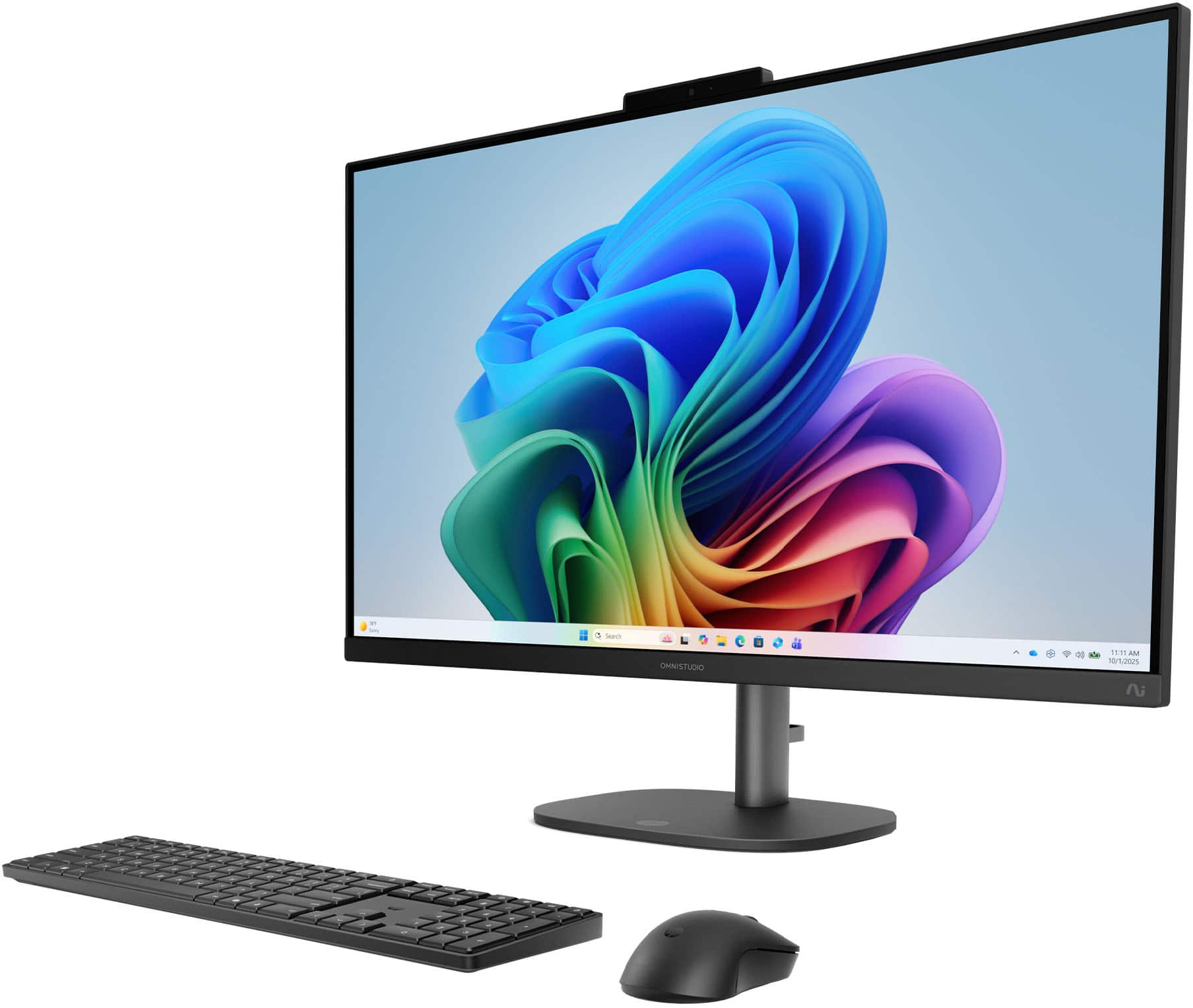
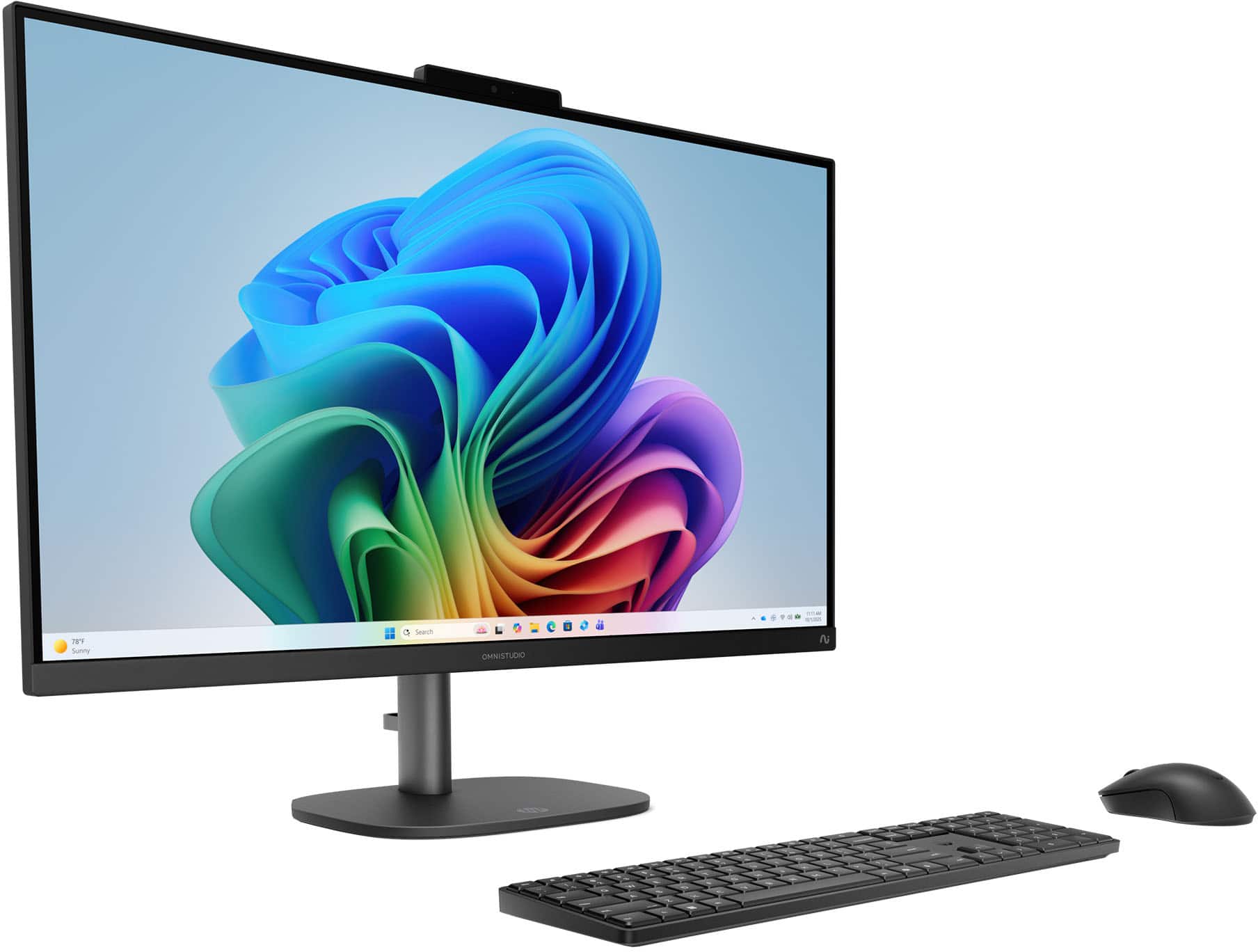
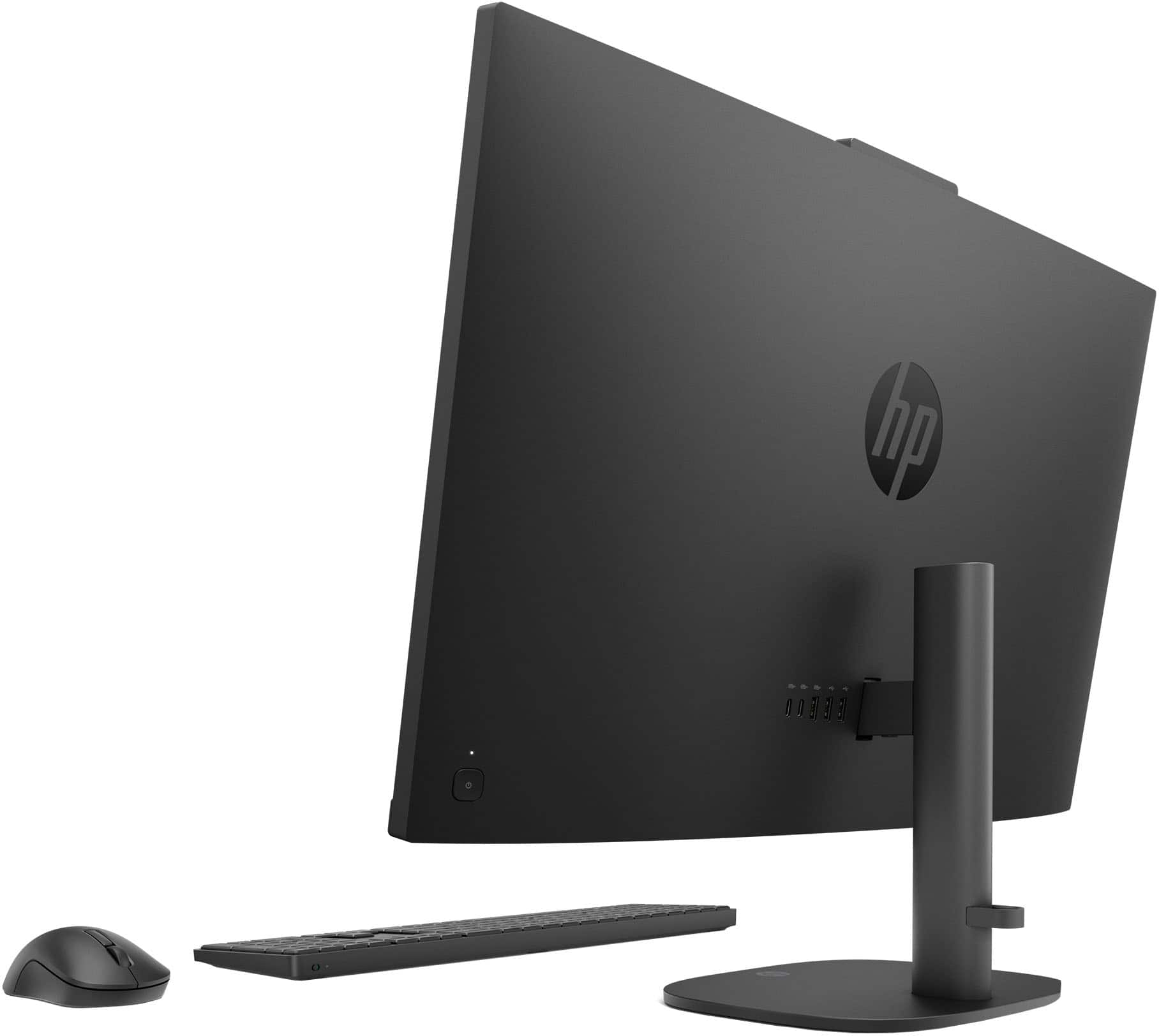
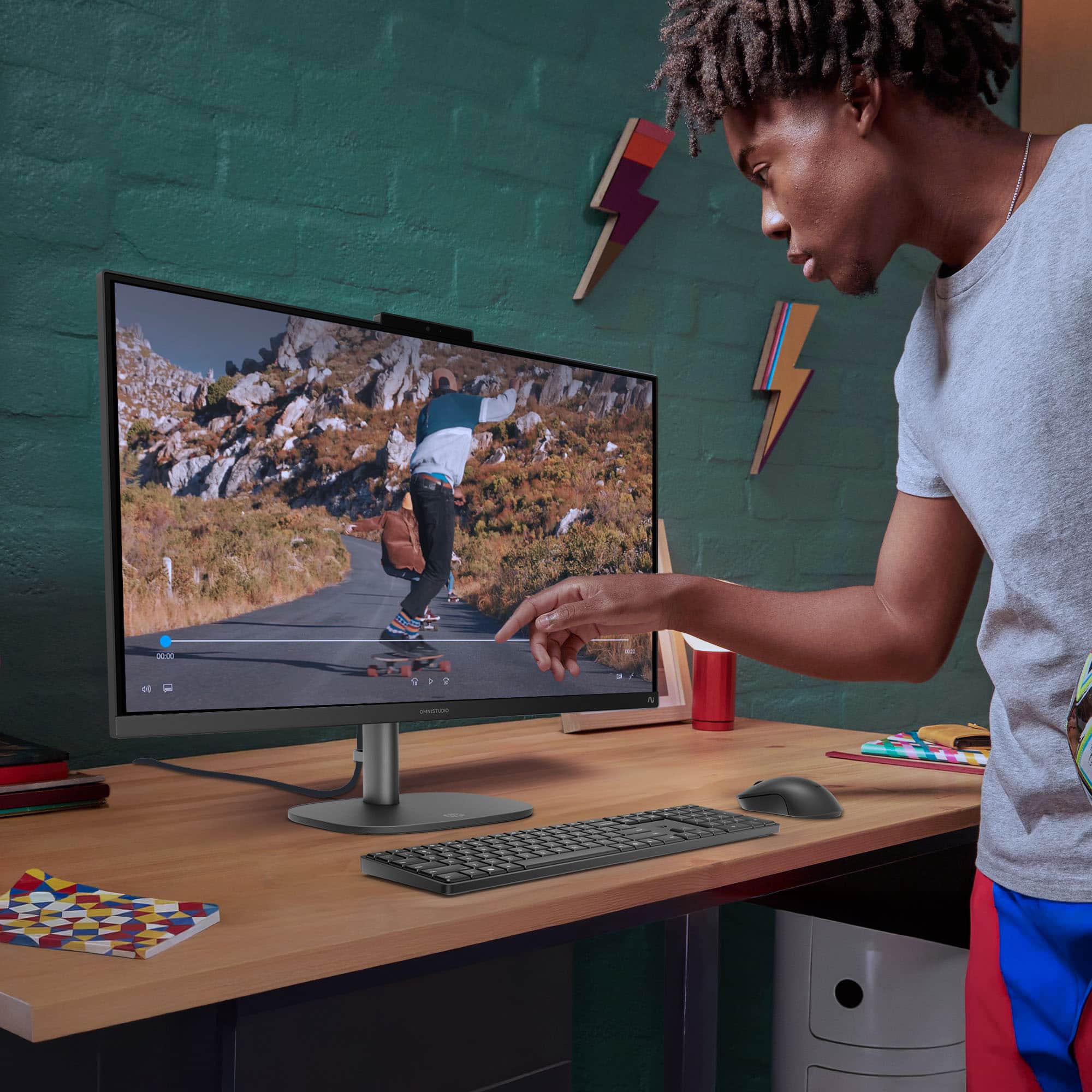




- Model:
- 27-cw0054
- SKU:
- 6668143
to a friend
Customers are saying
Customers are delighted by the overall performance, which is frequently described as smooth and reliable. Users also appreciate the sleek design, responsive touchscreen, and the convenience of the adjustable height feature. While the monitor is praised for being nearly silent, some users noted that the webcam quality could be improved.
This summary was generated by AI based on customer reviews.
- Pros mentioned:Design, Overall performance, Touchscreen responsiveness
As a photographer, this is all I'll ever need
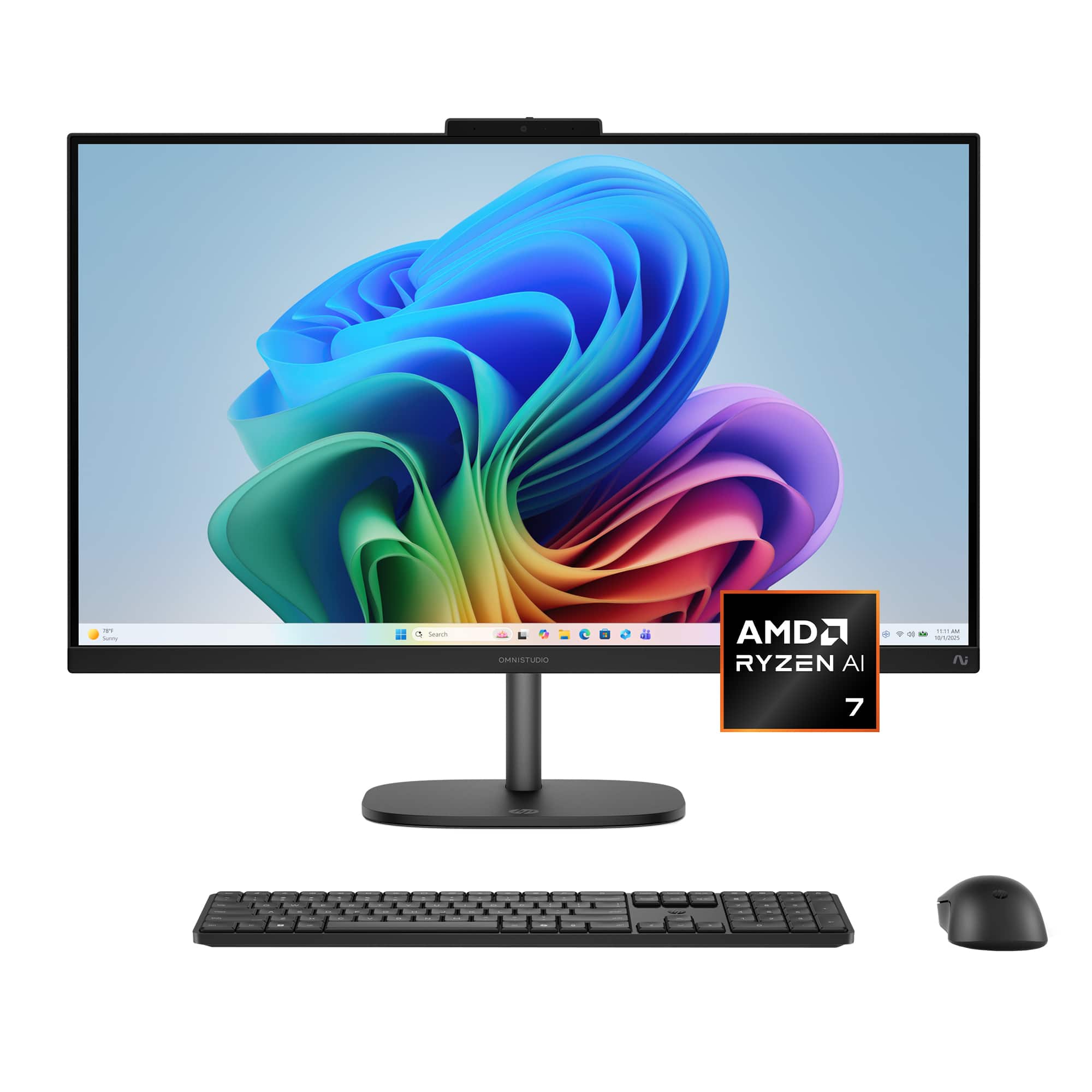
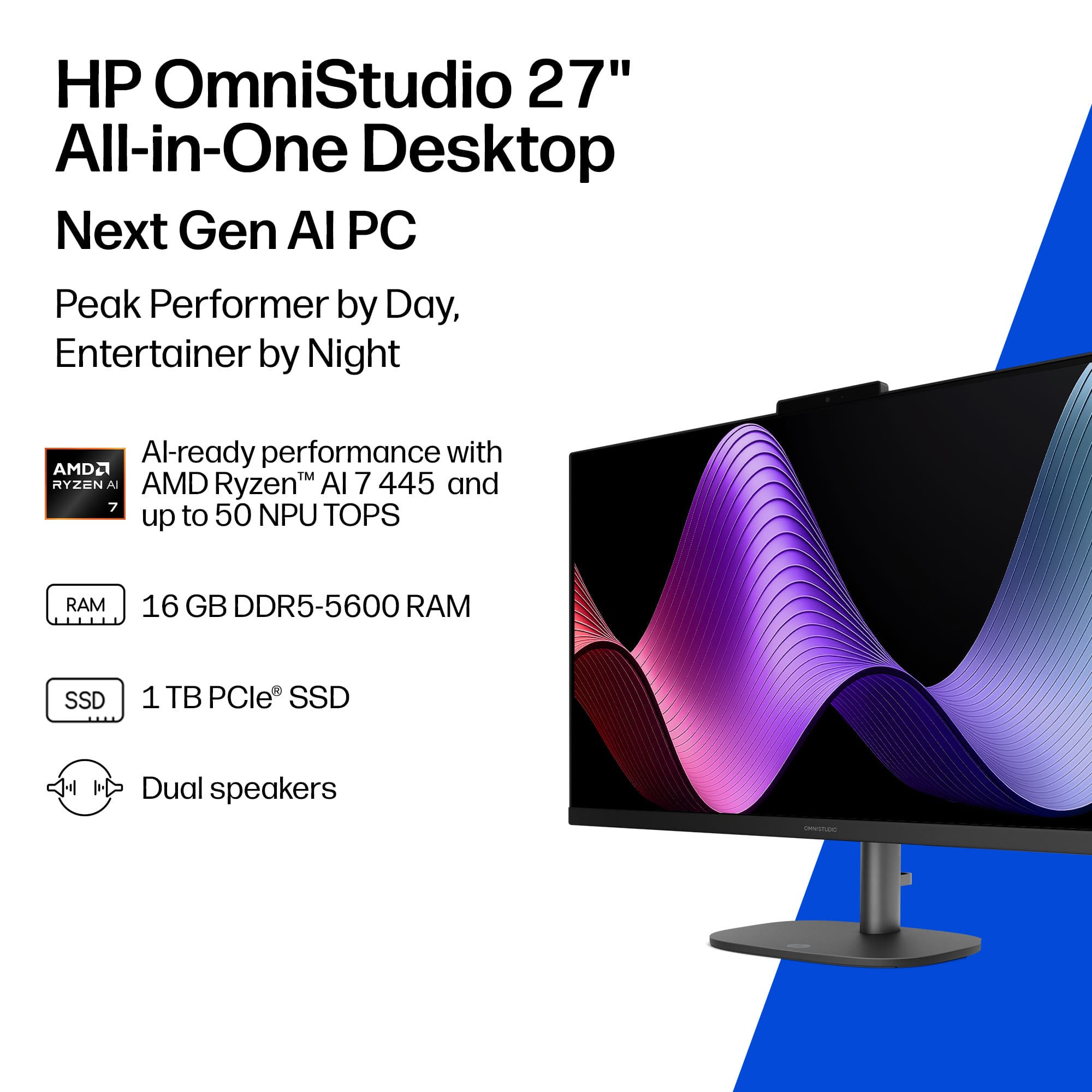
||Posted . Owned for 1 month when reviewed.This reviewer received promo considerations or sweepstakes entry for writing a review.As a professional photographer, I’m always looking for a workstation that can keep up with heavy editing, large RAW files, and long hours of retouching. The **HP OmniStudio 27" All‑in‑One** has genuinely exceeded my expectations. The **27" Full HD touchscreen** is a dream for photo work. Colors are vibrant, details are crisp, and the adjustable height makes it easy to switch between sitting and standing while editing. The touchscreen adds an extra layer of precision—being able to zoom, drag, and fine‑tune edits directly on the display feels incredibly natural. Performance-wise, the **AMD Ryzen AI 7 445**, paired with **16GB of RAM** and a **1TB SSD**, handles Lightroom, Photoshop, and large batch exports effortlessly. Even with multiple editing programs open, everything stays smooth and responsive. The speed boost is noticeable, especially when working with high‑resolution galleries. I also love how clean and minimal the setup is. As someone who values a tidy studio space, having everything built into one sleek Jet Black unit is perfect. No clutter, no cables everywhere—just a powerful machine ready to work. Copilot+ integration has been surprisingly helpful too. Whether I’m organizing shoots, sorting files, or brainstorming creative concepts, having AI tools built right in keeps my workflow moving. Overall, the HP OmniStudio 27" has become an essential part of my editing setup. It’s fast, beautiful, intuitive, and powerful enough for demanding photography work. Highly recommended for photographers who want a reliable, elegant all‑in‑one workstation that can keep up with their creative flow.
I would recommend this to a friend Excellent All-in-One Computer—Fast, Sleek, and Eas
||Posted . Owned for 2 weeks when reviewed.This reviewer received promo considerations or sweepstakes entry for writing a review.I absolutely love my new HP OmniStudio 27” All-in-One computer. The large Full HD touchscreen is clear and easy to navigate, and the adjustable height makes it comfortable to use. It runs smoothly, has plenty of storage, and the sleek all-in-one design keeps my workspace neat and organized. The AMD Ryzen AI 7 processor, 16GB of RAM, and 1TB SSD provide excellent speed for everyday work, multitasking, streaming, and creative projects. Setup was simple, and the computer feels powerful without taking up unnecessary space. This was an excellent purchase, and I’m very happy with my computer. Five stars!
I would recommend this to a friend- Pros mentioned:Overall performance
Perfect for Live Teaching
||Posted . Owned for 1 month when reviewed.This reviewer received promo considerations or sweepstakes entry for writing a review.The overall performance is smooth and reliable during live streams, and the video quality remains sharp and clear. If you're an educator, trainer, or content creator looking for a computer with an exceptional camera and intelligent eye-contact features, I highly recommend this one.
I would recommend this to a friend - Pros mentioned:Noise level, Overall performanceCons mentioned:Webcam quality

Excellent family/office desktop
|Posted .This reviewer received promo considerations or sweepstakes entry for writing a review.The HP OmniStudio is a fast PC that handles both work and entertainment tasks with ease. Pros - Responsive and snappy - did not feel any lag going through a 50MB Excel sheet with over 250,000 lines while multiple Edge tabs were open in the background (YouTube, news sites, Edge homepage). - Built-in webcam cover - Little to no fan noise while running multiple tasks. - Easy to adjust screen - Single cable (the power adapter). - Speakers are great, much better than the ones on typical computer monitors. Videos and music sounded full, with bass that felt adequate for casual browsing and videos. - The 120hz matte display allows for an overall good viewing experience, although I had a bit of an issue with text sharpness as described below. Cons - Webcam quality is just ok and seemed on par with standard laptop cameras. However, even with strong backlight it did a good job of keeping the main subject properly exposed. - The included wireless keyboard and mouse felt very basic. There seemed to be no way to tell if the FN lock was on or off. - The 27” touchscreen display at FHD (1080p/1920x1080) was perhaps the biggest issue for me. While the screen size is great, text did not appear as clear as I had expected, even at 100% scale. For example, some letters like B and R looked slightly ‘bolded’ while smaller text appeared gray and uneven when viewed up close. However, from a certain distance (over 2 feet or so), it did feel a bit better, and increasing text size in Windows settings also helped. Overall though, colors looked accurate and the display was bright, even at 50%. - Not really a big issue, but the base that holds up the screen does not have the best grip on desk surfaces. Overall, the HP OmniStudio’s form factor takes up little space and is easy to set up, making it an excellent addition to both home and office scenarios.
I would recommend this to a friend - Pros mentioned:Noise level, Overall performance
Major Space Saver!
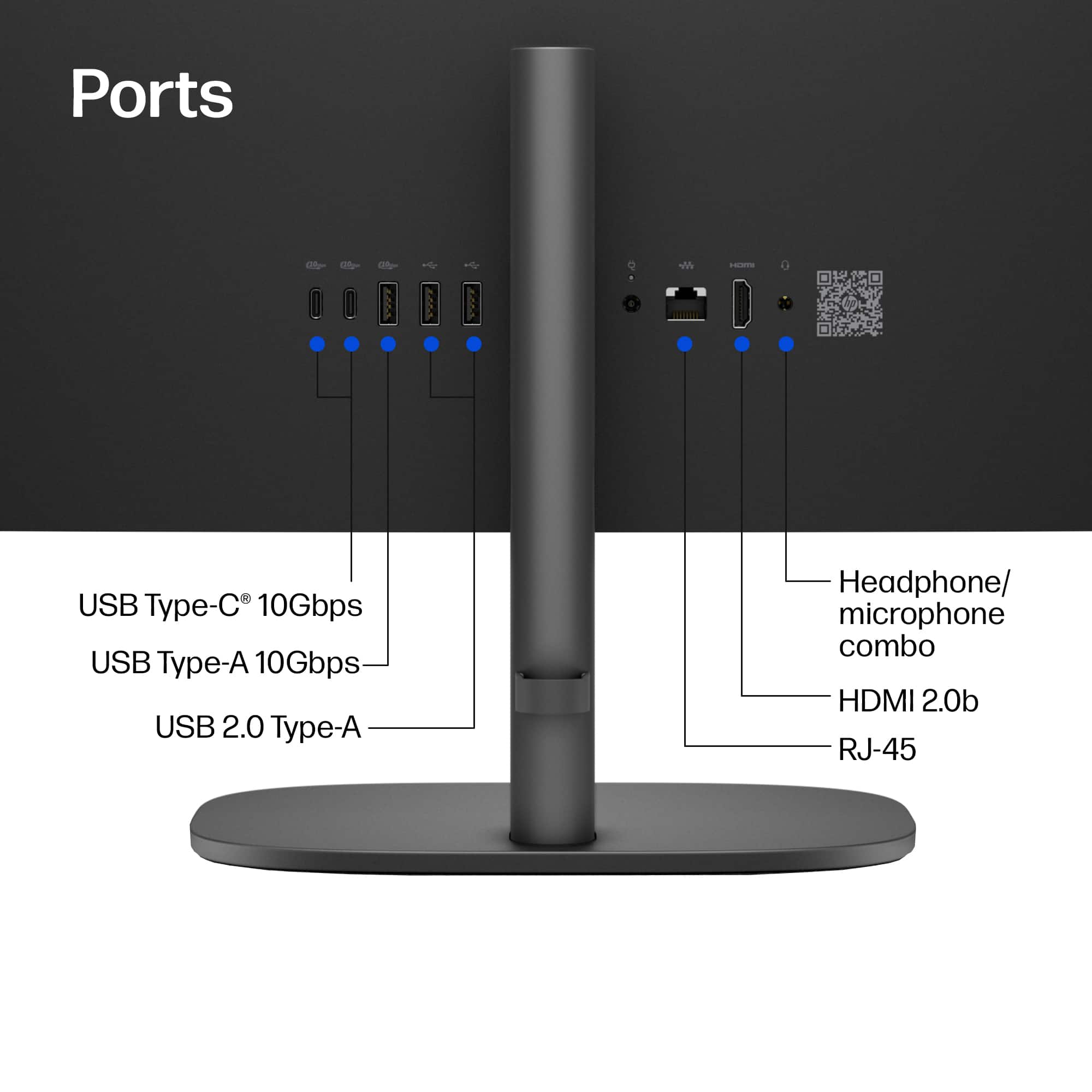
|Posted .This reviewer received promo considerations or sweepstakes entry for writing a review.The more I use the OmniStudio, the more I love it. I’ve owned a few 27” computers by now, and this OmniStudio Full HD Touchscreen computer offers the most features of them all. It offers all the usage of a Windows computer, but saves a ton of space by being an “all-in-one” device, not to mention the monitor itself offers a very slim profile. A nice-to-have feature is the touchscreen; this is easily the biggest touchscreen computer I have now! Everything about this computer has been fast and easy, from initial setup to transferring large amounts of data. So far I only have good things to say. The all-in-one factor of this computer is my favorite feature. It saves so much space not having a separate computer tower. Of course the trade off is the amount of inputs you get, but you can always add accessories like a hub that’s going to be smaller than a tower anyway. Not to say that there aren’t enough ports, you still get 3 USB Type-A inputs (one of them being 10Gbps), 2 USB Type-C, 1 HDMI, and a few others, which I think is a good start. I don’t anticipate needing a hub soon because all I’m looking to connect as of now is a printer. One of the USB ports is being used for the keyboard/mouse dongle out of the box, but this space can be freed up if you have bluetooth keyboard/mouse accessories. 16GB of RAM is probably the lowest I would ever get for a computer given that I occasionally use heavier programs like Adobe Photoshop, Illustrator, or OBS Studio. So far, I’m very happy with the performance of this computer. This week has been heavy on the research & writing and the OmniStudio has been a great workhorse for just that. I also transferred 35GB of video footage from an external SSD to the computer in just over 1 minute, not bad at all! The OmniStudio 27” computer has 1TB of storage which I think is perfectly acceptable for most users. Personally, I usually handle a lot of media, but I usually store things on external drives. I like that I now have this computer for when I need more storage, but as of now I’m just enjoying using this computer for fun and writing work (rather than media work). The monitor design is nice because it’s incredibly slim and has a strong, sleek base with a good range of height options. It’s really easy to raise and lower. Putting the base on the monitor was quick and aside from that, it’s just the keyboard and mouse. It’s really a great combo. Some other things that I tested out were the speakers, while they sound fine, don’t expect the music to be bumpin’ real loud even at 100% volume. It will be acceptable for watching videos or movies for a very small group of people, but definitely get a set of speakers if you’re hoping for something loud. In the short time I’ve had this computer, I’ve tested most things that I will use it for moving forward, and so far so good! At one point, I heard the fan running, but it’s not distractingly loud. I also use the blue light filter and lowest screen brightness, which I’m happy with. The OmniStudio 27” all-in-one computer offers what it promises and I’m looking forward to using this in my new office.
I would recommend this to a friend - Pros mentioned:Overall performance, Touchscreen responsivenessCons mentioned:Webcam quality
AIO touchscreen = CLUTTER FREE, wish 1440p/4k res
|Posted .This reviewer received promo considerations or sweepstakes entry for writing a review.Having an all-in-one Windows based Pc touchscreen is an incredibly convenient solution. Setup is a snap, tool-free, and snaps together the adjustable height stand to the monitor. I really appreciate the adjustable height which makes it convenient to organize your workspace by raising the screen, particularly useful on a standing desk to set screen exactly eye-level. The touch-screen is very snappy and responsive, very nice for security camera feeds to simply tap and zoom in or out. However the 1080p limitation holds back what would set this machine apart. Text was legible, yet could be much more sharp. Playing YouTube videos was fine though color accurate TV shows lack the punch and pop of higher end 4k displays. Wireless keyboard and mouse is functional, yet cheap feeling black plastic, which is not uncommon to keep costs reasonable. I take issue with the basic webcam though , it’s low-light performance seems incapable of recognizing our faces to unlock , or making us stand further away than normal, so the Windows 4-digit PIN is required each timeout. Comparing this HP unit with a 2022 Dell AIO 27-inch I prefer the Dell pop-up camera as well as Nvidia GeForce MX-550 2 GB graphics card , as opposed to the AMD Radeon 840M 512 MB card. SPECS *27-INCH iPS monitor *1920x1080p resolution *Ryzen AI 7 445 CPU *AMD Radeon 840M 512MB *16 GB RAM *1 TB SSD PROS +easy assembly +ideal small footprint +snappy performance +very thin screen bezel +adjustable height monitor +wireless keyboard / mouse CONS -1080p max resolution -low-spec graphics card -basic webcam -low-light recognition inadequate CONCLUSION *if you’re looking for an convenient AIO solution this Ryzen based unit from HP is a decent option for general task usage. Power users and gamers however I feel would likely opt for a more powerful Nvidia graphics card and 1440p or 4k monitor with sharper text and more accurate colors. RECOMMEND General users Buy, power users pass
I would recommend this to a friend - Pros mentioned:Design, Noise level, Overall performance
Extra Memory Really Helps
||Posted . Owned for 3 weeks when reviewed.This reviewer received promo considerations or sweepstakes entry for writing a review.My previous HP computer was over 5 years old and only had 8GB RAM. This new computer has 16GB RAM and cleared up all the issues I was having. The 1TB SSD is more storage than I will probably ever use. I like the larger 27" screen. It is almost completely silent compared to the old computer that had a noisy fan. I like the adjustable height feature, the picture on the screen is bright and sharp and I was able to get things set up like I had before in a short time. It is great for watching videos, online shopping and email. You will like this computer.
I would recommend this to a friend - Pros mentioned:Design, Overall performance, Touchscreen responsiveness
Beautiful ALL-IN-ONE by Lenovo
||Posted . Owned for 2 weeks when reviewed.This reviewer received promo considerations or sweepstakes entry for writing a review.Set up was quick and easy. The touchscreen is responsive, the picture sharp and the computer runs fast, with no lag time. The adjustable height is a great bonus. Sleek design and excellent performance--very happy with this purchase!
I would recommend this to a friend - Pros mentioned:Display size, Overall performance, Touchscreen responsiveness
HP omnistudio 27"
||Posted . Owned for 1 month when reviewed.This reviewer received promo considerations or sweepstakes entry for writing a review.Purchased to replace my outdated Dell desktop. So far its been great. Like the screen size and touchscreen. Super fast, didn't know how much my old unit needed replacement.
I would recommend this to a friend - Pros mentioned:Overall performance
excellent
||Posted . Owned for 2 weeks when reviewed.This reviewer received promo considerations or sweepstakes entry for writing a review.Excellent because it was fast, clear, accurate, and easy to understand. The information was provided without unnecessary delays or excessive detail. The quick response time made the process efficient and convenient while still maintaining strong quality. Overall, the combination of speed, clarity, and helpful information created a very positive and effective experience.
I would recommend this to a friend - Pros mentioned:Overall performanceCons mentioned:Webcam quality
HP Omnistudio all in one.
||Posted . Owned for 3 weeks when reviewed.This reviewer received promo considerations or sweepstakes entry for writing a review.This all in one is very easy to navigate through and makes use that much easier. Nice 27” monitor and comfortable keyboard is also a plus. The only drawback is camera quality is decent but could be better considering the price
I would recommend this to a friend - Pros mentioned:Design, Overall performance
HP All in One
||Posted . Owned for 2 weeks when reviewed.This reviewer received promo considerations or sweepstakes entry for writing a review.This is a super product - we like the adjustable height option. It is a fast computer and was very easy to hook up and begin getting to work! Would definitely recommend.
I would recommend this to a friend This is a Great PC – with a couple of exceptions
||Posted . Owned for 1 month when reviewed.This reviewer received promo considerations or sweepstakes entry for writing a review.The HP "OmniStudio 27" All-In-One 16GB PC with AMD Ryzen AI7 445 Processor is a Great PC – with a couple of exceptions as explained below. First, in late Jun 2025, I purchased an HP OmniStudio 27" All-In-One 16GB PC with an Intel Core Ultra 7 Processor and an Adjustable Height Post as a replacement for an older Windows 10 'HP Pavilion 27" All-In-One PC with an Intel i7 Processor. I loved this new PC with its very narrow frames and very sharp font that made it easy to work with my large spreadsheets of numerical data. In early Jun 2026, when making a height adjustment of the screen, the screen popped off the support post causing a corner of the screen to land hard on my desk. Soon after, the lower part of the screen developed a large shadow and there were many vertical lines on the right side of the screen. Since my PC was still covered by the first-year warranty, I took it back to my local Best Buy Geek Squad to see if it could be repaired. They sent it to a regional repair center and three weeks later determined it could NOT be repaired. Therefore, I used the Warranty credit to purchase the HP "OmniStudio 27" All-In-One 16GB PC with AMD AI7 445 Ryzen Processor. It also has the same Adjustable Height Post. However, I now know how to be extra careful when adjusting the screen height. HP should consider adding a snap button, or some kind of fastener, to the post-screen connector to make it more difficult to accidentally separate the screen from the post. Second, I have now used the HP "OmniStudio 27" All-In-One 16GB PC with AMD Ryzen AI7 445 Processor for about a month. All the various PC functions are like my previous Intel Core Ultra 7 Processor. However, there is a definite difference in the font sharpness and clarity between the AMD and Intel processors. The AMD fonts are fuzzier and numbers on my spreadsheets are not consistently aligned in spreadsheet columns. Therefore, on some large spreadsheets, I now must increase the zoom to easily read the data. If I had known there would be this lack of clarity of fonts with the AMD processors, I would have waited to get this PC with the Intel processor. I even thought of returning this AMD processor PC and getting one with an Intel processor; but I didn’t want to go back through all the actions to set up another PC with my files. I now know that I will never get another PC with an AMD processor! If you DO NOT need sharp font clarity, then I would say this AMD would be a great buy. You should also be extra careful when adjusting the HP screen height to be sure the screen doesn’t accidentally separate from the post!
I would recommend this to a friend- Pros mentioned:Overall performance
HP-omnistudio 27" full HD
||Posted . Owned for 1 month when reviewed.This reviewer received promo considerations or sweepstakes entry for writing a review.I upgraded to the latest model of the HP- Omnistudio 27" Full HD computer, the difference is night compare to day. I am paralyzed from my neck to my toes as a post result from injures received while serving in Vietnam. I have zero usage of my hands and feet so all computer usage is done by my caregivers, thus this five star rating is really provided by the seven of them. If the rating went to ten stars I would give you an eleven.
I would recommend this to a friend Love the speed and simplicity of my new PC
||Posted . Owned for 2 weeks when reviewed.This reviewer received promo considerations or sweepstakes entry for writing a review.I like the very crisp picture on the monitor. With the touchscreen, I can use the PC without my glasses by just expanding the view. That's very handy. I also like the fact that the screen height is adjustable on the pedestal stand. I no longer have to set the monitor on a pile of books to achieve a comfortable height. The monitor is very attractive, with a minimal black frame around the screen. The only feature I do not love is the keyboard, which feels cheap and not particularly responsive to me. I am a fast touch typist and will probably buy a new keyboard to upgrade this feature. I use this PC primarily for writing, creating Word documents, and for email and internet searches. I do not play any games on it. It is very fast. In short, I love it.
I would recommend this to a friend- Pros mentioned:Display size, Touchscreen responsiveness
HP omni Studio27"
||Posted . Owned for 2 weeks when reviewed.This reviewer received promo considerations or sweepstakes entry for writing a review.easy to assemble, fast speed, large monitor, touch screen or can use with wireless mouse
I would recommend this to a friend - Pros mentioned:Overall performance
Easy to Set Up and Use!
||Posted . Owned for 1 week when reviewed.This reviewer received promo considerations or sweepstakes entry for writing a review.This all-in-one computer was very easy to set up and start using immediately. The monitor has excellent color and clarity and the whole system works great. We will definitely shop at Best Buy for our other technology needs as this computer was exactly what we are looking for.
I would recommend this to a friend - Pros mentioned:Overall performance, Touchscreen responsiveness
Great!!!!!!!!
||Posted . Owned for 1 month when reviewed.This reviewer received promo considerations or sweepstakes entry for writing a review.Great computer. Touch screen a great!!!!!!!!!!!!!!!!!!!!!!!!!!!!
I would recommend this to a friend - Pros mentioned:Display size, Touchscreen responsiveness
Computer
||Posted . Owned for 1 month when reviewed.This reviewer received promo considerations or sweepstakes entry for writing a review.I like the touch screen and the size of the monitor
I would recommend this to a friend An easier computer experience!
||Posted . Owned for 3 weeks when reviewed.This reviewer received promo considerations or sweepstakes entry for writing a review.Love the screen! The 14 year old laptop was too slow and now that it's "set up," it's really fun. I am technologically challenged so I consider Geek Squad to be a Godsend and they got this computer up and running for me. I'm retired and it's necessary to communicate for both fun and business. I had a problem with Microsoft popping up and I couldn't get it off the screen. Geek Squad took care of that and I'm in business!
I would recommend this to a friend