Customer Ratings & Reviews


- Model:
- LM-010
- |
- SKU:
- 9526603
Customer reviews
Rating 3.3 out of 5 stars with 121 reviews
(121 customer reviews)to a friend
Customers are saying
Customers frequently mention the fun aspect of the product, describing it as a fun tool for virtual reality demonstrations. However, they also express concerns about its compatibility, with many stating that not many software programs can use it. Additionally, customers would like to see more supported apps and improved accuracy and speed for gaming.
This summary was generated by AI based on customer reviews.
Rated 4 out of 5 stars
Like any Interface device, practice is required
Posted .This reviewer received promo considerations or sweepstakes entry for writing a review.As the title of my review states this, like many human interface devices requires practice. You should NOT expect to just plug this in and be a master gesture weaver, sweeping your way through applications and menus from day one. Think of the Leap Motion like your keyboard. I am sure none of us stepped up to our keyboards for the first time and was instantly able to sling out 60+ wpm flawlessly. No, we pecked our way with 2 fingers looking at each key and maybe, just maybe got out 10 wpm. After a few weeks we got better. A months and we were not looking at the keyboard so much. A few years down the road and we were typing like champs. Well the Leap Motion is no different. It WILL require practice, you WILL suck at it for the first few weeks, but with consistent use and practice you WILL get better. Now be advised, any "serious" gamers that buy this and expect it to be the new holy grail of controllers should stop that line of thinking right now. This device is not yet ready for serious gaming and probably will not be for some time. This tool is best suited for games designed for ipads and other tablet devices, not your top shelf FPS or MMOs. This is also best suited for Operating Systems that had touch screens and hand gestures in mind when they were designed, these include the latest iOS and Windows 8, any other OS will not get as much benefit as the underlying OS itself was not designed with this type of interface in mind. In summary, please be aware of what you are buying, and be prepared to invest time into this product in order to fully realize its benefits. Too many reviewers buy the device and expect to be masters from the first use, or have an older OS and expect it to work seamlessly, or just have unrealistic intentions like trying to use it for the latest Call of Duty. Try to ensure your expectations for this devices are realistic, or you are sure to have those expectations shattered.
I would recommend this to a friend- Pros mentioned:Accuracy
Rated 5 out of 5 stars
the future of human/computer interaction
Posted .This reviewer received promo considerations or sweepstakes entry for writing a review.It is a completely new way of interacting with your computer. This is not a replacement for the keyboard and mouse, just a new interface. This is NOT the kinect, and it wasn't meant to be. This is a tool for creativity. The device is very precise and has almost no lag. some applications out there are not utilizing it properly and it my seem unresponsive, but this is not the device's fault. It is the software that was written for the device. it is like have a key board and you are using it on an application that somebody made and it doesn't work. Its not the keyboards fault, its the software's. There is only a few apps out for it right now, but that is only because it came out a couple of days ago. Developers need time with the device to create software for it.
I would recommend this to a friend Rated 3 out of 5 stars
A lot of potential
Posted .This reviewer received promo considerations or sweepstakes entry for writing a review.The Leap Motion is something new that offers what may seem like an intuitive way of controlling a PC/Mac; however, in its current state, it isn't as reliable or useful as one may hope. Many of the apps do no work the way they are intended. Trying to use the Leap Motion to control a browser is more trouble than its worth. After fiddling with it for a few days, I couldn't find a reason to use it over a mouse or trackpad. I tried playing cut the rope with the leap motion, while it does work, it's not as precise as one may hope. The item is directed towards the tech savvy but its usefulness to be more casual based.
No, I would not recommend this to a friend- Cons mentioned:Ease of use
Rated 1 out of 5 stars
Absolutely junk
Posted .This reviewer received promo considerations or sweepstakes entry for writing a review.I was so anxious for this to be released after watching the videos. It looked so awesome. Then they delayed it. Then they delayed it again! Then they released it and its nothing like the videos. Its response is slow and it cant track as much as they say at a time. In the video they show it tracking each individual finger and joint. In reality, it constantly looses half your fingers and makes the programs think you spun an object or flicked it. Trying to use it as a Mouse is like trying to type with a 10 foot long pole. It is so cumbersome that you quickly abandon it. I cant find anything good about this. They built up some good hype, but just couldn't deliver. After all those delays telling us your making it better and deliver us this? I've tried to return my second one (Yes, I bought 2 because I thought this was going to be awesome and I would want one at work and home). I sent emails and put in support requests. No response for 3+ days now. Wish I had bought it from BestBuy rather than direct. I could have returned it! Buy a Kinect for your XBOX. It's not perfect either, but much more useful. DO NOT BUY THIS. BEST BUY, I like shopping there. Don't support it and lose money on all the returns that are sure to happen!
No, I would not recommend this to a friend Rated 2 out of 5 stars
Looked a lot cooler in the commercials!
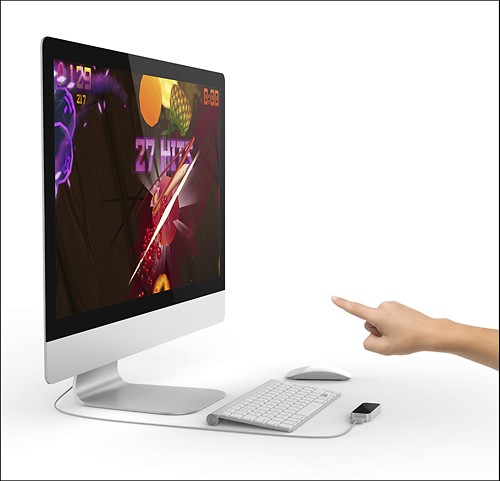
Posted .This reviewer received promo considerations or sweepstakes entry for writing a review.This was definitely a very cool device. My favorite thing definitely had to be the gestures! I could mute my computer, go to previous pages, scroll, etc all with the wave of my hand. However, I feel like this device still has some growing up to do. There's tons of room for potential. Better accuracy and more app compatibility for Mac, for sure. As of right now, it doesn't quite meet my expectations, but still a really cool investment if you plan to play Fruit Ninja on it!
No, I would not recommend this to a friend- Pros mentioned:AccuracyCons mentioned:Ease of use
Rated 5 out of 5 stars
Great little device...
Posted .This reviewer received promo considerations or sweepstakes entry for writing a review.This is an excellent little device. Although it is not optimal for gamers it works as substitute for a mouse with the touchless app and the BetterTouch Tool. The accuracy of the motion control is impressive for such a small device. The only issue is the learning curve, you have to get used to moving the cursor with your finger and your arms get tired after a while if you don't support them. Overall, I think that this is the future of computer control and I look forward to more apps in the Airspace store.
I would recommend this to a friend Rated 4 out of 5 stars
Any serious gamer should get a Leap now
Posted .This reviewer received promo considerations or sweepstakes entry for writing a review.I got mine on Friday and I must say it is great. Sure they are some poor apps on airspace but overall all games are interesting. I love Escape Velocity because it is perfect for the Leap so check it out before making any judgement about the leap! I had a lot of fun with this game and it made me want to create a game for this platform!
I would recommend this to a friend- Cons mentioned:Ease of use
Rated 2 out of 5 stars
Not many apps, designed for win 8! ONLY
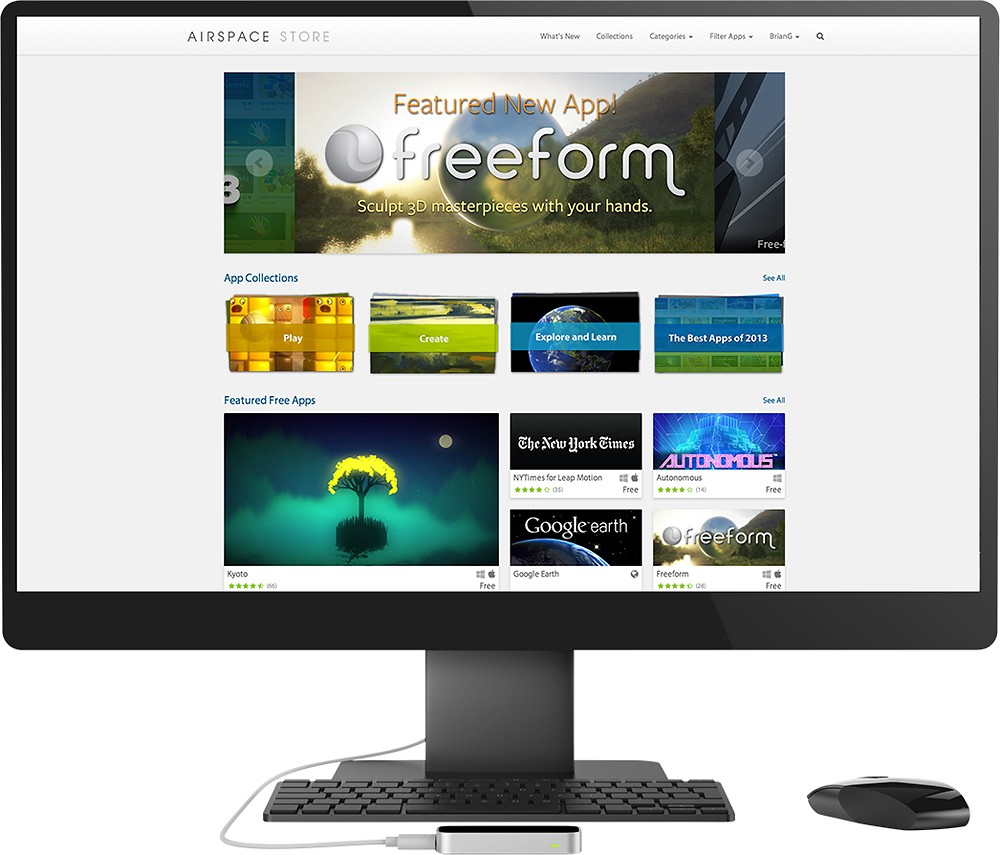
Posted .This reviewer received promo considerations or sweepstakes entry for writing a review.I very interested in touchless commands and control, while I was waiting for the Kinect for Windows I saw this device and I thought I would give it a try. I installed it and followed all the EASY directions... The orientation was easy and no problems. After installing the program I opened the store for more apps. They were only a SMALL handful of FREE apps available for the device all the rest of the programs cost an additional $3-10, which normally isn't a problem but in this case with VERY little usability. I installed the additional gestures for windows and tested, the program worked but was VERy difficult to master. It was overly sensitive and was VERY difficult to double click. I uninstalled the programs and will return this to the store. Overall it was a WELL made device with NOT a lot of USE or Application support EXCEPT for WIN 8 users who don't have a touch screen. If your looking to add touch to Win8 this is GREAT, if you are looking for more than the basics of touchless control wait for a better device.
No, I would not recommend this to a friend Rated 3 out of 5 stars
Great Idea, Needs Refinement
Posted .This reviewer received promo considerations or sweepstakes entry for writing a review.Great concept, and a good job of putting several new apps out for it quickly. But it is just not responsive enough to be useful - rather annoying. Success rate for simple gestures very low at first. Gets slightly better with practice. But I am sure it will improve in future releases, so better practice now because this type of technology is not going away. I recommend for experimentation and play, not for productivity, yet.
I would recommend this to a friend- Pros mentioned:Accuracy
Rated 5 out of 5 stars
A chance to touch the future
Posted .This reviewer received promo considerations or sweepstakes entry for writing a review.This is a really amazing device. I was concerned after having to wait several months for my pre-order to arrive, but when I got my unit yesterday, the speed and precision totally blew me away. My kids live it too and I've gone ahead and bought two devices for them as well. The best free apps are Dropchord, BetterTouchTool, Corel and Cut The Rooe.
I would recommend this to a friend Rated 2 out of 5 stars
Nothing to use it for
Posted .This reviewer received promo considerations or sweepstakes entry for writing a review.First of all this is all coming from someone who really really wanted the leap motion. There is no practical use for the leap motion. There is no apps that are even worth trying. Even if you do try them they are bad.
No, I would not recommend this to a friendRated 2 out of 5 stars
Fun, but Useless
Posted .This reviewer received promo considerations or sweepstakes entry for writing a review.It is a cool toy overall, but not for daily use. After using it for 3 minutes, my arms get tired, it's not possible to play a game or control your computer for a long time. There is no official driver for Mac (don't know much about Windows), so you have to use third party driver. The one I used was Better Touch Tool, but it was not a very good experience. A little disappointed by this long waited product, I thought it would be a leap for user interaction, but sadly it is not.
No, I would not recommend this to a friend- Cons mentioned:Ease of use
Rated 4 out of 5 stars
Try it for at least a week and you will be hooked
Posted .This reviewer received promo considerations or sweepstakes entry for writing a review.At first Leap was a bit challenging but after about a week I totally got the hang of it. Fruit Ninja with Leap is by far more fun than my iPad. I wish it plugged into my iPad and if it did this review would be 5 star!
I would recommend this to a friend - Cons mentioned:Software quality
Rated 2 out of 5 stars
Not usefull
Posted .This reviewer received promo considerations or sweepstakes entry for writing a review.The leap motion controller is all hype. The software is terrible. It takes you like 10 seconds to close something. It certainly is not what I thought it would be.
No, I would not recommend this to a friend - Cons mentioned:Ease of use
Rated 1 out of 5 stars
Leap Motion Controller not so good.
Posted .This reviewer received promo considerations or sweepstakes entry for writing a review.Have been waiting for this device to come out, thinking it would make any computer a touch screen as it was claiming. Sorry, it barely functions to do anything at all. After thinking it was just me, the calibration of the unit is very hard to convince the test you are doing it right. I did try some of the free apps like the New York Times which did work. But it's just plain hard to convince the sensor and the dots on the screen to choose anything. You want to try and type with the controller, good luck. If you think it's going to be easy to use and make swiping easy, sorry it was not. This device is not ready or the software is not ready, either way it's not ready! You should just buy a touch screen PC!
No, I would not recommend this to a friend - Cons mentioned:Ease of use
Rated 2 out of 5 stars
Limited uses
Posted .This reviewer received promo considerations or sweepstakes entry for writing a review.Not what I expected. I thought it would have allowed me to interface with touchscreen on my laptop without touching it, but it is not practical to do this. I also was looking forward to virtual instrument funtions to be more practical.
No, I would not recommend this to a friend Rated 5 out of 5 stars
It's a start
Posted .This reviewer received promo considerations or sweepstakes entry for writing a review.I per-ordered last year and received it a few weeks ago. I had problems using four monitors with win7 pro, it kept moving my icons all over the place. I then re-booted to win8 pro and was able to select multiple monitor. the unit seems VERY sensitive but it works, still playing with calibration. The app store was disappointing as it seems to be almost all games, I'm not a game player, I did download win touch less but it also need more work. This not a mouse replacement yet but I think in time it will make it. I rated it as 5 stars because it is new technology that you can play with at a good price, and I see improvements coming soon.
I would recommend this to a friendRated 5 out of 5 stars
The future of user-computer interaction
Posted .This reviewer received promo considerations or sweepstakes entry for writing a review.All of us will be interacting with computer displays via Leap style gestures in the next 3-5 years. This product packages the future in a small, works out-of-the-box way now. Get it, use it, join the revolution. Your tech geek friends are guaranteed to be seriously envious and impressed, BTW - this stuff is way cooler than a new iPhone or S4 or Glass or Chromecast.
I would recommend this to a friendRated 2 out of 5 stars
Will not work on USB hubs
Posted .This reviewer received promo considerations or sweepstakes entry for writing a review.Been waiting for 10 months (pre-ordered), I was sadly disappointed Intermittent "service working", but that may be an issue with the USB drivers in my comp. Very difficult learning curve - you must have lots of patience and several days to master (it seems). What prompted me to get a refund was the statement that the device will not work on a USB hub (I did get mine to work for an hour on a powered hub). But after that I couldn't get it to work on any USB port. My desktop is 15' from the monitor - way too much trouble and very frustrating to operate - I'll wait a few years until the tech is perfected. Try it and make your own decisions - always take it back (leap motion hasn't even set up their returns yet). But BestBuy should have no problem - good luck !!.
No, I would not recommend this to a friendRated 5 out of 5 stars
Very promising technology
Posted .This reviewer received promo considerations or sweepstakes entry for writing a review.This is really promising and impressive technology. As good as Microsoft Kinect. I just bought it a few hours ago, installed it and my son doesn't let go the computer. Touchless works very well with Windows 8, no need to get a touch screen. As I mentioned, software needs a few more cycles to get there, but what I have seen so far will change how people will interact with computers. If this is the first version of the hardware, I am pretty sure version 2.0 will blow our minds.... a little more closer to a Minority Report interface. Keep up the good work Leap Motion.
I would recommend this to a friend