Customer Ratings & Reviews

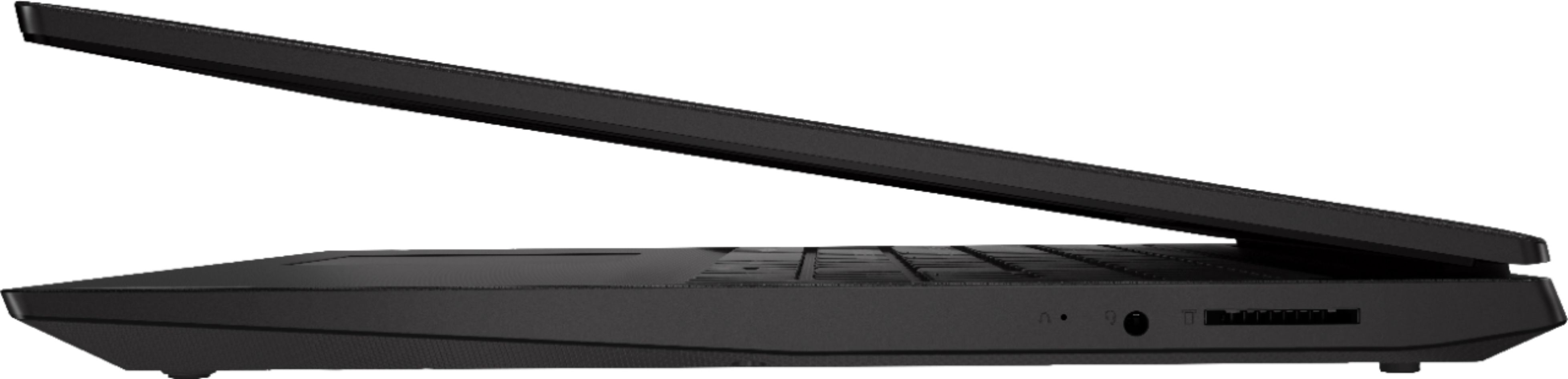

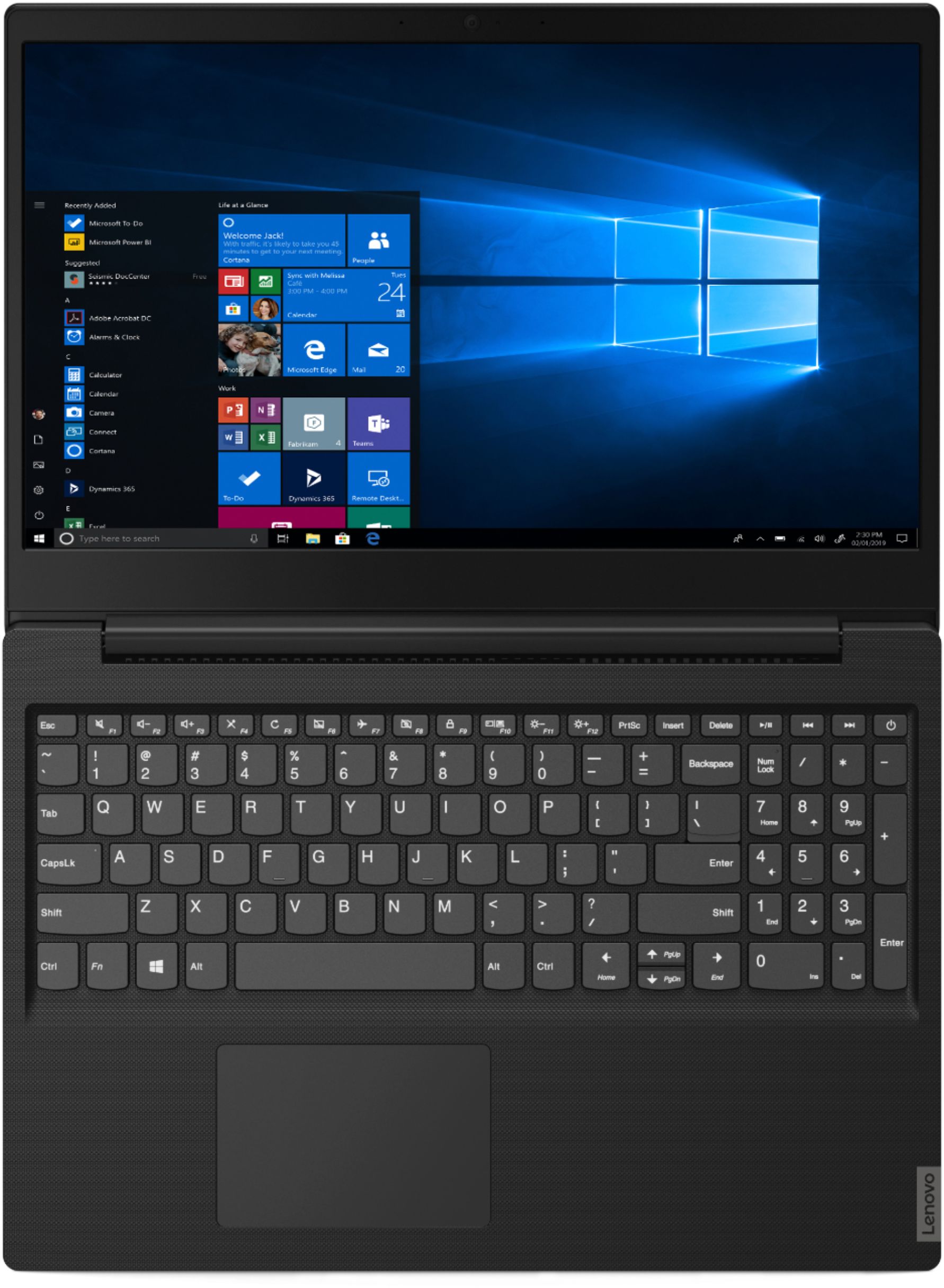
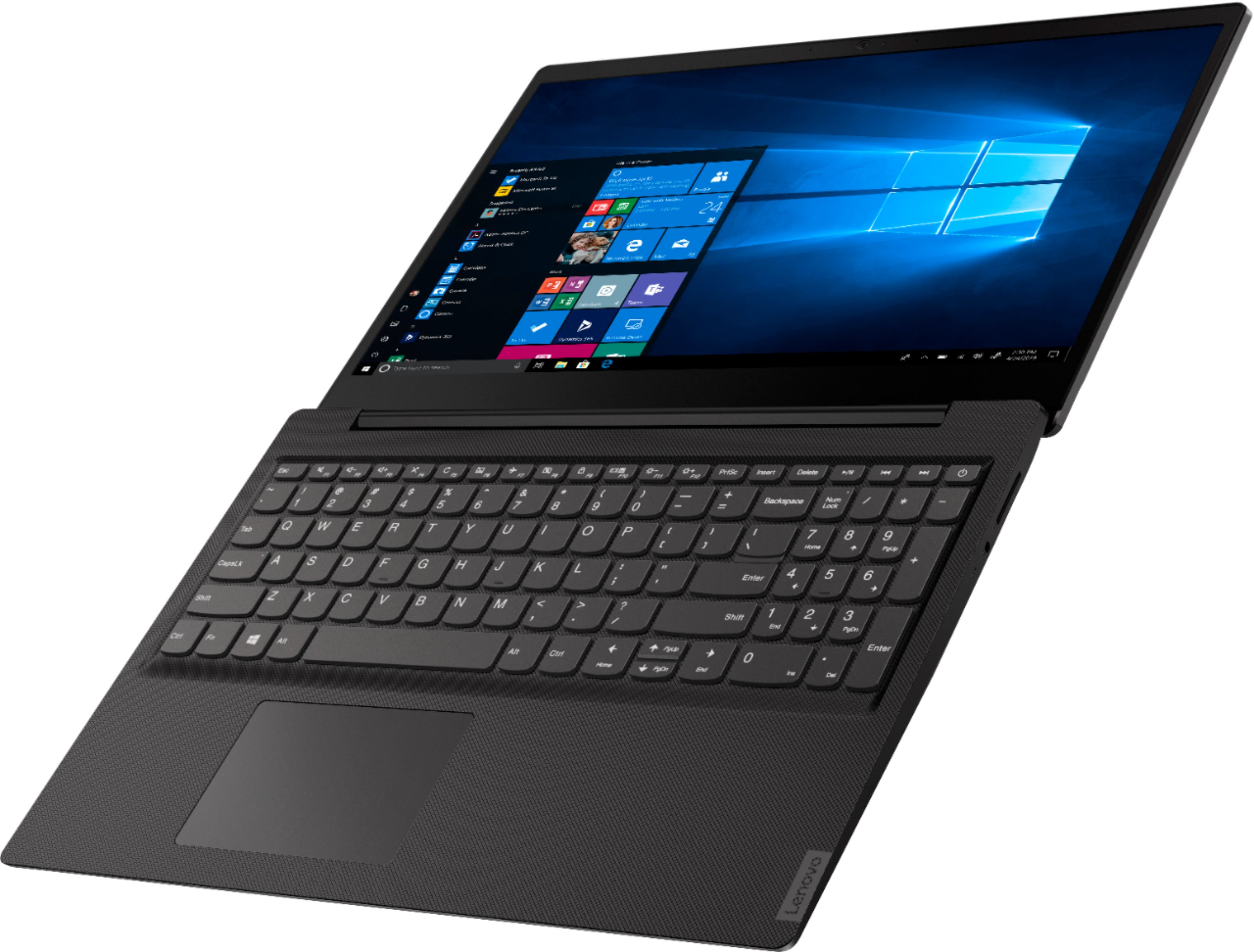
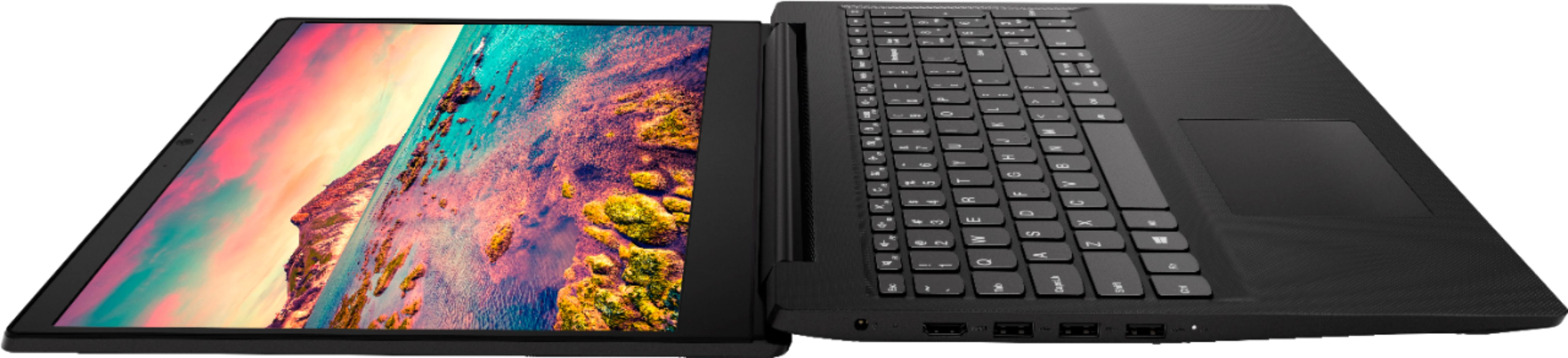

- Model:
- 81MV0001US
- SKU:
- 6323665
Rating by feature
- Battery Life
Rating 4.0 out of 5 stars
- Speed
Rating 3.1 out of 5 stars
- Display
Rating 3.8 out of 5 stars
Customers are saying
Customers love the IdeaPad S145 15.6" Laptop for its budget-friendly price, easy setup, and lightweight design. However, some users have expressed concerns about its slow performance, limited RAM, short battery life, and touchpad issues.
This summary was generated by AI based on customer reviews.
missing operating manual
||Posted . Owned for 1 month when reviewed.This reviewer received promo considerations or sweepstakes entry for writing a review.There is no manual with this unit. How to start, how to charge, how to maintain nothing included.
No, I would not recommend this to a friendBrand response from Lenovo Product Expert
Posted .All documentation is available online. Here is a link to the documentation for this model: https://pcsupport.lenovo.com/us/en/products/laptops-and-netbooks/ideapad-s-series-netbooks/s145-15iwl/documentation. The heart of the Lenovo IdeaPad S145-15 is the Windows 10 S-Mode Operating System. Here is a link to some YouTube Videos about using Windows 10 S-Mode: https://www.youtube.com/watch?v=xlWwIBwExaI

Ok computer
||Posted . Owned for 3 weeks when reviewed.This reviewer received promo considerations or sweepstakes entry for writing a review.Felt like I got a refurbished computer!There was no box or packaging.Just the computer laying in the delivery box!The cord says 2012 and just seemed like it was not new.Very disappointing.I will never purchase one online again with u guys!
No, I would not recommend this to a friendBrand response from Lenovo Product Expert
Posted .Lenovo ships all of its new computers in a logoed, sealed box. The seal on the box is a logoed seal. If you did not receive your Lenovo Product in a logo sealed box, we recommend you contact Best Buy ASAP to confirm that you received new product. For 2018, Lenovo retained its place for a second year as the best laptop vendor:
https://www.laptopmag.com/articles/laptop-brand-ratings
- Cons mentioned:Slow
Worst computer I ever bought
||Posted . Owned for 3 weeks when reviewed.This reviewer received promo considerations or sweepstakes entry for writing a review.This computer blows major chunks. Super slowProcessor and just all-around horrible device.
No, I would not recommend this to a friendBrand response from Lenovo Product Expert
Posted .The Lenovo IdeaPad S145-15 laptop is an entry level, light use system with its Intel Pentium processor. The IdeaPad S145-15 ships with Windows 10 S-Mode Operating system. Windows 10 S-Mode provides added security by only allowing APPs available ( and therefore certified by Microsoft) at the Microsoft Store. If you don't need the added security or you need to install APPs not available at the Microsoft Store, you can switch to standard Windows 10 Home 64-bit Operating System, at no additional cost. The Lenovo IdeaPad S145-15 is not meant for multi-tasking or demanding programs. It is good for Microsoft Office and light internet browsing. If this describes your computing needs, the IdeaPad S145-15 would be a good choice.
- Cons mentioned:Ram
Less than I expected from Lenovo
||Posted . Owned for 1 year when reviewed.This reviewer received promo considerations or sweepstakes entry for writing a review.Had to purchase extra RAM for it. Case is thin plastic and feels flimsy.
I would recommend this to a friend This item had to be returned.
||Posted . Owned for 1 month when reviewed.This reviewer received promo considerations or sweepstakes entry for writing a review.Very slow processing system. Would freeze if I opened more than two windows at a time. Also - when completing simple tasks such as watching a YouTube video, computer would freeze. Be cautious if considering purchasing this item. Honestly - not work the money.
No, I would not recommend this to a friendBrand response from Lenovo Product Expert
Posted .The Lenovo IdeaPad S145-15 laptop is an entry level, light use system with its Intel Pentium processor. It is not meant for multi-tasking or demanding programs. It is good for Microsoft Office and light internet browsing. This model ships with Windows 10 S-Mode Operating System. Windows 10 S-Mode provides added security by only allowing APPs available ( and therefore certified by Microsoft) at the Microsoft Store. If you don't need the added security or you need to install APPs not available at the Microsoft Store, you can switch to standard Windows 10 Home 64-bit Operating System, at no additional cost.
No Es Bruno
||Posted . Owned for 3 weeks when reviewed.This reviewer received promo considerations or sweepstakes entry for writing a review.Murr. Es no bueno. Es factory restored the crap already twice because it crashes Nd yes I have protection
No, I would not recommend this to a friendBrand response from Lenovo Product Expert
Posted .We are sorry to hear that you are having issues with your Lenovo IdeaPad S145-15. This model ships with Windows 10 S-Mode Operating System. Windows 10 S-Mode provides added security by only allowing APPs available ( and therefore certified by Microsoft) at the Microsoft Store. If you don't need the added security or you need to install APPs not available at the Microsoft Store, you can switch to standard Windows 10 Home 64-bit Operating System, at no additional cost. If you have switched from S-Mode to Windows 10 Home, be sure you have no installed any incompatible software on to the computer. Be sure any software you installed is compatible with Windows 10. There is no need to install Microsoft Office software. The software is already part of the operating system, you just need to activate the software with a purchased product key. If you have installed a copy of Microsoft Office, this is conflicting with the existing copy on the system and this will slow your system down. If you have installed a 3rd party anti-virus program, be sure that Windows Defender is turned off and that the trial version of McAfee Anti-Virus software is uninstalled. There can only be one anti-virus program on the system. You may need to restore your system to original factory default settings if any of the programing errors have occurred. You can do that by typing "restore" in the Cortana search window. Just click on the magnifying glass icon at the bottom left of your Windows 10 Desktop. Click on "Reset This PC" Then click on "Get Started" and follow the on screen directions to restore to factory defaults. If the problem persists, we recommend you contact Lenovo Tech Support at: 877-453-6686.
You get what you pay for!!
||Posted . Owned for 1 year when reviewed.This reviewer received promo considerations or sweepstakes entry for writing a review.Not a good product. I get better value from my children's chromebook
No, I would not recommend this to a friendLaptop
||Posted . Owned for 1 year when reviewed.This reviewer received promo considerations or sweepstakes entry for writing a review.I wish I had more knowledge when purchasing this laptop. It was not a good product.
No, I would not recommend this to a friendNot impressed
||Posted . Owned for 1 month when reviewed.This reviewer received promo considerations or sweepstakes entry for writing a review.It's so slow and I hate the mouse. I didnt pay a lot of money so I didnt expect anything special.
No, I would not recommend this to a friendBrand response from Lenovo Product Expert
Posted .You can make adjustments to the touchpad in your system settings. You can get there by clicking on the magnifying glass at the bottom left of your Windows 10 screen. Type "touchpad" in the search window. Select "Mouse & touchpad settings" from the list of choices. You can make general adjustments to the touchpad there. You can also select "Additional mouse options" for more detailed adjustments to the touchpad sensitivity by increasing the delay of the touchpad. The Lenovo IdeaPad S145-15 laptop is an entry level, light use system with its Intel Pentium processor. It is not meant for multi-tasking or demanding programs. It is good for Microsoft Office and light internet browsing. If this describes your computing needs, the IdeaPad S145-15 would be a good choice.
Don't Buy Leno
||Posted . Owned for 1 year when reviewed.This reviewer received promo considerations or sweepstakes entry for writing a review.Only had it 2 years and it's shot! Wouldn't buy Leno again!
No, I would not recommend this to a friendNot good
||Posted .This reviewer received promo considerations or sweepstakes entry for writing a review.It is true that you get what you paid for. So if you want something fine. This is not the one.
No, I would not recommend this to a friendBrand response from Lenovo Product Expert
Posted .The Lenovo IdeaPad S145-15 laptop is an entry level, light use system with its Intel Pentium processor. This model ships with Windows 10 S-Mode 64-bit operating system (you can switch to Windows 10 Home 64-bit operating system, if you choose, at no additional cost). Windows 10 S-Mode provides added security against viruses. It is not meant for multi-tasking or demanding programs. It is good for Microsoft Office and light internet browsing. If this describes your computing needs, the IdeaPad S145-15 would be a good choice. For 2018, Lenovo retained its place for a second year as the best laptop vendor:
https://www.laptopmag.com/articles/laptop-brand-ratings
Avoid this
||Posted . Owned for 1 month when reviewed.This reviewer received promo considerations or sweepstakes entry for writing a review.It would freeze up all the time while simply browsing; remedied by a hard restart. Poor construction allowed the screen to bend while closing. Lost internet frequently.
No, I would not recommend this to a friendBrand response from Lenovo Product Expert
Posted .The Lenovo IdeaPad S145-15 laptop, model number 81N3009BUS, is a mid-level, moderate use configuration, with its AMD A6-9225 processor. This Dual-Core processor has a base speed of 2.6GHz and a boost speed of up to 3.0GHz. This configuration has 4GB of RAM. It is good with Microsoft Office type programs, internet browsing and other moderate work. This model ships with Windows 10 S-Mode Operating System. Windows 10 S-Mode provides added security by only allowing APPs available ( and therefore certified by Microsoft) at the Microsoft Store. If you don't need the added security or you need to install APPs not available at the Microsoft Store, you can switch to standard Windows 10 Home 64-bit Operating System, at no additional cost.
I wouldn't even give it one star
||Posted . Owned for 1 month when reviewed.This reviewer received promo considerations or sweepstakes entry for writing a review.But you get what you pay for. Computer lags all the time. Computer is updated, luckily I got it for my house hold needs; and not for work. I would have tossed this out my office window had that been the case.
No, I would not recommend this to a friendBrand response from Lenovo Product Expert
Posted .The Lenovo IdeaPad S145-15 laptop is an entry level, light use system with its Intel Pentium processor. It is not meant for multi-tasking or demanding programs. It is good for Microsoft Office and light internet browsing. This model ships with Windows 10 S-Mode. Windows 10 S-Mode provides added security by only allowing APPs available ( and therefore certified by Microsoft) at the Microsoft Store. If you don't need the added security or you need to install APPs not available at the Microsoft Store, you can switch to standard Windows 10 Home 64-bit Operating System, at no additional cost. Be sure any software you installed is compatible with Windows 10. There is no need to install Microsoft Office software. The software is already part of the operating system, you just need to activate the software with a purchased product key. If you have installed a copy of Microsoft Office, this is conflicting with the existing copy on the system and this will slow your system down. If you have installed a 3rd party anti-virus program, be sure that Windows Defender is turned off and that the trial version of McAfee Anti-Virus software is uninstalled. There can only be one anti-virus program on the system. You may need to restore your system to original factory default settings if any of the programing errors have occurred. You can do that by typing "restore" in the Cortana search window. Just click on the magnifying glass icon at the bottom left of your Windows 10 Desktop. Click on "Reset This PC" Then click on "Get Started" and follow the on screen directions to restore to factory defaults. If the problem persists, we recommend you contact Lenovo Tech Support at: 877-453-6686.
- Cons mentioned:Slow
POOR LAPTOP
||Posted .This reviewer received promo considerations or sweepstakes entry for writing a review.very slow slow, I try to return it, it always stuck
No, I would not recommend this to a friendBrand response from Lenovo Product Expert
Posted .The Lenovo IdeaPad S145-15 laptop is an entry level, light use system with its Intel Pentium processor. It is not meant for multi-tasking or demanding programs. It is good for Microsoft Office and light internet browsing. This model ships with Windows 10 S-Mode Operating System. Windows 10 S-Mode provides added security by only allowing APPs available ( and therefore certified by Microsoft) at the Microsoft Store. If you don't need the added security or you need to install APPs not available at the Microsoft Store, you can switch to standard Windows 10 Home 64-bit Operating System, at no additional cost.
- Cons mentioned:Slow
Lenovo S145-15IWL 15.6” Laptop
||Posted . Owned for 1 month when reviewed.This reviewer received promo considerations or sweepstakes entry for writing a review.Really slow. Not ideal for office use. Had to return.
No, I would not recommend this to a friendBrand response from Lenovo Product Expert
Posted .The Lenovo IdeaPad S145-15 laptop is an entry level, light use system with its Intel Pentium processor. It is not meant for multi-tasking or demanding programs. It is good for Microsoft Office and light internet browsing. If this describes your computing needs, the IdeaPad 330-15 would be a good choice. The IdeaPad S145-15 ships with Windows 10 S-Mode 64-bit Operating System. Windows 10 S-Mode provides added security by only allowing APPs available ( and therefore certified by Microsoft) at the Microsoft Store. If you don't need the added security or you need to install APPs not available at the Microsoft Store, you can switch to standard Windows 10 Home 64-bit Operating System, at no additional cost. For 2018, Lenovo retained its place for a second year as the best laptop vendor:
https://www.laptopmag.com/articles/laptop-brand-ratings
laptop
||Posted . Owned for 1 month when reviewed.This reviewer received promo considerations or sweepstakes entry for writing a review.Not as good as I had expected not cd cape able only USP which isn't what I wanted
No, I would not recommend this to a friendBrand response from Lenovo Product Expert
Posted .The Lenovo IdeaPad S145-15, model number 81MV0001US, does not ship with a CD/DVD drive. You can use an external CD/DVD drive that is Windows 10 compatible and connects via USB port. This is an entry level, light use system with its Intel Pentium processor. It is not meant for multi-tasking or demanding programs. It is good for Microsoft Office and light internet browsing. If this describes your computing needs, the IdeaPad S145-15 would be a good choice.
ok
||Posted . Owned for 1 month when reviewed.This reviewer received promo considerations or sweepstakes entry for writing a review.not what I really wanted but now that I have it I am making the best of it
No, I would not recommend this to a friendBrand response from Lenovo Product Expert
Posted .The Lenovo IdeaPad S145-15 laptop is an entry level, light use system with its Intel Pentium processor. It is not meant for multi-tasking or demanding programs. It is good for Microsoft Office and light internet browsing. This model ships with Windows 10 S-Mode Operating System. Windows 10 S-Mode provides added security by only allowing APPs available ( and therefore certified by Microsoft) at the Microsoft Store. If you don't need the added security or you need to install APPs not available at the Microsoft Store, you can switch to standard Windows 10 Home 64-bit Operating System, at no additional cost.
Good low cost student laptop
||Posted .This reviewer received promo considerations or sweepstakes entry for writing a review.This is good low price student laptop who doesn’t expect high performance.
I would recommend this to a friendBrand response from Lenovo Product Expert
Posted .The Lenovo S145-15 laptop is an entry level, light use system with its Intel Pentium processor. This system ships with Windows 10 S-Mode Operating System for added security. You can switch to Windows 10 Home 64-bit operating system, if you choose, at no additional cost. It is not meant for multi-tasking or demanding programs. It is good for Microsoft Office and light internet browsing. If this describes your computing needs, the IdeaPad S145-15 would be a good choice. For 2018, Lenovo retained its place for a second year as the best laptop vendor:
https://www.laptopmag.com/articles/laptop-brand-ratings
Worked good for first few months.
||Posted . Owned for 1 year when reviewed.This reviewer received promo considerations or sweepstakes entry for writing a review.Computer worked good for about six months and than the charger went out and Levono and Best Buy couldn't fix the problem and didn't offer to do anything, I use my computer for c?college and won't buy another Levono.
No, I would not recommend this to a friendAlways freezes crashes
||Posted . Owned for 3 weeks when reviewed.This reviewer received promo considerations or sweepstakes entry for writing a review.I go to one website to play videos and it always freezes and crashes
No, I would not recommend this to a friendBrand response from Lenovo Product Expert
Posted .Windows 10 should not freeze. This model ships with Windows 10 S-Mode Operating System for added security. Windows 10 S-Mode provides added security by only allowing APPs available ( and therefore certified by Microsoft) at the Microsoft Store. If you don't need the added security or you need to install APPs not available at the Microsoft Store, you can switch to standard Windows 10 Home 64-bit Operating System, at no additional cost. If you have switched out of S-Mode, be sure any software you installed is compatible with Windows 10. There is no need to install Microsoft Office software. The software is already part of the operating system, you just need to activate the software with a purchased product key. If you have installed a copy of Microsoft Office, this is conflicting with the existing copy on the system and this will slow your system down. If you have installed a 3rd party anti-virus program, be sure that Windows Defender is turned off and that the trial version of McAfee Anti-Virus software is uninstalled. There can only be one anti-virus program on the system. You may need to restore your system to original factory default settings if any of the programing errors have occurred. You can do that by typing "restore" in the Cortana search window. Just click on the magnifying glass icon at the bottom left of your Windows 10 Desktop. Click on "Reset This PC" Then click on "Get Started" and follow the on screen directions to restore to factory defaults. If the problem persists, we recommend you contact Lenovo Tech Support at: 877-453-6686.