Customer Ratings & Reviews



- Model:
- 81MV0001US
- SKU:
- 6323665
Rating by feature
- Battery Life
Rating 4.0 out of 5 stars
- Speed
Rating 3.1 out of 5 stars
- Display
Rating 3.8 out of 5 stars
Customers are saying
Customers love the IdeaPad S145 15.6" Laptop for its budget-friendly price, easy setup, and lightweight design. However, some users have expressed concerns about its slow performance, limited RAM, short battery life, and touchpad issues.
This summary was generated by AI based on customer reviews.
- Cons mentioned:Battery life, Slow
Trash laptop
Posted .This reviewer received promo considerations or sweepstakes entry for writing a review.I wanted an affordable laptop to run my light program for my production. This laptop had issues from the date of purchase. It is slow and and crashes my 1 program if it goes into sleep mode. Browsing online is very slow, which I use rarely but my program crashes if I do not have something running. I use MyDMX 3.0 and it crashes unless I have a ghost light running. The battery life/usage is weak too. Don't even get me started on the display. It is hard to get a decent picture on the screen.
No, I would not recommend this to a friend Extremely underwhelmed .....................
Posted .This reviewer received promo considerations or sweepstakes entry for writing a review.This is a machine for surfing, email, document creation and editing. The 500gb drive is slow and seriously affects the abiblity to use the macine. You get about an good 2 hours of battery chareg.The wifi card doesnt have a very good distance. Windows doesnt function very well on this unit. The best use case for this laptop is if you happen to have a spare SSD or NVMe drive around to use for the operating system to run on as well as a unused 8 stick of DDR4 laptop ram and time to load Fedora Linux on it it works decent. NOTE!!!! dont purchace for upgradability just spend the extra money on a better built machine.
No, I would not recommend this to a friend- Cons mentioned:Battery life, Slow
Worst computer I've ever owned
Posted .This reviewer received promo considerations or sweepstakes entry for writing a review.Literally, (and I don't say that figuratively) the WORST computer I've ever had- including pre-windows 286 models. With a minimum of apps to open on start up (Edge, Recycle) this piece of refuse takes 6 minutes and uses 14% of the battery just to get you to operation. Add an additional 4 minutes to open Edge. My recommendation is to buy another- ANY OTHER laptop at the same price. -Done with this piece of crap.
No, I would not recommend this to a friend Great for writeing
Posted .This reviewer received promo considerations or sweepstakes entry for writing a review.I wanted something I can do my writing on so I can use my gaming desktop just for gaming and it seems to be good for just basic use I also did not want to spend over $600 for a laptop just for writing and web stuff. I know this will not last as long as a Chromebook but a Chromebook dose not have full office. overall this is great if you going do basic things and if your really worried about battery you can just find a plug at this place your at or buy a portable charger. still a great basic laptop
I would recommend this to a friend- Pros mentioned:Price
It’s worth to buy
Posted .This reviewer received promo considerations or sweepstakes entry for writing a review.I am so glad that I bought this laptop it is worth to buy considering about its price
I would recommend this to a friend - Pros mentioned:Price
Audio Issues
Posted .This reviewer received promo considerations or sweepstakes entry for writing a review.I bought this computer on sale for $219 and had to return it because the audio stopped working after a day. I got a message saying there was no audio installed. I thought it might be an issue with this specific computer so I returned it for another one. After five days the audio stopped working on the second computer as well with the same message. Brought it in to the Geek Squad and they kept it overnight and said it should be all set. I was told it needed to go through many updates. I picked up the computer two days ago and the audio stopped working again last night. I am not getting the same error message, it just stopped working. I will be returning this computer and purchasing another one, definitely not a Lenovo. It's unfortunate because otherwise I thought it was a decent computer for the price, guess you get what you pay for.
No, I would not recommend this to a friendBrand response from Lenovo Product Expert
Posted .We are sorry to hear that you are having issues with the audio on your Lenovo IdeaPad S145-15 laptop. If you are using an audio APP be sure the APP you are using is compatible With Windows 10 S-Mode. You can switch to Windows 10 Home 64-bit operating system, if you choose, at no additional cost. Then you can check to be sure your computer has the latest version of Windows 10 on the device and that all of the supporting BIOS files and drivers supporting the operating system are also up to date. This system has Lenovo utilities installed to help maintain the health of the device and keep the operating system software up to date. Type "Lenovo Vantage" in the Cortana Search window (if Lenovo Vantage is not installed on your device, you can download the APP and install it now). Select Lenovo Vantage from the list. In the window that opens, click on "Health and Support". In the expanded menu, select "Hardware Scan" In the window that opens, select "Run Quick Tests". This will scan your entire system for errors. Follow any directions that may pop up. If the problem continues after this scan, now click on "System Update". First select Windows update from the menu. Scan your system to be sure you have the latest version of Windows 10. Once that scan is complete, select "Additional Updates". This will scan your device to be sure there are no new BIOS/Driver updates needed. Follow any instructions that may pop up. If the issue still continues after these updates, we recommend you call Lenovo Tech Support at: 877-453-6686 for additional help. For 2018, Lenovo retained its place for a second year as the best laptop vendor:
https://www.laptopmag.com/articles/laptop-brand-ratings
Display not so great
Posted .This reviewer received promo considerations or sweepstakes entry for writing a review.Ok little laptop for basic internet use, display is not the best
I would recommend this to a friend- Cons mentioned:Slow
Cheap Feeling
Posted .This reviewer received promo considerations or sweepstakes entry for writing a review.I bought this laptop but am returning it. It feels cheap. The keyboard bends. Yes, I know that's crazy. It's loaded with Microsoft E program that won't let me install Chrome on it which is required by the company I work for. Akso, it's very slow. Bought on sale, but still not worth buying.
No, I would not recommend this to a friendBrand response from Lenovo Product Expert
Posted .The Lenovo IdeaPad S145-15 laptop ships with Windows 10 S-Mode 64-bit Operating System for added security. Only APPs available through (and therefore certified by Microsoft) the Microsoft Store can be installed. If you do not need the added security or you need to install programs that are not available through the Microsoft Store, you can switch to the standard Windows 10 Home 64-bit Operating System at no additional cost. The Lenovo IdeaPad S145-15 is engineered for long-lasting performance, the IdeaPad S145 delivers smooth processing in a stylish, light design. Perfect for everyday computing. This is an entry level, light use system with its Intel Pentium processor. It is not meant for multi-tasking or demanding programs. It is good for Microsoft Office and light internet browsing. If this describes your computing needs, the IdeaPad 330-15 would be a good choice. For 2018, Lenovo retained its place for a second year as the best laptop vendor:
https://www.laptopmag.com/articles/laptop-brand-ratings
- Cons mentioned:Slow
horrible computer
Posted .This reviewer received promo considerations or sweepstakes entry for writing a review.I must have gotten a lemon or this is a piece of junk! I'm so mad. bought this for my little kid for school. it worked for about 4 months. and then it just got really slow. REALLY slow. it only works in theory. but is so unreliable, you will spend 90% of your time waiting for it to load. I've taken it to geek squad 2 times in less than a year. it never get better. I am so mad. I know it was cheap, but I just burned $300 and wasted time
No, I would not recommend this to a friend Great basic laptop
Posted .This reviewer received promo considerations or sweepstakes entry for writing a review.This laptop is great for the basics, streaming some music on Spotify, etc. I've had no issues with it whatsoever.
I would recommend this to a friendBrand response from Lenovo Product Expert
Posted .Thank you for choosing the Lenovo IdeaPad S145-15 laptop. This is an entry level, light use system with its Intel Pentium processor. It is not meant for multi-tasking or demanding programs. It is good for Microsoft Office and light internet browsing. This system ships with the Windows 10 S-Mode Operating System. Windows 10 S-Mode provides added security by only allowing APPs available ( and therefore certified by Microsoft) at the Microsoft Store. If you don't need the added security or you need to install APPs not available at the Microsoft Store, you can switch to standard Windows 10 Home 64-bit Operating System, at no additional cost.
- Cons mentioned:Slow
It is a piece of crap!
Posted .This reviewer received promo considerations or sweepstakes entry for writing a review.it is over all just terrible, it is extremely slow and becomes very frustrating because it crashes all the time, also sometimes the mouse will move but will not click ... it’s almost like it is frozen! I do not recommend it! Save your money and get a higher quality laptop!
No, I would not recommend this to a friendBrand response from Lenovo Product Expert
Posted .The Lenovo IdeaPad S145-15 laptop is an entry level, light use system with its Intel Pentium processor. It is not meant for multi-tasking or demanding programs. It is good for Microsoft Office and light internet browsing. Windows 10 S-Mode is installed on this model as the operating system. This operating system should not crash while using compatible software. Windows 10 S-Mode provides added security by only allowing APPs available ( and therefore certified by Microsoft) at the Microsoft Store. If you don't need the added security or you need to install APPs not available at the Microsoft Store, you can switch to standard Windows 10 Home 64-bit Operating System, at no additional cost. Be sure any software you installed is compatible with Windows 10. There is no need to install Microsoft Office software. The software is already part of the operating system, you just need to activate the software with a purchased product key. If you have installed a copy of Microsoft Office, this is conflicting with the existing copy on the system and this will slow your system down. If you have installed a 3rd party anti-virus program, be sure that Windows Defender is turned off and that the trial version of McAfee Anti-Virus software is uninstalled. There can only be one anti-virus program on the system. You may need to restore your system to original factory default settings if any of the programing errors have occurred. You can do that by typing "restore" in the Cortana search window. Just click on the magnifying glass icon at the bottom left of your Windows 10 Desktop. Click on "Reset This PC" Then click on "Get Started" and follow the on screen directions to restore to factory defaults. If the problem persists, we recommend you contact Lenovo Tech Support at: 877-453-6686
Great For School Work
Posted .This reviewer received promo considerations or sweepstakes entry for writing a review.Bought it as a graduation gift for my daughter whom is going to high school.
I would recommend this to a friendBrand response from Lenovo Product Expert
Posted .Thank you for choosing the Lenovo IdeaPad S145-15 laptop for your daughter. We are pleased to hear that the IdeaPad S145-15 is working out so well for your daughter. This is an entry level, light use system with its Intel Pentium processor. It is not meant for multi-tasking or demanding programs. It is good for Microsoft Office and light internet browsing. If this describes your computing needs, the IdeaPad S145-15 would be a good choice.
- Cons mentioned:Slow
Dont ever purchase
Posted .This reviewer received promo considerations or sweepstakes entry for writing a review.Worst purchase ever, super slow like dinosaur times slow, horrible space capacity, horrible color quality. All around this computer su@ks
No, I would not recommend this to a friend TRASH, two previous Lenovos were great.
Posted .This reviewer received promo considerations or sweepstakes entry for writing a review.Spend most of my time trying to resize the screen. Every time I touch the pad it changes the size. Slightest touch of the screen and the cursor goes flying, but actually attempt to move it and it freezes . How can I make it more AND less sensitive at the same time ? Ready to take a hammer to it or return it. WON'T be looking for another Lenovo to replace it.
No, I would not recommend this to a friendBrand response from Lenovo Product Expert
Posted .You can make adjustments to the touchpad in your system settings. You can get there by clicking on the magnifying glass at the bottom left of your Windows 10 screen. Type "touchpad" in the search window. Select "Mouse & touchpad settings" from the list of choices. You can make general adjustments to the touchpad there. You can also select "Additional mouse options" for more detailed adjustments to the touchpad sensitivity by increasing the delay of the touchpad. Please keep in mind, this is an entry level, light use system with its Intel Pentium processor. It is not meant for multi-tasking or demanding programs. It is good for Microsoft Office and light internet browsing. If this describes your computing needs, the IdeaPad S145-15 would be a good choice. Be sure any software you installed is compatible with Windows 10. There is no need to install Microsoft Office software. The software is already part of the operating system, you just need to activate the software with a purchased product key. If you have installed a copy of Microsoft Office, this is conflicting with the existing copy on the system and this will slow your system down. If you have installed a 3rd party anti-virus program, be sure that Windows Defender is turned off and that the trial version of McAfee Anti-Virus software is uninstalled. There can only be one anti-virus program on the system. You may need to restore your system to original factory default settings if any of the programing errors have occurred. You can do that by typing "restore" in the Cortana search window. Just click on the magnifying glass icon at the bottom left of your Windows 10 Desktop. Click on "Reset This PC" Then click on "Get Started" and follow the on screen directions to restore to factory defaults. If the problem persists, we recommend you contact Lenovo Tech Support at: 877-453-6686
Not reliable
Posted .This reviewer received promo considerations or sweepstakes entry for writing a review.This is the second Lenova that I purchased. The first one I had for a year before it died. Then I purchased this model and it lasted less than 30 days. I'll never but this brand again.
No, I would not recommend this to a friendBrand response from Lenovo Product Expert
Posted .The Lenovo IdeaPad S145-15 laptop is an entry level, light use system with its Intel Pentium processor. It is not meant for multi-tasking or demanding programs. It is good for Microsoft Office and light internet browsing. This model ships with Windows 10 S-Mode Operating System. Windows 10 S-Mode provides added security by only allowing APPs available ( and therefore certified by Microsoft) at the Microsoft Store. If you don't need the added security or you need to install APPs not available at the Microsoft Store, you can switch to standard Windows 10 Home 64-bit Operating System, at no additional cost.
sucks
Posted .This reviewer received promo considerations or sweepstakes entry for writing a review.bought last year for birthday present broke after six months of having it sent it into lenovo who did nothing but break it more, got it fixed by best buy only to not turn on four months later
No, I would not recommend this to a friendPiece of crap
Posted .This reviewer received promo considerations or sweepstakes entry for writing a review.I bought this to pay bills check email and do excel work. I bought this in December and by the end of January it won’t even boot . I have no idea how to fix this but it is a big disappointment
No, I would not recommend this to a friendBrand response from Lenovo Product Expert
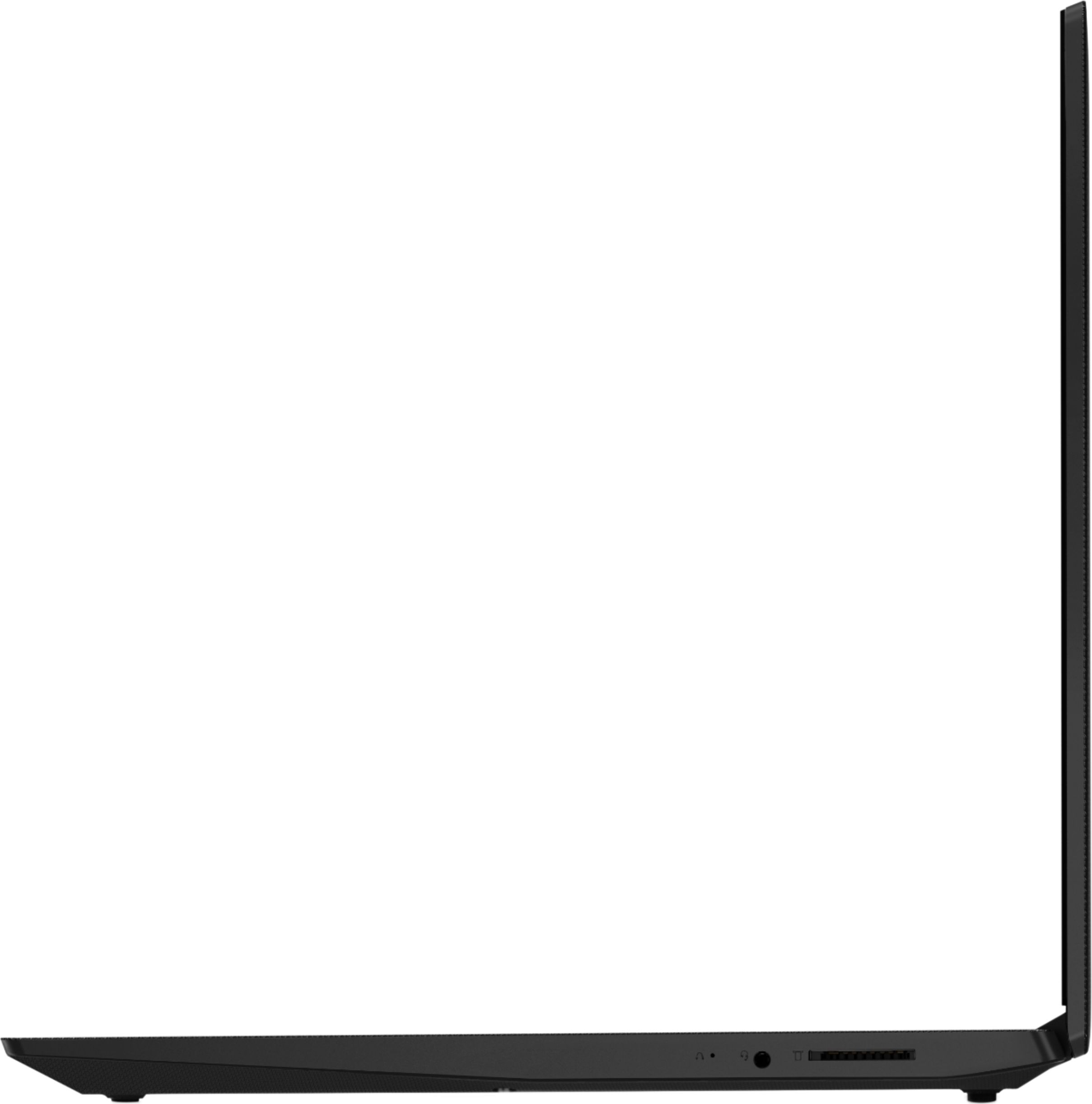
Posted .We are sorry to hear that you are having issues with your Lenovo IdeaPad S145-15 laptop. It is possible that restoring the computer back to original factory settings may fix the issue. Since you can no longer boot the computer, this system is equipped with OneKey Recovery System. There is a very small pin hole on the right side of the device, right near the headphone jack on the device. You will need a pin to push this reset button. Plug the device in. Let the battery charge for about 15 minutes. Push the reset button. The system should boot to a choice screen where you can choose "Restore To Factory Default". Select this. It will delete everything from the hard drive except the original factory install of the operating system. You will need to reinstall all programs and files after the reset. If you don't have copies of the files, try to make one before you restore by selecting "Boot to desktop" and trying to back up your files. Once you have the computer restored, be sure any software you installed is compatible with Windows 10. There is no need to install Microsoft Office software. The software is already part of the operating system, you just need to activate the software with a purchased product key. If you have installed a copy of Microsoft Office, this is conflicting with the existing copy on the system and this will slow your system down. If you have installed a 3rd party anti-virus program, be sure that Windows Defender is turned off and that the trial version of McAfee Anti-Virus software is uninstalled. There can only be one anti-virus program on the system. You may need to restore your system to original factory default settings if any of the programming errors have occurred. You can do that by typing "restore" in the Cortana search window. Just click on the magnifying glass icon at the bottom left of your Windows 10 Desktop. Click on "Reset This PC" Then click on "Get Started" and follow the on screen directions to restore to factory defaults. If the problem persists, we recommend you contact Lenovo Tech Support at: 877-453-6686.
Lenica
Posted .This reviewer received promo considerations or sweepstakes entry for writing a review.Very slow connection. I’ve had this computer for three years and I have used it as a second computer.
No, I would not recommend this to a friendNot at all appealing - complete waste of time.
Posted .This reviewer received promo considerations or sweepstakes entry for writing a review.Not at all appealing - complete waste of time - yuk
No, I would not recommend this to a friendBrand response from Lenovo Product Expert
Posted .The Lenovo IdeaPad S145-15 laptop is an entry level, light use system with its Intel Pentium processor. It is not meant for multi-tasking or demanding programs. It is good for Microsoft Office and light internet browsing. This model ships with Windows 10 S-Mode Operating System. Windows 10 S-Mode provides added security by only allowing APPs available ( and therefore certified by Microsoft) at the Microsoft Store. If you don't need the added security or you need to install APPs not available at the Microsoft Store, you can switch to standard Windows 10 Home 64-bit Operating System, at no additional cost.