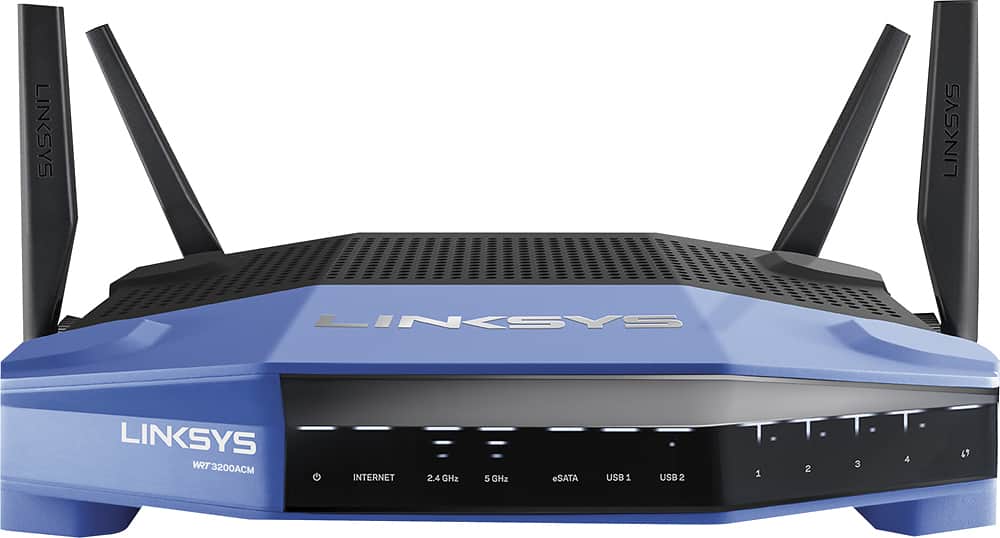
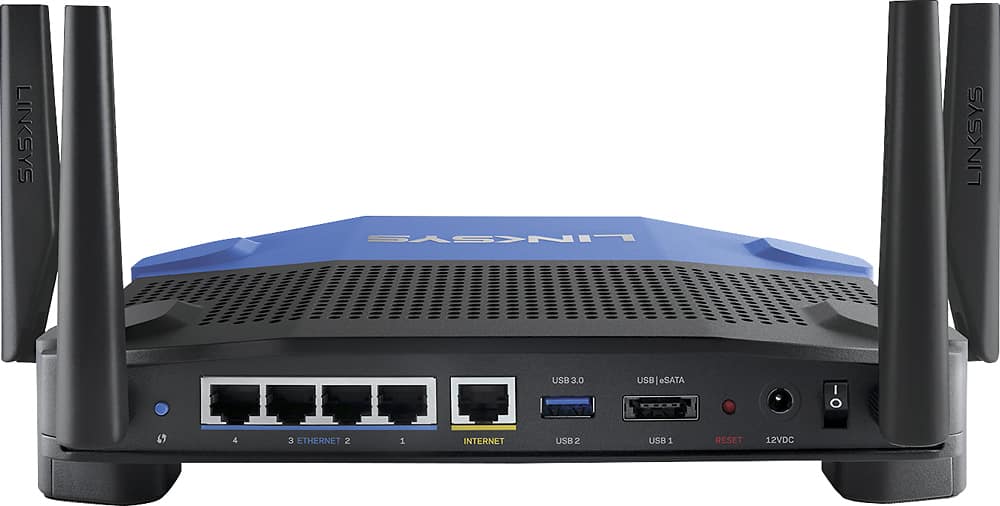
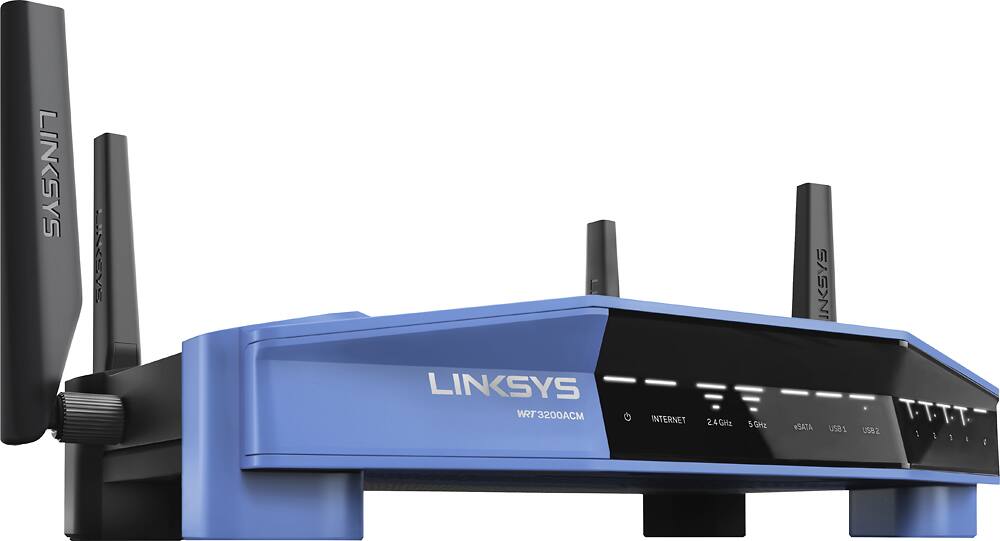
Customers love the WRT AC3200 Dual-Band WiFi 5 Router's ease of use, range, and performance, with many praising the simple setup and strong signal. Positive feedback also highlights excellent coverage and improved streaming capabilities. While some users noted the router's size and experienced occasional connectivity or firmware issues, the overwhelmingly positive reviews focus on its strong performance and user-friendliness. A few users mentioned needing firmware updates.
This summary was generated by AI based on customer reviews.
The vast majority of our reviews come from verified purchases. Reviews from customers may include My Best Buy members, employees, and Tech Insider Network members (as tagged). Select reviewers may receive discounted products, promotional considerations or entries into drawings for honest, helpful reviews.
Page 41 Showing 801-820 of 2,018 reviews
Pros mentioned:
Setup
Rated 5 out of 5 stars
Nice
|
|
Posted . Owned for 3 weeks when reviewed.
This reviewer received promo considerations or sweepstakes entry for writing a review.
Installing it was easy, fast and convenient to register.
I would recommend this to a friend
Rated 5 out of 5 stars
Great router!
|
|
Posted .
This reviewer received promo considerations or sweepstakes entry for writing a review.
Really glad I bought this. Especially the dual band. Very strong signals
I would recommend this to a friend
Pros mentioned:
Ease of use
Rated 5 out of 5 stars
Easy setup
|
|
Posted .
This reviewer received promo considerations or sweepstakes entry for writing a review.
This device was easy to setup and customize the settings that i wanted.
I would recommend this to a friend
Rated 5 out of 5 stars
Perfect
|
|
Posted .
This reviewer received promo considerations or sweepstakes entry for writing a review.
This router has been a huge upgrade. Works as expected with good features and coverage.
I would recommend this to a friend
Pros mentioned:
Range, Speed
Rated 5 out of 5 stars
Fast Feature rich router
|
Posted .
This reviewer received promo considerations or sweepstakes entry for writing a review.
I have been using this router for a week and I am very pleased. Setup was straightforward and it was up and running in minutes. Using the defaults gets the job done fast and then you can customize to suite your needs as you learn more about the many features. The router is being used by my family of three in a small two story condo with 20 devices which I think is average these days.
This router is faster than any I have owned. It should be, right? I pay for a 150Mbps download and 10Mbps upload cable internet service and I’m using a reliable DOCSIS 3.0 8x4 channel modem which is well matched with my service. SpeedTest on my desktop with a LAN connection shows connection speeds beyond what I’m paying for, yay. My mobile devices (5GHz) sometimes exceed the service down/upload speeds but are usually in the 140-145 Mbps download range. Tests are from my phone or tablet while most network devices are online and my son is playing internet games using teamspeak on the desktop and Netflix is streaming in the living room during peak hours. Fast enough is fast enough. No stutters or stalls when playing video on any device, web pages load fast and internet dependant apps launch fast. Everything is now running on this one router where my old setup required a 5GHz bridge in the living room to the AC1750 router in my office. The PS4 is now connected using 2.4GHz and performance is great compared to when it used to be plugged into the bridge.
The web interface used to configure and monitor the router is the best I have ever used. The home page of the web interface has a main menu of features on the left grouped by Smart Wi-Fi Tools and Router Settings. The rest of the page displays 8 status “widgets”. The user can choose whether or not to display 6 of them and rearrange their display order. You do not need to create the optional Linksys Smart Wi-Fi account to access the router. The web interface provides links to switch back and forth between using the Smart Wi-Fi sign in (email address + password) and local access (router password only). The Linksys Smart Wi-Fi app for Android and iOS is also really nice. It remembers login information so you don’t need to enter that every time you launch the app on your phone/tablet. I would prefer the Smart Wi-Fi UI didn’t use dark text (gray) on a dark blue background but most of the important text is white and easy to read. At first I thought I would not have a real world use for this app but I have used it to enable/disable the Guest Access and edit the Media Prioritization features of the router. I have also used it to determine what band (2.4GHz or 5GHz) a particular station/client was using when I first configured the router to use a single SSID name. I’ve since switched back to my long established habit of using two SSIDs (more on that later).
The Network Map is a really nice feature in the web interface. It is a graphical representation of the devices connected to your network. At a glance you can see the name, icon, connection type and status for each device. The map will show 16 devices on a page and you can switch pages and/or use a filter to control what is displayed on the map. You can select any combination of device type (computer, mobile, printer, other) and connection type (LAN, 2.4GHz, 5GHz, offline) to filter what devices are displayed. When you click on a device a popup menu lets you choose between Device Info, Parental Controls and Reserve DHCP Address. If you select Device Info you can edit the device icon and name displayed in the map. It also gives you additional detail about the device including IPv4, IPv6 and MAC Addresses for Wireless and/or LAN connections. The Smart Wi-Fi app has a different interface called a Device List that lets you do and see everything the web Network Map does except you can not change the device name (only the icon) and it groups the device list into Connected and Offline status, no filters. Both the web and mobile app interfaces allow you to delete offline devices.
Several years ago it became popular for consumer electronics to have super obnoxious bright blue status LEDs that I cover with several layers of tape to dim the lights. I was very pleased to see the status lights on this router are a cool white. They don’t seem too bright in my office and if someone finds they are too bright (bedroom), there is an option to turn off the status lights. The power light will remain on.
I use the routers DHCP server on my LAN but I have several devices (desktops, laptop and netbook) that are always assigned static IPs below the DHCP start range. In the past I have encountered routers that didn’t play nicely with these devices. Everything on the LAN had to be within the DHCP range, obviously a firmware bug. That isn’t the case with this router it works just fine -as it should. The router also has the option of reserving the DHCP assigned address which is a useful feature but not the same.
I think most people will set this router to use the Automatic Configuration - DHCP on the Internet/WAN connection to use the public IP assigned to the modem by your service provider. The router also supports using a Static IP, PPPoE, PPTP, L2TP, Bridge Mode, Wireless Repeater and Wireless Bridge.
One SSID name or two? You can configure this router to work either way. It depends on the user but two SSIDs have always worked best for my setup. I live in a small condo with no real yard to speak of so the main difference between the two bands for me is SPEED since 5GHz gives me all the penetration and range I need to cover my condo and even reach outside. Devices that support 5GHz will use it and I never connect them to the 2.4GHz band. Simple. I don’t want my devices hopping around between the two bands. Older devices or low bandwidth devices like my brand new printer that only support 2.4GHz will obviously only use that band so two SSID names is irrelevant for those devices. I tried using one SSID name on this router for a few days but when I return home my android phone tends to see the 2.4GHz band first and connect before I get into my house. Even if I used the Smart Network Switch feature on my phone (which I don’t) it wouldn’t be able to switch itself over to the 5GHz band because of the one SSID name. This must take place on the router side so the easiest solution is two SSID names. You only have to make the connection one time and then your device will automatically connect so it really requires no extra effort using two SSID names and it keeps everything sorted. Users with large houses and/or large yards have different challenges and the solution may not be as simple. Some users want one SSID name. You even have the option of turning off the 2.4 and/or 5GHz network altogether.
Another SSID option is whether or not to broadcast the SSID name(s). You can hide either one or both. Years ago I used to think not broadcasting my SSID name somehow made my network more secure. Security through obscurity. It really makes no difference at all from the router perspective. WPA2-AES with a good password is what keeps your network secure. People can still easily “see” your SSID even if your router doesn’t broadcast the name in the beacon. All the network name does is distinguish it from other networks near you -it is NOT a password. SSIDs were never designed to be hidden -it isn’t in the spec. Plenty of information out there to make your own informed choice and this router lets you run either way.
You can also assign the channel, channel width and network mode for each band. I’m using Auto for channel and channel width on each band. The 2.4GHz band supports Mixed, 802.11gn, 802.11n Only and 802.11g Only network modes. The 5 GHz band supports Mixed, 802.11ac Only, 802.11a/n Only, 802.11n Only, and 802.11a Only network modes. I’m using Mixed on both. Most information I found suggested Mixed is the best choice for the 5GHz band and it seems to make little difference for the few devices I have on 2.4GHz so I left it on Mixed.
There are plenty of features I am not using but I plan to use several like the OpenVPN server and External Storage. The review is already long so no need to cover features I’m not using. Hopefully others can relate to the details I have shared and it will help them determine if this router will fill their needs. I’m very pleased with this router.
I would recommend this to a friend
Pros mentioned:
Range
Rated 5 out of 5 stars
Great for range and different devices
|
|
Posted .
This reviewer received promo considerations or sweepstakes entry for writing a review.
Needed an updated router for better range and different devices on seperate chanels
I would recommend this to a friend
Pros mentioned:
Ease of use
Rated 5 out of 5 stars
Reliable and easy setup
|
|
Posted .
This reviewer received promo considerations or sweepstakes entry for writing a review.
Reliable and easy setup..........................................................
I would recommend this to a friend
Pros mentioned:
Range
Rated 5 out of 5 stars
Great Router
|
|
Posted . Owned for 1 month when reviewed.
This reviewer received promo considerations or sweepstakes entry for writing a review.
Great router. Better range that previous versions.
I would recommend this to a friend
Pros mentioned:
Ease of use
Rated 5 out of 5 stars
great wifi router
|
|
Posted .
This reviewer received promo considerations or sweepstakes entry for writing a review.
Easy to setup and works great.Signal is good across the whole house.
I would recommend this to a friend
Pros mentioned:
Performance
Rated 5 out of 5 stars
Works well for our networks
|
|
Posted .
This reviewer received promo considerations or sweepstakes entry for writing a review.
We are using the router in a small office, and it is working well for what we need.
I would recommend this to a friend
Rated 5 out of 5 stars
fantastic router
|
|
Posted .
This reviewer received promo considerations or sweepstakes entry for writing a review.
Replaced a netgear AC900 with this monster. So far the speed is fantastic and no drops to mention. What is really great is the graphical map showing your network and you can easily identify each of your devices by naming them and giving them the correct icon (that is if it does not already choose a good one). Also the fact that a IOS app is avaliable for offsite management is worth mentionning. Love it
I would recommend this to a friend
Rated 5 out of 5 stars
Works great
|
|
Posted .
This reviewer received promo considerations or sweepstakes entry for writing a review.
Needed it to stream to all the wireless devices in the house and this does the trick.
I would recommend this to a friend
Pros mentioned:
Performance
Rated 5 out of 5 stars
Router
|
|
Posted .
This reviewer received promo considerations or sweepstakes entry for writing a review.
The router seems to be working just fine. I have not had any problems.
I would recommend this to a friend
Pros mentioned:
Speed
Rated 4 out of 5 stars
Great for the speed
|
|
Posted . Owned for 1 month when reviewed.
This reviewer received promo considerations or sweepstakes entry for writing a review.
Affordable, great speed and easy to install with no issues.
I would recommend this to a friend
Pros mentioned:
Speed
Rated 5 out of 5 stars
Awesome router and was due since the last one was
|
|
Posted .
This reviewer received promo considerations or sweepstakes entry for writing a review.
Nice to have an up to date router that has better security and speed.
I would recommend this to a friend
Pros mentioned:
Range
Rated 5 out of 5 stars
Great unit
|
|
Posted . Owned for 1 month when reviewed.
This reviewer received promo considerations or sweepstakes entry for writing a review.
I don’t need a booster anymore with this unit. Works very well.
I would recommend this to a friend
Rated 5 out of 5 stars
Good value
|
|
Posted .
This reviewer received promo considerations or sweepstakes entry for writing a review.
Upgraded old one to this model working very well like it much better
I would recommend this to a friend
Pros mentioned:
Performance
Rated 5 out of 5 stars
Easy to use router
|
|
Posted .
This reviewer received promo considerations or sweepstakes entry for writing a review.
My router is the best of all routers that I’ve purchased in the past.
I would recommend this to a friend
Pros mentioned:
Range
Rated 5 out of 5 stars
great product
|
|
Posted .
This reviewer received promo considerations or sweepstakes entry for writing a review.
MY SON GOT IT FOR ME AS GIFT AND I LOVE IT, A LOT BETTER THAN USING JUST THE MODEM.
I would recommend this to a friend
Pros mentioned:
Ease of use
Rated 5 out of 5 stars
Great router- arrived early- easy to install
|
|
Posted . Owned for 3 weeks when reviewed.
This reviewer received promo considerations or sweepstakes entry for writing a review.
Excellent product -arrived early. Easy to use. Good