Customer Ratings & Reviews
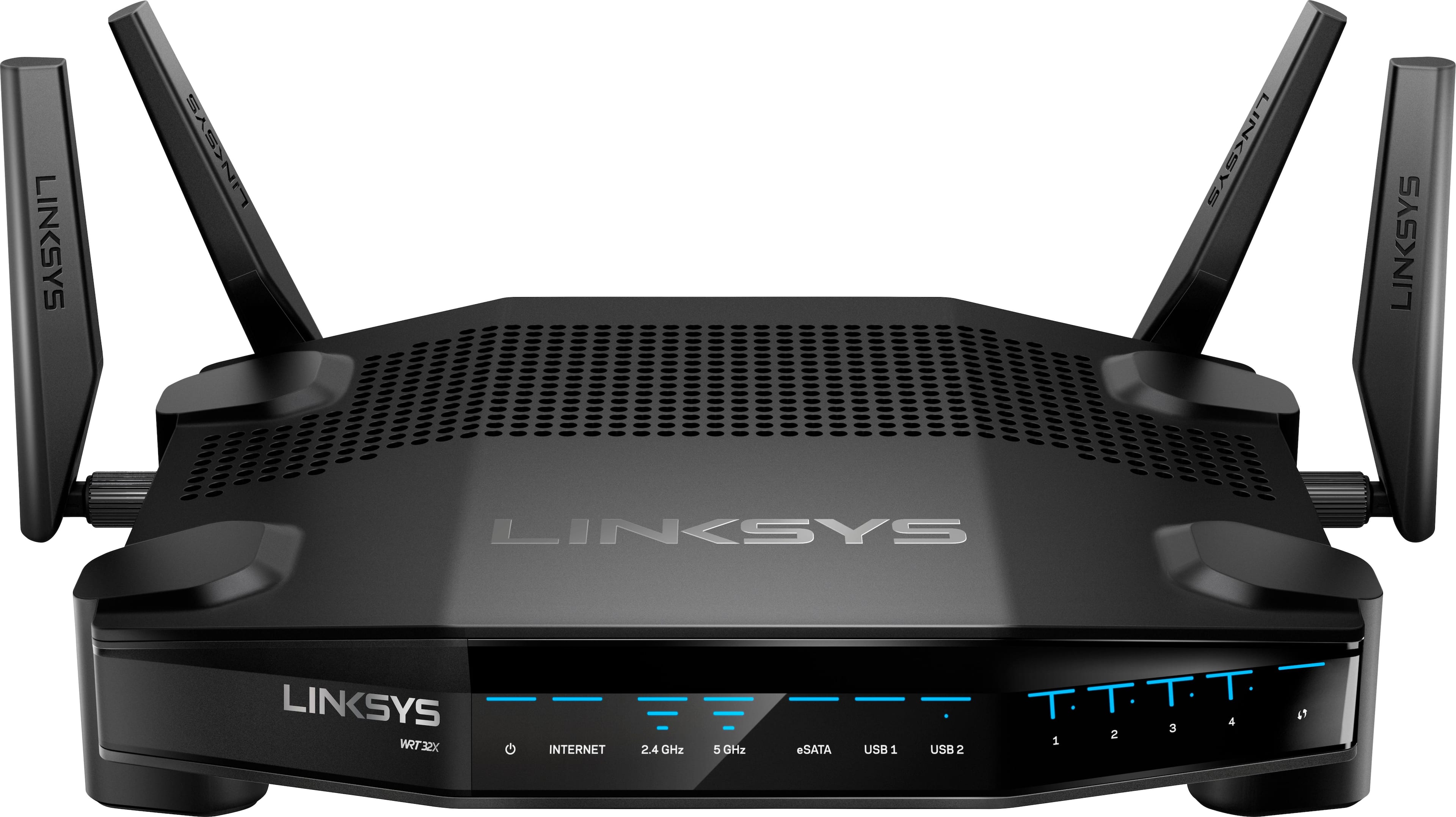
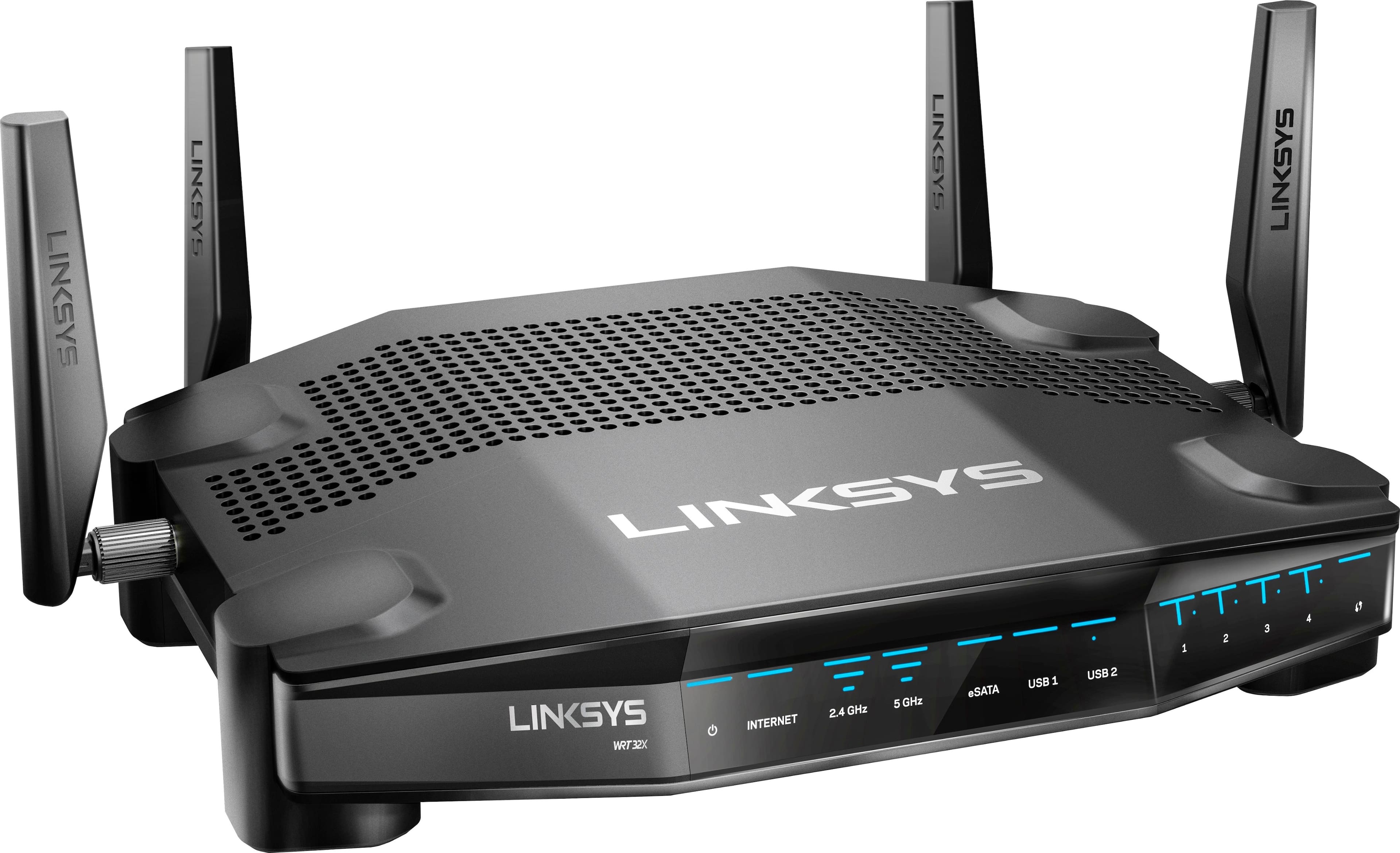
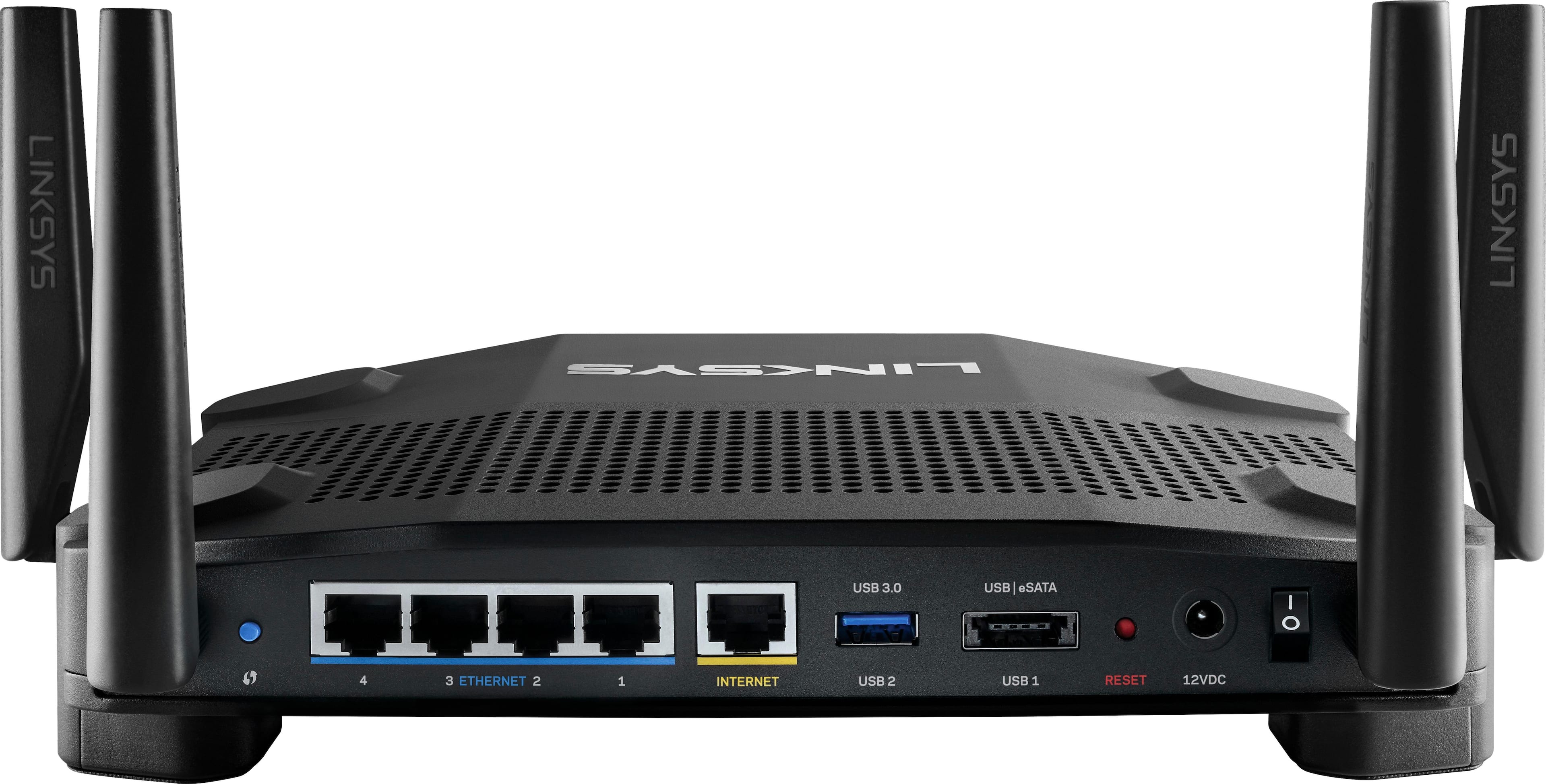
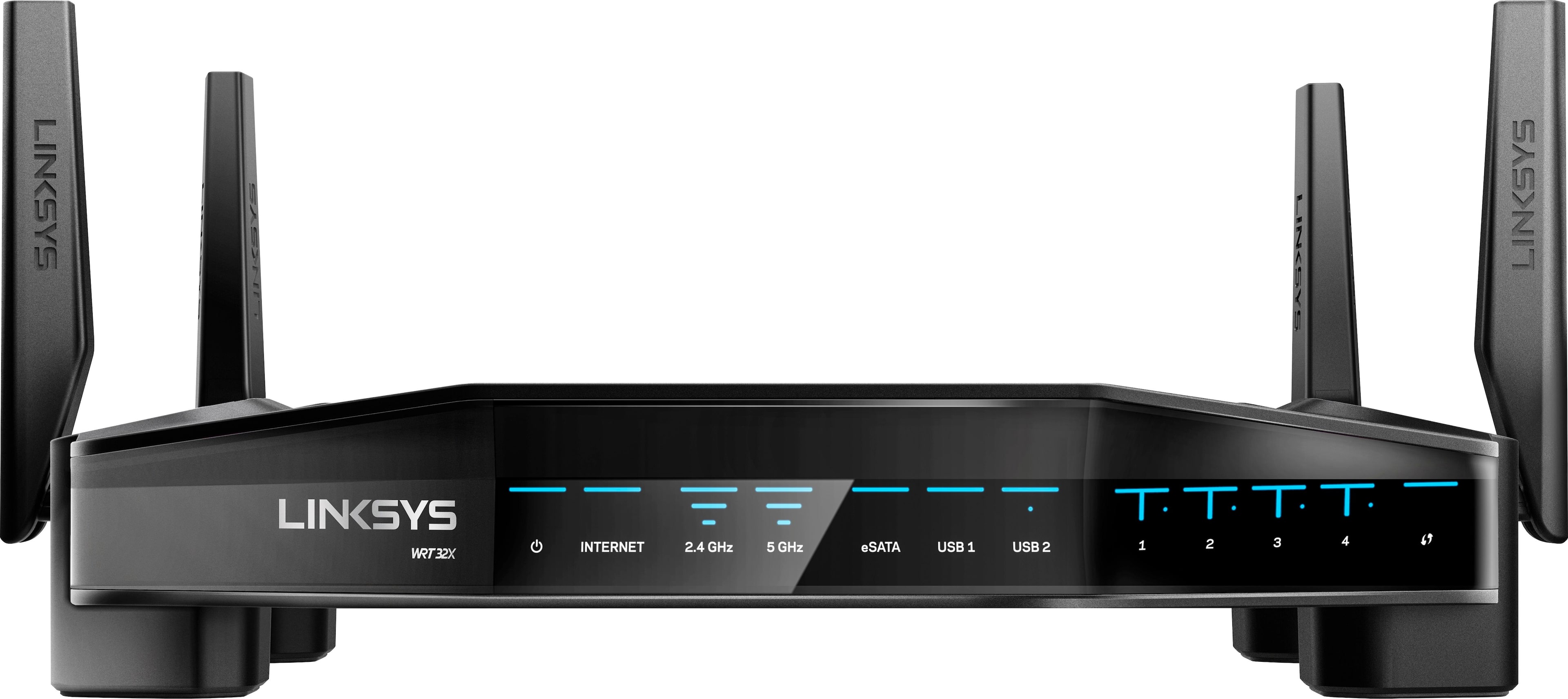

- Model:
- WRT32X
- SKU:
- 5882521
Rating by feature
- Value
Rating 3.9 out of 5 stars
- Quality
Rating 4.1 out of 5 stars
- Ease of Use
Rating 4.3 out of 5 stars
Customers are saying
Customers are pleased with the WRT32X AC3200 Dual-Band Wi-Fi Gaming Router's easy setup, strong performance, and wide range. Many appreciate its user-friendly interface and the ability to prioritize devices. While some experienced connectivity or firmware issues, the positive feedback on setup, performance, and range outweighs the negative. The router's design also receives praise.
This summary was generated by AI based on customer reviews.

Great Gaming Router.
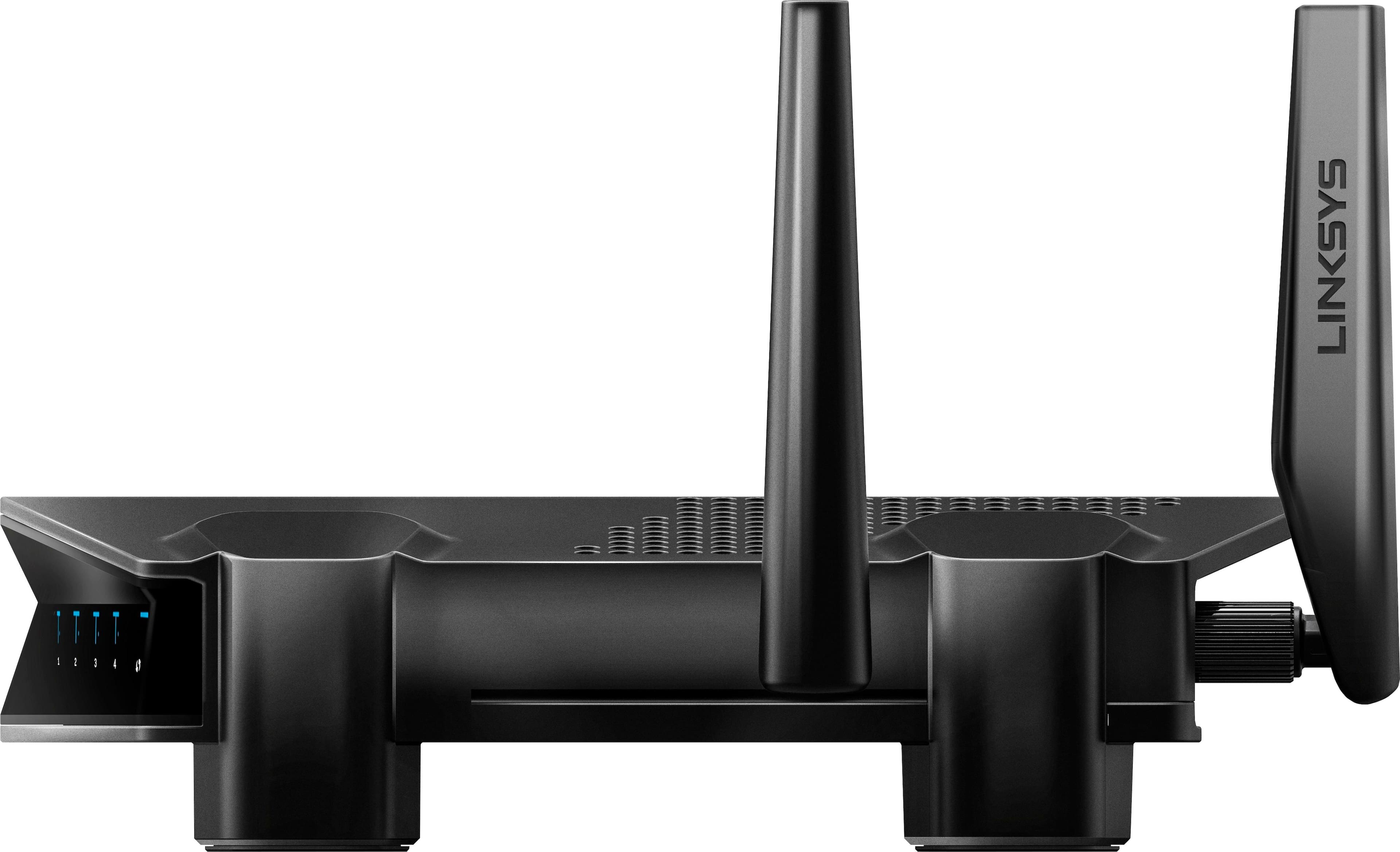
|Posted .This reviewer received promo considerations or sweepstakes entry for writing a review.Love the packaging, the “gift box” packaging is sexy.. Setup process took longer than expected. Plugged in the power and internet to the router and tried to connect wirelessly no good. Wouldn’t give me access to the setup page. Connected via cable and same issue.. Power down and restarted my cable modem and new router same issue.. I had to reset the router ( press little red button for few seconds) and that worked. So far I’ve connected about 10 devices: Iphones, Samsung S8, Smart TV, 2 laptops, MSI GS63 Gaming Laptop (killer network built in), android tablet, Roku, Intel smart stick, HP All in One Printer. No issues with connectivity and supporting multiple devices. So I ran Netflix on my TV, Amazon prime on my Roku (other TV), wife on her laptop and iphone surfing web and me on my MSI GS63 playing Overwatch. This router does what it says it does “prioritize” my MSI GS63 laptop traffic without going into settings. So I’m happy about that. One thing I like about this router is the user interface is user friendly. Also it’s a sleek looking router. Now I wonder what will happen during a LAN party when all laptops/desktops have Killer Network installed ? 4 stars.. setup was a pain.
I would recommend this to a friend- Pros mentioned:Speed
Very Good Router, Expected More
|Posted .This reviewer received promo considerations or sweepstakes entry for writing a review.I expected more from the router for being such a high end router. First the setup was very buggy. It took several attempts to try and setup the network then when it finally accepted my network it just named it "Linksys" vs what I had actually tried to name it. I also selected for the 2.4ghz and 5ghz networks and it didn't accept this setting either. I had to manually change it later in the admin settings. Now once it was finally up and running I ran some speed tests. It performed very well and actually gave me faster speeds than what I pay for from my cable provider. I then connected my Playstaion to it and the dashboard showed me that it was prioritized via the "killer engine". That looked pretty cool but I did not notice a huge difference with gaming. It ran smooth, but no smoother than my old router/modem combo. Overall this is a very high quality router, but did not even run better than my old 1900 Linksys router w/ 6 antennas. Not bad though.
I would recommend this to a friend Gaming Router Can Replace Your Regular Router
|Posted .This reviewer received promo considerations or sweepstakes entry for writing a review.What's in the Box ------------------ 1. Router 2. Power Adapter 3. Network cable 4. User Guide Connecting and Turning On ------------------------- Simple, Power on, connect the internet cable from your modem to the router and then **Important** you are not online yet until you go to http://myrouter.local and configure it Once Configured, you are online. Simple Speed Test ----------------- So, you can name the 2.4 Ghz seperately or give it the same name so it connects automatically to either 2.4 or 5 Ghz. i was able to get very good speeds in my house. i have a 3000 sqft house and i was using an Asus RT-66U router at home and i would get very low speed in the room furthest from the router. As you can see from the pictures, i tested using 5Ghz and was able to get 14-15 Mpbs download more speed as compared to the Asus Router in the same spot. I was also able to get 4-5 Mbps download better speeds using 2.4Ghz. I would say that this router works very well for a large house Prioritzation ------------- The Router includes Killer Prioritization built in default and i have a dell inspiron Ryzen 7 PC which i use as a regular desktop and a gaming pc. i played Battlefield 3 on the PC and the router automatically recognized the PC having killer network chipset and was able to prioritize the device list on top of the list (you can check at http://myrouter.local) to look at all the devices and who is connected. you can also manually configure these up or down depending on which devices you want them to be on the prioritize list Other Features --------------- The router has a USB 3.0 and a USB 2.0/eSATA for connecting enclosures with multiple drives the router has also guest network configuration in the advanced settings Verdict/Overall --------------- A good router which doubles up also as a regular router, i am going to replace my Asus RT 66U with this one.
I would recommend this to a friendPowerful and fast router!
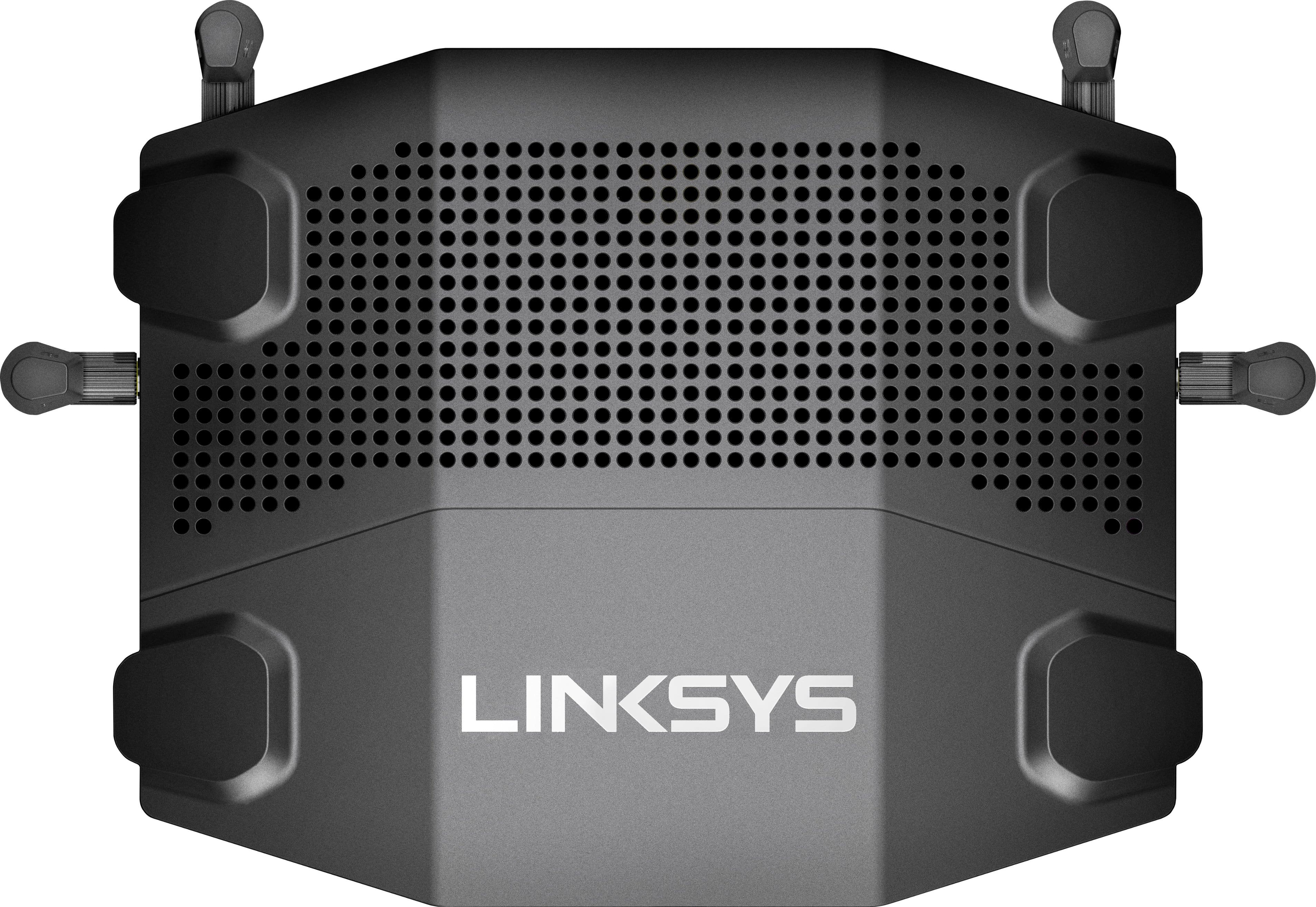
|Posted .This reviewer received promo considerations or sweepstakes entry for writing a review.Great router, it covers my whole home without the need of any extenders or signal amplifiers (both wifi bands). It has 4 antennas. The router itself is small and not huge like many of those flashy ones that look like a spider. The color scheme is great (black with blue leds), the lights are not that bright and can be turned off if you want. Setup was a breeze, it has a wizard and detected my comcast connection right away. Now, onto the main feature of this router, the Killer gaming prioritization, you need to have a Killer enabled client (like my MSI mobo) or you may need to buy a PCIe card with it. It automatically detects it and configures itself, you don't have to do anything. I can tell, that it really works, I mainly play Rainbow six siege and my ping to the server went down from a 36ms to 26 ms, thats 10ms that can cost you a game! It works! Other than that, if you don't have a Killer enabled client you can still prioritize devices connected to the router with its simple yet powerful interface, I really like how well it was organized. One last thing, the gui was telling me my firmware was the latest, however upon checking Linksys's website, there was a newer one so I manually updated it, just FYI!
I would recommend this to a friendLinksys just keeps getting better and better!
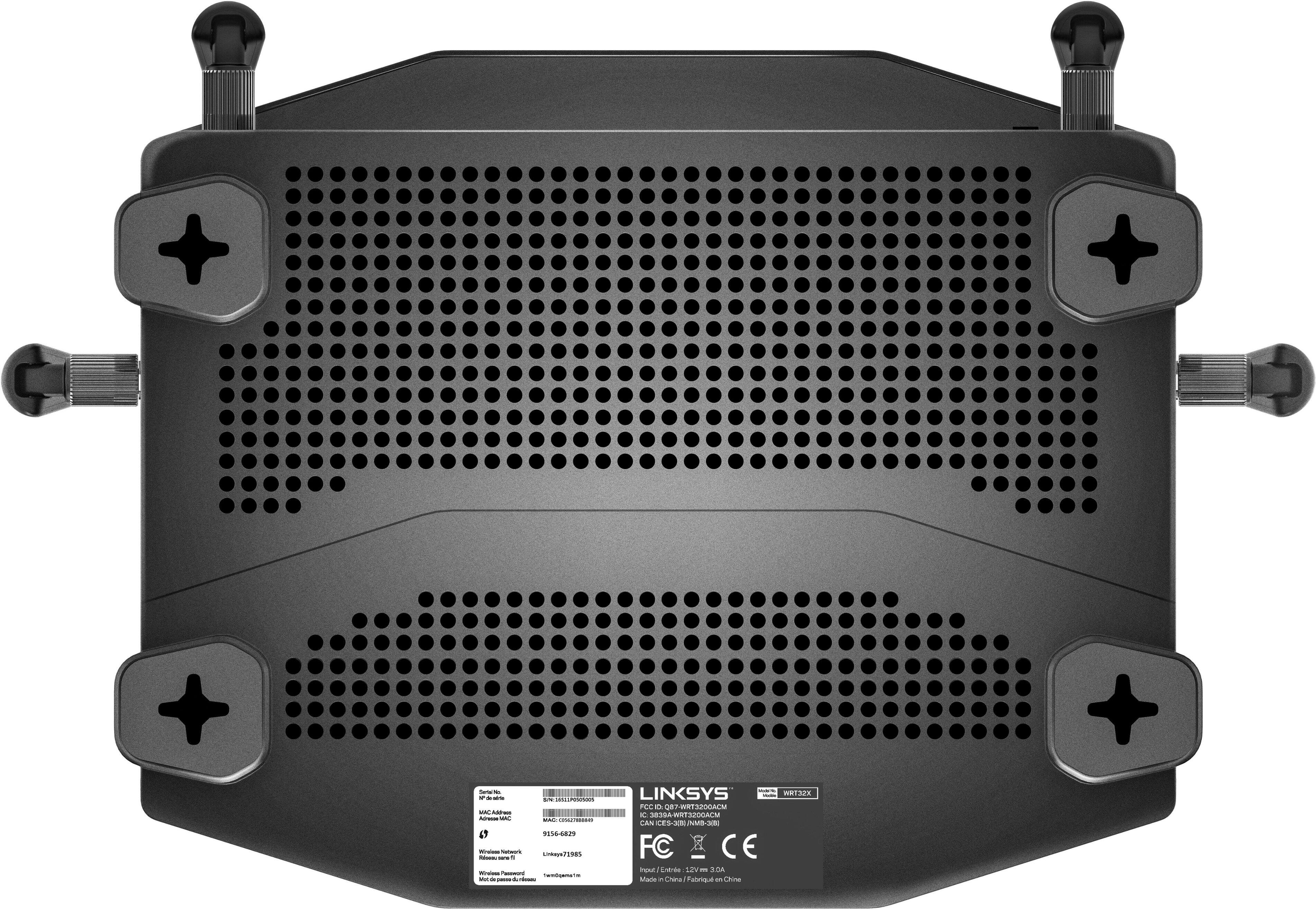
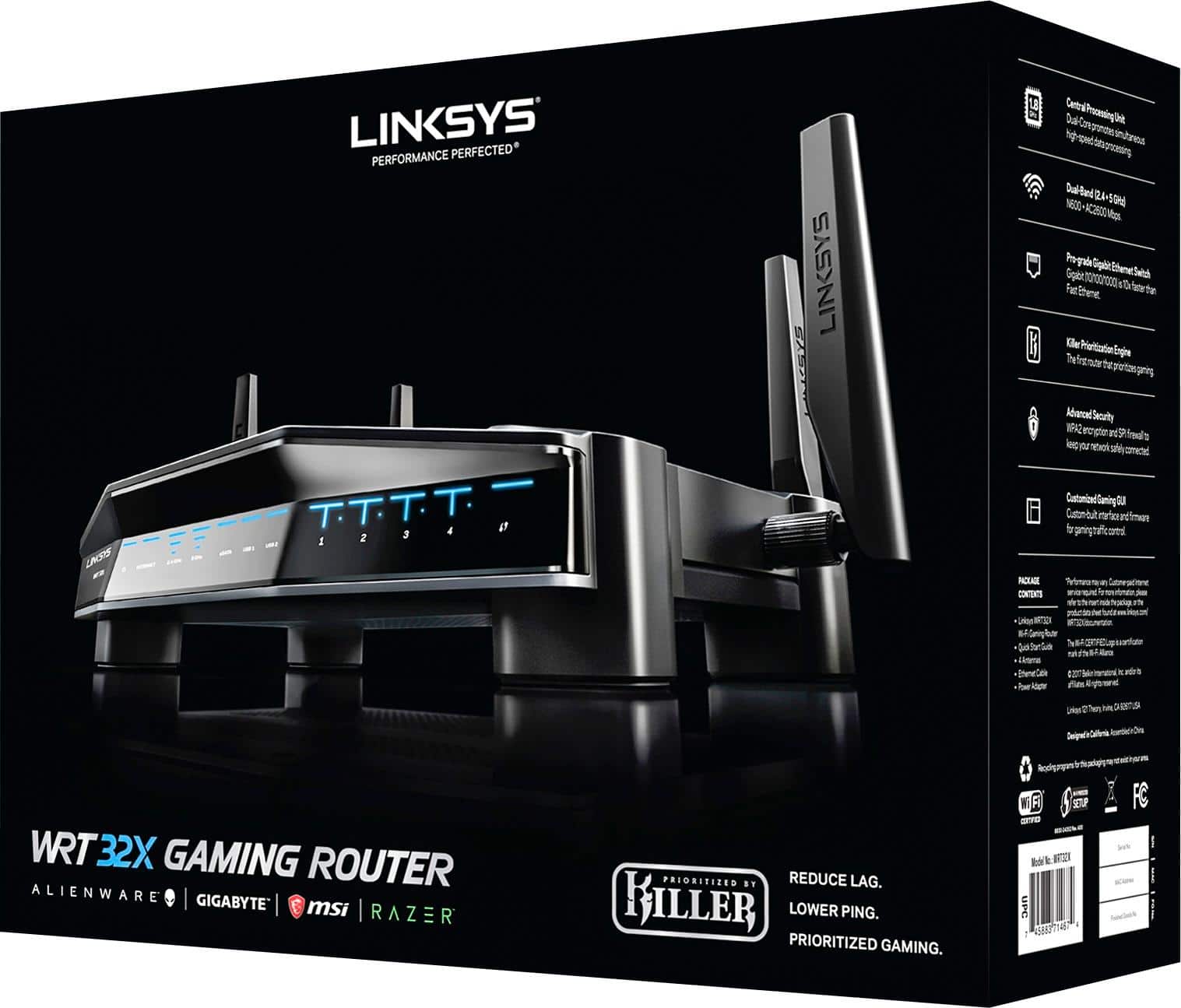
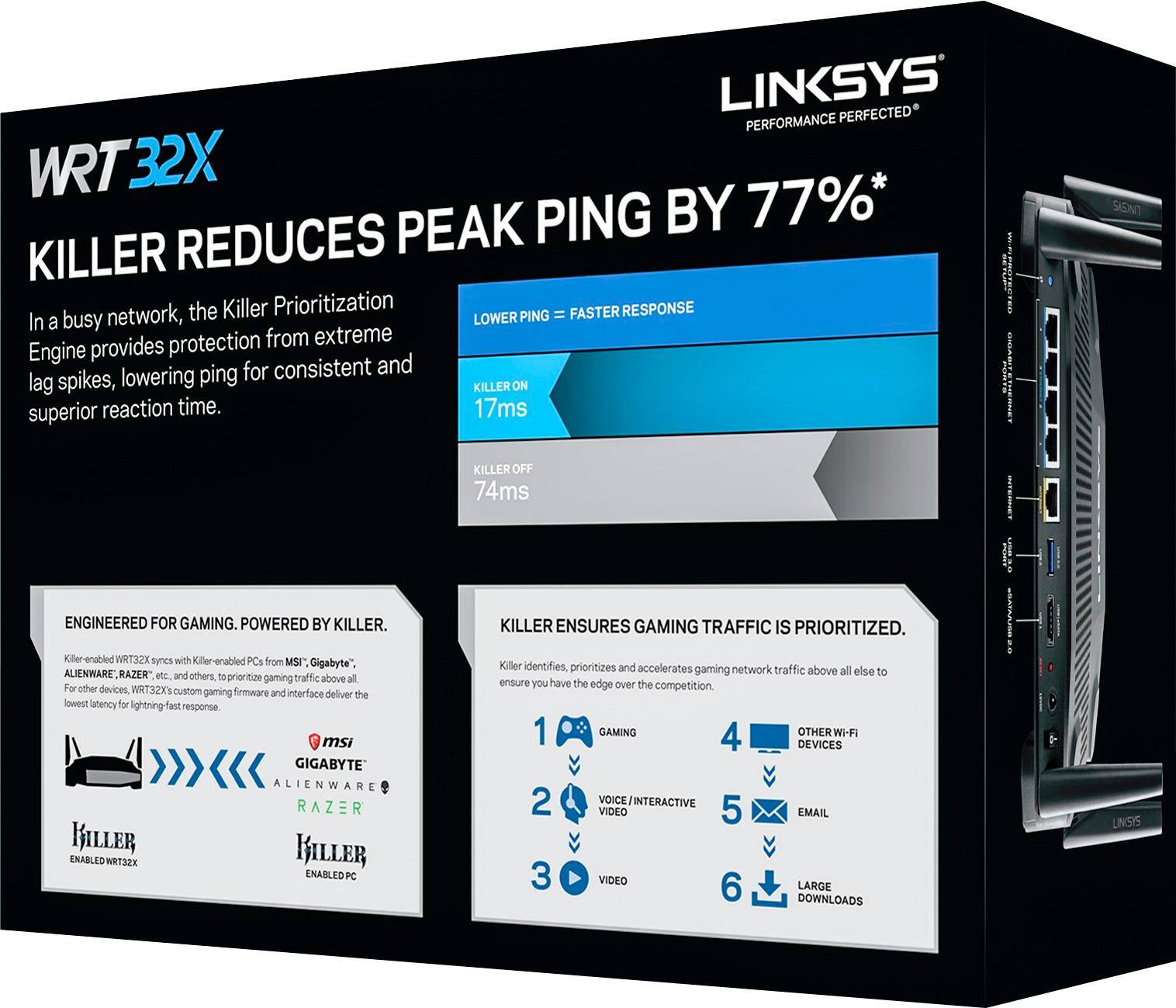
|Posted .This reviewer received promo considerations or sweepstakes entry for writing a review.So, after I seen and heard that Linksys had a dedicated GAMING routing releasing, I was ecstatic and couldn't wait to try one! I'm a huge gamer and have had just about every system since the NES. Currently, I own a custom-built CyberPower PC with an i7 Skylake processor, GTX 1070 video card and a Killer-enabled Motherboard, in addition to 3 PS4 systems (Original, Slim and Pro). I've used Mesh Routers and love them for their blanket coverage, but nothing beats a good gaming router. So, let's see how this puppy performs. The box is really nice. It's a very hard and glossy cardboard with a magnetic flip hinge on the front. Raise it open to see the jet-black contents inside. Like all high-tier routers nowadays, you're definitely paying a little extra for the fancy packaging, it seems. Impressive, nonetheless. Hooking up the router couldn't be any simpler. It comes with 4 screw-on antennas - two for the sides and two for the back. Not much to say here but one thing I did notice...unless you get them SUPER tight (which I don't like doing)...they tend to unscrew sometimes when rotating the antenna. So, a few times, I'd have to position the antenna where I want it and then turn the base screw a little more to tighten it back up. Aside from this, that is my only niggle regarding the physical features of the router. Also, the lights on the front are awesome and futuristic looking, lol. Now, about performance. Sadly, I'm gonna try to make this a little short, but this is a good thing. Let me explain. I've used many different routers over the past decade and have seen HUGE improvements in the tech over the years. I switched from Linksys routers a while back to another brand after I found out that Belkin bought them out. However, a while back, I decided what the heck, why not try them out again. Well, it looks like Linksys is back to being a major player. Performance on this router flat-out rocks. The Killer internet technology is somewhat new to me and honestly, never really "got" it and sounded kinda "gimmicky". Well now, I had the chance to truly try this out. I'm going to be short and to the point here. Buy this router for it's excellent performance and Wi-Fi. Do not buy this just for the "Killer" feature. To my understanding, it's supposed to reduce the overall Ping/Latency and general speed of the network while gaming. Honestly? It's negligible. Really, no amount of tests or combination of settings within the Router or the Killer Network Manager (super slick interface, by the way!) made much of a difference. Even on my Velop and most recent routers I've had/tried, my Ping has always been around 25-35, on average. The highest I've ever seen was about 98. With this router, there was about, I'd say, a 10-15% improvement, if that. Here's the thing. We are at the mercy of our ISP's here in regards to speed and to some extent, latency. You can't pull more bandwidth than you're given. So, the claims on the box are just that - claims. It's no different that something being advertised as Gigabit. Well, yeah - sure, it can pull up to 1,000 MB/s but guess what? I'm only on a 60MB package, which is the highest my ISP (ahem...Charter) provides. Nice to have, nice to know I've got it...but I'll probably never see those speeds in my lifetime where I live. I'm sure some people, though very few, could manage to see more of a performance from this router than others, based on location, ISP and various other Networking conditions. In summary, you can pull off and maximize your gaming experience without the Killer Networking feature just by using a wired connection, a good router (such as this one) and properly setting up QoS and Device Prioritization. Buy this router if you do not need the blanket coverage of say a "Mesh network" (Such as the Velop...also by Linksys...and also highly recommended) but want great gaming performance, even without the Killer Networking feature being used. Consider that a bonus and future-proofing! I'm giving this router a solid 4 out of 5. Performance and set-up is a straight-up 5. However, I'm docking a star simply because the Killer Network feature benefits are over-exaggerated and over-advertised (gimmicky) vs. what you see in the "real world" and requires special dedicated hardware - a potential additional investment - over the Router itself. I was just lucky to have already had it.
I would recommend this to a friendGreat Router for Gamers
|Posted .This reviewer received promo considerations or sweepstakes entry for writing a review.This router is very nice, it's like a sports car but it's a router if compared to other routers in the same price range. I have a playstation 4 pro and xbox one. I used these game consoles for playing online to streaming netflix and amazon prime. It works flawlessly. No lag and disconnections. I like how the router looks, it's black/matte and blends well with my PS4/Xbox one since they are the same color. The set up is the easiest i've ever done and i've done a lot of router set ups. You don't have to download any apps on your phone, it's web interface. The interface layout is very nice as well. It's very simple to navigate, customize, and use. I like that it automatically prioritizes your devices (since this is a "gaming router" it does it mostly for game consoles or PC's - from my observation but you can manually prioritize too). I download games online and stream netflix at the same time without a breeze. I like the simpleness the interface offers, even a novice user can customize this router to fit their needs. It has 2 usb ports (2.0/SATA and 3.0), 4 gigabite ethernet ports. I did 3 speed test (which is included in the web interface) and the average download speed was 117 mbs and upload was 11 mbs, i only had 3 devices connected at the time. I have a big family and we have a lot of devices too, so i will have to follow up on another speed test to see how its able to handle the 10+ devices. Also the top of the router has ventilation holes and it's very silent. No noise. In the dashboard, under the administrator option, there is an option to turn off the router activity lights which is pretty cool because sometimes at night they can be pretty bright when it's dark. It also has a dual band, 2.4ghz and 5ghz which i like because i can have all my devices connected through 5ghz and everyone else 2.4ghz. I can also create guess access to create a separate Wi-Fi name and password to share with guests. Overall this is a great router for gamers, streaming, and mobile devices. Don't let the gaming router name fool you, it works well with everyday wifi usage you don't have to be a gamer to enjoy this router. I really like this router and would recommend to anyone, but if you are a gamer this should be at the top of your list. I will be enjoying this router when playing gta V online. I always had problems, lags, or disconnections with my previous router but so far so good with this router. I like it.
I would recommend this to a friend- Pros mentioned:Ease of use
Great Dual Band Router for any type of user
|Posted .This reviewer received promo considerations or sweepstakes entry for writing a review.After recently switching from a router/modem to this unit I cannot be happier. A few things stuck out as beneficial from my standpoint. The set up, lighting and power switch. The set up is a breeze. My last modem easily took me over 30 minutes to create a connection. That is not the story for this unit. You can easily be up and running, out of box in less than 10 minutes. The lighting is another feature that i enjoyed about this modem. The lights are dim, yet easy to read. They nearly match all of the other lights in my media closet too with is neat. It was a big pet peeve of mine when some models have very bright, unneeded lights. Lastly, the power switch is small. This may sounds like an annoyance, but its far from. I recall fumbling around to install an ethernet cord on other modems and accidentally switched off the unit. This power switch is small and actually away from the ethernet ports, making it more difficult to bump. So far, no complaints for this router.
I would recommend this to a friend - Pros mentioned:Setup
Priorities... Priorities!
|Posted .This reviewer received promo considerations or sweepstakes entry for writing a review.This router does what it's told! My house shares gigabit internet with over 20 devices and some of them for for work and my roommate uploads terabytes of data at a time and so during our game of Destiny 2 last night it was awesome to be able to prioritize my Xbox and gaming above all the other interruptions that would normally kill my gaming. Pretty neat and easy to setup and looks sharp next to the beer brewing kit as you can see! I have contemplated posting it up in the tech closet since it it comes with wall mounting abilities so if I decide that it's too much of a distraction I like that I have that option. Gamers... what usually takes me a 60-90 second window to load into a live game took me 30 seconds! That was amazing, and my roommate and I were able to post up in the game and there were no lags like normal. Haven't tried it on our PC games just yet because we got stuck playing online after setting this guy up! Great addition to the household.
I would recommend this to a friend - Cons mentioned:Connection
Killer Router for gaming and in general!
|Posted .This reviewer received promo considerations or sweepstakes entry for writing a review.Really great router. Totally worth the price. It has a nice sleek look without taking up a ton of space. The coverage is great without an extender. We don't game on PC much but we're always on our mobile devices and gaming consoles and noticed less connection problems overall.
I would recommend this to a friend - Pros mentioned:Setup
Underperforms
|Posted .This reviewer received promo considerations or sweepstakes entry for writing a review.First impression, the WRT32x is packaged beautifully and safely in the box that contained it. Ssecond I was very happy to see that the antennas are removable, this would allow an antenna with a higher DB gain to be used; I've always thought this was a good idea. Installation is straight forward, they include a wizard for those not familiar with router setup that holds your hand through the initial set up, it worked well, You are given an option to set up the 2,4 and 5Ghz networks with the same or different names, they claim that if one name is used the best possible band will be utilized (I could not prove this, but seem like a good concept, other recent Linksys routers have also had this option). So after unpackaging and using the wizards's set up, I dug deeper into the 'manual' setup options and was pleased to see all of the more complex options covers. But in the list of connected devices there was no MAC address, I though I'd missed something, this is generally exposed, and many with lots of devices use this unique Id to manage those devices. I called Linksys support, and got a human promptly, they were very knowledgable about the product, but confirmed that the MAC address of connected devices is not displayed; I suggested it should be, they said they would pass it on to the development dept, Oh well, I see that as something missing, in my getting more connected home I have 60+ devices on my primary network (40+ are iOT things). One thing I did like about the user interface was it was very easy to change the prioritization of devices, rather than setting a value you put things in to the high, medium or low priority group, and you can quickly visualize what things are where. Well on to some testing... To begin with I have 3 dual band or tri-band (2.4 & 5Ghz) AC3200-AC6600 Routers Installed for testing or in use in my home office, I rarely use them all at once but I have them configured so I could do so (DHCP addresses in different range, networks on different channels (where I can)) so when I got the new LinkSys WRT32X I though tit would be interesting to how it fared against the much more expensive 3 node Linksys Velop Router (AC 6600 600+2000+2000+2000), the Linksys Max Steam AE9300 (AC4000 750+1625+1625) and NETGEAR Nighthawk X6 R8000 (AC3200 (600+1300+1300). As I see it the Velop is by far the most expensive the others being all about the same price. So for a hardwired baseline I ran speedtest.net against each directly connected to my Cable Modem (Arris CM 8200 with Cox Ultimate (300mb/30mb)) here is what I found ....................................Direct Connect..... 5G WiFi....... 5G WiFi ......................................Up/Down........... i7 PC 10'...... iPhone 8+ 10' Nighthawk X6 _______226.1/30.7____ 116.5/29.4___ 112.2/30.5 MaxStream ________ 230.3/30.9_____122.2/30.5 ___130.0/30.6 WRT32X___________229/9/30.9____ 114.4/27.8 ___122.9/30.0 Velop*3____________233.3/31.0____ 118.8/30.0___ 125.9/30.5 All the results were pretty close together, with no clear winners or losers, I ran multiple tests and took averages.. But the real test is at a distance more than 10', here the results are vastly different. As I found that the WifI tests on my iPhone were similar and it was easy to move around (duh) and to change networks I used it to test from about 50' away, I only tested AC5G as it's clearly the fastest choice. .............................5G WiFi ..........................iPhone 8+ 50' Nighthawk X6 ___33.5/30.0 MaxStream _____24.5/6.3 WRT32X ________9.8/18.6 Velop*3 ________44.0/30.9 <- hard to get dist equal w/3 nodes (4 sets of test's taking the average of the BEST 3) The only router that had any significant competing load was NightHawk X6, and because Velop "talks" between nodes I have no way to know what's going where, I tried to have my distance about the same distance to the closest node, but no doubt all three nodes could have seen/been working with my iphone. That being said I experimented with the Prioritization of several devices (computers, phones, tablets, VOIP) and when raised to a higher priority my ping speed was generally decreased, but the average network speed did not change so that it made a measurable difference. I have to say I expected better results, finding the download speed was 1/2 of the upload, and below 10mb was much less than I expected. I ran the test multiple times with pretty consistent results. And at this point I can't say that I'd recommend this router if it's expected to cover a large area. I have planned on doing some load testing, but given what I found at 50' it is not likely to look any better. I don't know if there might be future firmware which improves things, but right now I'd say there are better choices (I do like the Velop, but it does over simplify much of the setup, not exposing some of the features I'd like to see/know about). I will look for future firmware changes, and (try to) update this review if I find that anything has changed.
No, I would not recommend this to a friendBrand response from Linksys Staff
Posted .Hi, 3Tcubed,
We value your detailed feedback with the router's performance. With regard to the speed through this device, there are steps that could help optimize it. Please email us at LinksysCares@linksys.com with your phone number and the link to this post so that we can have our Escalation Engineers assist you.
Regards,
Irish
Linksys Support
- Pros mentioned:Speed
Gaming prioritization is absolutely great!
|Posted .This reviewer received promo considerations or sweepstakes entry for writing a review.I would start taking about my self. I have about 35 wireless devices connected to local wifi which is provided by Comcast blast plan. 3 gaming consoles are most used at home so this router is beneficial to me when it can control network traffic and prioritize where speed load is. I got more speed according to speed test I run before and after installing this router. I would recommend this reouter if you have heavy load ranging from gaming to streaming. Great design and esay setup.
I would recommend this to a friend Space saving design
|Posted .This reviewer received promo considerations or sweepstakes entry for writing a review.I have a small amount of space to store a wireless router. So this Linksys wireless router, got my attention. Space saving design fits my needs very well. I just place it upright with the front, facing downwards. Helps that it runs Wireless-AC for some of my devices. And it’s ready for GIG Speed internet service. It's easy to plug in an ethernet cable into one of the LAN ports and connect the router to my Chromebox, for a fast, wired, connection. GIG Speed doesn't seem to work on Wi-Fi at the moment. Don’t think I will need to use the USB ports but it’s nice to have this feature, just in case, it’s needed. Coverage in my one bedroom condo is excellent. And of course, it’s one story. So I’m a happy camper.
I would recommend this to a friendExcellent Gaming Router
|Posted .This reviewer received promo considerations or sweepstakes entry for writing a review.If you're in the market for a new router, even more specifically, a gaming router, this one definitely fits the bill. With it's great device prioritization with the Killer engine, and easy setup, this is one of the best routers that I've used. The interface also gets some special recognition. It's well-designed, clean and very easy to use. You can easily move and prioritize each device independently. It also helps that this is a cool-looking router as well. If I had one wish about this router, it would be that I had more Ethernet ports. While four is enough, I could definitely use more. Pros: Great speeds, range and interface. Cons: Only four Ethernet ports
I would recommend this to a friend- Pros mentioned:Range, Setup
Worth it!
Posted .This reviewer received promo considerations or sweepstakes entry for writing a review.Got this router recently and no problems connected to Spectrum network. Very easy plug and play setup. Range is really good and we have a 2734sq ft home. Always full signal on phones and laptops. Ignore the bad reviews. I don't see what the problems are with this this model. Get it!
I would recommend this to a friend - Pros mentioned:Ease of use, Range
Great, Easy to set up router
||Posted .This reviewer received promo considerations or sweepstakes entry for writing a review.Very easy to set up, which I appreciated. Wireless coverage is also very good. I have quite a few devices connected to it and am having zero issues. Reliability and range are what I value most in a router and this one delivers. The stealth black look and compact size are a nice bonus.
I would recommend this to a friend - Pros mentioned:Ease of use
Amazing Router
||Posted .This reviewer received promo considerations or sweepstakes entry for writing a review.It is well designed and built for the gamer in mind. It is easy to navigate and to configure to what you need. Love the prioritization... put the girlfriend to low priority and took the high priority... There are so many settings that are extremely useful and easy to setup.
I would recommend this to a friend - Pros mentioned:Setup
Extremely Fast
||Posted .This reviewer received promo considerations or sweepstakes entry for writing a review.This thing is amazing, you can log into it from anywhere and if you have a Drive hooked up, you can access it too. It automatically prioritizes the connections or you can go into the setting and do it manually, also run speed test, have guest users. I have a 1300sqft house and I get 5 bars everywhere inside and 3-4 bars at the neighbors house. Plus, the setup was so simple, it took less time than it did to come up with clever WiFi names.
I would recommend this to a friend - Cons mentioned:Connection, Firmware
Buzz "Killer"
||Posted .This reviewer received promo considerations or sweepstakes entry for writing a review.After owning for about a month the last couple weeks have been full of nothing but trouble. The wifi connection has been the definition of unusable. Constant drops of connection up to every 6 hours. After taking a glance at the lynksis forums I see that I am not the only one as well. It seems hundreds of other people are commenting on the problem as well. The Firmware they are putting out has literally bricked the router with no help from support at all. People are saying even after returning that the routers are being shipped unusable. Stay away until fixed.
No, I would not recommend this to a friendBrand response from Linksys Staff
Posted .Hi, Luke,
The WRT32x Router should be able to provide you a stable Wi-Fi connection if the settings are properly configured. Please send us your contact details and the link to this review at LinksysCares@linksy.com. One of our Escalation Engineers will work closely with you in getting this issue fixed.
Regards,
Jay
Linksys Support
- Pros mentioned:Ease of use
High quality router
||Posted .This reviewer received promo considerations or sweepstakes entry for writing a review.Routers great. Best signal I ever had. All my devices are connected and in all I have the lowest possible ping. I love how I can pick how much bandwidth any device can get. This is a high quality device. Totally pleased how it's running. Easy install and softwares easy to use.
I would recommend this to a friend - Pros mentioned:Ease of use
Gaming just got a whole lot better!
Posted .This reviewer received promo considerations or sweepstakes entry for writing a review.I've spent my entire gaming life dealing with lag. It's infuriating. I recently upgraded my tower which included Killer ether net. Finding this router has completely changed my experience. The game play is amazing. The menu for this router is easy to navigate, and Linksys customer support is fantastic. I recommend this product to anyone that needs that better connection.
I would recommend this to a friend