Customer Ratings & Reviews
- Model:
- 910-004373
- |
- SKU:
- 7198154
Customer reviews
Rating 4.7 out of 5 stars with 1040 reviews
(1,040 customer reviews)Rating by feature
- Value4.3
Rating 4.3 out of 5 stars
- Quality4.6
Rating 4.6 out of 5 stars
- Ease of Use4.6
Rating 4.6 out of 5 stars
Customers are saying
Customers commend the MX Anywhere 2 Wireless Laser Mouse for its exceptional battery life, reliable Bluetooth connectivity, and ease of use. Many appreciate its compatibility with various surfaces, compact size, and precise tracking capabilities, while some find the price point to be a drawback. A few users noted minor concerns regarding occasional lag and software functionality.
This summary was generated by AI based on customer reviews.
- Pros mentioned:Rechargeable, Wireless
Rated 4 out of 5 stars
A great mouse, but not a super improvement
||Posted .This reviewer received promo considerations or sweepstakes entry for writing a review.I own both the Logitech - MX Anywhere (Gen1), and the Logitech - MX Anywhere 2 (Gen2). The main differences that I notice are rechargeable internal battery, and builtin bluetooth that supports 3 devices with the Gen2. The Gen1 came with a custom fit case that you could store it in when you traveled. I wish the Gen2 came with that also. That way the pads on the bottom don't get peeled off from rubbing, or that it gets scratched up while in your bag. I do like that it comes with mini USB to charge the battery. That way I can use the same charger, or cord that I use with my phone. As I want the battery to last as long as possible, I prefer to turn the device off and on in between uses. The Gen1 device had a large switch on the bottom that was easy to toggle with very little effore, but the Gen2 has a tiny switch that you need to pop your finger nail in to slide.Sometimes I think I turn it off, but I realize I left it on all night draining the battery. Since it has built in bluetooth, there is no need to have the tiny dongle in your computer tying up a USB spot. That feature is great. The mouse should work with your computer as soon as you connect it via bluetooth. It does not come with the full software, so you will have to download that from the Logitech website. For $80, it should come with a tiny disc, but Logitech was just trying to save a buck. But in there defense, less and less computers come with a physical CD/DVD drive now. Overall, I would say that either Gen1 or Gen2 will do. They both function exactly the same, with the only real thing added to Gen2 is the builtin rechargeable batteries, and builtin bluetooth.
I would recommend this to a friend Rated 5 out of 5 stars
I love the flexibility
||Posted .This reviewer received promo considerations or sweepstakes entry for writing a review.I work on the couch a lot, so having a mouse that's immune to texture is a god-send. And, unlike my older versions of this mouse that were battery-dependent, this one charges with a USB cable. And, you can keep using it while it charges. How good is that!
I would recommend this to a friend- Pros mentioned:RechargeableCons mentioned:Pricey
Rated 4 out of 5 stars
A nice Mouse for a high price
||Posted .This reviewer received promo considerations or sweepstakes entry for writing a review.The MX Anywhere 2 Wireless Laser Mouse has a good resolution in all kind of surface. I used sometimes in a glass table and it can provide a good functionality. It don't use batteries what is very nice. A complete charge can hold it for months. The only problem is the price. I think it is too expensive.
I would recommend this to a friend Rated 5 out of 5 stars
Possibly the Perfect Bluetooth Mouse!!
||Posted .This reviewer received promo considerations or sweepstakes entry for writing a review.I am in love with this thing. It is perfect for what I use it for: School work, music editing, and first person shooters. The programable buttons are awesome! I have become pretty good at Battlefield 1 thanks to having my major equipment and actions all being at hand, literally, with the programable buttons. I love that it comes with a usb dongle for non-bluetooth computers and that it charges via micro-usb cable. Yes, it can be charged and used at the same time, so just keep the short micro-usb cable it comes with on hand to charge it while on the go right from your computer with USB-A ports if you are ever worried :) The best thing about this mouse is that it can hook up to 3 different devices with the simple push of a button on the bottom. For each of the 3 selections, you connect the computer you wish it to work with and then simply push the button to select 1,2, or 3 that you assigned to the device. It works flawlessly between my 2017 Asus GL502VM, 2016 Alienware R4 17, and 2015 Macbook Air. A push of the button and it works, no need to reconnect or go through the process again. Seriously, if you are looking you are interested, so just buy it now and thank me later :D
I would recommend this to a friend- Pros mentioned:Long battery life
Rated 4 out of 5 stars
Well Recommended
||Posted .This reviewer received promo considerations or sweepstakes entry for writing a review.Great mouse, a bit pricey but its worth the money. It is a well solid built and has pretty handy customization options. Very trusted brand, I've had it for over a month now and it has an extremely long battery life even when left turned on.
I would recommend this to a friend - Pros mentioned:Long battery life, RechargeableCons mentioned:Pricey
Rated 5 out of 5 stars
Awesome portable mouse
||Posted .This reviewer received promo considerations or sweepstakes entry for writing a review.As I am writing this, I'm currently taking a Graphic Design class that we use laptops instead of going to an actual computer lab to do our assignments. As a result, since I've never owned a laptop I just can't work efficiently with a track pad. Therefore I decided to look for a portable mouse which I can easily put it inside my backpack. I decided to go with Logitech since honestly you can't go wrong with them. This mouse has met all my needs, despite being a small mouse it is very comfortable even though it took a week or two to get familiar with it. Aesthetically it just looks AWESOME, and functionality it literally tracks very well with nice precision on any surface even glass. I also decided to buy a Razer Kabuto mouse pad to pair it and works like wonders. If you're looking for a mouse that won't bulk inside your backpack this is the one, it is small and compact. I also forgot to mention it has an internal battery which according to Logitech a full charge will last 2-3 months...Now I don't know if this is true or not since I haven't used it for that long but I suppose that is a nice feature. I honestly can't find any negative things about this mouse the only "CON" would its price point. I feel $60 would be ideal price but since you get many feature on this mouse I guess that's why it retails for $80 but I got it on sale for $68.
I would recommend this to a friend - Pros mentioned:Long battery life, Rechargeable, Wireless
Rated 5 out of 5 stars
Great travel mouse
Posted .This reviewer received promo considerations or sweepstakes entry for writing a review.I've had dozens of mouses over the years and they just keep getting better. I have a newer laptop that has Bluetooth connectivity but the USB ports are scarce, so I don't want to tie up a USB port permanently for a mouse controller. This mouse has all the features I want, I can switch it among three different computers, and it tracks incredibly well on any surface. It's a good portable size but the controls aren't cramped together. It's a good weight, and the battery life is awesome.
I would recommend this to a friend - Pros mentioned:Comfortable, Rechargeable, WirelessCons mentioned:Pricey
Rated 5 out of 5 stars
good size, bluetooth, and rechargeable
||Posted .This reviewer received promo considerations or sweepstakes entry for writing a review.i've been trying to minimize wire clutter. i've been looking into bluetooth peripherals. the problem is many of them use proprietary usb receivers. logitech does use unifying receiver but i don't like them sticking out of the laptop. and if you lose the receiver, you can't buy it on its own unless you contact logitech directly. decided to get this being bluetooth. on top of that, it's rechargeable. the size is nice as well and comfy. i'm also used to having the buttons by my thumb when browsing the internet. it's a bit pricey but if you can find it on sale, you should get it.
I would recommend this to a friend Rated 4 out of 5 stars
Great mouse, but battery life not what is claimed
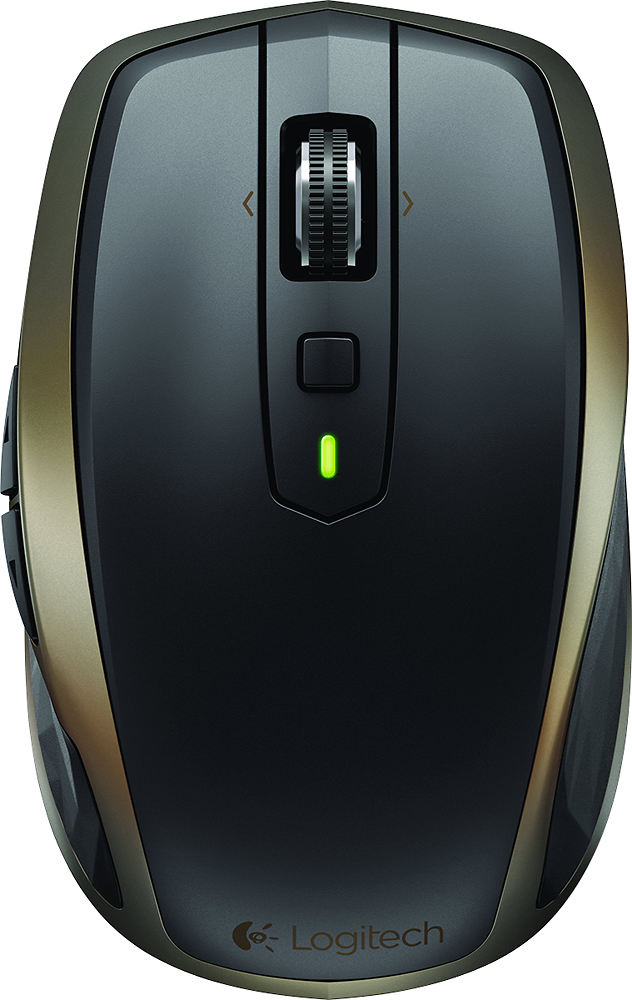
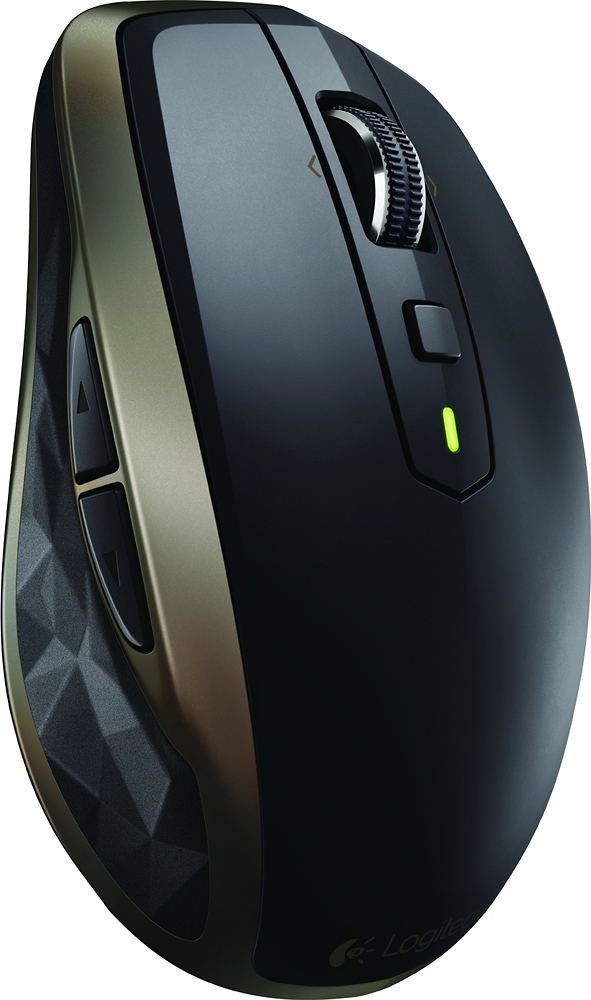
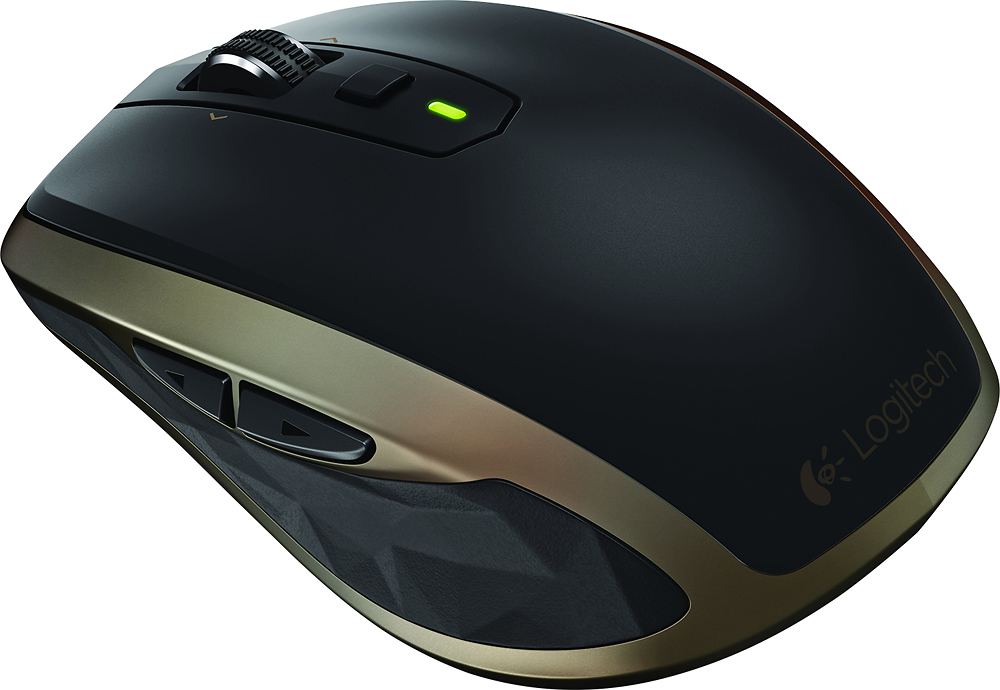
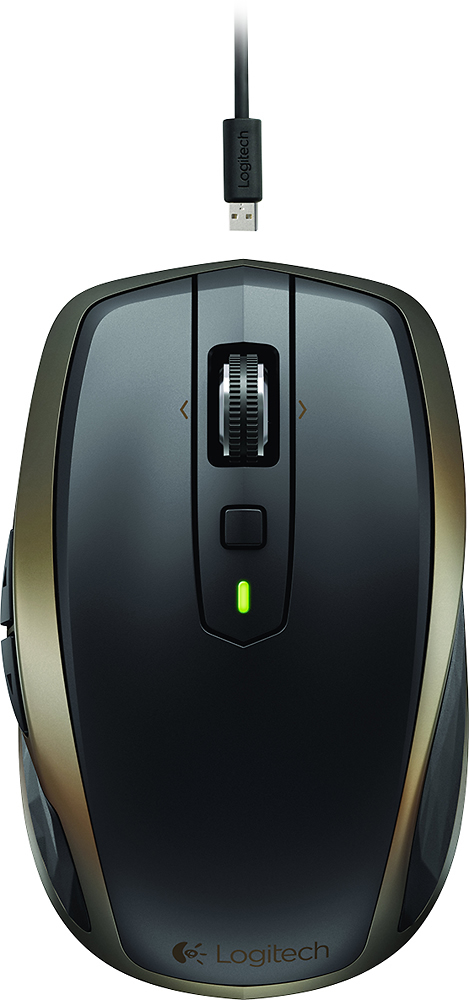
||Posted .This reviewer received promo considerations or sweepstakes entry for writing a review.I bought this looking for a mouse that would be compatible with my ASUS laptop's touchpad drivers, specifically one that would be recognized as an external mouse, thus disabling the touchpad. My requirements were back and forward buttons built in, and not being required to use a Logitech Unifying receiver (as my new touchpad drivers were incapable of recognizing a Unifying mouse). I was hesitant to purchase this, given the high price ($79.99), but after struggling to find an inexpensive mouse that fit my requirements and returning one two days after buying it, I went ahead and pulled the trigger on the MX Anywhere 2. This mouse includes a Unifying receiver, but also supports Bluetooth, which my touchpad drivers correctly recognize and which enables me to free up a USB port on my laptop. There is a second or two of lag before cursor movement when the mouse is powered on, while it "shakes hands" with the computer, but once it pairs, the cursor responds instantly, and movement is very smooth. Speaking of smooth, the mouse slides over my desktop with ease, and does the same on the tables at the library and Tim Hortons for when I go to those places to work. Those who are used to pushing the mouse wheel straight down for a middle click might be initially confused. On the MX Anywhere 2, the small square button below the wheel is your middle click button; having the middle click separated from the wheel enables more reliable middle clicking, eliminating the annoying tendency to accidentally scroll just before or after clicking (a problem common on other mice), which I love as I probably use the middle button more often than the left button, mainly for opening links in new tabs and closing tabs in Firefox. What "clicking" the mouse wheel actually does is change the behavior of the mouse wheel, which has two modes. In one mode, it behaves like a typical mouse wheel, turning through discrete "steps" that you can feel each time it advances. The other mode removes those discrete steps and feedback, as well as all brakes, allowing you to fling the wheel in a particular direction and let it spin freely for several seconds, a surprisingly useful feature when rapidly scrolling through huge documents and webpages and not wanting to move the cursor over to the scroll bar and back. Each downward press on the mouse wheel alternates between these two modes. If you install the Logitech Options software from the Logitech website, this software also enables you to reprogram said square button, the back and forward buttons on the left side of the mouse, and tilting the wheel (which defaults to horizontal scrolling, a useful feature), as well as swapping the functions of the two main mouse buttons for left-handers. Many, many functions are available for programming, and any function can be assigned to any of the five programmable buttons (including the wheel tilting). The back and forward buttons are in a very comfortable and ergonomic position, but only if you use the mouse with your right hand like I do. If you are a southpaw, those buttons seem like they would be in an awkward position unless you're willing to use it with your off (right) hand. My first of two complaints about this product is the battery life. The box claims that the battery (a rechargeable battery built in) will last two months on a single charge; the fine print qualifies this by saying that this battery life is with 6 hours of use daily. I use the mouse approximately 10 to 12 hours per day, occasionally significantly less, so I would expect to get around four to five weeks out of a charge. Instead, the battery dies after about two weeks of use, and annoyingly, by the time you get the low battery warning (a flashing red light on the mouse, and if Logitech Options is installed and configured to do so, a semi-transparent overlay on your screen), you have literally just a few *seconds* of battery life left. By the time you get the charging cable out and get it connected, it's already dead (though it comes back to life once plugged in). On the plus side, the charging cable is a standard USB cable, so any USB cable with a Micro-B connector (such as most Android chargers) will work if you lose the cable that came with the mouse. My second complaint is more of an operating system issue than an issue with the mouse itself, but still something worth warning about: the MX Anywhere 2 CANNOT connect via Bluetooth on Ubuntu (all previous software mentions in this review were under Windows 10). This mouse requires Bluetooth 4.0, which is not a problem for Ubuntu, but also requires Bluetooth Low Energy and Bluetooth Smart support, which Ubuntu's Bluetooth drivers do not have due to still using a very out-of-date version of the "bluez" library. Thus, when I boot into Ubuntu, I have to use the touchpad or dig out the Unifying receiver that came with the mouse and connect through it. This is supposed to be fixed in 15.10 Wily Werewolf, due to be released sometime in October 2015, but won't be backported to the current LTS version due to incompatibility issues, so Ubuntu users not using intermediate versions with short-term support will have to wait until around April 2016 when the next LTS version (likely 16.04) is released before they can connect this mouse via Bluetooth. Overall, it's a great mouse, albeit a bit expensive. It loses a quarter of a star for Ubuntu incompatibility, half a star for the battery life complaints, and half a star for the high price, and I'll happily round the resulting 3.75 rating up to 4. PROS: - Bluetooth support, freeing up a USB port - High level of programmability - Dual scrolling modes - Middle button separate from wheel - Comfortable back and forward buttons (for right-handers) - Glides over tabletop/desktop easily CONS: - Battery life half of what is claimed on box - Virtually no warning before battery dies (always carry the cable with you when you travel with it, even for a 30-minute work session at the coffeehouse) - Cannot connect via Bluetooth on current Ubuntu LTS version - Expensive
I would recommend this to a friend- Pros mentioned:Size
Rated 5 out of 5 stars
Great everyday mouse for software developer
Posted .This reviewer received promo considerations or sweepstakes entry for writing a review.I'm in love with a rodent! The MX Anywhere 2 is by far the best mouse I've ever used. I'm a software developer and have used the mouse full-time for about 90 days. Admittedly, before entering the good life I was using a $20 optical mouse with a left-click button that was starting to wear out. The build quality is impressive. I carry it to and from work each day in a backpack and after 90 days, it looks and feels brand new, like you would expect from a high-end purchase. The mouse hits the sweet spot of functionality and simplicity. I use all of the buttons/features on it, but don't crave more and think it would be too crowded with additional buttons or wheels. I've had fancy keyboards with features I never used. I love that I use and know what everything does on the MX Anywhere 2. The mouse is exactly the size I like. I'm 6'3" and have large hands, but I love being able to man-handle the thing. The guy I sit next to at work has the MX Master, and I find it too big for my liking. He thinks the Anywhere 2 is small for daily use. If you're not sure about the size, I recommend going to a store like Best Buy to try different mice and see what feels most natural to you. Another strong point is the Logitech Options software that is used to configure the buttons, tracking and scroll speed. It's extremely intuitive and simple. I've seen mouse configuration software before that makes me feel like I'm in the mission control center of NASA. I don't want to spend time trying to figure out how to configure the mouse and with Logitech Options, it couldn't be easier. The only negative I've noticed is that the Bluetooth connection to my 13" Macbook Pro (2015 model) did not work perfectly. It was usable, but the tracking wasn't precise. So, I've been using the included receiver and the performance is perfect. Other reviews and articles suggest it's an issue with the Macbook and not the mouse, but who knows?
I would recommend this to a friend - Pros mentioned:Comfortable, RechargeableCons mentioned:Pricey
Rated 5 out of 5 stars
Great mouse for everyday users.
||Posted .This reviewer received promo considerations or sweepstakes entry for writing a review.Rechargeable, quiet, comfortable feel and would recommend to anyone who uses a mouse for daily work or games. It is pricey but you get what you pay for.
I would recommend this to a friend - Pros mentioned:Long battery life
Rated 4 out of 5 stars
Decent effort B+
||Posted .This reviewer received promo considerations or sweepstakes entry for writing a review.I haven't tried any of the esoteric programmable functions of this mouse so this review is primarily as a replacement for it's predecessor, the Nano. I believe the Nano is still available (as of right now—Aug 2015), and is substantially cheaper though the potential of the additional features of the Anywhere 2 did beckon me. The unit is a tiny amount heavier—though barely perceptibly. I had to pop them on a scale to confirm I wasn't just imagining it (3.7 vs. 3.5 oz.). It seems to be quite well put together, insofar as one can tell with such a device (buttons, wheel and switch all operate smoothly and cleanly. No movement or flexing anywhere there shouldn't be. Personally, I prefer the on/off slider-switch to the previous generation's push button. You do usually have to catch it with your fingernail, unless you've got good friction on your finger at the time. there's a convenient slot in the middle of the switch for that purpose. I find this switch faster than the couple of second wait necessary with the previous version, it is a positive tactile experience that you can also confirm visually with the position of the switch, color of the background, the presence of the tiny led to the rear underside or the green LED on top (though the latter only when you first switch on). The scroll wheel works as expected. in "step" mode (I don't know the official term but I'm sure that's obvious enough!) the resolution is a little on the course side although I'm not sure if this is actually a function of the mouse or just the common implementation of the various software applications. In "smooth" mode it is very smooth and carries a good bit of inertia to allow you to "spin it up" for large movements. I have noticed occasional scroll-creep when it should be standing still. Not sufficient to bother me providing it doesn't become worse or more frequent. The Back/Forward browser buttons are in a different position compared to the Nano but they're now more in keeping with the full-size desktop Logitech models. Because of the size of the mouse and the fact that one's hand is normally slightly further forward on this mouse than a full size model, there is a slight amount of increased flexing of the thumb to get it sufficiently rearward for the Back button. I did find myself hitting Forward in error for the first few days—easy to get used to though. Battery life appears quite good, in my opinion. I use this mouse a fair amount every day (I am pretty diligent about switching it off, though I'm not sure if that helps or not—it's likely got some kind of auto-sleep mode, I'm guessing) and I seem to be getting more than a couple of weeks per charge. Charging is quite fast. I'm not sure what the options are if/when the internal chargeable battery deteriorates. The change lead's micro USB end, which plugs into the mouse, is a poor fit on mine—I have to be very careful about lining it up and, even then, it requires a little wiggle—could just be a bad luck fluke on this particular one, I guess. The charge lead is a little on the short side (26") but not unduly inconvenient and the shortness does have advantages for the storage thereof. A handy little Velcro strap is included to keep the cable looped so you don't have to have a cable tie to lose and it's small enough that it doesn't get in the way or irritate eve me—a certified Velcro hater! I have three laptops with which I use this mouse but I have been unable to make use of the Bluetooth connectivity for any of them. They are all over two years old and I've messed with trying to update Bluetooth drivers etc. but I suspect it's just that my hardware is too old so I just swap the tiny receiver back and forth as I've been doing for years. I do like the idea though and I assume it works okay on more recent hardware. I do miss the ability to store the receiver inside the mouse. I wonder how much money that actually saved them. I can't imagine it being hard to do. Having said that, perhaps the goal is to move toward dispensing with the dongle altogether in the future and relying on built-in Bluetooth being available on the host machine in the future. As mentioned at the beginning, I haven't used any of the programmable features--maybe when I get some time to play around with the software. Right now for me it's just a mouse and does that job quite well and very compactly. The button behind the scroll wheel has a default behavior somewhat similar to ALT-TAB then keeping the ALT key down. This could be quite handy although I've never remembered it's there enough to get used to it—moving the mouse down to the task bar, when no keyboard is handy, is just too ingrained for me to appreciate any added convenience! All-in-all: Expensive but, if you don't mind that, then does the job pretty well!
I would recommend this to a friend - Pros mentioned:Long battery life
Rated 5 out of 5 stars
Works on everything!
||Posted .This reviewer received promo considerations or sweepstakes entry for writing a review.I've always used the fingerpad with my laptops and never felt the need to purchase an additional mouse. The Best Buy associate suggested this as I was purchasing the Surface Pro 3. The pad area is a bit smaller so I agreed this could be a worthwhile purchase. I am loving this mouse! It works on every surface and the battery life is incredible. If you've been working without one, go get one now.
I would recommend this to a friend - Pros mentioned:Size, Wireless
Rated 5 out of 5 stars
Nothing but Logitech for me.
||Posted .This reviewer received promo considerations or sweepstakes entry for writing a review.I have several devices and needed a mouse for each of them, both for work at the office and at home. The fact I don't have to buy and replace the batteries makes this a no brainer. The charge seems to last forever - even with day/week long usage. Using it on any surface makes it a very easy mouse to use "anywhere". The size is perfect - and not bulky like others.
I would recommend this to a friend - Pros mentioned:Comfortable, Rechargeable
Rated 5 out of 5 stars
Compact and comfortable!
||Posted .This reviewer received promo considerations or sweepstakes entry for writing a review.I purchased this to use on the go and I love it! It really can be used anywhere (including my glass desk) without a mouse pad. It is also very comfortable to use, especially for a compact mouse, and I love the super-fast scrolling. This mouse is definitely worth the money.
I would recommend this to a friend - Pros mentioned:RechargeableCons mentioned:Pricey
Rated 5 out of 5 stars
Very good mouse for general and business users
||Posted .This reviewer received promo considerations or sweepstakes entry for writing a review.Bought this mouse to replace my old Anywhere MX mouse (I dropped it). Loved the old mouse for it's feel, precision and usability on most any surface. The new mouse is great so far. Unlike old version it is rechargeable and can be paired with multiple devices. It's a bit pricey, but if you need a reliable mouse, I'd recommend it.
I would recommend this to a friend - Pros mentioned:Rechargeable, Wireless
Rated 4 out of 5 stars
Works as intended.
||Posted .This reviewer received promo considerations or sweepstakes entry for writing a review.I haven't used this that much as I bought it to use when traveling. On the occasions that I do use it, it seems there is minimal lag. I don't think I would mind this unless I were playing in a twitch reaction kind of game, like SCII or some sort of FPS game. But doing simple tasks and playing simple games seems to work well. The biggest selling factor was that it's rechargeable via usb, so it basically becomes a wired mouse when charging.
I would recommend this to a friend - Pros mentioned:Long battery life
Rated 5 out of 5 stars
Expensive but nice.
||Posted .This reviewer received promo considerations or sweepstakes entry for writing a review.So this mouse was a little over priced but it is well worth it the features make the mouse easy to use and it works on any surface as well. The battery last a long time and is easy to charge and use while its charging.
I would recommend this to a friend - Pros mentioned:Long battery lifeCons mentioned:Scroll wheel
Rated 5 out of 5 stars
Great mouse
||Posted .This reviewer received promo considerations or sweepstakes entry for writing a review.Great Logitech product. Scroll wheel is a little sensitive so I needed to change control setting but after that it works great. Battery life is about 5 days with heavy use. Charge over night and your all set to go.
I would recommend this to a friend - Pros mentioned:Rechargeable, Wireless
Rated 5 out of 5 stars
Great Mouse
||Posted .This reviewer received promo considerations or sweepstakes entry for writing a review.I highly recommend this mouse. There is no need for batteries. It is charged with a USB cable (included). It can be used up to 5 computers. The biggest feature that I like is that it can be used on a glass surface.
I would recommend this to a friend