Customer Ratings & Reviews








- Model:
- 21375805
- SKU:
- 5824503
to a friend
Customers are saying
Customers have good things to say about the Norton Core™ Secure High Performance Wi-Fi Router's security features, ease of use, and quick setup. Many appreciate the router's design, strong signal, and wide range, resulting in excellent performance for streaming and online gaming. The user-friendly app also receives positive feedback. However, some users found the placement of the Ethernet ports inconvenient.
This summary was generated by AI based on customer reviews.
- Pros mentioned:Security

Easy online security
|Posted .This reviewer received promo considerations or sweepstakes entry for writing a review.Router has good range and easy to set up with the app. I like the security features and control of content for kids tablets and computers. Great router for your everyday consumer who has Security on his or her mind and can set up without having to be a networking expert. Will cost $10 a month to keep the security features after 1 year but even if you decide not to still a great basic router.
I would recommend this to a friend Too difficult to install
||Posted .This reviewer received promo considerations or sweepstakes entry for writing a review.Don't waste your time or money. Norton support sucks!
No, I would not recommend this to a friendBrand response from Symantec Product Expert
Posted .I am terribly sorry to hear about your frustrations with the Norton Core setup process. I also want to apologize for the negative experience you received when contacting Norton Support. These are not the types of experiences we wanted you to have. We would like to get these issues resolved for you. If you use Twitter or Facebook, please reach out our Norton Social Customer Care Team via direct/private message on Facebook (https://www.facebook.com/messages/t/Norton) or Twitter (https://twitter.com/NortonSupport) and let us know the case number so we can get to the bottom of this for you.
If you need additional support for the Norton Core please contact our Support Team at 1-855-966-7866 and we will be happy to assist.
- Pros mentioned:Design, Setup
Cool Core
|Posted .This reviewer received promo considerations or sweepstakes entry for writing a review.I have to say I really like this router. The design is really nice. Doesn’t look the same as all the other standard routers. Setup was very easy via the App. Took me about 10 to 15 mins out of the box to get things going. It’s a simple interface that secures your network. With all the IOT devices I have in my house, I’m glad to have some security from the router level.
I would recommend this to a friend Router has potential, but too many issues for me.
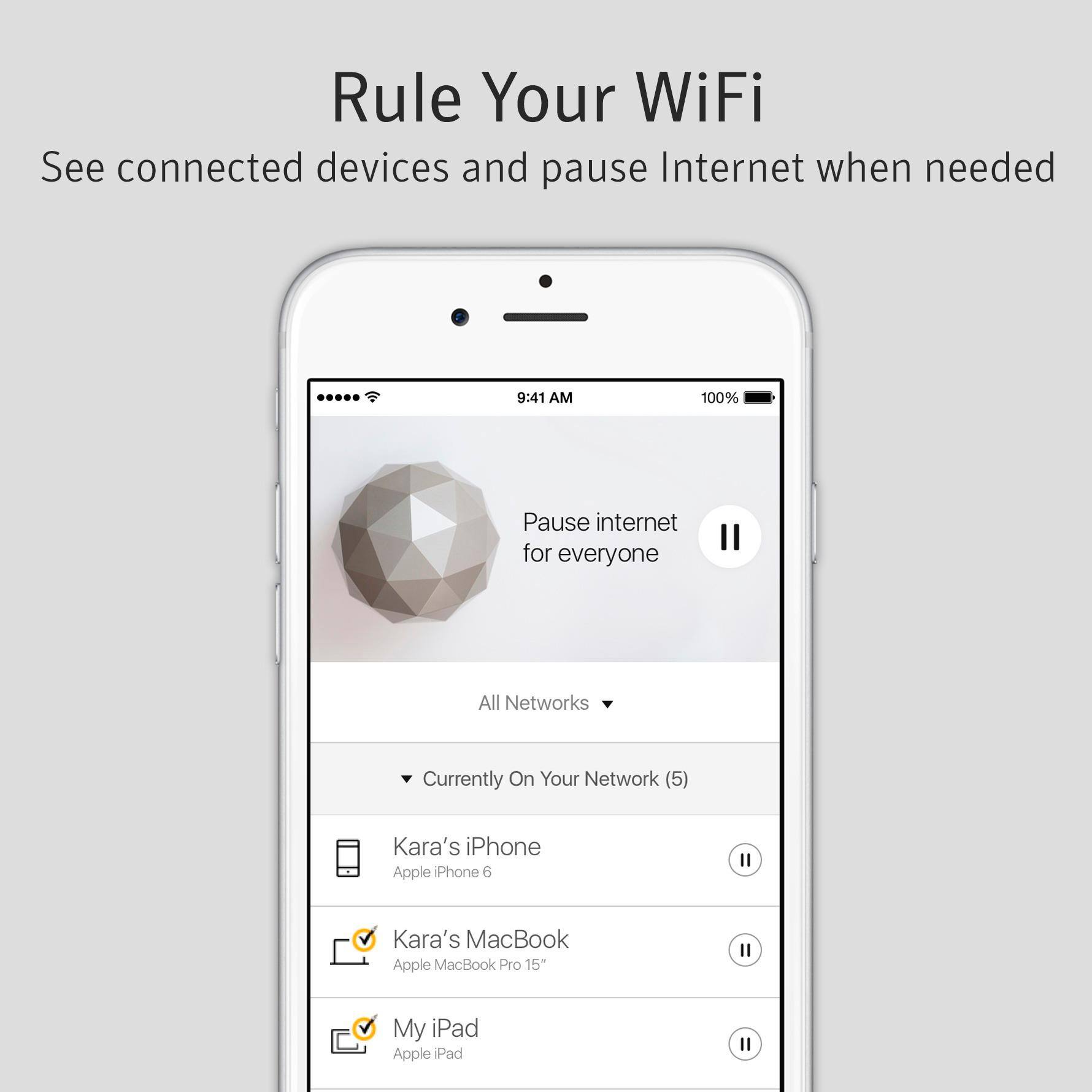
|Posted .This reviewer received promo considerations or sweepstakes entry for writing a review.The Norton Core WiFi router is designed to protect most of your network devices from outside threats, not just PC’s and Mac’s. The box (which is rather odd looking) is installed between your internal network and the internet. It replaces the functionality of whatever was doing DHCP, NAT, port forwarding, Although my DSL modems does have the ability to go into bypass or bridge mode, I was never able to get it to pass through the request for PPPoE credentials. I finally gave up and left things as double NATed. Another issue is that the IP Adress range that it uses to issue address from is not adjustable. It uses an entire Class B range, 172.16.x.x, with a subnet mask of 255.255.0.0. That is unusual in of itself, but the addresses it issues seemed rather random. I ran a network scan, and discovered that the Core appears to create a new virtual interface and assign an address of 172.16.x.1 and issues the address of 172.16.x 2 to any device. However, each device still gets the entire mask of 255.255.0.0. This is a configuration that I have never heard or seen before. It appears to work OK, however. The app used to manage the Core allows you to add people and add devices to them. You can pause the Internet for individual devices, all assigned to a particular person, or all devices. You can also set up blocking and time limit rules for the same groupings. After having this device installed for about a week, I have unfortunately uninstalled it. It was causing too many weird anomalies that I could not resolve without removing it. I am rating this as a 3 star, as I think it may work for many if not most people, but for at least my network, it caused more issues than it was worth.
I would recommend this to a friendBrand response from Symantec Product Expert
Posted .Hi JimS,
Thank you for posting your review. We appreciate you sharing your thoughts about Norton Core and I’m happy to hear that you are satisfied with the Parental and Security features offered.
As for the IP Addresses, Norton Core uses a unique IP address system which allows for better isolation of a device when any suspicious/malicious activity is detected. Norton Core has the last octet locked and set to .2 and the 3rd octet changes between 1-253. Once we get each device assigned to its own subnet, we can easily isolate it when any of those devices in your network is infected.
We would like to discuss the issues you’ve cited in your review with you and try to make it right. If you change your mind and would like to give Norton another try, please contact our Norton Core Support Team at 1-855-966-7866 and I'm confident that they'll do everything they can to fix this issue.
You can also contact our Norton Social Customer Care Team via direct/private message on Facebook (https://www.facebook.com/messages/t/Norton) or Twitter (https://twitter.com/NortonSupport) if you prefer, just remember to cite your review when doing so.
Thank you!
-The Norton Core Support team
- Pros mentioned:Security
Most interesting router ever
|Posted .This reviewer received promo considerations or sweepstakes entry for writing a review.This is by far the most interesting router I have ever seen! The range is fantastic and it looks like it's from the future. Of course the security is top notch, it has the best security features of any router I have ever used. Definitely a great addition to any house with internet of things devices since it protects those as well.
I would recommend this to a friend Excellent Holsitic Home Security Solution!!!
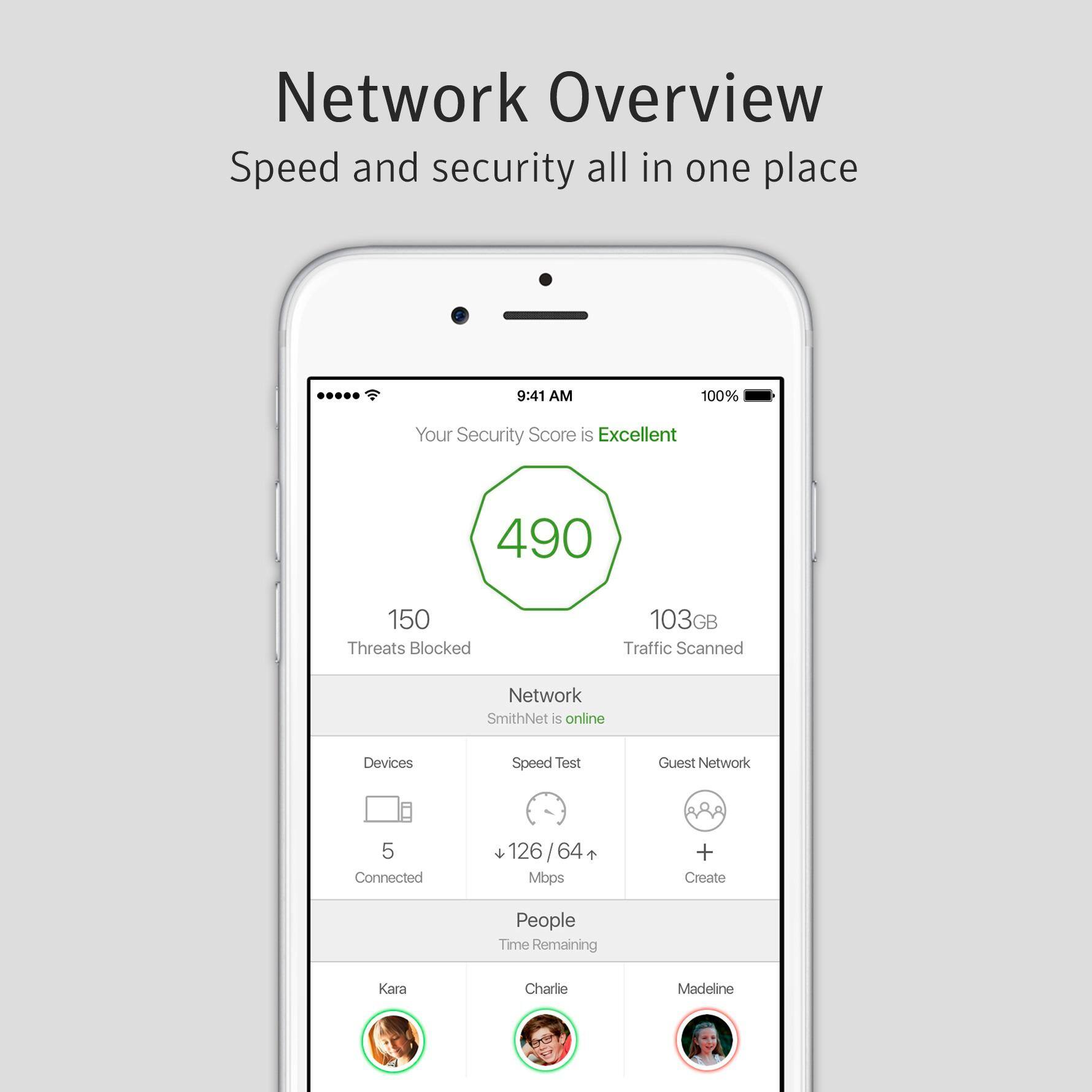
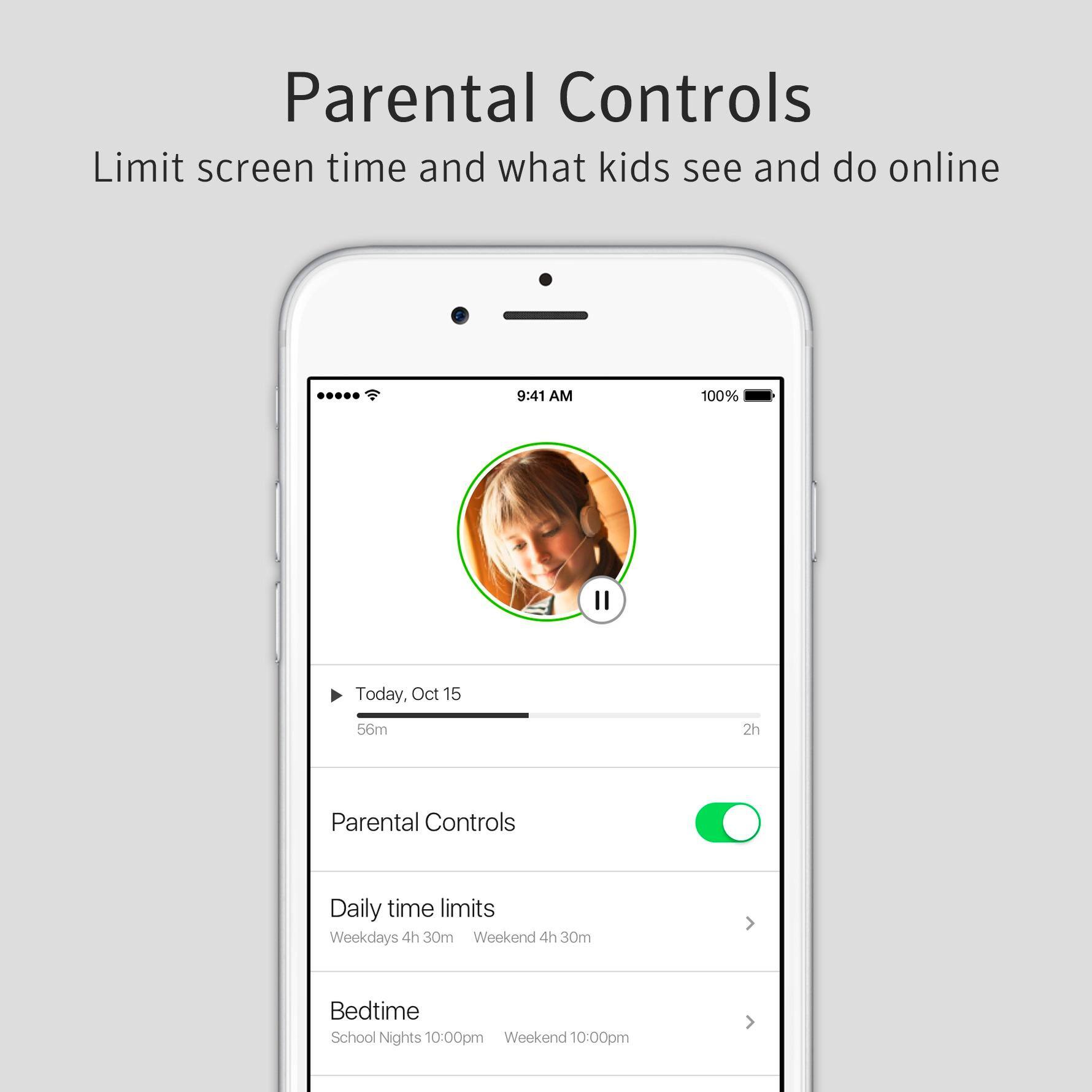
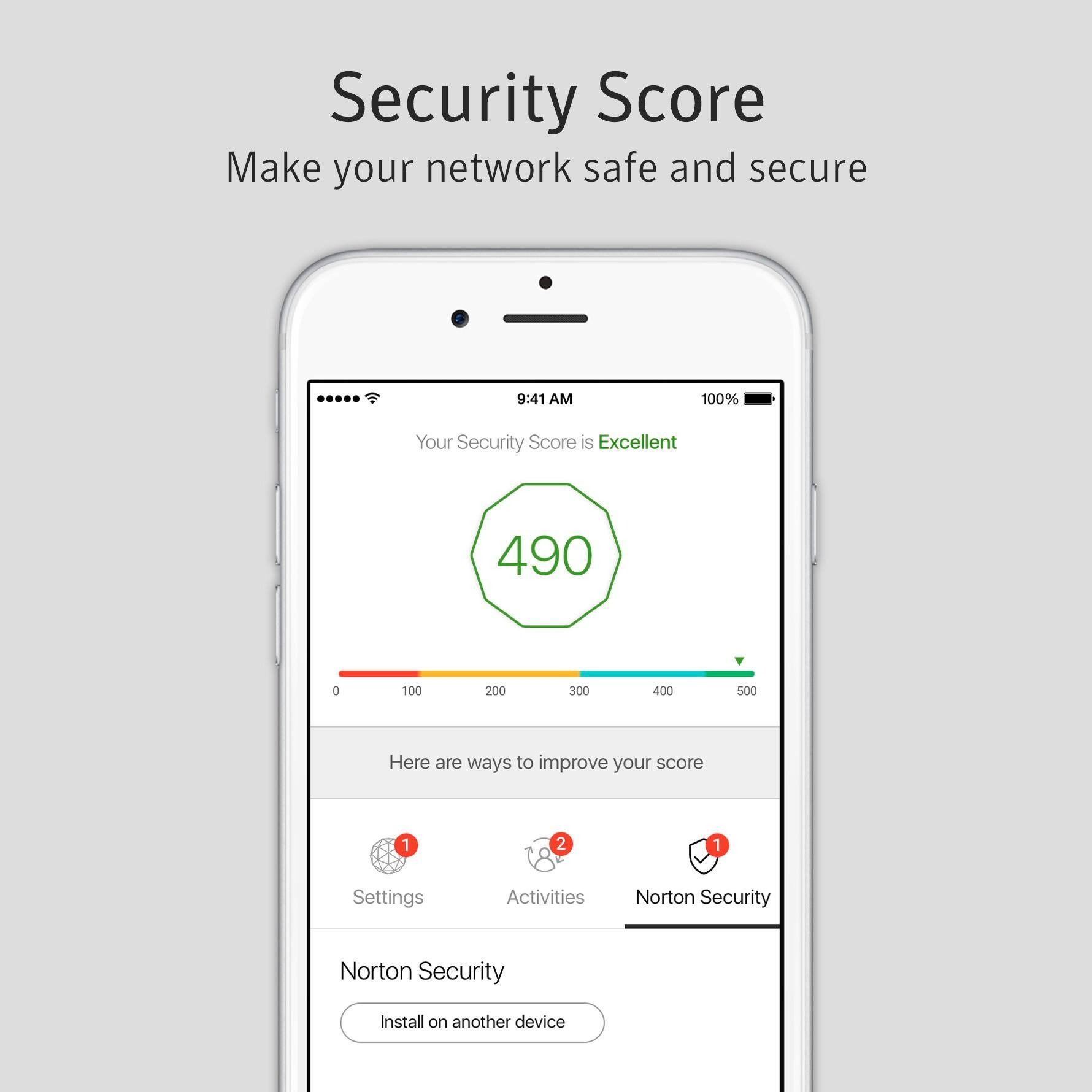
|Posted .This reviewer received promo considerations or sweepstakes entry for writing a review.I was considerably objective before installing and configuring all of my devices on my home network for the Norton Core. I have a NUMBER of PCs and mobile devices in my house (I'm currently protecting 2 Windows 10 Laptops, 3 Macbooks, 5 iPhones, 5 iPads, 1 iPod Touch and 1 Android phone.) - I've never really thought about anti-virus or intrusion protection for my devices beyond built-in services (I own and use most of the above regularly - 7 of the above are for ME or for work!) and my kids were practically in kiosk mode just to use their phones and tablets for basic web and video surfing with restrictions maxed out. But things are changing in my home - My oldest daugter is approaching her teens, and has her own cellular line now. My wife continues to want "just works" functionality, and didn't like the headache of WiFi coverage issues in our home, but also didn't like the Mesh network nodes everywhere. In addition, I see a growing need to provide additional parental controls NOW to my kids while they're young to set a precedent of management and use monitoring/limits for them as they get into the years where these devices could become a problem. Thats where Norton comes in with the Core and the included suite of products: Hardware/Router: At first it seems just like any other wifi device. And for the most part, the hardware is. The exception being that it is the FIRST device physically to cover my entire ~2500 sqft home with ONE DEVICE! I had resorted to a 4-node mesh network (one of the most popular) before this, and that offered decent coverage, but mesh networks still dont work well with things like video doorbells, certain wireless remotes and apps that depend on not being on a heavily segmented network - There's just too much going on behind the scenes in a mesh. This Core device covered the far reaches of my home well enough that I was still able to get my full Internet speed even at the furthest point. The other advantage over "Mesh" configs is that this device has an Ethernet switch integrated, so I can still hard-wire up to 3 Ethernet devices to the router without resorting to an external switch. This is old hat on traditional routers, but these modern devices seem to be eschewing wired ports which diminishes the experience for those of us running a home office with mini streaming servers, etc. that need the wired connection. My only complaint with the device as a router, is that configuration is AGAIN only available via a mobile app - I dont like having to dig out my phone to make a network change or review parental control content and Id love a web interface at least inside the network to do everything. Also, said mobile app is pretty limited when it comes to actual network configuration - You can do port forwarding, reserve static IPs, etc. but there's no way to specify your own IP range if you have a preference as to the appearance of your class C subnet (nerd stuff/neat freak stuff, I know - I just prefer a "10.0" range vs the one offered (at least its not a "192" address range!) Security Features/Management/Parental Controls: On top of the router itself, which does a phenominal job of managing traffic, and offering strong signal, the software suite included is phenomenal. Norton bundles the Core with 1 year of included Norton Security Plus (a specialized SKU it brands as "Norton Core Security Plus" which offers a special licensing model also - Unlimited devices (PCs, Macs, and mobile) under a single subscription. This makes sense for the modern home where devices are burgeioning with digitally native kids, etc. The software is the same on mobile devices as is offered from Norton normally, and the PC version seems to be largely the same (I'm not closely familiar with the non-Core-aligned offering.) - The Norton Anti-Virus and Intrusion protection has always worked well, but it seems to be seamless in Windows 10 - No noticeable additional CPU or networking overhead. Every device on the Core network will want to have this installed, and I had no trouble with my Macs, iOS devices, Windows 10 PCs, and an Android phone installing the core software and saw no performance impact from real use. The included Parental controls are two-stage as well - While most modern family-oriented home setups offer "bedtime" and "pause" controls for the network or device groups, Norton Core and the Core Security Suite let me configure the following: - House Rules for each age group/child - Web filtering/monitoring - Text Message monitoring (Android Only) - Time Limits - Scheduled downtime - Pause for users AND individual devices - Appropriate sites filtering by age group - Individual site blocking (useful for blocking Minecraft or YouTube on specific devices, for example) This is all accomplished on-router and in concert with the parental control abilities of the Norton Security Plus and Norton Family cloud products bundled with this service. This means that your child's phone or tablet is equally manageable when roaming on other WiFi and Cellular networks even when away from home. This is a key differentiator of the service and device. I didn't have any trouble installing the services, but it might be confusing for a non-IT person, as you need to install separate client apps for Norton Mobile and Norton family on each iOS/Android client, and separate Norton Security and Norton Family apps on desktop/notebook PCs. What's cool about the PC version is that you can specify management of each Windows user, so you can have a multi-user home PC or shared laptop that gets management for the kiddos, but Mom and Dad are free to be adults. The intrusion protection and packet inspection seems thorough, and you can specify more stringent packet inspection, which may result in speed impact, but I kept everything at the recommended levels and it dind't seem to affect performance at all. Speed tests and local responsiveness weren't noticeably impacted. The router configuration also protects Smart devices on your network as it analyses packet behavior for them, but you will want to turn off their "management" in the app, so as to increase your network security score, as you cannot install the software-side on IoT/Smart devices and the behavior analysis still happens. Additional thoughts: The router is an elegant looking device, and even comes with cord management for the power and ethernet cables that would come from it. I didn't do too much testing on the included 2 (yes, TWO) USB 3.0 ports on the router, but when I connected a Thumb Drive or External HDD sharing was a breeze and performance was great! If this router supported iTunes sharing, we would be selling a home server! :) All of this is free for the first year, but also WELL worth the ~$10/month thereafter. I'll be keeping this as my new home network and paying for parental controls as my kids grow... And as my home network becomes more and more complex. I'm still surprised at everything this thing can handle! I will be recommending this thing to anyone looking to get the most out of their home network and home security investments!
I would recommend this to a friend- Pros mentioned:Ease of use
Set it and Forget
|Posted .This reviewer received promo considerations or sweepstakes entry for writing a review.It was simple to setup, looks really nice and just works. I'm not going to pretend I know exactly how it does it's thing, but I enjoy the control over my network and streamlining my 2.5Ghz and 5Ghz connections.
I would recommend this to a friend - Pros mentioned:Design, Security
great design good router little slow
|Posted .This reviewer received promo considerations or sweepstakes entry for writing a review.This was easy to set up and get going did notice a bit of drop in my speed might tinker with the settings a bit more. great security. design was neat.
I would recommend this to a friend - Pros mentioned:Ease of use
Easy to set up and reduce stress
|Posted .This reviewer received promo considerations or sweepstakes entry for writing a review.The Norton Core Secure Wi-Fi Router is really easy to set up and I love knowing that I am doing everything I can to protect our devices. I also love that the Norton Core does not have to sit on your desk. You can place it in an unobstructed spot and get great network and device security.
I would recommend this to a friend Erratic WiFi performance, frequently needs restart
Posted .This reviewer received promo considerations or sweepstakes entry for writing a review.I am a long time Norton/Symantec fan, having used their virus/internet protection software for many years. I pre-ordered this and was excited to be able to protect the various smart devices in my home, in addition to my computers. Initial set up was great, very easy with the app and no problems at all. It initially worked well with better range than my previous router, and I would have given it 5 stars. However, more recently, our WiFi network does not consistently work well. Often, we are unable to load websites, though we do not get any sort of error message (they just hang up trying to load the site). After restarting the router, it usually improves again for a while. However, we are now at the point that we are restarting this at least once a day, sometimes more than that, in order to get our WiFi network to work. It has become very frustrating. We have the latest firmware update on the router, and we have the latest iOs app on our phones, so that is not the problem. I have also experimented with turning off network inspection to see if that is the issue (which is suggested in some Norton responses). That usually does not help either. So I don't know what else to do with this. If they could fix this problem, I would improve the rating and recommend it, but as of now, I definitely cannot recommend this.
No, I would not recommend this to a friendBrand response from Symantec Product Expert
Posted .Hi MJC712,
Thank you for your feedback! We apologize for the connection issues you’re facing with the Norton Core. This might be a DNS issue. To see if this is indeed a DNS issue, we would like you to try changing your DNS setting to use your ISP’s DNS, Google DNS or Neustar Advantage. To do so, Open the Norton Core App tap on Settings > Network > DNS. Under DNS Provider, select one of the following: ISP's DNS or Google DNS or Neustar Advantage.
If this doesn’t work, please call our Norton Core Support Team at 1-855-966-7866, and reference this review, and we will get this issue taken care of for you
You can also reach out to our Norton Social Customer Care Team via direct/private message on Facebook (https://www.facebook.com/messages/t/Norton) or Twitter (https://twitter.com/NortonSupport).
Hope to hear from you soon!
-The Norton Core Support Team
- Pros mentioned:Security
Powerful Router with Style
|Posted .This reviewer received promo considerations or sweepstakes entry for writing a review.Ever since using the Norton Core router, our internet connection has become more reliable, fast, and consistent. It's provided great security for all our devices too. It prompts when we're being directed to a suspicious site and blocks malicious sites too.
I would recommend this to a friend Beautiful Looking Normal Router
|Posted .This reviewer received promo considerations or sweepstakes entry for writing a review.As a gamer (DOTA 2 !), consistent internet performance is imperative for me and therefore I choose my routers very carefully. The Norton Core is an excellent router but the main selling point of the router are the added security services which cost money after one year. Therefore it comes down to be a normal router if you dont buy the extra services and to be honest you can get the same internet services with a router less than this. So the bottom line is, it is a very good router with good and consistent performance but if you are not looking into getting this for the security features than I suggest that you get a normal router.
I would recommend this to a friend- Pros mentioned:Security
Great router!
|Posted .This reviewer received promo considerations or sweepstakes entry for writing a review.I have used other brand of routers, including the now popular mesh system. I like this one a lot - it has provided a consistent connection and my online gaming has been great. The added security features are incredible as well (especially in our current world). To top it all off, the router just looks cool - very cool looking product. I would definitely buy another.
I would recommend this to a friend - Pros mentioned:SecurityCons mentioned:Ethernet ports
USB Storage not supported & spotty connection
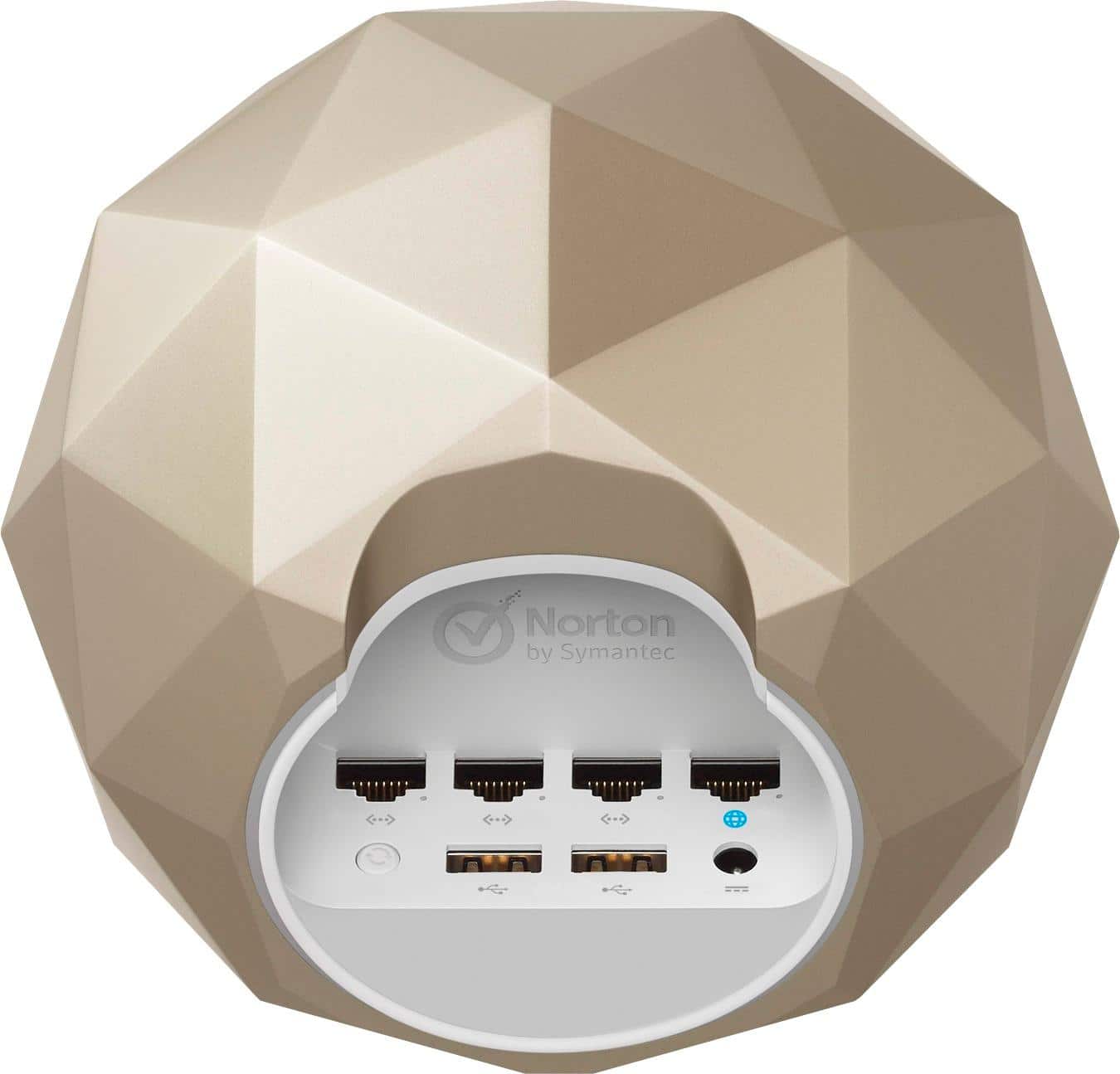
Posted .This reviewer received promo considerations or sweepstakes entry for writing a review.to start; Pros 1-the looks of this thing had me sold 2- The security features a great idea Neutral; 1- After the initial period $$ for continued protection Negative; 1- does not support USB Storage (cannot map drive) 2- gets hot stops working 3- long waits phone for tech support 4- ethernet plugs not the easiest to plug in (design) 5- only works through cell phone no computer interface, if there are issues with the setup it cannot be diagnosed and corrected. 6-Too sensitive 7-Overseas tech support
No, I would not recommend this to a friend Nice Router, a bit pricey
|Posted .This reviewer received promo considerations or sweepstakes entry for writing a review.Simple setup and streamlined app. Traffic monitoring to detect malicious activity. Extends protection to IoT and other smart devices. Unlimited device licenses for antivirus software included. Parental controls. Average router performance. No venting. Lacks VPN functionality. Best features require monthly subscription fee after the first year. I did have a few issues with streaming 4K content and Gaming, but overall wasn't that big of an issue
I would recommend this to a friendBrand response from Symantec Product Expert
Posted .Hi Nismo456,
While we are happy to hear that you love the parental controls and you are pleased with the protection features offered with Norton Core, I want to apologize for the performance issues experienced while streaming content and gaming.
If the issues were due to the slower speed test results. The method that most Speed Test sites use to calculate your speed, it may return a result that is lower than the actual speed you are getting on your router. We are looking to improve this compatibility with speed test sites, while still maintaining the level of security expected from Norton Core. This is one of the reasons we include a speed test/monitor within the Norton Core mobile app.
However, if your performance issues were due to network slowdown that you witnessed with your connected devices, we would love to gather more information on this to research it. If you’d be willing to provide some additional feedback please reach out via private/direct message on Facebook (https://www.facebook.com/messages/t/Norton) or Twitter (https://twitter.com/NortonSupport), just remember to site your review for reference.
If at any time you need additional support with Norton Core please feel free to call us at 1-855-966-7866 and we will be happy to assist.
Thank You!
-The Norton Core Support Team
- Cons mentioned:Ethernet ports
Poor Design
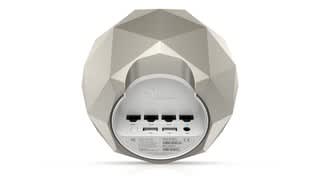
Posted .This reviewer received promo considerations or sweepstakes entry for writing a review.Connecting to my home network switch via the three remaining ports on the back, underside of the Norton Core was impossible at worst and difficult at best. The scallop shaped cutout does not allow sufficient room to bend standard cat 5e or cat 6 Ethernet cables. A Norton Core marketing/security feature is the ability to set-up and control the Core via smart-phone however, connection to the Norton Core router via smart-phone is useless if you don't have three bars consistently. I was unable to complete the set-up process because I don't have consistent wireless connection at my home location and the Norton Core has no provisions for connecting to the router control panel via http gateway IP address.
No, I would not recommend this to a friendBrand response from Symantec Product Expert
Posted .We appreciate the candid feedback and apologize for any inconvenience you had setting up your Norton Core. I’ll be sure to pass your feedback along to our development team about considering adding this function to our future updates. Norton Core doesn’t have a Web UI to manage its settings. We chose not to support this method as some web browsers have potential security vulnerabilities. Smartphones make the process easier, plus it allows users to manage their network from anywhere. The app does, however, require a good internet connection to your Core and your Norton account during the initial setup process.
If there’s anything else you’d like to know about Norton Core, please don’t hesitate to call our Norton Core Support Team at 1-855-966-7866 at your convenience and we’ll be happy to assist. If you prefer a social media platform you can reach out to us via private/direct message on Facebook (https://www.facebook.com/messages/t/Norton) or Twitter (https://twitter.com/NortonSupport). We look forward to speaking with you.
- Pros mentioned:SetupCons mentioned:Ethernet ports
Cool Idea...Bad service
Posted .This reviewer received promo considerations or sweepstakes entry for writing a review.Where to start with this product. The overall look of the product is actually really cool. It looks like something from disney and actually is quite small compared to other routers which i like. The ports on the bottom/back are somewhat obnoxious for someone with larger hands and make plugging in ports a little bit of a pain. Going on to the setup, the setup is super easy to get it going out of the box through the application. It should be noted that the management of the router is completely done through the mobile app and there is no web interface that you can access from a computer. The app is easy to navigate for the most part and any beginning user can figure out how to do things through a few minutes of playing. Now...going on to the issue...the support that is received after purchase if there is an issue is horrendous. I have an issue where a device in my house is using exorbitant amounts of data. When i went to check the app to find out which device it was, i received a message that i had to renew my subscription even though i just purchased the device. i chatted with norton who advised it was a bug and that it would take 48 hours to resolve. after 48 hours the issue was not resolved so i tried calling them to which i was hung up on twice by the IVR or agent. I chatted with the company again and was told that it would take another 48 hours. This issue with not being able to identify a device creates a network security issue as well as the service i received is why i would not / will not recommend this product. Buyer beware
No, I would not recommend this to a friendBrand response from Symantec Product Expert
Posted .Hi Cerberus,
Thank you for taking the time to leave us this review and give us your feedback! We appreciate you sharing your thoughts about Norton Core and we are happy to hear that you are satisfied with the set-up process and the Norton Core app.
However, we're sorry to hear about the issues you had with Norton Core and that our support team wasn’t very helpful when you called. We want you to know that we expect our agents to do everything they can to fix issues and provide a replacement if needed.
We want you to know that we were able to locate the case number for the interaction you had with our support team, and we're going to have our escalations team reach out to you. I'm confident that they'll do everything they can to fix this issue.
If there’s a specific time you’d like us to call, please reach out to us on Facebook (https://www.facebook.com/messages/t/Norton) or Twitter (https://twitter.com/NortonSupport), make sure to reference this review and we’ll do what we can to accommodate.
We hope to hear from you soon!
-The Norton Core Support Team
GRANITE IS THE COLOR OF SECURITY
|Posted .This reviewer received promo considerations or sweepstakes entry for writing a review.With kids and their friends constantly bringing devices into our home, it’s nice to be able to monitor what is coming online and to be able to protect against malware. I can create secure guest networks easily. As the owner, I can set a time limit and when the time is up, I can simply extend access or let the guest network disappear.
I would recommend this to a friend- Pros mentioned:Ease of use
Norton Core Has Issues with Gaming
Posted .This reviewer received promo considerations or sweepstakes entry for writing a review.Have had this product for about 2 weeks and was easy to setup. The Norton Core has issues with running some gaming programs. Get ping spikes every few minutes and rubberbanding issues.Others have had this issue as discussed in the Norton Community. Great product concept but needs some work. Have had to shutdown the unit til Norton fixes the issues.
No, I would not recommend this to a friendBrand response from Symantec Product Expert
Posted .We are sorry to hear about the lag issues caused to your gaming devices due to Norton Core and it is not the kind of experience we would like our customers to have. We have shared your feedback to our teams and they are already working on the same. But, we would like to collect more information about your concern and investigate more about the same.
You can reach out to our support here 1-855-966-7866 if you have any further feedback or queries. Alternatively, you can send us a Direct Message in Twitter: https://twitter.com/NortonSupport or a Private message in Facebook: https://www.facebook.com/messages/t/Norton.
Have to reset multiple times per week
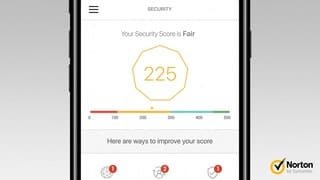
Posted .This reviewer received promo considerations or sweepstakes entry for writing a review.I love the look. From day one when I set this up my security score has been in the low 200's. I called the help line to talk about the continual error messages I receive on the app. One being my password is too weak (even though I've included all special characters, length and numbers, etc.) Second: that they detect another network. I cannot make my router a bridge so I turned off all wifi as they suggested. So I'm meeting requirements but continue to have this low security score. While taking to a help desk member he told me there was a flaw in the app and a new version will correct these things. Still now almost three months I still have the same issues plus now my internet hangs up and I have to turn it off and restart it to clear it up. Not to mention I had to restart my wifi on my router to run my xbox one because I was constantly being kicked off the game server (which was the cores problem) since I've had no issues now that it's back on my internet providers wifi. I asked to be contacted about this and I'm still waiting to hear from Norton... I would like to get this resolved because I have other devices that require a connection to the internet to function. I cannot have my internet clogging up and needing to be reset all the time. If this can't be fixed I want to return it for a refund and I'll buy something else more reliable.
No, I would not recommend this to a friendBrand response from Symantec Product Expert
Posted .Thank you for posting your review. I would like to apologize for the frustration that may have been caused in configuring the Norton Core and the connectivity issues you’ve been facing. The Norton Core team has released an update that should help with the gaming issues you’re currently experiencing. Please make sure that you have the latest versions of the Norton Core firmware (171009_193) and the Norton Core app (1.20.2). To find/update the firmware please go to Settings>About>Firmware version, to update the mobile app you’ll need to launch the Google Play or iTunes store and update the app if available.
We want you to have a positive experience with the Norton Core router, if you need any additional assistance, please contact our Norton Core Support Team at 1-855-966-7866 at your convenience. You can also contact our Norton Social Customer Care Team via direct/private message on Facebook (https://www.facebook.com/messages/t/Norton) or Twitter (https://twitter.com/NortonSupport).