Customer Ratings & Reviews
- Model:
- 725-100
- SKU:
- 6346750
Rating by feature
- Value
Rating 3.1 out of 5 stars
- Quality
Rating 3.8 out of 5 stars
- Ease of Use
Rating 3.7 out of 5 stars
Customers are saying
Customers express satisfaction with the 4G LTE Smart Dash Cam's video quality and ease of use, praising its simple installation and the helpful LTE connectivity. However, some users point out weaknesses in the night vision capabilities and battery life. Concerns were also raised regarding the cost and value of the required subscription service.
This summary was generated by AI based on customer reviews.
- Pros mentioned:Gps

iPhone-level Picture Quality and Notifications
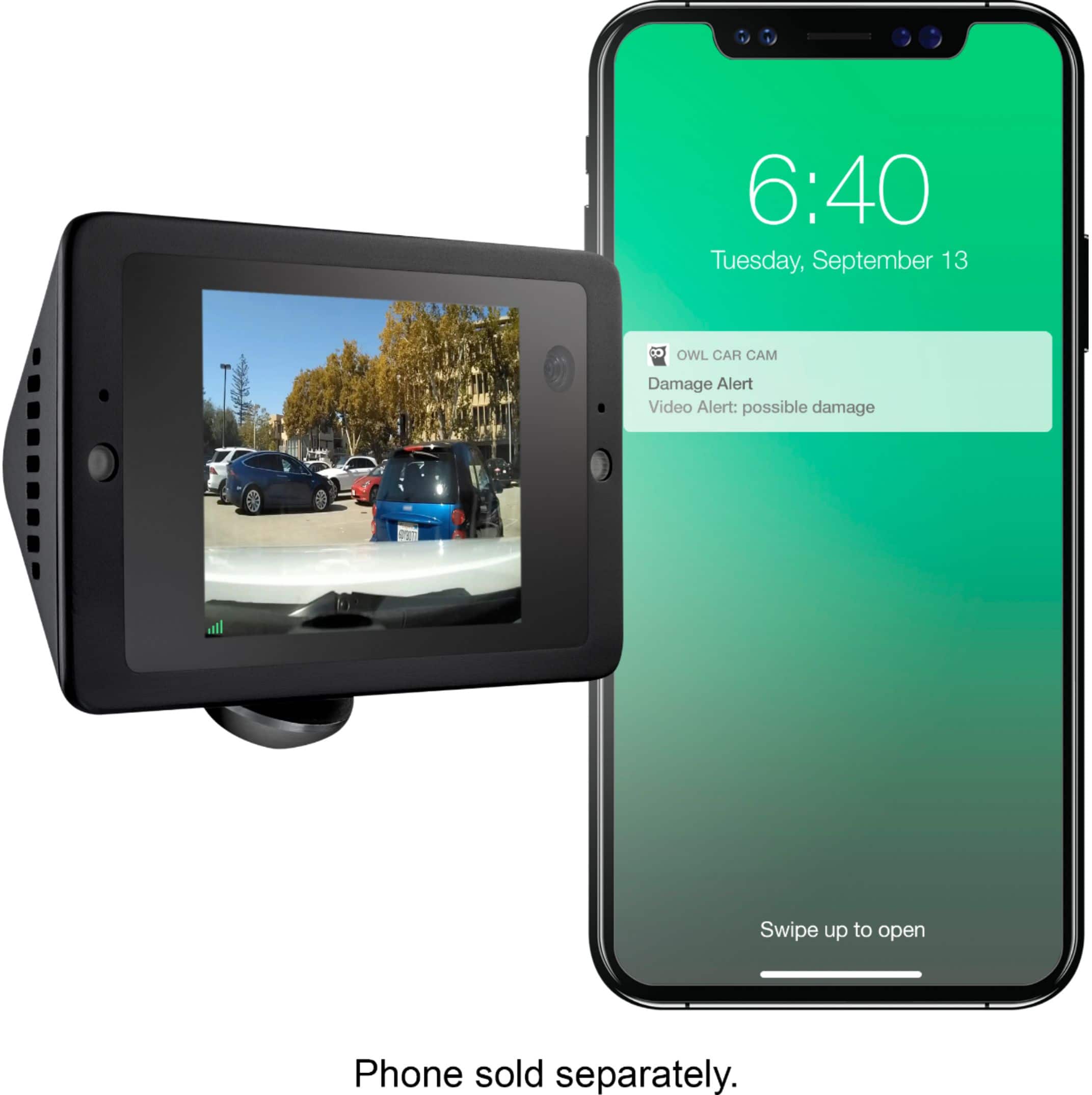
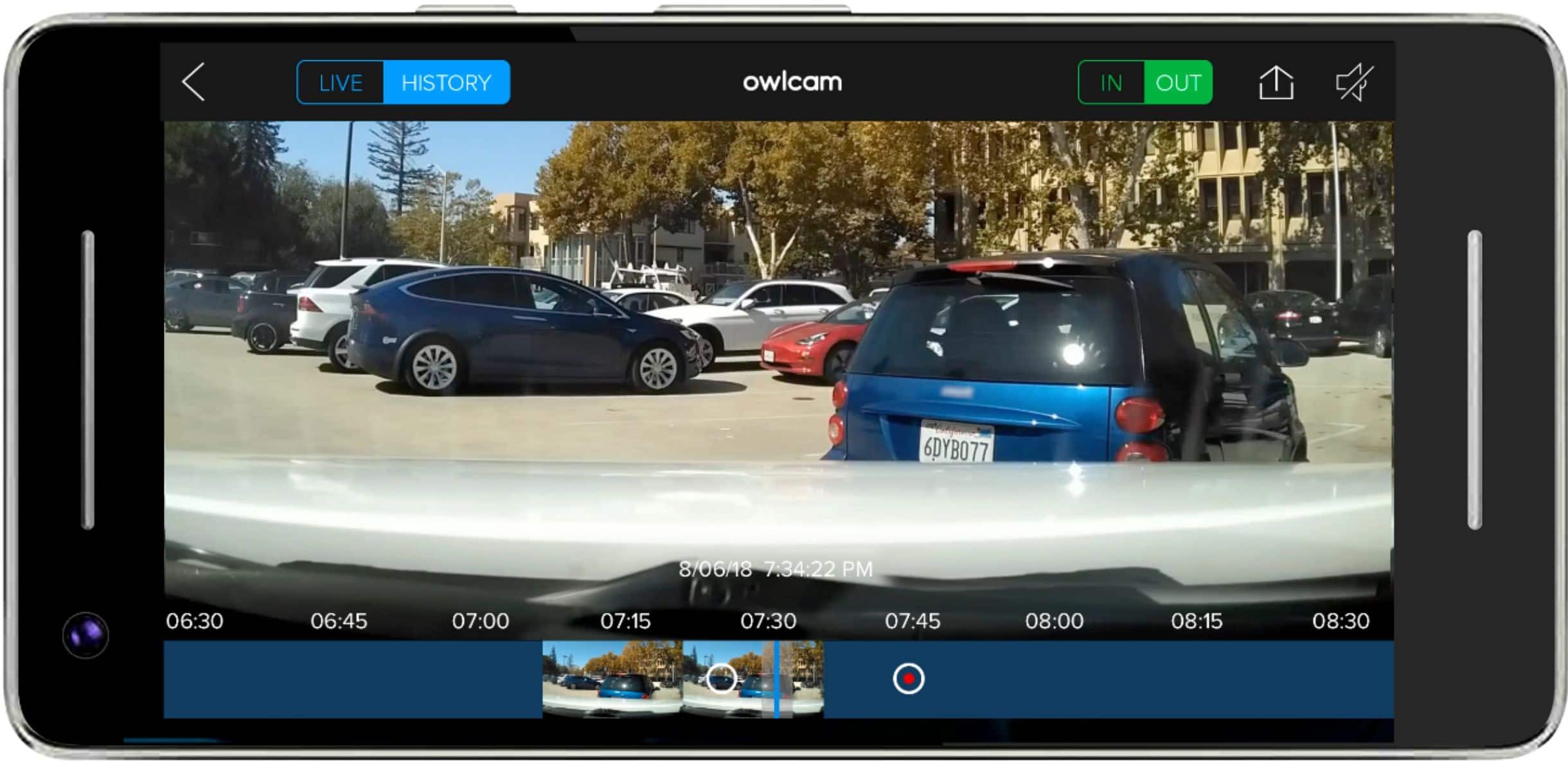
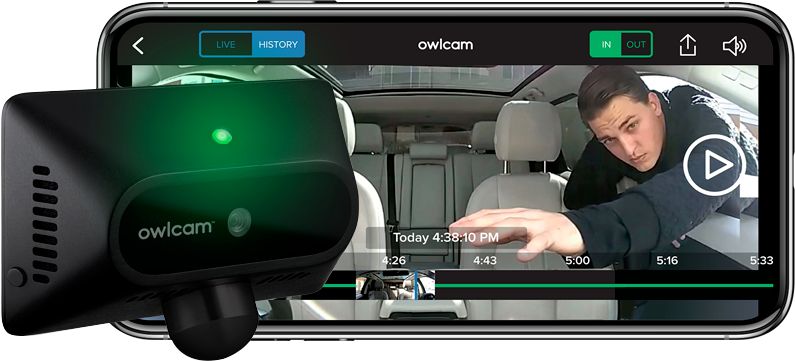
|Posted .This reviewer received promo considerations or sweepstakes entry for writing a review.I have never had a dashcam before and jumped at the opportunity to test one. The Owlcam 4G LTE Smart Dash Cam does not disappoint in terms of setup, style, and being the ever-present watcher over a vehicle! For me, actually setting the device up would have been a lot easier if I had followed the directions from the bracket backwards (which I technically did, but not quite the way you're supposed to). What's really nice about this camera is that it's very low-profile (staying out of the driver's field of view) while still being solidly placed at the bottom of the windshield and basically dashboard-level. How you're really supposed to set up the device is by taking the shortest of the three brackets first (as recommended) and then putting the little plastic ball that's attached to what looks like a USB-C-style cable into the bracket and then tracing the cable over to your ODB-2 port in the vehicle. Then, after setting the device up electronically, you're supposed to tuck the cord out of site. Instead, I tucked the cord out of site and then continued setting up the device. And honestly, that was a great experience, as the wiring is thin enough to be placed in the tight crevice of the dashboard to the car, and the tool that's used is enough of a wedge to make this happen without destroying the cord. Plus I liked the fact that the Owlcam device itself sits in a 360o-rotating magnetic socket, so it's forever easy to adjust depending on what field of view you want for the cameras. Once things were physically in place, it was then time to turn the Owlcam itself on. It expectedly went through a boot up phase and after I downloaded the iOS app, the QR code seamlessly paired the device to my phone. Also, after everything was set up, we used the Family feature and I was able to get my wife shared on the same camera. For that, a word of advice is to go ahead and physically download the iOS app *first*, and then send the text invite from within the app to the invited person. That way, they automagically become a part of the Family. As far as notifications are concerned, merely opening and closing the driver's door is enough "bounce" to where Owlcam sends a notification to our phones (it's supposed to pick up bounces or glass breakages (we weren't testing that!) to signify the car either getting into an accident or someone trying to get in), and those duly worked. Picture quality is, again, at a latest iPhone level, whether that's inside or out, so no complaints there. GPS is also at the same level of service. For Live viewing, zero issues here -- the Owlcam seamlessly showed either front or rear live video when parked or when travelling, though the device will block you from viewing the camera if that camera is tied to the present driver (for security purposes). When you buy the device, they provide a year's worth of Live Viewing/911 credits (currently 60 minutes/month with an option to buy an additional hour for $4.99). After that year, they charge $9.99/month or $99/year to keep the same service. For Live viewing, this eats into the credits, but the notifications are free (they send a snapshot of what's going on when the notification was captured). Probably the best part of the device is when you say, "OK, Presto" to take a video of what just occurred. It appears that while the camera seems to always "record," this command does allow for some "pre" video to occur so that if you see that animal just dart across the street, this command allows you to capture the entire situation. One great way to view history on the camera without eating into your time is by connecting directly via its own wireless access point (it provides its own wifi network). This allows you to view pretty much anything on the camera without taking your LTE time. We'll definitely continue using this camera especially when going on vacation. So far, highly recommended!
I would recommend this to a friend Great Dash Cam some minor complaints.
|Posted .This reviewer received promo considerations or sweepstakes entry for writing a review.Overall as a dash cam I have to say that the installation and use of this unit is one of the easiest I have ever dealt with. The mounting mechanism they use is a stroke of genius and its easy to install. Be warned though that if you are using another device that uses your OBDII port you will have to choose between that device and this one as this camera is powered with an OBDII connector. Setup once installed for the app was super easy as well. Just show the app (with the camera on your phone) the QR code and it pairs and sets everything up, quick and easy. This leads into one of my few complaints. Because this camera is intended to be LTE almost everything in the app requires cell service for both your phone and the Camera. That in itself is not a huge issue, the real issue is that most of those "services" such as live playback or even playing clips over the LTE connection cost tokens. You get 60 a month and its 1 per minute or action which if you want to utilize all of the features of this camera could run out fairly quickly. If you run out then you have to purchase more. I understand that they want to limit the amount of data your pulling over the connection they are paying for but at the same time when there is already a premium on the device that you purchase its kind of a let down overall. You can direct connect to the device via your phones WiFi but this method at least for me has seemed to be kind of flaky at times. I'm sure this is something that could be improved in the future it is just a little clunky at times for me. My other complaint is that the device gets warm very quickly in warm climates which for the most part is OK because it has a fan. But on more than one occasion I have gotten into my car and the device has been unable to record because it says it is too hot. So before it will operate properly the car has to cool down. This may be an issue if your vehicle does not have air conditioning as i'm not sure how well it would cool down to operating temp in that kind of environment. It seems to me a device that is intended to be left in your car window would better be able to handle the heat. Or the fan that they use needs to be improved so that this type of sitting in the car while its off thing does not impede its ability to work in summer time.
No, I would not recommend this to a friend- Pros mentioned:Gps
Good
|Posted .This reviewer received promo considerations or sweepstakes entry for writing a review.Nice security camera. More than just a dashcam it also provides security when your car is parked and emergency assistance in case of an accident. Also gps to locate the camera (assuming it's still got power I presume). Sends alerts to your smartphone with the app. Sounds great if you have kids who borrow your car sometimes and you want them to be more safe. You can add their phones too, I think up to 5 phones. If you want to check the specs go to their website at owlcam.com. They also have a 24/7 support line if you have questions. Only complaints: subscription required for 4G LTE support after the first year. Not surprising though as most 4G devices require this. Also the first year appears to not be truly unlimited but for 60 credits a month. But you can use a lot of it's functions without using the 4G. Plus it still works as a dashcam without the 4G service. The subscription is currently 9.99 per month or 99.99 per year, not unreasonable. Also I wish it had support for usb power besides the obd connection. I would like to play with it in my house rather than my car to learn and set it up especially when it's 90+ degrees outside. The camera appears to use a standard usb-c connector but I tried two of mine and they won't quite fit. But for full functionality it likely needs obd. If you have a nice car and/or want some extra protection this is a good choice.
I would recommend this to a friend - Cons mentioned:Subscription
Worst Sham
Posted .This reviewer received promo considerations or sweepstakes entry for writing a review.Worst since bought out. New app doesn't work and they don’t make the cameras any more. It’s just customer “support” by email only. Not by chat or phone! Total sham company. Don't buy it. The required subscription is expensive and worthless.
No, I would not recommend this to a friend MORE THAN JUST A DASH CAM
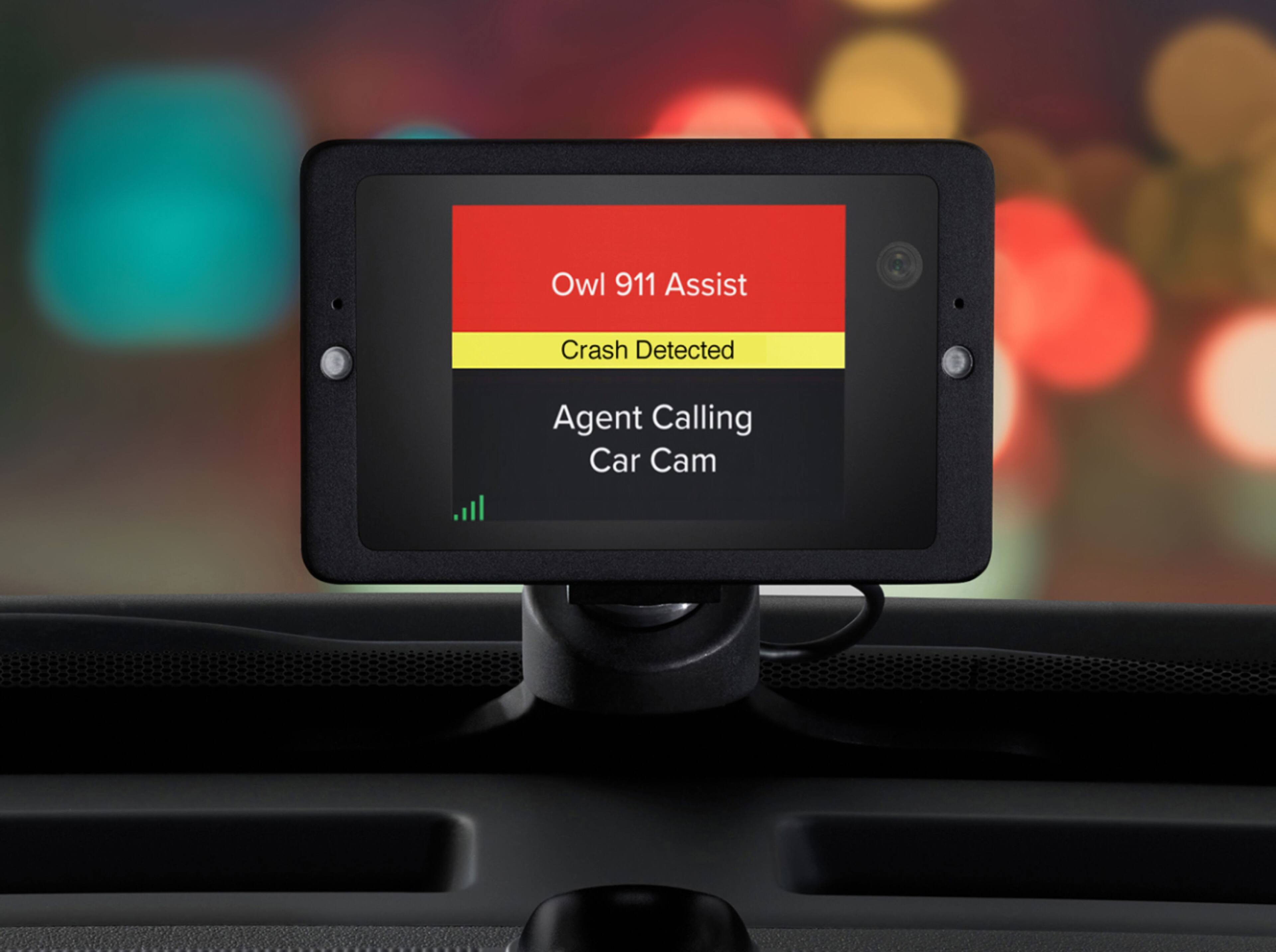
|Posted .This reviewer received promo considerations or sweepstakes entry for writing a review.First off, the packaging is very attractive and sturdy. There should be no concern by anyone buying the OWLCAM that the product would have been damaged in shipment! Inside the box, all items are neatly organized. Instructions are easy to understand with nice graphics. The video screen itself is small (maybe 2" x 4") and quite heavy for its size. What I don't like about the product .... The OBD cable has to connect under the dash and then run up the left side of my dashboard and then across the dash (between the windshield & dash) to then connect to the video screen. The base stand for the video screen sits rather high on my dash and 3 other stand attachments are included to make the screen sit even higher on my dash ... a no, no in AZ. The OWLCAM has some really nice features that interact with your Android smart phone ... you can send video clips from the device to your phone ... there's a crash assistant ... has a security feature for your car, so if someone attempts to break in the system notifies you. Personally, I don't think I'll use it very much. There are so many things going on while driving, having one more device to distract you probably isn't very wise. OVERALL, very nice product, well-made, and easily installed.
I would recommend this to a friend- Pros mentioned:Ease of use
The Owlcam sees all!
Posted .This reviewer received promo considerations or sweepstakes entry for writing a review.I've had the Owlcam for about 6 months now, after purchasing it from their website (previously the only place you could buy it). I was immediately impressed by the build quality and ease-of-installation. I had tried other so-called "smart connected cameras" and they all failed at the basics. This camera lets you peek into your car any time you are aware from it with a live 4G LTE connection. It's a calming security blanket to have if you're parked at the airport for an extended period or just stopping off for a night in the city. I love that it plugs into your car's ODB-II port to draw power, making it SO easy to hide the cable along the windshield. It doesn't take up any USB ports in your car, leaving those for things like your phone. It's just ALWAYS there for you. If you spot something odd in front of you, or even an accident, you'll have an eye witness that remembers everything. A quick shout of "OK Presto" saves your video and downloads it to the app on your phone. I haven't used the new 911 features, but if they're as easy as the video features, I'm sure it's an excellent addition. The Owlcam support team has always been quick to respond with helpful information and to answer any questions. Let's face it, if you're in a crash, you're not going to remember every detail. Owlcam is there to protect you with video evidence of EXACTLY what happened. Especially when the other driver might try to change the narrative. I think Insurance Companies should offer discounts for this kind of in-car camera. You owe it to yourself to pick up an Owlcam as soon as you can! Protect yourself and your family.
I would recommend this to a friend not just your average dash cam
|Posted .This reviewer received promo considerations or sweepstakes entry for writing a review.I own a GPS/dash cam combination unit. That was mostly a nice GPS that had an added function of a dash cam to record when it was powered on. The Owlcam is designed as a dash cam that is on and remains powered and functional even when the car is off. I was impressed enough with the Owlcam that I bought one to give as a gift, as well. What I like: -the 4G LTE connectivity that allows me to remotely view the inside or outside of the vehicle from wherever I am. -the fact that the camera views and records inside the car as well as outside, but allows me to turn the inside viewing off -the fact that there are lights that illuminate automatically on activation to allow better visualization of an event occurring inside of the car - the sleek design that allows me to keep the window mounted GPS/dash cam in place and use the Owlcam as well without obstructing the view of either device - being able to save a clip by voice command, unlike the GPS/dash cam that required touch screen operation to save a clip - the good quality of the video - 911 assist - you can choose about what to be notified (ie, turn off being notified that you're getting in to your own vehicle) - The sensitivity of the feature to detect bumps appears to be good from me shaking or jarring the car a little. - the cooling fan does seem a little loud, but I will say that only one time did the unit not function for a very short time due to heat. This is in the southeast USA in the summer where it gets quite hot in the car. I'm impressed that it's not happened more. - easy set up - the suction holds. Wow. My GPS/dash cam suction cup gets dried out when it's hot and has detached a few times. only once with Owlcam, and that's pretty impressive. things that I'd like to see improved in future editions: - capability to turn off the green flashing light that could draw unwanted attention to the device - having the included "units" roll over each month, and not just roll over units for purchased units - It's misleading to imply that a unit is basically equivalent to a minute. In fact, a second up to 60 seconds is a unit. If you do live view for 5 seconds and do it 10 times (ie, 50 seconds), it will use up 10 units whereas if a unit and minute were basically the same, it should be 1 unit. - It would be nice to have a Bluetooth connection between the Owlcam and phone or hotspot. If there is one, I don't see it. Maybe that would allow OK presto clips to be made without using up a unit. - How to use features such as two way transmission from the phone to the Owlcam are not easily noted on the handy "getting started" card. I had to search the website to find out how to do it. It seemed to me that more information could have been on the introduction card (such as the on/off switch) - It would be nice to have GPS and speed information embedded in the video. - night vision video would be nice. In the dark, the inside camera doesn't really pick up much at all.
I would recommend this to a friend- Pros mentioned:Video quality
Great dashcam!
|Posted .This reviewer received promo considerations or sweepstakes entry for writing a review.When I opened this box up it was so well laid out that you really didn't need to really read the directions to get it up and installed. In the car it took a little time to adjust but nothing to out of the norm for installing something that has to fit in the front window. One issue I saw with the connection is if you use a insurance company that uses the same plug to analyze your driving you will have to figure how to get around that. This unit ties to one phone so if you think you can trade this with another vehicle it will not function unless we didn't see that feature. The video quality is great and it is fairly accurate if you have an event that triggers the camera to record. I would buy another one for another vehicle.
I would recommend this to a friend It was great, until it stopped working
Posted .This reviewer received promo considerations or sweepstakes entry for writing a review.I really LOVED this dash cam. Easy to set up and use. Everything was as advertised. I was able to monitor my dog in the car while I ran into a store or for a pit-stop. After about a year, it got wonky. "OK PRESTO" stopped working. I realized my subscription had ended, so I reinstated it. But, it still didn't work. I mean, I could check in on the camera via the app - but IT WAS NOT RECORDING ANYTHING. OK Presto said it took the shot, but I was unable to find it in the app. After about 2 weeks of troublshooting with owlcam support, they had me send the cam back to them to evaluate. They said they could not fix it, and it was out of warranty. They would not replace it, nor would they offer me a new one at a discount. They were kind enough to offer ship me back the $350 piece of junk of *only* $15. They can keep it. Never again.
No, I would not recommend this to a friend- Pros mentioned:Ease of use, Video quality
Great Camera
Posted .This reviewer received promo considerations or sweepstakes entry for writing a review.This dash camera is super easy to use. The design is really nice and clean. It’s extremely easy to set up and video quality is very good.
I would recommend this to a friend - Cons mentioned:Battery life
Great image, but battery drain is expensive.
Posted .This reviewer received promo considerations or sweepstakes entry for writing a review.I've had my cam installed for less than a year and it saved me a lot of headache at work. Unfortunately, I have had to replace my battery twice since installation. We ran a parasitic draw test and found the camera drawing far too much power when in guard mode. Aside from shop costs and battery replacements, the camera was great. No longer in my car.
No, I would not recommend this to a friend - Pros mentioned:Video quality
Too quality dash cam
Posted .This reviewer received promo considerations or sweepstakes entry for writing a review.Video quality is great. I've had other dash cams before but I decided to try this one out because of its sleek design. Not only does it look better in my car, it actually stays put and the video quality is amazing. Definately worth the buy.
I would recommend this to a friend - Cons mentioned:Subscription
An Expensive Brick
Posted .This reviewer received promo considerations or sweepstakes entry for writing a review.When I purchased my OwlCam, I paid $99 for a 1-year subscription. Approximately three months after this, my OwlCam goes offline and completely stops working. During this time, I had one of my vehicles broken into and robbed, and another one of my vehicles was hit whilst parked on two separate occasions. Multiple attempts to call, leave voicemails and emails went unanswered when I get an email from OwlCam, telling me that the company has been bought-out by CallPass and that more news is on the way. Essentially, the news was that CallPass had increased the cost of the OwlCam subscription by more than 250% and that they will not be honoring any existing contracts. They also indicated there would be features available without the subscription, such as using WiFi-Direct to access the media recorded by your device, but this has turned out to be a lie. I would definitely recommend avoiding this company as much as is possible.
No, I would not recommend this to a friend - Cons mentioned:Night vision
Do not buy rideshare drivers!
Posted .This reviewer received promo considerations or sweepstakes entry for writing a review.The idea is flawless. This product is really cool. The name contradicts for what it cant do. The owl cam doesn't work good at night. You're spending $350+ for a really cool camera that doesnt have infrared vision. Why would "owl" be in the name if it can't record within your car at night. They're eventually going to fix this issue before jacking up the price on the next more improved dashcam, but if you're a rideshare driver looking for protection then this isn't it. The rexing v3 is better for protection.
No, I would not recommend this to a friend Great Dashcam with Security
Posted .This reviewer received promo considerations or sweepstakes entry for writing a review.I wanted once since I first heard of it over a year ago. It has worked well for me. I work in the downtown area of Manchester NH, allows me to keep an eye on my car, and notices of anything going on with it and near it. It uses AT&T so if you don’t have good coverage with them in your area the product will not function to its best. Was super easy to install less than 5 minutes. I did find you need to keep the app in the background on iOS or the Bluetooth won’t connect and recognize you when you enter your car, thus making the flood lights turn on. Some little quirks but overall it’s almost exactly what I wanted. The outside camera is 1440p so the footage I have test is very high quality. Not as many features as a go pro, but still great for regular drivers that want the peace and security of a dash cam with remote access capabilities. You can use Wi-Fi direct to download the clips and footage so as not using LTE credits. The fact that is also comes with 1yr of service giving you 60 credits a month and unused credits roll over.
I would recommend this to a friendAmazing concept, poor execution.
Posted .This reviewer received promo considerations or sweepstakes entry for writing a review.This camera was good for the for 30 days and slowly it started to fail. I can no longer connect to my camera from my smart phone and am notified that the camera is offline even though I can visibly see it is receiving a signal. The camera is constantly losing its grip with the suction cup so I am finding myself pulling over to fix it often. If I reset the camera to "fix" the connection I lose my monthly credits. I think the idea of having a camera connected to 4G LTE is great but this one needs to be perfected.
No, I would not recommend this to a friend- Pros mentioned:Ease of use
Best Dashcam around
Posted .This reviewer received promo considerations or sweepstakes entry for writing a review.I have tried many dashcams and this is by far the easiest to use. It has voice control so you can send a 30second clip right to phone while driving. It has a cellular connection so you can live view in from anywhere. Once you have these features it's hard to go back to a "dumb" dashcam. They also have 24/7 support built right into the app!
I would recommend this to a friend - Pros mentioned:Video quality
Necessity for your car and amazing product
Posted .This reviewer received promo considerations or sweepstakes entry for writing a review.I love this device. I ordered one to both protect my car against theft and protect me against any liability if I were to get into an accident. It's very simple to install, works 100% of the time, sends clips to your phone over cellular, and provides very good video quality. I haven't had a problem with the device since purchasing it 10 months ago.
I would recommend this to a friend Camera will not come online. Cannot get a hold of
Posted .This reviewer received promo considerations or sweepstakes entry for writing a review.Owlcam customer support is horrible. My recommendation is don’t buy one look at another product. I think it’s gotten worse since the new company is taking over.
No, I would not recommend this to a friend- Pros mentioned:Video quality
Works Great!
Posted .This reviewer received promo considerations or sweepstakes entry for writing a review.So happy I purchased the owlcam! I had a Garmin one before that broke and never really worked well to begin with. I really like the functionality and video quality of my owl. Someone rear ended my car last month and I was able to submit the video to insurance. Saved me so much money and trouble. You will love it.
I would recommend this to a friend