Customer Ratings & Reviews
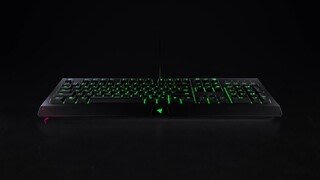
- Model:
- RZ03-02260200-R3U1
- |
- SKU:
- 6130208
Customer reviews
Rating 4.7 out of 5 stars with 1351 reviews
(1,351 customer reviews)Rating by feature
- Value4.7
Rating 4.7 out of 5 stars
- Quality4.7
Rating 4.7 out of 5 stars
- Ease of Use4.7
Rating 4.7 out of 5 stars
Customers are saying
Customers are enthusiastic about the Cynosa Chroma keyboard's RGB backlighting and high-quality build, frequently praising its smooth key feel and ease of use. Many appreciate the customization options and the included software, finding the keyboard to be a great value for its price. While some noted a slight amount of noise, the overall feedback is overwhelmingly positive.
This summary was generated by AI based on customer reviews.
Rated 5 out of 5 stars
Best Keyboard
Posted .This reviewer received promo considerations or sweepstakes entry for writing a review.I absolutely love this key6board. Out of all the keyboards I've had so far this is the best. I works great, all the keys are nice a crisp and is the best keyboard for gaming I've owned yet.
I would recommend this to a friendRated 4 out of 5 stars
Very Good Keyboard
Posted .This reviewer received promo considerations or sweepstakes entry for writing a review.I love this keyboard and I’m a big fan of Razer but I couldn’t give it the fifth star because I can’t use my chroma lighting to the full potential because it’s not Xbox compatible.
I would recommend this to a friendRated 2 out of 5 stars
decent keyboard but not good for the price
Posted .This reviewer received promo considerations or sweepstakes entry for writing a review.The keyboard itself is ok, it's not the best quality but the price seems to be on the upper side. The lighting is not good sadly, you can adjust the brightness of it, but the lower you adjust it, the less you'll get to see the light through the actual key. the travel of each key is excessive for a keyboard in my opinion, it's not a mechanical keyboard either so the price can't be justified. I don't game in particular and I like a keyboard that can have some sort of lighting just to give it a better look, but this keyboard is not ergonomic at all, just writing this review alone I can feel some discomfort on my fingers. Overall I think this is just OK but I wouldn't recommend it. If all you care about is lighting, then there are other options out there, as in terms of functionality it does the job (the bare basics of 1 or 2 line emails) other than that just get something else as this lacks functionality and ergonomics.
No, I would not recommend this to a friendRated 2 out of 5 stars
Got what I paid for...
Posted .This reviewer received promo considerations or sweepstakes entry for writing a review.After several keyboards in the $100 range I tried this out. Razor makes awful software which I ended ripping out. After finding which module to control individual key lighting, I end up with a smeared mess with the membrane diffusion. Then the rubbery keys strokes... My final chosen keyboard is a joy with real cherry browns, ain't NO comparison to the Cynosa. My chosen software will let you customise the keyboard, then you can move it to a different machine due to keyboards built in memory. Yep, I ended up paying $90 for my Mini but worth every penny. No keyboard is perfect, but for the price, I kept it for garage computer.
No, I would not recommend this to a friendRated 2 out of 5 stars
Great while it lasted
Posted .This reviewer received promo considerations or sweepstakes entry for writing a review.I bought this keyboard specifically because it is "spill resistant"... Right. First spill tanks the keyboard. $50 right down the drain. I mean I figured that for that kind of coin id vet at least an effort out the keyboard, nope. In goes the drink out goes the keyboard. Replacement plan? What for its spill resistant right? Big mistake on my part. I'll stick to the $15 or less keyboards while my kids are going to be using my computer. I cant drop $50 plus dollars everytime i have to replace a keyboard.
No, I would not recommend this to a friendRated 3 out of 5 stars
Game on !
Posted .This reviewer received promo considerations or sweepstakes entry for writing a review.Pretty great for a beginner. Has lots of bells and whistles. Quiet key pad forthe parents. LOL
I would recommend this to a friendRated 1 out of 5 stars
Decent Keyboard but you can't change the color
Posted .This reviewer received promo considerations or sweepstakes entry for writing a review.I bought this keyboard because I had seen a youtube video of it and I really liked the colors of it. But when I bought I was unable to change the colors even though I followed all of the instructions. I click on on the Chroma option but absolutely nothing happens. I have tried multiple times to contact Razer support but all they keep telling me is to re install the app for changing colors and it still doesn't work. Its extremely frustrating not being able to choose what colors you want on the keyboard when it was designed for that. The only option is a cycle between all colors. I just want it to be light Blue because that's my favorite color. I don't want any other color. Other than that the major software issues and poor customer service, it's a pretty below average keyboard.
No, I would not recommend this to a friendRated 2 out of 5 stars
Decent not great
Posted .This reviewer received promo considerations or sweepstakes entry for writing a review.Dont get me wrong its a nice keyboard but after using for about a month it starts double typing like crazy
I would recommend this to a friendRated 1 out of 5 stars
Lasts as long as its warranty. (Not Long)
Posted .This reviewer received promo considerations or sweepstakes entry for writing a review.This keyboard's keys started dying after 2 years of use. Corsairs that I have owned for years still work and keyboards from decades ago that I still have still work despite having had things spilled on them. Expect this keyboard to last as long as its warranty and that's about it. First and Last razor product I ever buy.
No, I would not recommend this to a friendRated 1 out of 5 stars
Razer - Cynosa Chroma USB Keyboard not working
Posted .This reviewer received promo considerations or sweepstakes entry for writing a review.Bought This on 3/1/2018 and HAd to return it on the same day because one of the keys (C) was not working. Had trouble reaching customer support and after an hour on the phone, it was a frustrating and finally I decided to take it back.
No, I would not recommend this to a friend