Customer Ratings & Reviews
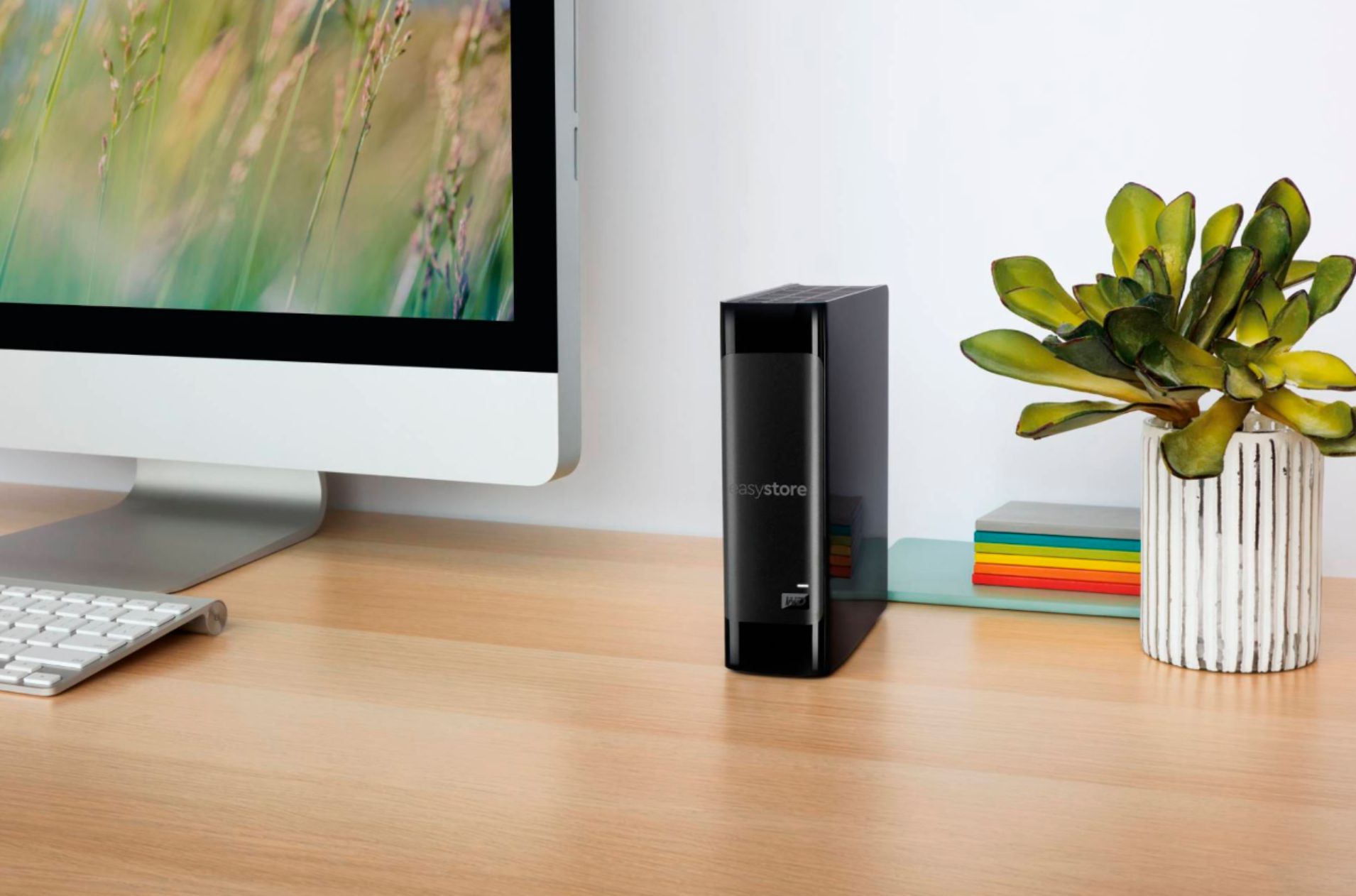
- Model:
- WDBCKA0080HBK-NESN
- |
- SKU:
- 5792401
Customer reviews
Rating 4.7 out of 5 stars with 7232 reviews
(7,232 customer reviews)Rating by feature
- Value4.6
Rating 4.6 out of 5 stars
- Quality4.6
Rating 4.6 out of 5 stars
- Ease of Use4.7
Rating 4.7 out of 5 stars
Customers are saying
Customers find value in the generous storage capacity and the trusted reliability of this Western Digital drive. Users frequently highlight the simple setup process and the convenience of fast USB 3.0 data transfers. While the device is praised for its quiet operation and compact design, some users have noted that heat management can occasionally be a concern.
This summary was generated by AI based on customer reviews.
- Pros mentioned:Reliability
Rated 5 out of 5 stars
Quiet and reliable external hard disk
||Posted . Owned for 2 months when reviewed.This reviewer received promo considerations or sweepstakes entry for writing a review.I bought this version of Western Digital external drive to use as a Linux network attached storage (NAS) device using an Intel NUC (those tiny computer boxes) running Debian, so I didn't buy this for the software that comes bundled with the drive. This drive does not have a power button like other Western Digital external drives sold elsewhere which is exactly what you want for a system that should power back up after a power outage. Before putting the unit into use, I used the WD Windows utilities to configure the drive to go to sleep after 30 minutes of inactivity (it turns out that's the default). There are people who will tell you that hard drives don't last as long if they are always powering up and down. I have been doing the 30 minutes to sleep thing for years on my NAS drives simply last forever and use a lot less power when nobody is accessing them. If you want the drive to never turn off or sleep after a longer period of inactivity, you can change the setting before you put the drive into use. The unit is remarkably quiet and having used WD drives for years, I don't think I have ever had one fail. They are also great for off site backups.
This review is from WD - easystore 8TB External USB 3.0 Hard Drive - Black
I would recommend this to a friend Rated 1 out of 5 stars
Failed , Dead on Arrival
||Posted .This reviewer received promo considerations or sweepstakes entry for writing a review.When i plugged in, nothing showed up. For Easystore 8TB Drive only shows 465.75GB Unallocated in Disk Management !!! I checked with different computers , still the same. CrystalDiskInfo showed "Caution" in Health Status.
No, I would not recommend this to a friend- Pros mentioned:Reliability, Storage capacity
Rated 5 out of 5 stars
FreeNAS & Plex
Posted .This reviewer received promo considerations or sweepstakes entry for writing a review.I usually don't like writing reviews cos there are always pseudo techies somewhere telling people what to do and what to do. Funny enough, 90 percent of them leave reviews that either ruin a product's rating or ruin other people takes or experiences with them. Fortunately, I'm a high IT Systems Admin with a dozen of years experience under my belt, so I move through these chuff deemed helpful reviews. I bought 8 of these drive for my FreeNAS build and they have been perfect so far. Shucking them was very easy and I can honestly say the cases or enclosures are all perfectly intact with not even a single scratch on them. All I used was a simple flat head screw driver, some patience and a sprinkle of common sense. There's no need to force these puppies open. Took less than a minute to open each enclosure. I kept all the internals, closed it back up and boxed for potential warranty purposes. See below for photos. In terms of whether you'd find Red NAS 256mb drives in these, that possible as well. I got 8 of them; 2 and then 6 from two different locations. All Reds! The secret is in the serial numbers. Hopefully you can pick that up from my photos as well. These work very well and have been working for me for almost 6 months now. They start off slightly noisy, but as you start to fill them up they really do quiet down. I have 8 in my case and I hear my low rpm fans before I hear these puppies. I am running all eight drives off of a P20 IT Mode flashed IBM ServeRAID M1015 card. Average read speed for all eight drives at full throttle is around 800mb/s and works superbly in FreeNAS 9.3+ in raid z configuration. The total raw storage of 58TB (not 64) is used to house my Plex library. I keep my OS and Plex Jail on separate raided SSDs for performance and redundancy purposes. My FreeNAS OS runs on two raided 60GB Corsair Force GTs and the Plex Jail runs off of two raided 180GB Intel SSDs. The OS runs pretty fast and Plex does all its work without having to access the Red drives for nothing but library updates and video playback. My server motherboard houses three Intel Pro 1000 gigabit NICs, but I added another Intel quad i350 NIC with LACP enabled for a more balance network access of the drives. I even added a HDHomerun Quattro for Live TV and DVR option to my Plex server thanks to the tons of space these drives provide. My Plex library is almost 22TB large and comprises of over 3000 movies in 1080P or better, tons of collected TV Drama, Anime and Sitcoms. Friends and family here and abroad stream videos off it and these drives handles them all flawlessly. Multiple users usually streaming at a time as well. They are great and haven't broken a sweat. Only issues I had was some data corruption when my server lost power during a rainstorm while data was being written to the drives. A quick zpool scrub was all I needed to fix that. They are flawless, trust me. I need to buy 2 more when they get back on sale. I guess I could only add 2 photos max. LOL
I would recommend this to a friend Rated 4 out of 5 stars
Shucks, Design and the Crapshoot
Posted .This reviewer received promo considerations or sweepstakes entry for writing a review.So here's the deal. You've probably been told that these drives contain the infamous WD Reds. You heard right. I love 'em! I fan-cool mine though and use them in a docking station. Lately, WD has been slapping white-label stickers on these things. However, on the white labels, it still is the 256mb cache and the specs seem to be the same. Different label, same Red Drive. Some people have said these are retail-Reds vs non-retail-Reds. My personal observation: there is a 42.8% chance of getting the familiar Red drive. The red-Reds I've gotten were dated early 2017. The white label-Reds I got were dated Sep & Aug 2017. There's no way to tell on the box without opening. So like I said, it's a guessing game. But since they're all Reds....its a moot point, right? Now, onto the internals. I opened it up (it was laying flat on the table, like a book). I was disappointed to see the drives of all the WDs I purchased were sloping/sagging. The side of the drive that runs along the ac and usb 3.0 ports were fine (flat, flushed). But across the other side, (where the WD symbol/light on the case is), you could see it sloping downward - sagging from the weight of the drive. Sure there are rubber spacers to help keep it centered, but they aren't very effective. Now if you flipped the external hdd over onto the other side, it wouldn't sag because there are these half-circle slots that kept the drive in place. So one side is safe to lay the drive down on, but laying on the other side will cause the internal drive to sag and probably isn't too good for the connectors and circuit board inside. While this shouldn't make a big deal because the drive is supposed to operate vertically, how about when you are putting it in a desk drawer or storing in a safe? If you lay it flat like a book, you could be unknowingly damaging the connector (the part that connects the internal drive to the USB 3.0 and ac power card). That's just not cool in my mind. So IF you have to lay your drive FLAT, this is the safest position to do so; lay it on its side so that the USB 3.0 port is *farthest away* (higher) from the table/surface. It will remain perfectly flat. Aside from that minor annoying design, I'd recommend this either as a shucking project or as a fantastic $/GB price option.
I would recommend this to a friend- Pros mentioned:Ease of use, Storage capacity, UsbCons mentioned:Heat
Rated 5 out of 5 stars
Massive Storage
||Posted .This reviewer received promo considerations or sweepstakes entry for writing a review.This is a cost efficient, easy install massive storage device for desktop activities, and great usable for NAS purposes as there is a WD red drive inside. Just hook it on your desktop/laptop/server on a USB3 port and you are good to go. Works Fine with windows 10 storage spaces. Can run a little hot only when full formatting as this can take several hours. Perfect for media streaming to other devices like PLEX and KODI.
I would recommend this to a friend - Pros mentioned:Price, Reliability, Storage capacity
Rated 5 out of 5 stars
Best value for NAS system
||Posted . Owned for 1 month when reviewed.This reviewer received promo considerations or sweepstakes entry for writing a review.These are great starter drives for a NAS setup. I have 18 of the 8TB drives in a TrueNAS Scale system and have been running them for years. Have only had 1 drive actually fail in 6 years. If you wait for Black Friday sales the 8TB drives go for $129 which is a steal. This year I am hoping to see the 18TB drives go for $199 again so I can replace all of my drives. The only caveat is you need to disable the 3.5v orange wire on the power connectors (or use adapters that don't jump this) as it keeps these drives from spinning up.
This review is from WD - easystore 8TB External USB 3.0 Hard Drive - Black
I would recommend this to a friend Rated 5 out of 5 stars
Great value, will get more if needed
Posted .This reviewer received promo considerations or sweepstakes entry for writing a review.Snatched 2 of them up on a sale to get the drives inside for them since I've upgraded my NAS with those bad boys in them to double my space. Since my NAS had two USB ports, I just recycled the old drives and put them in these enclosures. So yeah, shuck 'em, insert the others, just make sure to check out the videos and they'll be purring like a kitten. If you wanna do it please pay attention to those two things: 1. Upgrading a multi-bay NAS, ensure to buy the same size for each bay for maximum compatibility. The drives will have minor differences, but they're "offbrand REDs" (this how Bestbuy gets a better "exclusive" deal) so they'll do the trick as long as the size matches. 2. Don't mix families, I've read that if you trying to put in a non WD in these enclosures, you'll have a brick, not another external. I've been trusting WD for a while now and yet have to be disappointed so reusing my old ones, worked like a charm. Now they blink like an airport all day with the others. EasyStore FTW!
This review is from WD - easystore 8TB External USB 3.0 Hard Drive - Black
I would recommend this to a friend- Pros mentioned:Storage capacity
Rated 5 out of 5 stars
WD Easystore Hard Drive | Reliable and Spacious
||Posted . Owned for 4 months when reviewed.This reviewer received promo considerations or sweepstakes entry for writing a review.Rating: ⭐⭐⭐⭐⭐ (5/5) I recently purchased the WD Easystore External Hard Drive, and I must say that it has exceeded my expectations in terms of performance, reliability, and capacity. This external hard drive has become an essential tool for my digital storage needs, and I couldn't be happier with my purchase. Here's why I highly recommend the WD Easystore: Exceptional Storage Capacity: The WD Easystore offers an impressive amount of storage space, providing ample room for all my important files, documents, photos, videos, and more. Whether you're a student, professional, or digital content creator, this drive's vast storage capacity ensures that you won't run out of space anytime soon. Lightning-Fast Transfer Speeds: Transferring large files or backing up data is a breeze with the WD Easystore. Its USB 3.0 connectivity delivers rapid data transfer speeds, saving you valuable time and effort. I've been impressed by how quickly I can move my files, which is crucial when dealing with large media files or a massive amount of data. Robust Data Security: WD takes data security seriously, and it shows in the Easystore's built-in encryption and password protection features. I appreciate the peace of mind that comes with knowing my sensitive information is safe from unauthorized access. With WD Security software, I can easily set up a personalized password to safeguard my data. Durability and Portability: The Easystore is designed with durability in mind. Its sturdy build can withstand the rigors of everyday use, and its compact size makes it highly portable. Whether I'm working in my home office or on the go, this hard drive fits seamlessly into my workflow, allowing me to access my files whenever and wherever I need them. WD Backup Software: One of the standout features of the WD Easystore is the included WD Backup software. It simplifies the process of automatically backing up my important files, ensuring that I never lose any data. The software is user-friendly, offering customizable backup options and allowing me to schedule regular backups effortlessly. Whisper-Quiet Operation: Unlike some external hard drives that can be noisy, the WD Easystore operates almost silently. Its whisper-quiet performance is ideal for those who prefer a noise-free work environment or those who want to watch movies or listen to music without any distractions. Overall, the WD Easystore External Hard Drive has proven to be a dependable and high-performing storage solution. Its exceptional storage capacity, fast transfer speeds, robust data security, and user-friendly features make it a top choice for individuals and professionals alike. Whether you need extra storage space or a reliable backup solution, the WD Easystore is an excellent investment that delivers on its promises. I highly recommend it without hesitation.
This review is from WD - easystore 8TB External USB 3.0 Hard Drive - Black
I would recommend this to a friend - Pros mentioned:Ease of use, Price, Reliability
Rated 5 out of 5 stars
So far so good
||Posted . Owned for 3 weeks when reviewed.This reviewer received promo considerations or sweepstakes entry for writing a review.This product is great for anyone that needs to clear space off their main storage devices or make backups of info. This device also works well as a storage option for people with an Xbox or PlayStation, as a way to store extra games. Also, it's good for business settings as a way store extra files or reports. The performance to price ratio is quite good for this product. With 8TBs of storage for $ 140, the price per gigabyte is very low (~2 cents per gigabyte). Also, the build quality seems good and had no physical defects/marks. I have been using the hard drive frequently over the past month and have had no issues with overheating or data transfer issues. The read and write speeds on the hard drive are decent (for an HDD) at around 150-170 Mb/s. However, the disk does run at 5400 rpm as opposed to 7200 RPM making the product slower than other drives. But the slower RPM does mean that the disk will run cooler and in turn prolong the life of the hard drive (in theory). Another positive is the plug and play aspect of it, allowing for easy setup if you are using windows. Unfortunately, if you are on Mac OS you will have to reformat the drive before use. When running the noise of the product is noticeable but not too loud usually just the typical “whirring” noise hard drives make and the occasional data clicks. If stored in a closed area the noise isn’t that bad. It matches that of your typical computer fan. Another nice feature about this external hard drive is that it will go into sleep mode if the hard drive is not actively being used. This helps by conserving energy use and should help in prolonging the life of the hard drive. But it should be noted that it takes around 20 seconds for the drive to “wake up” after being in sleep mode so if you need to frequently be accessing flies in the drive this should be taken into consideration. As a quick summary, I would rate performance a 3.5/5, price 5/5, build quality 4/5 and reliability 4/5. Overall, I would say this is a good product if you are looking for cheap data storage, while still having the reliability that is commonly seen in Western Digital drives.
I would recommend this to a friend - Pros mentioned:Reliability, Storage capacity
Rated 5 out of 5 stars
Impressive Storage Capacity and Performance!
||Posted . Owned for 1 year when reviewed.This reviewer received promo considerations or sweepstakes entry for writing a review.I purchased the 8TB hard drive, and I couldn't be happier with my choice. This spacious storage solution has proven to be a game-changer for my digital life. Here's what I love about it: Ample Storage Space: With a whopping 8TB of storage, I can now store all my important files, documents, photos, and videos in one place. It's a relief to have so much space, and it makes organizing my digital life a breeze. Fast Data Transfer Speeds: This hard drive offers impressive data transfer speeds, ensuring that I can quickly back up or access my files without any noticeable lag. It's great for both personal and professional use. Reliable Performance: Over the time I've had it, I've never experienced any issues with data loss or drive failures. It's been consistently reliable, which is essential for my peace of mind. Sleek Design: The hard drive has a sleek and modern design that fits well on my desk. It's compact and portable, making it easy to carry around when needed. Compatibility: It's compatible with a wide range of devices, including PCs, Macs, and gaming consoles. This versatility has been a huge plus for me. Quiet Operation: It runs quietly, which is important to me as I often work in a quiet environment. I appreciate not being distracted by loud fan noise. Easy Setup: Setting up the hard drive was a breeze. It's plug-and-play, so I was up and running within minutes. The 8TB hard drive has become an indispensable part of my digital life, providing both the storage space and speed I need. Whether you're a professional looking for ample storage for work files or a multimedia enthusiast wanting to keep your media collection in one place, I highly recommend this hard drive for its capacity and performance. It's an excellent investment in your data storage needs.
This review is from WD - easystore 8TB External USB 3.0 Hard Drive - Black
I would recommend this to a friend - Pros mentioned:Reliability, Storage capacity
Rated 5 out of 5 stars
Great buy from Best buy
||Posted . Owned for 6 months when reviewed.This reviewer received promo considerations or sweepstakes entry for writing a review.I found this hard drive at the best price when I purchased it for $143, and now it is listed much higher, so it was a great deal. It has been working great so far with fast transfer speeds and plenty of storage space. Setup was quick and easy, and it has been reliable for backups and everyday use. Excellent performance and value for the price
This review is from WD - easystore 8TB External USB 3.0 Hard Drive - Black
I would recommend this to a friend - Pros mentioned:ReliabilityCons mentioned:Heat
Rated 5 out of 5 stars
Great Drives, just mind the temps these run hot
||Posted . Owned for less than 1 week when reviewed.This reviewer received promo considerations or sweepstakes entry for writing a review.These drives are exactly what I want - just the basics, a good quality reliable drive. Because they tend to run hot in the plastic case they come in, I remove the drive and put them into a dual drive enclosure with a fan to cool them down. Makes for less power adapter and cabling mess in my workspace. If WD would make one of these with a fan inside the enclosure for cooling, they’d be even better. This is my 3rd 8TB one of these... a previous 4TB from 3-4 years ago contained anWD Blue drive which has been a disappointment with its constant head parking which has exceeded the recommended range. The 8TB have been much much better.
This review is from WD - easystore 8TB External USB 3.0 Hard Drive - Black
I would recommend this to a friend - Pros mentioned:Ease of use, Storage capacity, Usb
Rated 5 out of 5 stars
WD External drive
||Posted . Owned for 1 month when reviewed.This reviewer received promo considerations or sweepstakes entry for writing a review.Easy to use with gaming system. This give user lots of extra storage space for games loaded. It is small but has 8TB storage and it connects by USB. Great extra hard drive.
This review is from WD - easystore 8TB External USB 3.0 Hard Drive - Black
I would recommend this to a friend - Pros mentioned:Reliability, Storage capacity
Rated 5 out of 5 stars
Does the Job
||Posted . Owned for 1 month when reviewed.This reviewer received promo considerations or sweepstakes entry for writing a review.The WD Easystore 8TB External USB 3.0 Hard Drive is a substantial storage solution offering a massive 8TB of space in a sleek, compact black casing. It's efficiently handles large files and applications. Western Digital delivers a durable and dependable drive, with the Easystore working seamlessly on both Windows and Mac.
This review is from WD - easystore 8TB External USB 3.0 Hard Drive - Black
I would recommend this to a friend - Pros mentioned:Storage capacity, Usb
Rated 5 out of 5 stars
Terrific External Drive
||Posted . Owned for 1 month when reviewed.This reviewer received promo considerations or sweepstakes entry for writing a review.This is a great external drive. I use it for secondary backup activities, including the drive and system restoration settings of a WIN 10 Pro system (I also use a cloud service). This drive is very large by capacity but small in size. It is fast, as well, so make sure you plug it into a USB 3.x port. It also works fine in USB 2 mode. It runs silently. At least I haven't heard any whirrings yet. Probably never will.
This review is from WD - easystore 8TB External USB 3.0 Hard Drive - Black
I would recommend this to a friend - Pros mentioned:Ease of use, UsbCons mentioned:Heat
Rated 4 out of 5 stars
Excellent External Hard Drive
||Posted . Owned for 3 weeks when reviewed.This reviewer received promo considerations or sweepstakes entry for writing a review.Excellent external drive. Came with all the items. Easy to setup and start using. Just plug in the cable and power supply then you're good to go. Formatted in NTFS so if you're using Windows and Linux, this I great. If you're using Mac, the format is read-only. You need to reformat it to an Apple-supported system or download some software to access it. The one thing I didn't like is the temperature on the hard drive. If you're using it for an extended period, it's best to add some sort of cooling to it. Otherwise, the drive will go very hot, which isn't good for its life.
This review is from WD - easystore 8TB External USB 3.0 Hard Drive - Black
I would recommend this to a friend - Pros mentioned:Ease of use, Price
Rated 5 out of 5 stars
Great for external storage. Very easy to use.
||Posted . Owned for 3 weeks when reviewed.This reviewer received promo considerations or sweepstakes entry for writing a review.Very easy to use, just plug it into an available 3.0 USB port, plug the power adaptor into the wall, and windows automatically detects the device. Couldn't be simpler. Very happy with this product. Ths is NOT a lightning fast drive, and I don't recommend it for video editing, but it's very effective as far as external storage and backup. It's also very reasonably priced considering how much drive space it gives you. The customer service at the Salt Lake City Central Point Best Buy was PATHETIC, I'm sorry to say. It was very difficult for me to find the item, and I walked all over the store for quite some time before I finally found a sales associate who would help me. Seems they've done some rearranging and remodeling at this location, and NOT for the better. Very difficult to find anything anymore. While this is the location closest to me, it's not my favorite.
This review is from WD - easystore 8TB External USB 3.0 Hard Drive - Black
I would recommend this to a friend - Pros mentioned:Reliability, Storage capacity
Rated 5 out of 5 stars
Shucked this drive to use as in internal drive
||Posted .This reviewer received promo considerations or sweepstakes entry for writing a review.I'm happy with this drive. I bought it after researching and confirming that it wasn't a SMR drive and that the drive itself had a standard SATA data and power connection. I play lots of video games (I'm a gamer in his sixties), create videos and recordings for my work, and run a VMware lab off of this drive. The performance is completely adequate for my purposes and has operated flawlessly since purchase. I would absolutely maintain current full backups of this drive. After all, I'm not using it as designed. If you intend to shuck this I recommend you do your own research to verify that the conditions I outlined are still true. The other major vendors external drives do not have standard SATA connections inside and they are SMR drives, both of which are result in their drives to be unsuitable for shucking . I recommend this drive.
This review is from WD - easystore 8TB External USB 3.0 Hard Drive - Black
I would recommend this to a friend - Pros mentioned:Price, Reliability, Storage capacity
Rated 5 out of 5 stars
EasyStore=Best Long-Term Storage
||Posted .This reviewer received promo considerations or sweepstakes entry for writing a review.If you do your research (as I did) into the various drives, you'll find WD's EasyStore is not only one of the best for long term storage of files (for me, primarily movies) but also perhaps the best bargain when you measure dollars per TB (here at Best Buy, of course). This is my third (2, 4, now 8TB) and the first is still flawless after six years of more or less constant/daily use.
I would recommend this to a friend - Pros mentioned:Ease of use, Reliability, Storage capacity
Rated 5 out of 5 stars
Peace of mind!
||Posted .This reviewer received promo considerations or sweepstakes entry for writing a review.I have an older Mac Pro Tower and every couple of years I change out my main internal drive, internal time machine backup drive, and an external backup drive. Long story short, I am glad that the hard drives got better, bigger, faster, for very reasonable prices. This drive is so worth it, so watch when Best Buy puts it on sale. As the name says easy store, ez set up and ez to use.
I would recommend this to a friend