365 Family Yearly Subscription
Customers are saying
Customers often highlight the overall performance and ease of use of the 365 Family Yearly Subscription. Many appreciate that the product functions as advertised and find it easy to use. Users also value the timely software updates and compatibility across multiple devices. Finally, customers find the renewal process simple and appreciate that the software stays up-to-date for the entire family.
Includes 1TB One Drive online storage.
Upgrades to the latest applications and services.
Continue receiving protection on each user's data and devices with advanced security solutions designed to prevent threats.
- BrandMicrosoftProduct NameMicrosoft 365 Family Yearly SubscriptionUPC400065994724BSINJCQ6HWFH6VSKU6599472
Reviews
Rating 4.6 out of 5 stars with 1017 reviews
- Overall Performance (212)
- Ease of Use (55)
- Software Updates (24)
Customer Images
The vast majority of our reviews come from verified purchases. Reviews from customers may include My Best Buy members, employees, and Tech Insider Network members (as tagged). Select reviewers may receive discounted products, promotional considerations or entries into drawings for honest, helpful reviews.
Compare similar products
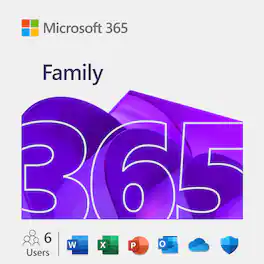
Retain your Microsoft 365 applications (like Word, Excel, Outlook, PowerPoint, CoPilot, and OneNote) on multiple devices across platforms (PC/Mac, Windows phone, iOS, Android). Includes 1TB of cloud storage per user.
![Microsoft - Office 365 Personal (1 Person) (12-Month Subscription) - Activation Required - Windows, Mac OS, Apple iOS, Android [Digital]](https://pisces.bbystatic.com/image2/BestBuy_US/images/products/fa90dd84-caf2-4bbe-86e9-18b037ea6563.jpg;maxHeight=422;maxWidth=264?format=webp)
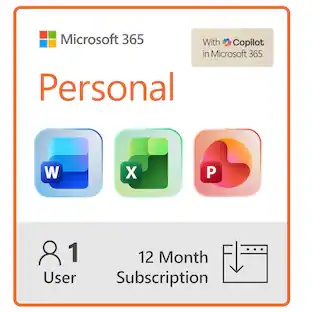
Microsoft 365 Personal is a 12-month automatically renewing subscription for 1 person that includes 1 TB (1000 GB) of cloud storage which allows you to access, edit, and share your files and photos across all your devices. It comes with powerful productivity and creativity apps with AI¹ including Word, Excel, PowerPoint, Outlook, advanced security for your data and devices, and ongoing customer support. After the first year, this subscription renews automatically each year and your chosen payment card will be charged $99.99 for Microsoft 365 Personal or $129.99 for Microsoft 365 Family (as applicable), or then-current price, until cancelled. Cancel automatic renewals any time by calling 1-888-BEST BUY (1-888-237-8289) or online on your account Plans and Subscriptions page (Bestbuy.com/services/planlist). Access to your subscription will continue until the end of your then-current term at which time your subscription will expire.
![Microsoft - 365 Family (Up to 6 People) (12-Month Subscription) - Activation Required - Windows, Mac OS, Apple iOS, Android [Digital]](https://pisces.bbystatic.com/image2/BestBuy_US/images/products/aaf8b64f-0db7-413a-af56-a7fe371b3451.jpg;maxHeight=422;maxWidth=264?format=webp)
Microsoft 365 Family is a 12-month automatically renewing subscription for 1 – 6 people that includes up to 6 TB of cloud storage (1 TB per person) which allows you to access, edit, and share your files and photos across all your devices. It comes with powerful productivity and creativity apps with AI¹ including Word, Excel, PowerPoint, Outlook, advanced security for your data and devices, and ongoing customer support. Automatically renewing Microsoft 365 Family subscription will renew each year for $129.99 (or then-current price) unless cancelled. Cancel automatic renewals any time by calling 1-888-BEST BUY (1-888-237-8289) or online on your account Plans and Subscriptions page (Bestbuy.com/services/planlist). Access to your subscription will continue until the end of your then-current term at which time your subscription will expire.
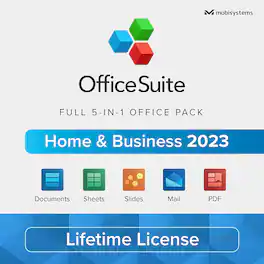
OfficeSuite is a practical 5-in-1 office pack for Windows PC, giving you advanced features to create, edit, comment, format, convert, and protect documents, spreadsheets and presentations - as well as the ability to view and sign PDF files, and manage Mail and Calendars. Compatible with Microsoft Office (Word, Excel, PowerPoint), Google Docs, Google Sheets, Google Slides, OpenOffice, LibreOffice, WPS Office, Polaris Office, Adobe PDF & more.
| Pros for 365 Family Yearly Subscription | |||
|---|---|---|---|
| Overall Performance, Ease of Use, Software Updates | Ease of use, Overall Performance, Price, Compatibility, Installation | Ease of use, Compatibility, Price, Performance, Software | There were no pros for this product— |
| Cons for 365 Family Yearly Subscription | |||
| There were no cons for this product— | Subscription, Outlook | Subscription, Outlook | There were no cons for this product— |
Specs
Discover related products
 Black Friday in July Deal$36.99The price was $49.99
 $13.99The price was $19.99
 Black Friday in July Deal$11.99The price was $13.99