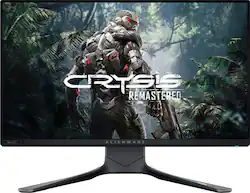
Alienware - AW2521H 25" IPS LED FHD G-SYNC Gaming Monitor with HDR10 (HDMI, DisplayPort) - Dark Side of the Moon
- Key Specs
- Refresh Rate: 360Hz (The number of frames per second the device can produce natively without enhancement. Higher rates help produce smooth, seamless pictures.)
- Maximum Resolution: 1920 x 1080 (Maximum resolution refers to the highest number of pixels that a screen can process and display. Higher resolution signals produce more detailed images.)
- Response Time: 1 milliseconds (The speed at which pixels can change colors is called response time. It is measured in milliseconds (ms).)
- Panel Type: IPS (Technology that affects response time and image quality.)
- Synchronization Technology: G-SYNC (NVIDIA Adaptive Sync) (Generally, these technologies allow syncing between a computer/console game's frame rate and the device's refresh rate for a smoother display without tearing.)
- Screen Size: 24.5 inches (Size of the screen, measured diagonally from corner to corner.)
- Display Connector(s): 1 x DisplayPort 1.4, 2 x HDMI 2.0 (The number and type of connectors used to connect to an external display.)
- General
- Brand: Alienware
- Model Number: AW2521H
- Product Name: AW2521H 25" IPS LED FHD G-SYNC Gaming Monitor with HDR10 (HDMI, DisplayPort)
- Color: Dark Side of the Moon
- Operating System Compatibility: Windows, Android, Chrome, Linux, Mac
- Display
- Refresh Rate: 360Hz (The number of frames per second the device can produce natively without enhancement. Higher rates help produce smooth, seamless pictures.)
- Maximum Resolution: 1920 x 1080 (Maximum resolution refers to the highest number of pixels that a screen can process and display. Higher resolution signals produce more detailed images.)
- Native Resolution: 1960 x 1080 (Native resolution of a screen refers to its single, fixed resolution. Sometimes screens must scale an image up or down in order to fit the native resolution. This can cause a loss of resolution or detail.)
- Contrast Ratio: 1000:1 (Measured difference between a displayed image's brightest whites and darkest blacks. The larger the first number, the more detail and color that can be displayed.)
- Response Time: 1 milliseconds (The speed at which pixels can change colors is called response time. It is measured in milliseconds (ms).)
- Display Type: LED
- Panel Type: IPS (Technology that affects response time and image quality.)
- Synchronization Technology: G-SYNC (NVIDIA Adaptive Sync) (Generally, these technologies allow syncing between a computer/console game's frame rate and the device's refresh rate for a smoother display without tearing.)
- Aspect Ratio: 16:9 (The measurement of the width of a screen compared to the height of a screen, expressed as a ratio.)
- Curved Screen: false
- Pixel Density: 90 pixels per inch (The number of pixels present per inch on the device's display. Higher pixel density improves the clarity and sharpness of the displayed image.)
- Brightness: 400 candela per square meter (A measure of the total light output.)
- Screen Size: 24.5 inches (Size of the screen, measured diagonally from corner to corner.)
- High Dynamic Range (HDR): true (An HDR-compatible 4K TV or other HDR-compatible product displays HDR video content when it's available from sources like 4K Ultra HD Blu-ray Discs and 4K streaming services.)
- High Dynamic Range Format: HDR 10 (There are a few HDR formats that tell the TV or other HDR-compatible product how to best utilize its capabilities to display HDR content. HDR technology can support one or multiple formats, each with various benefits to picture quality.)
- Horizontal Frequency: 255 kilohertz (Also known as "horizontal scan rate," this measurement describes the number of horizontal lines displayed per second and is used to calculate a screen's refresh rate.)
- Horizontal Viewing Angle: 178 degrees (The maximum angle at which the display can be viewed with acceptable visual performance from either side.)
- Vertical Viewing Angle: 178 degrees (The maximum angle at which the display can be viewed with acceptable visual performance from above or below.)
- Touch Screen: false (Touch-screen devices make navigating more intuitive. Using a touch-screen display, you can do things such as tap to select, hold and drag to move items, swipe to scroll, and pinch to zoom.)
- On-Screen Display Languages: English, French , Canadian, Spanish , Portuguese (The available language options for displayed text.)
- Connectivity
- Number of DisplayPort Inputs (Total): 3
- Number of HDMI Inputs (Total): 2
- Number of DVI Inputs: 0 (The number of digital cables carrying analog (VGA) video signals that can be connected to the product.)
- Number of Mini DisplayPort Inputs: 0
- Number of Thunderbolt Ports (Total): 0
- Display Connector(s): 1 x DisplayPort 1.4, 2 x HDMI 2.0 (The number and type of connectors used to connect to an external display.)
- Number of USB Ports (Total): 5
- Headphone Jack: true (The device features an interface that allows for the connection of headphones.)
- Compatibility
- Wall Mountable: true (The product is able to be secured to a wall. Some products are designed ready to mount, while others may require additional hardware/accessories for installation.)
- VESA Wall Mount Standard: 100mm x 100mm (VESA wall mount standards refer to the spacing of screw holes built into a TV in order to fit with standard TV wall mounts. These standards are implemented into most TVs and monitors.)
- Voice Assistant Built-in: Not Applicable (A digital assistant built into the device that uses voice commands to answer questions and control smart devices.)
- Features
- Tiltable: true
- Adjustable Stand Height: true
- Anti-Glare: true (Product has features, such as a matte finish, that reduce the likelihood for screen glare.)
- Eye Relief Features: Anti-glare
- Built-In Webcam: false
- Integrated Speaker(s): false
- Smart Capable: false (Smart, or smart-capable devices are able to connect directly to your home network in order to stream content from the Internet, run Internet-based apps, or connect to other smart devices.)
- Dimensions
- Product Height With Stand: 20.7 inches
- Product Height Without Stand: 12.92 inches
- Product Width: 10.47 inches (The out of box width of the item. Width is measured as the horizontal distance from one side of the item to the other as it would be primarily used or placed.)
- Product Depth (With Stand): 9.9 inches
- Product Depth Without Stand: 3.32 inches
- Product Weight: 27 pounds (The out of box weight of the item.)
- Stand Included: true
- Power
- Power Consumption: 23 watts
- Power Saving/Off Mode: 0.3 watts (This mode will turn the display and/or the device off, or into a standby mode, after a preset length of time with no activity to conserve power.)
- Certifications Listings & Approvals
- ENERGY STAR Certified: false (Devices carrying the ENERGY STAR service mark, such as computer products and peripherals, kitchen appliances, and other products, generally use 20% to 30% less energy than required by federal standards.)
- EPEAT Qualified: false (The Electronic Product Environmental Assessment Tool (EPEAT) was designed to provide an environmental assessment tool for purchasers. In order to qualify for EPEAT, a product must meet all 23 required criteria.)
- Warranty
- Warranty - Parts: 3-year Advanced Exchange Service2 & Premium Panel Exchange
- Warranty - Labor: 3-year Advanced Exchange Service2 & Premium Panel Exchange
- Other
- UPC: 884116383369
The new Alienware 25" Gaming Monitor featuring the world's fastest refresh rate of 360Hz with NVIDIA® Reflex Latency Analyzer, a 1ms GtG Fast IPS response time and sRGB 99% color coverage. New, Fast IPS technology helps maintain image clarity from every angle of the screen. Plus, with up to 99% sRGB color coverage, you have a wide array of colors in your fingertips.
- 1920 x 1080 Full HD resolution: The three-sided ultrathin bezel design lets you enjoy superb screen clarity in 1920 x 1080 Full HD resolution
- Consistent colors: Get virtually seamless views with consistent colors across a wide 178°/178° viewing angle with In-Plane Switching (IPS) technology
- 35" LED Edgelight Monitor: Efficient screen type uses LEDs to provide precise backlighting to pixels.
- NVIDIA G-SYNC Compatible Certification: NVIDIA G-SYNC synchronizes the refresh rates between the GPU and display, eliminating screen tearing and minimizing display stutter and input lag.
- Seamless switching: Built-in dual HDMI ports keep your devices always plugged in and let you effortlessly switch between streaming and console gaming
- Design: the Alienware 25 Gaming monitor combines awardwinning Alienware Legend Industrial Design with insight from pro gamers such as Team Liquid to provide leadingedge, next-level technology, giving gamers the in-game advantage that will get the win.
- Fastest Refresh Rate: At 360Hz means gameplay is now fully optimized to enable split-second reactions, with more frames per second and smaller visual information gaps that translate into a faster reaction time for gamers. 360Hz is via display ports and 240Hz is via HDMI.
- The NVIDIA® Reflex Latency Analyzer: Captures end-to-end response times from click to action. Simply plug your mouse into the latency port on the Alienware 25 Gaming monitor and get precise measurement from the Analyzer on how quickly the display pixels change after your mouse click.
- NVIDIA G-SYNC: Certification means the GPU and monitor are synchronized, which minimizes graphic distortions such as tearing and artifacts from forming on screen
- Fast IPS technology: Ensures an even consistent color experience at any angle, while 99% sRGB color coverage brings a great viewing experience to the speed.
- A true 1ms gray-to-gray response time: It ensures that every pixel is ready for every frame, changing color almost instantaneously to ensure smooth gameplay and eliminate any motion blur.
- A fully adjustable stand: With height markers gives you more comfort, greater versatility and easier adjustability for an extended gaming session. Tilt, swivel, adjust and game on.
- A cable management chamber: Allows for cables to pass through the stand discreetly to easily connect to the ports within the hidden compartment on the back of the monitor.
Whats Included
- Monitor Panel
- Stand riser
- Stand base
- Cable Cover
- Power Cable
- 1 x DisplayPort (DP to DP) Cable
- 1 x Mini-DisplayPort (mDP to DP) Cable
- 1 x USB 3.2(Gen1) upstreamcable
- Quick setup guide, Safety Information, Alienware Welcome Card
Product Manuals
Q: What is the vertical and horizontal frequency? What is each frequency for?
A: The monitor support Horizontal scan range of 255 to 255 kHz and vertical scan range 1 to 360 Hz through DisplayPort 1.4 connector. The Horizontal scan range is 30 to 291 kHz and Vertical scan range is 24 to 240 Hz when connected through HDMI 2.0 port.
A: This monitor brought through Best Buy comes with 3-year Advanced Exchange Service2 & Premium Panel Exchange warranty from Dell.
Q: Does Alienware AW2521H has speaker or sound
A: No, this monitor does not offer speakers, but it does have a 3.5mm audio jack to plug it speakers.
A: The total width of the monitor is 21.90 inch with the stand.
Q: will my ps5 run on this monitor
A: Yes, this monitor works with PS5 console supporting 1920 x 1080 @120 HZ resolution.
Q: lowest height with adjustable stand- my limit is 17 inches?
A: The lowest height of the monitor with the adjustable monitor is 16.58 inches.
A: This monitor does not support 4K resolution. The resolution supported by the monitor is 1920 x 1080.
A: We are sorry for the experience. Please reach out tothe Dell technical support team for assistance in resolving the flickering issue. They are available 24/7 on Facebook and Twitter(@Dellcares).
People also viewed
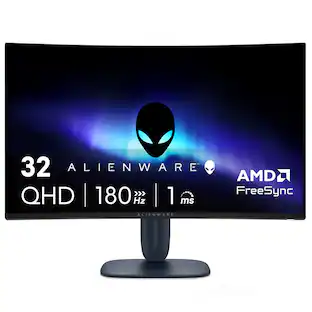
 Top Deal$799.99The price was $999.99
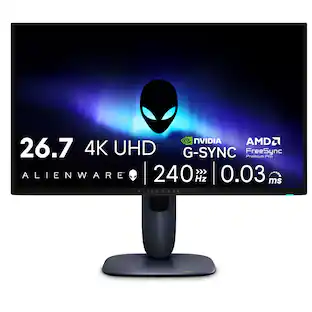
 Top Deal$259.99The price was $319.99
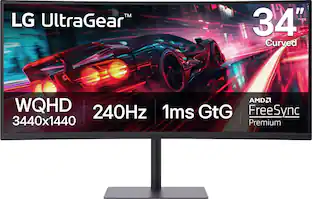
 Top Deal$699.99The price was $899.99
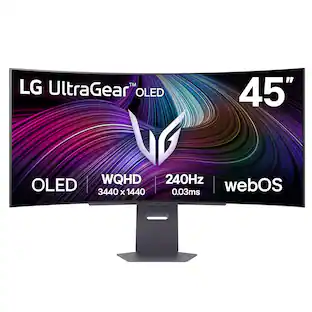
 $399.99The price was $499.99
 $999.99The price was $1,699.99


Today's top picks
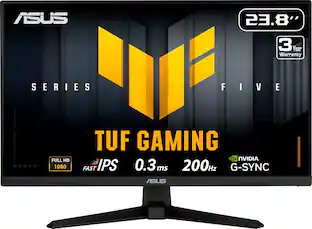 Top Deal$99.99The price was $169.99
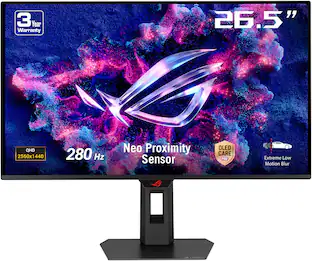 Top Deal$469.99The price was $699.99
 Top Deal$269.99The price was $349.99
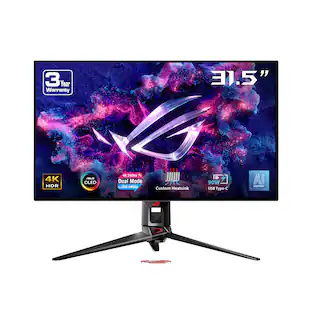 Clearance$899.99The price was $1,299.99
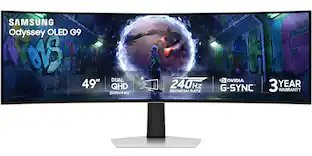 $999.99The price was $1,699.99
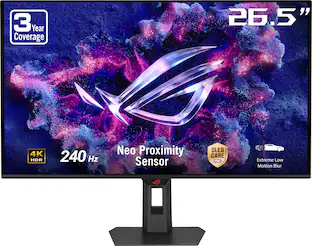 $679.99The price was $799.99
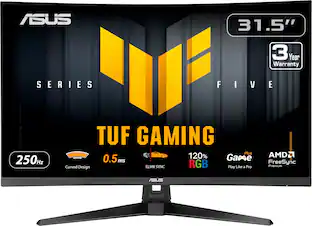 $179.99The price was $249.99
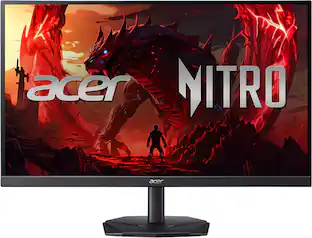 Top Deal$149.99The price was $199.99
- Top Deal$799.99The price was $999.99
 $279.99The price was $399.99