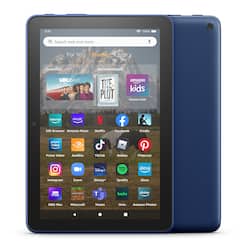
Amazon - Fire HD 8 (2022) 8" HD tablet with Wi-Fi 64 GB - Denim
- Key Specs
- Screen Size: 8 inches (Size of the screen, measured diagonally from corner to corner.)
- Screen Resolution: 1280 x 800 (Screens come in a range of resolutions (measured in pixels, horizontal x vertical). The higher the resolution, the greater the picture quality.)
- Processor Model: 5-CORE/2.0GHz (Your computer's processor is like its brain. Working in combination with system memory, the power of the processor determines the complexity of software you can run, how many programs you can have open at the same time, and how fast those programs will run. Most computers feature an AMD, Intel or Snapdragon processor.)
- Total Storage Capacity: 64 gigabytes
- Operating System: Android 10 (The operating system manages all software and hardware, including files, memory and connected devices. Most importantly, it lets you interact with your device and your programs in a visual way; otherwise, you'd be typing computer code to get anything done.)
- Voice Assistant Built-in: Amazon Alexa (A digital assistant built into the device that uses voice commands to answer questions and control smart devices.)
- Wireless Connectivity: Bluetooth, Wi-Fi (The manner in which a device sends data to another device over a short distance without the use of wires or cables.)
- Battery Chemistry: Lithium-ion
- General
- Brand: Amazon
- Model Number: B09BG5LXHH
- Product Name: Fire HD 8 (2022) 8" HD tablet with Wi-Fi 64 GB
- Color: Denim
- Model Family: Amazon Kindle Fire HD
- Year of Release: 2022
- Display
- Display Type: LCD
- Screen Size: 8 inches (Size of the screen, measured diagonally from corner to corner.)
- Screen Resolution: 1280 x 800 (Screens come in a range of resolutions (measured in pixels, horizontal x vertical). The higher the resolution, the greater the picture quality.)
- Processor
- Processor Model: 5-CORE/2.0GHz (Your computer's processor is like its brain. Working in combination with system memory, the power of the processor determines the complexity of software you can run, how many programs you can have open at the same time, and how fast those programs will run. Most computers feature an AMD, Intel or Snapdragon processor.)
- Storage
- Total Storage Capacity: 64 gigabytes
- Memory
- System Memory (RAM): 2 gigabytes (Random-access memory (RAM) is a computing device's short-term data storage, which allows active information to be accessed quickly. The size and type of RAM determines how efficiently the device can handle large amounts of information at one time. For example, gaming or video editing requires more RAM for optimal performance.)
- Compatibility
- Operating System: Android 10 (The operating system manages all software and hardware, including files, memory and connected devices. Most importantly, it lets you interact with your device and your programs in a visual way; otherwise, you'd be typing computer code to get anything done.)
- Operating System Compatibility: Android
- Voice Assistant Built-in: Amazon Alexa (A digital assistant built into the device that uses voice commands to answer questions and control smart devices.)
- Connectivity
- Wireless Connectivity: Bluetooth, Wi-Fi (The manner in which a device sends data to another device over a short distance without the use of wires or cables.)
- Headphone Jack: true (The device features an interface that allows for the connection of headphones.)
- GPS Enabled: true
- Power
- Charging Interface(s): USB-C (The connection for transmitting power to charge the device.)
- Battery Chemistry: Lithium-ion
- Camera
- Front-Facing Camera: true
- Rear-Facing Camera: true
- Built-In Microphone: true
- Dimensions
- Product Height: 0.4 inches (The out of box height of the item. Height is measured as the vertical distance from the bottom of the item to the top as it would be primarily used or placed.)
- Product Width: 6.3 inches (The out of box width of the item. Width is measured as the horizontal distance from one side of the item to the other as it would be primarily used or placed.)
- Product Depth: 10.3 inches (The out of box depth of the item. Depth is measured as the distance from the front of the item to the back as it would be primarily used or placed.)
- Product Weight: 17.9 ounces (The out of box weight of the item.)
- Certifications Listings & Approvals
- ENERGY STAR Certified: false (Devices carrying the ENERGY STAR service mark, such as computer products and peripherals, kitchen appliances, and other products, generally use 20% to 30% less energy than required by federal standards.)
- Warranty
- Warranty - Parts: 90-day limited warranty and service included.
- Warranty - Labor: 90-day limited warranty and service included.
- Other
- UPC: 840080598321
Full-featured tablet (not a toy) for kids ages 3–7, 1 year of Amazon Kids+, and a Kid-Proof Case with built-in stand, versus items purchased separately.
- Enhanced performance: Updated hexa-core processor for more responsive performance (30% faster than previous gen Fire HD 8).
- All day battery life: Up to 13 hours of reading, browsing the web, watching videos, and listening to music at home and on-the-go.
- Large selection of apps: Stream or download your favorite shows and movies from Prime Video, Netflix, Disney+, and HBO. Enjoy your favorite content from Facebook, Hulu, Instagram, TikTok, and more through Amazon’s Appstore (Google Play not supported. Subscription for some apps required).
- Sleek design: Fire HD 8 offers 8" HD display and 2 GB RAM. Choose from 32GB or 64GB (up to 1TB of expandable storage via microSD card). New design is thinner and lighter than previous gen. Screen made with strengthened aluminosilicate glass.
- Stay connected with family and friends: ask Alexa to make video calls to friends and family or download apps like Zoom.
- Do more with Alexa: Ask Alexa to listen to music, get news and weather, update shopping lists, and set reminders. Control your smart home, or ask Alexa to make video calls to friends and family with apps like Zoom.
- Parental controls: Amazon Kids offers easy-to-use parental controls on Fire tablets. Subscribe to Amazon Kids+ for access to thousands of books, popular apps and games, videos, songs, Audible books, and more.
Whats Included
- Fire HD 8 Tablet
- USB-C (2.0) Cable
- Power Adapter
- Quick Start Guide
Q: Can I transfer what's on my Kindle fire to new Kindle
A: All your information on your old Kindle will transfer to your new Kindle when you register it with Amazon
Q: Does it have swipe gestures capabilities?
A: Hi Anni! Unfortunately Fire OS on the Fire HD 8 does not currently support swipe gestures, other than the swipe to type feature. The only other gesture controls are related to VoiceView, which is a screen reader that lets you use gestures to navigate your Fire tablet and interact with content with speech output. I hope that helps, have a great rest of your day!
Q: How do you shut off apps? Too many open seem to be draining the battery fast
A: Hell js, Thank you for your question. In order to terminate apps, look at the bottom of the Fire tablet, for the grouped 3 symbols: triangle pointing left, circle and square. Tap the square and you will be able to see the apps running by swiping right or left in a carrousel fashion. You can also use this feature to switch from one app to another. To terminate apps, swipe up, one after the other. When no apps are running, you will see the desktop with the apps icons. Hope this helps. Have a great day!
Q: Does this come with lock screen no ads?
A: Hi toy! All of the tablets available at BestBuy will come with lock screen ads, but you can remove them for a one time fee. To remove the ads: 1. Go to Manage Your Content and Devices. Select Devices, and then select your device. 2. Under Special Offers, click Remove offers. A pop-up window then displays the price to remove ads. 3. Select End Offers and Pay the Fee to proceed. Hope this helps, have a great day!
Q: is this tablet compatible with google playstore can i get google play books on this tablet
A: Hello! The Fire HD 8 uses Amazon's App store and does not have Google Playstore. On the Fire HD 8 you can use apps like Kindle to buy and read books. I hope this helps, have a great day!
Q: What is the age range for this tablet
A: Hello TD- The Amazon Fire 8 HD Tablet is recommended for ages 6 and up. The tablet does have settings that allow for restrictions to be placed under a profile for children in the household as well. To add content to your Child Profile on a Fire Tablet, follow these steps: 1. Go to the Parent Dashboard 2. Navigate to the child profile you wish to manage and select Settings. 3. Select Add content. 4. Select the desired content category using the tabs above the list of content. 5. Add or remove content by toggling the switch next to them. Have a great day! "
Q: Can I download games such as Minecraft and Roblox for my kids?
A: Hello! Open the Amazon Appstore on your device. Search for the app you want to download and then select it. Fire HD 8 tablets come with access to a digital store where you can purchase eBooks and apps, or add your favorite games like Roblox and Minecraft. Hope this helps!
Q: Can photos be loaded onto the tablet, and is it easy to do so?
A: Hi RockyR, the Fire HD8 can store photos. You can download them from your preferred cloud service or take photos using the cameras on the device.
People also viewed
 $244.99The price was $299.99
 Black Friday in July Deal$99.99The price was $169.99
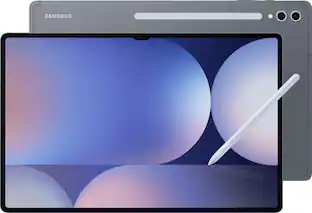 Black Friday in July Deal$849.99The price was $1,199.99
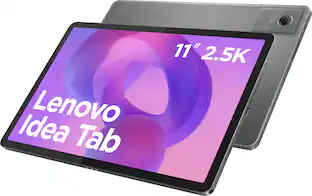 Black Friday in July Deal$149.99The price was $239.99
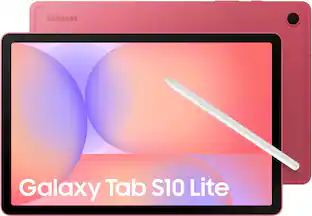 Black Friday in July Deal$329.99The price was $399.99
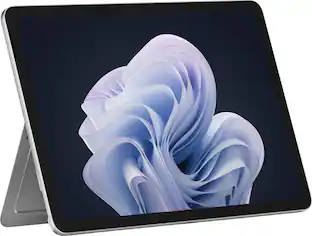 $749.99The price was $849.99
 Black Friday in July Deal$899.99The price was $1,099.99
Today's top picks
 Black Friday in July Deal$749.99The price was $1,199.99
 Black Friday in July Deal$199.99The price was $399.99
 $249.99The price was $399.99
 Black Friday in July Deal$69.99The price was $129.99
 Black Friday in July Deal$199.99The price was $249.99
 Black Friday in July Deal$199.00The price was $419.00