Rating 4.8 out of 5 stars with 3650 reviews
4.8- Keyboard Quality (339)
- Ease of use (221)
- Color (41)
- Design (29)
- Protection (22)
- Price (54)
- Weight (28)
- Battery Life (8)
- Angle (3)
- Rotation (3)
Customer Images
The vast majority of our reviews come from verified purchases. Reviews from customers may include My Best Buy members, employees, and Tech Insider Network members (as tagged). Select reviewers may receive discounted products, promotional considerations or entries into drawings for honest, helpful reviews.
- Rated 5 out of 5 stars
Now the best part about my iPad Pro 12.9
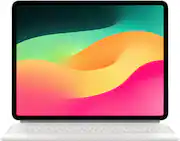
I have had several iPad Pro 12.9’s over the years and have always found someway or another to find a somewhat useable stand or clamshell. When Apple released the Magic Keyboard, I was super curious if it really lived up to all of the hype, Well it does, and more. If you have ever had an iPad in your lap, you find out fast how clumsy and awkward it is. Typing with one hand while holding it with another is not my idea of ease of use. I am not very keen on dictating as I still have to go back and fix all of the mistakes using the on screen keyboard or the one on the stand. By the way, the folding Apple iPad stand just falls over in your lap and is useless unless it is on a table. Enter the Magic Keyboard, It makes the iPad Pro 12.9 feel and act like a laptop. It sits comfortably in my lap without falling over. The backlit keyboard is fantastic. The tactile feel of the keys is perfect for those of you who prefer a keyboard. The adjustable viewing angle is great. Never seen before from Apple. The ease of removing the iPad Pro from the Magic Keyboard is as easy as it can get. Just pull it off. The magnets still have a very strong hold when eh the iPad is in place. It just snaps right into the Magic Keybaord. The trackpad, oh the trackpad. I love it. Makes me feel at home. The look is typical Apple. It just looks right. It feels just right, and it protects my iPad all at the same time. Did I forget anything. Oh yes! It has a USB-C port on the back hinge to the left for plugging in the charger and keeping the cable out of the way. Is there anything else, sure, but you have read enough and probably want to go, SO, here is my recommendation, GET ONE! I give it 5 stars.
This review is from Apple - Magic Keyboard for iPad Air 13" (M2) - Black
Posted by Repro
- Rated 5 out of 5 stars
Fantastic addition for iPad
Negligible weight, beautiful functionality, and great protection! The trackpad is responsive and accurate, and responds very well to multi touch gestures. The keyboard is nicely lit, and seems to be linked to the ambient light sensor, so it doesnt stay lit all the time. Keys are soft yet tactile and make it almost like using your laptop. Personally i like that that they included a charging port on the left of the case to charge your ipad while youre working, or you can plug directly into the ipad on the right, whichever is more convenient. If there HAD to be a gripe here, and seriously this is tiny… the screen angle could be adjustable by just a few more degrees. Id HIGHLY recommend this to anyone with an ipad!
This review is from Apple - Magic Keyboard for iPad Air 13" (M2) - Black
Posted by Allen
- Rated 5 out of 5 stars
White Magic Keyboard
I purchased this as an open box. I like the track pad on the keyboard. The keyboard lights up when you use it. No charging or setup with the keyboard. Put the iPad on it and your ready to go. The white kind of grow on me and I am glad I go it. It is easy to clean. You can take the iPad off and use it without the keyboard pretty easily. Putting the iPad on the keyboard is pretty easy. It is pricey, but with it in my opinion.
Posted by DaveS
- Rated 4 out of 5 stars
Great long term investment for power users!!!
The Magic Keyboard for the 12.9 iPad Pro works as expected with the iPad. Keys type very well and the track pad is very responsive. Overall the keyboard case provides adequate protection mostly for the front & back of the iPad, but not much for the sides.Negatives are the weight and the lack of function buttons for simple things like volume and keyboard backlighting brightness which is unfortate. Trackpad is small, but functional. Having the extra USB-C port for charging is very handy. Not sure why there are cutout for the cameras as I would prefer to have had the protection for the camera lenses whuile in my bag. Pricey, but worth it if you write a lot like myself. Sadly no portrait position as some apps require it to function. I have had one for my 11 inch iPad Pro for several years. Highly recommend!!!
This review is from Apple - Magic Keyboard for iPad Air 13" (M2) - Black
Posted by BBReviewer
- Rated 5 out of 5 stars
iPad Keyboard-You won’t be disappointed
Best IPad keyboard ever! I love using this when I’m writing my book and love the magnetic features. Easy to disconnect and no need to worry about inputting Bluetooth etc very smooth and easy to use! Only thing I’d change is capability for it to rotate more backward. I do love how you can use touchscreen and keyboard mousepad. I always love Shopping Best Buy as they have the “best” deals! Delivery was great and quick! Love this IPad and very happy with my purchase!
Posted by Steph