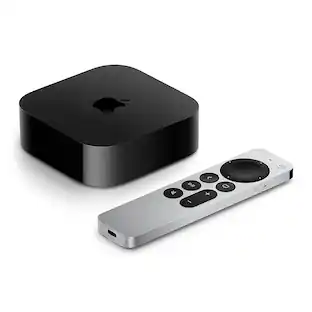
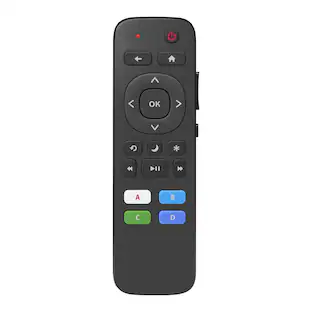
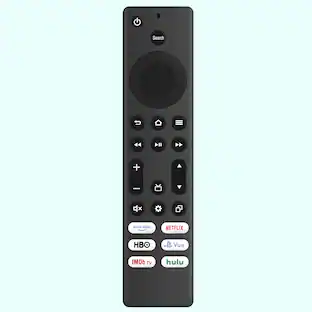
Apple - Music System Remote Control MM4T2ZM/A - Black
Reviews coming soon
About this product
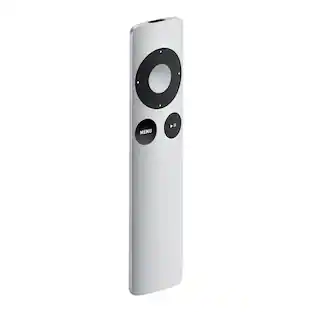
Apple Remote with iPod and iPhoneIf you connect your iPod to a home stereo, powered speakers, or TV set, the Apple Remote lets you experience your songs, slideshows, and more from across the room. Plug your iPod into the Apple Universal Dock and choose a playlist, slideshow, or video. Then sit back, relax, and enjoy. Ready to move on to the next song? No need to get up. Just press the Next button on the Apple Remote. Getting a call on your iPhone? Press Pause, then pick up where you left off.Apple Remote with MacThe Apple Remote gives you total command of your music, photos, videos, and DVDs from anywhere in the room. Turn up the volume. Shuffle. Skip to the next chapter on your DVD. Play a slideshow, a home movie you made in iMovie, even a movie trailer.Keep in mind, Apple TV can only connect to one remote at a time. If you wish to play multiple player games, you'll need an iOS device or controller.
Features
Feature 1
The Apple Remote puts you in complete control of your Apple TV (2nd and 3rd generation).
Feature 2
Control your Mac, iPod, or iPhone from afar with the sleek aluminum Apple Remote.
Feature 3
Play, pause, adjust volume, move forward and back, and access menus while playing music and video.
Feature 4
If you wish to play multiple player games, you’ll need an iOS device or controller.
Feature 5
Compatible with Apple TV (3rd generation) and Apple TV (2nd generation)
Specifications
- Remote Control TypeDedicated
Reviews
This product doesn't have any reviews yet.

Compare similar products
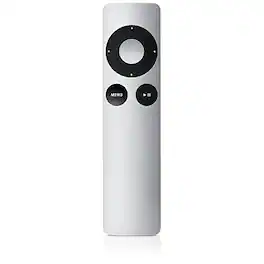
Apple Remote with iPod and iPhoneIf you connect your iPod to a home stereo, powered speakers, or TV set, the Apple Remote lets you experience your songs, slideshows, and more from across the room. Plug your iPod into the Apple Universal Dock and choose a playlist, slideshow, or video. Then sit back, relax, and enjoy. Ready to move on to the next song? No need to get up. Just press the Next button on the Apple Remote. Getting a call on your iPhone? Press Pause, then pick up where you left off.Apple Remote with MacThe Apple Remote gives you total command of your music, photos, videos, and DVDs from anywhere in the room. Turn up the volume. Shuffle. Skip to the next chapter on your DVD. Play a slideshow, a home movie you made in iMovie, even a movie trailer.Keep in mind, Apple TV can only connect to one remote at a time. If you wish to play multiple player games, you'll need an iOS device or controller.

Control your iPod, iPhone or Mac with this Apple remote. On your iPod or iPhone, the Apple remote lets you connect your device to speakers and then control the sound and select different tracks. When you use this Apple remote with your Mac, easily skip through DVDs and shuffle songs from a distance..

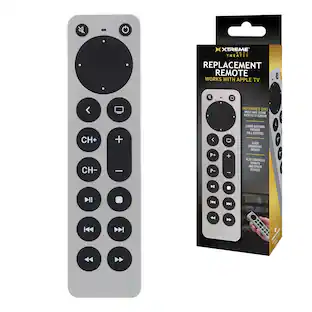
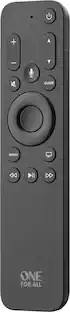
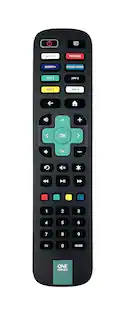
This One For All Apple TV Remote will elevate your viewing experience with intuitive control and effortless navigation. Control your Apple TV as well as Television and Audio devices, without the constraints of mode-switching. Enjoy the comfort of Siri Voice search, find and access all content across live TV and streaming apps easily with minimum effort. The remote also comes with backlit keys allowing you to easily find it in a low light environment, thanks to the built-in accelerometer which activates when motion is detected.
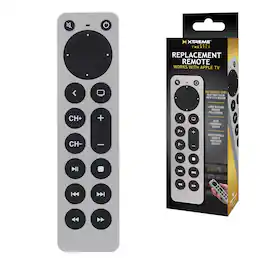
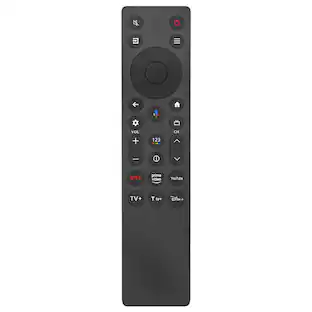
This Apple TV replacement remote provides universal control for your Apple TV® and television via infrared (IR) technology. Designed with large, easy-to-use buttons, this sleek and ergonomic remote offers full control of your media devices. It supports Apple TV 1st, 2nd, 3rd, 4th, and 5th generation models, including a1294, a1218, Ma711, A1378, MC572, A1427, MD199, A1625, MGy52, MLMC@, A1842, Mod22, Mp7p2, and more. You can also use it to control compatible TV brands like Samsung, LG, Sony, Vizio, Westinghouse, Insignia, and Toshiba. The power button turns your TV on and off, while the volume controls work seamlessly with your TV. Requires 2x AAA batteries (not included). Enjoy a simple and efficient way to manage all your entertainment systems in one place.
| Pros for Apple - Music System Remote Control MM4T2ZM/A - Black | |||
|---|---|---|---|
| There were no pros for this product— | There were no pros for this product— | Ease of Use, Overall Performance, Button Layout, Size, Backlight | There were no pros for this product— |
| Cons for Apple - Music System Remote Control MM4T2ZM/A - Black | |||
| There were no cons for this product— | There were no cons for this product— | Battery Life, Compatibility, Price | There were no cons for this product— |
Specs
Be the first to ask a question.
We’ll try to get your question answered within 24 hours by a Best Buy customer or brand representative.
Customers often buy these together
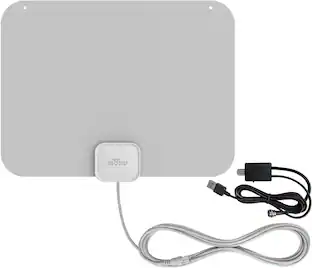 Our 365-day lowest price$49.99The price was $59.99