Rating 4.6 out of 5 stars with 173 reviews
4.6- Ease of use (44)
- Speed (21)
- Price (14)
- Performance (11)
- Installation (9)
- WiFi (5)
Customer Images
The vast majority of our reviews come from verified purchases. Reviews from customers may include My Best Buy members, employees, and Tech Insider Network members (as tagged). Select reviewers may receive discounted products, promotional considerations or entries into drawings for honest, helpful reviews.
- Rated 5 out of 5 stars
Save money !
This product is great, it’s the same one that optimum provides me but now I own it and I’m saving $10 off my bill
Posted by Ralf
- Rated 5 out of 5 stars
Works perfectly assuming you know what you need
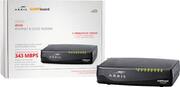
I bought this modem to replace the combined modem/router I was renting from Comcast. I was a little hesitant after reading the reviews, but after researching / purchasing / installing I realized most of the poor reviews were based on user/purchaser error. The modem works perfectly for me, in the Chicagoland area, using the Comcast 250 Mbps service. If you are paying for 400 Mbps service or higher this product is not appropriate for you. Here are a couple of tips: 1. This is a MODEM ONLY. If you have multiple computers and/or want wireless connectivity, you will need to purchase a separate [WiFi] router. If you do not understand what MODEM ONLY means, please talk to a sales associate before purchasing. 2. The modem works for Comcast 250 Mbps(or less) service. If you are paying Comcast for greater than 250 Mbps (I think they call that xFi), get a different modem. This modem is not compatible with the 400 Mbps or higher Comcast speeds. 3. This specific modem works for Comcast in my location. Call your cable company first, and ask if this particular model is compatible with the head end equipment deployed to service your particular house. Internet reviews saying, "I heard it works with (insert random cable company here)" will ensure failure. 4. This modem is intended for people who also have Comcast "landline" telephone. If you do not have landline service through Comcast, consider purchasing a different modem, as it might be slightly cheaper. That said, this modem will still work with the 250 Mbps or under Comcast service. 5. When you are installing the modem, let it go through its firmware update process. I would suggest connecting the cable cord and plugging it into power, then walking away for an hour. The modem will go through multiple reboots as it is updating. It is best to leave it alone while it is updating. 6. Follow the Comcast directions. They have a link on their website with instructions for what to do if you are going to install your own modem. Read and follow those instructions. I was able to replace my rented modem with this modem by just following the Comcast provided instructions without any problems. For those interested in unscientific performance stats, current uptime is about 3 weeks. I just ran a speed test, two minutes before hitting submit on this review, using a well known test site, and got back 253 Mbps after going through a WiFi router (and while my son was streaming a movie on Netflix).
Posted by Twoos
- Rated 5 out of 5 stars
Worth the money
Bought this to replace the rental modem from Optimum and works very well. Easy set up, just unplug and plug but need to call Optimum to register the new modem to get the saving. Of course, you also need to return Optimum modem. This one also has phone jack in case getting phone service from Optimum in the future. Good deal if you plan to have Optimum for couple of years.
Posted by Daisy
- Rated 5 out of 5 stars
Improved Reliability and Saved Money
I purchased this Arris to replace the ancient Arris that Comcast installed years ago. Since 2011, I had been paying Comcast $7.00 a month for old technology and frequent 'hiccups' that would cause the Internet connection to become 'flaky'. After comparing prices and the list of approved Comcast Modems, this modem was reasonably priced, had improved specs and had features that the old modem did not have. Since installing the new modem, I have not experienced the 'flaky' conditions that I had experienced in the past. This modem support speeds that are typical for most home users and the quality is exceptional.
Posted by LakeHouse
- Rated 4 out of 5 stars
Easy Activation
I purchased this to save the rental fee for the Comcast Cable/Phone Wifi Router. You will need to get a separate Wi-Fi router with this device, but I think it is better solution. If you start to have Wi-Fi problems, or if there are newer technologies that come out you don't have as much electronics to replace. I think you end spending about the same amount of money too. I guess the disadvantage, is that you have more cables to hook up. It installed and activated relatively easy. I decided to mount this against a wall in the basement, I couldn't find the template for drilling the screw holes that was mentioned in the manual, but I managed to get it to work just by measuring (I think 4"). There was a web link in the manual that you went to activate the device and it worked fine. It took care of both the data and the voice. It downloaded new software, probably took about 15 minutes to get it all working. Caller ID worked fine, and it still worked on the TV despite not have the Comcast modem. I did want a backup battery, I don't think Best Buy sells them, but checkout the manufacture web site. Take into account this cost, if it is important to you. That extra cost is what prevented me to give it an excellent rating.
Posted by ChicagoMark