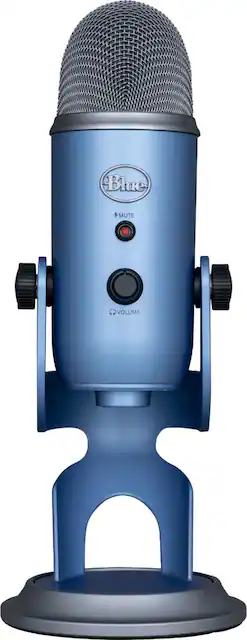
Yeti is the premium USB mic professionals trust worldwide, producing clear, powerful, broadcast-quality sound and enhanced Blue VO!CEvocal effects for gaming, streaming, podcasting, YouTube videos and more. Thanks to Yeti’s proprietary three-capsule technology and four pickup patterns, you can produce professional recordings and streams with legendary ease. Yeti’s proprietary three-capsule technology enables cardioid, omni, bidirectional, and stereo pickup patterns that offer incredible flexibility, allowing you to record and stream in ways that would normally require multiple microphones. Yeti also features studio controls for headphone volume, pattern selection, instant mute, and microphone gain that put you in charge of the recording process. Set up in seconds with the included desktop stand or connect directly to a mic stand or boom arm.
A: It has a headphone jack input and I don’t think that would be a problem. I’m currently using it with my desktop Windows 10 & my MacBook Pro. YouTube it to be in the safe side.
A: Hello, you can definitely continue to use your Bluetooth headphones with the Yeti microphone. You will have to make sure that in your system settings, the input device is set to the Yeti and the output device is set to your headphones.
Q: Is this microphone compatible with an iPhone?
A: Yes if you buy an adapter. Don’t buy the cheap ones though because the connection might not be stable, and there might be a periodic static noise.
Q: Do I need a receiver or speaker to use this mic?
A: I had answered this saying no, but you do need to use it with a computer that has compatible software, like Audacity or GarageBand or other.
Q: Does this mic screw on to a standard mic stand, or is an adapter needed?
A: There is a standard thread mount in the mic. It can screw into a standard mic stand. Go the BlueDesigns.com website and you will find the Quick Start Manual for the Blue Yeti Mic. Description is on page 5.
A: It is connected to a USB port on the computer. It is powered by the USB.
Q: Is this mic good for singing?
A: If you are doing recording then it could work. It is typically used for speaking, such as podcasts, but I have used mine to record events which include live music.
Q: Will this mic work with a Chromebook?
A: Hello Josh, the Yeti is plug-and-play with the included USB-A cable. It will work with your Chromebook! Keep in mind, if your computer doesn't have USB-A ports, you may need an adapter to plug it in.