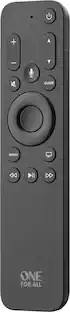
Bose - Soundbar Universal Remote - Black
- Key Specs
- Remote Control Type: Universal
- Remote Control Features: Backlit
- Number Of Devices Controlled: 6
- General
- Brand: Bose
- Model Number: BOSE SOUNDBAR UNIVERSAL REMOTE
- Product Name: Soundbar Universal Remote
- Color: Black
- Features
- Remote Control Type: Universal
- Remote Control Features: Backlit
- Connectivity
- Number Of Devices Controlled: 6
- Wireless: true
- Compatibility
- Compatibility: Bose Soundbar 700 and Soundbar 500
- Brand Compatibility: Bose
- Compatible Product(s): Soundbar
- Power
- Rechargeable: false
- Battery Size: AA (The battery size required for operation.)
- Number of Batteries Required: 4
- Dimensions
- Product Weight: 8 ounces (The out of box weight of the item.)
- Warranty
- Warranty - Parts: 1 year
- Warranty - Labor: 1 year
- Other
- UPC: 017817796682
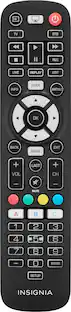
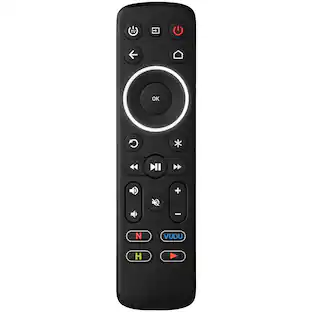
Control your entire entertainment system with this universal remote that only lights up buttons relevant to the task at hand.
- Controls up to six devices: Works with Bose Soundbar 700 or 500.
- Universal remote: Controls most TVs, cable boxes, DVD and streaming media players.
- Light the way: The intelligent backlight shows only the buttons you need.
- Requires four AA alkaline batteries: Provides plenty of time before battery change is needed.
Whats Included
- Bose Soundbar Universal Remote
- Owner's manual
Product Manuals
Q: will it work on my Bose Smart Soundbar 300? and why do i need an app?
A: so why is it not compatible with the 300?
Q: I have a Bose 3.2.1 series III in lost my remote control with universal remote will work ?
A: undefined
Q: Is this remote compatible with the Bose TV speaker?
A: Yes it is
Q: hello i have the 500 subwoofer how can i get more bass out of it ?
A: Hello, I'm assuming you mean you have the Bose 500 base module. To get more base you need to use the Bose Music App. You can get it from the Apple Store or Google Play Store depending on which device you use. When you open the app tap the name of your soundbar. At the bottom right of your screen you'll see a small circle with a picture of your soundbar. Tap this picture. The next screen will be the options you can choose that you want to change. On this screen tap the audio button. The next screen will show you the volume levels for all connected speakers. To see the bass module you will have to scroll down the screen. You will see the - and + for the bass module. If you do not see the controls for your bass module that means you have to connect it to the soundbar using the Bose Music App. To connect if your still in the volume levels screen tap the X at the top left to exit. Tap the picture of your soundbar and then tap the settings button. Tap on Accessory Speakers then tap on Add Bose Accessory Speakers and follow the onscreen instructions. Hope this helps.
Q: I don't have a Bose soundbar. I have another brand. Will this remote control it? It's a Vizio?
A: undefined
A: Yes. We have the Bose 500 Soundbar and use the Bose Remote that came with it and then purchased the Bose Universal Remote. Both are paired to the sound bar and TV and work fine.
Q: Will this remote work for my Bose lifestyle v20???
A: No, this listed remote is compatible with the Soundbar 500 and Soundbar 700.