Rating 4.6 out of 5 stars with 7 reviews
4.6Top Mentions
- Scan Quality (3)
- Size (3)
The vast majority of our reviews come from verified purchases. Reviews from customers may include My Best Buy members, employees, and Tech Insider Network members (as tagged). Select reviewers may receive discounted products, promotional considerations or entries into drawings for honest, helpful reviews.
- Rated 4 out of 5 stars
Device is good but setup instructions are not
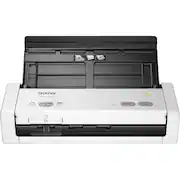
The device itself is good if you want a compact but versatile scanner. It is a tiny bit of an inconvenience to fan the documents before placing them in the feeder (especially if you have a lot of documents) but it's easier than scanning each separately on a flatbed scanner. When loading a lot of documents (say, the max) that's when you just need to be careful that each page is being picked up by the scanner separately, otherwise two pages will be picked up at once and then the resulting scan file will have skipped some pages. The instructions for setup are horrid (you have to go online and search around for the correct software and drivers which would be easy except that the Brother website doesn't necessarily make it so easy). The device comes with a power cord so if you want to connect the device directly to your computer (as opposed to using the wifi network) you will need to obtain your own cord.
Posted by Roxypop
- Rated 5 out of 5 stars
Good for Home Office
Highly recommended for home office and small office. This unit takes little space and easy to install and use. The scanning speed is fast if set at low resolution (200x200). The price is reasonable as well.
Posted by Lawwcl
- Rated 5 out of 5 stars
Better than using a phone camera
I bought this for my wife who was constantly using her iPhone to "Scan" documents. The quality of the scans from this Brother scanner helped her to create real, legible documents to transfer to others and store for her work. It is very small and pretty easy to use, once set up.
Posted by Jimbo
- Rated 5 out of 5 stars
Great Scanner for the price!
You need a USB cable for set up that is not included. After purchasing one, I had zero issues with set up and the quality picture was much better than I excepted.
Posted by workinfromhome
- Rated 5 out of 5 stars
Great compact scanner
Great Scanner. It has a really fast output(pages per minute). I love the software because you can preset workflows. The first day I did 8 hrs of scanning and it handled it effortless. A great investment!
Posted by Kelz
Customer reviews from brother-usa.com
See all brother-usa.com reviewsSyndicated rating, 3.76 out of 5 stars with 50 reviews on brother-usa.com.
3.8(50 reviews)