Rating 4.6 out of 5 stars with 57 reviews
4.6- Print Quality (31)
- Ease of use (10)
- Paper Tray (3)
- Size (6)
Customer Images
The vast majority of our reviews come from verified purchases. Reviews from customers may include My Best Buy members, employees, and Tech Insider Network members (as tagged). Select reviewers may receive discounted products, promotional considerations or entries into drawings for honest, helpful reviews.
- Rated 4 out of 5 stars
Ledger Size Printer
Since receiving this printer, I have been very pleased with performance, set-up, speed, quality of printed pages and specific features I use extensively, duplex and booklet printing. It has seemed to be a bit of an ink hog though. The black cartridge 3017 (XL) which shipped with the printer ran out very quickly. Overall a quality buy. I would recommend this printer for anyone needing ledger size work and special features.
Posted by Squid
- Rated 5 out of 5 stars
Inkvestment Printer without the Cost
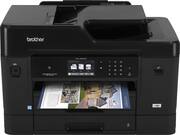
If you are considering the Brother MFC-J6935DW you may want this option instead. This is the same all in one as the 6935 but without the Inkvestment cartridges and it's black versus white. But this all in one will use the same cartridges as the 6935. You just have to purchase them later. So far this has been an excellent printer for me and set-up was as easy as it can get. It is big. Like office big. But if you have a printer table for it to set on and the room you'll have no problem giving it a location to set at. Print speeds are fast in normal so I find no need to use draft. Colors are not as saturated as in a photo printer but then this is not a photo printer. It is a office/home office printer. Presentation Tabloid prints do look acceptable though when printed on high quality inkjet tabloid paper. The lower paper tray can be extended for use with 11x17 paper and has a front cover to keep the paper from getting dirty. Printing envelopes from the back feeder was simple and I had no jams. The build quality is on par with office machines and the parts look and feel like the same you would expect of corporate office machines. The display screen has a mat finish and is easy to view. One note that really doesn't have anything to do with function is in the picture the top section of the machine is shown in gloss black but my unit and I'm sure all production units are all mat black. I've used Brother printers before and have never had any problems out of them. With all the trouble Epson is having with their print heads I'm pleased I decided on Brother. I think you will be too no matter which model you choose.
Posted by Hangdogdaddy38
- Rated 4 out of 5 stars
Very capable MFC
If you are considering the Brother MFC-J6935DW you may want this option instead. This is the same all in one as the 6935 but without the Inkvestment cartridges and it's black versus white. But this all in one will use the same cartridges as the 6935. You just have to purchase them later. So far this has been an excellent printer for me and set-up was as easy as it can get. It is big. Like office big. But if you have a printer table for it to set on and the room you'll have no problem giving it a location to set at. Print speeds are fast in normal so I find no need to use draft. Colors are not as saturated as in a photo printer but then this is not a photo printer. It is a office/home office printer. Presentation Tabloid prints do look acceptable though when printed on high quality inkjet tabloid paper. The lower paper tray can be extended for use with 11x17 paper and has a front cover to keep the paper from getting dirty. Printing envelopes from the back feeder was simple and I had no jams. The build quality is on par with office machines and the parts look and feel like the same you would expect of corporate office machines. The display screen has a mat finish and is easy to view. One note that really doesn't have anything to do with function is in the picture the top section of the machine is shown in gloss black but my unit and I'm sure all production units are all mat black. I've used Brother printers before and have never had any problems out of them. With all the trouble Epson is having with their print heads I'm pleased I decided on Brother
Posted by SurfingJohn
- Rated 5 out of 5 stars
Easy setup, great features
This is my first Brother printer, and I was so pleasantly surprised by the easiness of the setup process. Compared to some other brands that I used before, the instructions were simple and clear, and there were no hiccups in software installation. The printer itself has all the features that a small office would need for a very affordable price. I was especially looking for multi-page and duplex scanning (along with copying and printing), and this printer has it all. The printing dialog box can be a bit overwhelming due to the many options to choose from, but it's nevertheless clear and provides help buttons with explanations of items that might be unclear. Printing speed is good (not as fast as laser printing, but faster than my previous inkjet printers). I can't quite comment on the best print quality because we've been using the ink-save mode. In short, we're very happy with this printer and would definitely recommend it.
Posted by mightymouse
- Rated 5 out of 5 stars
I am satisfied with my purchase.
Great printer! This replaces an HP all in one wireless printer, 8500 Pro, that CONSTANTLY lost its wi-fi connection. I would have to shut it down and restart it to get a connection back. This Brother printer can sit idle for a couple of weeks but when I hit print on my laptop, PC, Mac or iPhone, it comes to life and starts printing. It also doesn't go through a lengthy start-up if you have had it shut down.
Posted by MikeV