Rating 4.4 out of 5 stars with 67 reviews
4.4- Print Quality (31)
- Ease of use (17)
- Overall Performance (5)
- Scanning (5)
- Setup (3)
- Size (9)
Customer Images
The vast majority of our reviews come from verified purchases. Reviews from customers may include My Best Buy members, employees, and Tech Insider Network members (as tagged). Select reviewers may receive discounted products, promotional considerations or entries into drawings for honest, helpful reviews.
- Rated 5 out of 5 stars
I'm Pleased.
Set up was very easy. You dont have to know a lot about technology to be able to set this up. The printing is really clear. I also downloaded the app on my phone so that I can print from it if need be. I just returned an HP after I kept receiving error messages and no one from their customer service could help me. I've heard good things about Brother so I decided to give this a shot. So far I am pleased.
Posted by Jess
- Rated 3 out of 5 stars
Heavy Duty Printer that Lacks Functionality
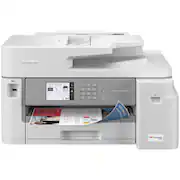
Initially purchased Brother - MFC-J6555DW INKvestment Tank All-in-One Inkjet Printer, but it was too heavy and too big for the home office space. Returned and purchased the Brother - MFC-J5855DW INKvestment Tank All-in-One Inkjet Printer as the description indicated the dimensions were smaller. However, the specifications are inaccurate (Height 12 inches; Width 17.2 inches; Depth 17.2 inches). This may not be important to others but it depends on how much space you have. The actual specifications for the Width is 21.5 inches which prevents the closure of the office door. The cables are also in an awkward place under the scanner. They become pinched and disrupts the ethernet connection. The cables are also unsightly and visible from the side of the printer and not in the back of the printer. Still trying to get the wireless printing functional after 2 1/2 months.
Posted by COCO
- Rated 5 out of 5 stars
Excellent Addition
Full featured printer. Very fast printing. Great addition to home network. Ink is much cheaper than a competitor printer's prices. Extremely easy access to change cartridges as displayed in photo...open the door and you are there!
Posted by InNeed
- Rated 5 out of 5 stars
Fast, edge to edge printing for our school needs
This printer is very fast and it does a good job of printing edge to edge graphics from our tablets and computers. Be aware…It is a large printer. So far we are very satisfied with it. 
Posted by Keith
- Rated 5 out of 5 stars
Great printer cursed with a small(er) paper tray.
Overall this is a great printer with a couple of (very) minor shortcomings. On the pro side you have; + Ease of use + Consumable (ink) usage and replacement cost + Compatibility with Macs, PC's, phones, tablets, etc. + Stable wireless connectivity + Readable and well organized interface + All the functions you would expect with a typical MFP (print, scan, duplex, fax) + Good print speed (real world) + Goof direct connectivity options (Bluetooth and USB) On the con side you have - Paper Capacity - ...not much, the color maybe? This is a solid workgroup printer for low to medium print volume. It's speedy, quiet, and capable (scan and send, duplex printing, etc.). It has a ton of connectivity options for Ethernet, Wi-Fi, and direct Bluetooth and USB. The setup can be completed in about 20 minutes (including registration). It's had to find anything to really complain about. With that I will nit-pick. I really like Brother printers. As a refugee from other brands in this space, I have been slowly swapping out those other 3 big brands with Brother printers. Easy to run, sit for months and work great. The interface is pretty easy to walk a non-technical (spouse, parent, remote co-worker) through. It would be nice to have a groupware support toll but that's not the endo fo the world. My issue with Brother printers, and this one in particular, is the paper capacity. When you are doing a larger print, or this is a more actively used printer, plan to be feeding it often. the 250 sheet tray is half a ream. *Half* a ream. Cm'on, give me a tray with at least 500 sheets (a full ream) for this class of printer. Now, to quickly pivot on that statement, I spend very little time clearing jams, or dealing with feed issues on this unit. Use good paper, pay attention to the curl, watch out for high humidity, and this tank will give you few (if any) paper problems. They do have a larger capacity version, so if you print a lot, or want to keep different types of paper at the ready (colors, checks, etc.) go with that. One other oddity, for mobile users Brother has two apps, and depending on the model you may need a differnt app. This one uses the Brother Mobile Connect (*not* the Brother IPrint&Scan). Again, not a deal-breaker, just odd.
Posted by Woody