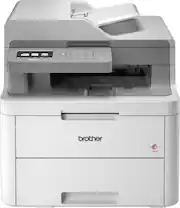
Rating 4.5 out of 5 stars with 91 reviews
4.5- Print Quality (45)
- Ease of use (18)
- Noise Level (10)
- AirPrint (3)
- Setup (3)
- Size (8)
- Connectivity (4)
- Weight (4)
Customer Images
The vast majority of our reviews come from verified purchases. Reviews from customers may include My Best Buy members, employees, and Tech Insider Network members (as tagged). Select reviewers may receive discounted products, promotional considerations or entries into drawings for honest, helpful reviews.
- Rated 5 out of 5 stars
Great color laser printer
This printer works well, and was very easy to set up.
Posted by DouglasM
- Rated 4 out of 5 stars
Solid Small Business Color Laser Printer
I've been using my Brother MFC-L371CW for about 5 days now. I am a small business owner with a home office. This is a solid small business laser printer. It's footprint is quite large, almost double the size and 3X the weight of my color inkjet printer. But it was worth the space I made for it. It's nice to have the ability to print high quality color laser images and this unit doesn't disappoint. It's not at the level of a print shop machine but this unit produces output that I would put right in the middle of color inkjet printing and printshop quality. Setting the machine up was pretty simple once I removed all of the tape and guides that the printer shipped with. The quick start guide had lots of pictures and was easy to follow (this isn't my first printer setup). I have a Mac Pro and it was "Plug 'n Play" (although technically, there was no plugging it in). It took all of 45 seconds to get it up and running on my WiFi and about as much time for my Mac to find it and install drivers. The printer menu offers a pretty decent user experience and it's relatively easy to understand. It prints quickly and quietly, far more quiet than my Color Inket. The flatbed scanner works well. I grabbed a few different items to scan, from a faded credit card, to my drivers license, a couple of baseball cards, a receipt and a black and white resume and they all scanned well. I also tried the document feeder to scan a contract and it scanned the image quickly and at a high quality. The output of the printer and scanner are good enough for me to feel comfortable sharing with clients and partners.
Posted by amarks94070
- Rated 5 out of 5 stars
Outstanding Laser Printer ; Hi-Def Comparison
After two decades of getting suckered into buying cheap Inkjet printers I finally got fed up with that business model that give away the razor, only to repeatedly sell you the blades, on a perpetual basis. A recent Epson was the last straw. I’d regularly been using less expensive 3rd party ink, much to Epson’s chagrin. It works fine, is a fraction of the price, and employs reusable cartridges. Well my XP-410 died, nozzles kept clogging, head needing constant alignment, etc, replaced with XP-440. What a mistake that was. What they don’t tell you is 3rd party ink still works, UNTIL you update the Epson firmware, which absolutely BRICKS the printer from working when you try. What a blessing in disguise that return was. Enter an affordable laser jet printer, namely the Brother MFC-L3710-CW. Setup couldn’t have been any easier, with clearly marked tabs that require removal, and a large printed step-by-step guide (unnecessary). The color LCD screen displays an input keyboard for network information. Holy smokes!! What a difference!! I can’t stop showing ppl the differences between inkjet to laser jet, particularly for my guitar tablature where there is a plethora of fine detail that’s I didn’t realize just wasn’t clearly legible before. I can see the small numbers and symbols now clearly without ink smudges from previous inket technology. Last night my wife’s comment was that this printer makes “ high-definition prints”. See attached pictures to see if you agree (Brother laster on the left, Epson inkjet on the right, prev HP DeskJet for comparison) PROS + super high-quality, high-definition like prints + applicable for small business and home office + deceptively simple setup, WiFi network and go + fast image processing, 19 ppm print speed + driverless installation, automatic printer ID + 3.7-inch color touchscreen, ease of operation + 250-sheet paper tray + easy network setup, web app cloud integration + iPrint & Scan iOS and Mobile Printing works well + scan & email via individual tray, or document feeder + affordable price, wish I’d bought years ago + solid build construction + quiet operation CONS - size, it’s got multiple trays and fold outs - larger footprint than toy-sized inkjet printers - weight, too heavy for wire closet racks CONCLUSION : I’m really very happy with my first Brother printer. I wish i’d taken the plunge years ago, everything we’ve printed since then would’ve been of much higher quality. So thankful to finally reward my family with an affordable laser printer and prints that we can forever be proud of.
Posted by TechReviews
- Rated 4 out of 5 stars
Excellent connected MFC printer with no duplex
I've been using Brother printers at work and home for years. They're among the best and this is no exception. We've been using at home, for years, a previous model which is remarkably similar to these new models, trouble free for years. The printer is relatively quiet and fast. While the speed of the first page varies, I can confirm that is faster than older Brother printers. I found the quality to be very good, even for photos: Kids in the house go through a lot of printing so it made sense to use toner. While this won't print on photo pater, it's very good for advertising and school projects. The scanner is very fast, comparable to feed scanners on much larger printers. It's relatively compact for a color laser printer, and very easy to service: - Each tonner is individually mounted to its drum. Drums last much longer than toners and are replaced separately: Take the drum + toner out, swap the toner and insert it back in. The printer knows if one puts the wrong color (Because I did it). - Replacing the belt is also straightforward, as well as the dust bin (which in our case should last for years). - Controls are straightforward, with a simple numeric keypad and a bright and clear touchscreen, that although sluggish compared to a smartphone, it's very usable and responds quickly with little pressure. It's also an excellent connected printer, with an extensive list of features for home and corporate users: - AirPrint: Print, fax scan without prior setup from iPhone / iPad and macOS. - Mobile Printing for Windows: Windows 10 detects the printer automatically, when on the same network. - Connects with Android and Chrome via Mopria or Google Cloud Print. - Can scan to a mobile phone. - Scan to email (SMTP), Wndows File Share (SMB), to FTP servers from the printer itself. - Scan to SharePoint servers. - Scan directory to Windows PCs. - Scan directly to end user and corporate versions of cloud services: Microsoft OneNote, Microsoft OneDrive, Dropbox, Google Drive, Evernote and Box: Initial setup is done via a PC, and then the printer can connect directly to the service, accepts multiple profiles, which can be saved as shortcuts. It can turn itself completely off if not used (Configurable, by default 8 hours, and can be disabled). Mobile: - While one can print directly from iOS, for both iOS and Android there is an app 'iPrint&Scan' from Brother, which is free, allows also scanning, faxing and copy previews, and status checks. Some of the more advanced corporate management features: - Supports proxy settings, SNMPv2 and SNMP v3, web management via HTTP and/or HTTPS with configurable certificates, SMTP (Email) with authentication. - TLS certificates can be self-singed directly from the HTTP Web GUI or can generate a CSR or import an existing certificate chain. - Native support for secure print. - Firmware can optionally update from touchscreen or web management page. - Touchscreen and dialing restrictions. - IP access list for management. Paper management - Tray accepts full ream of paper. Tray supports most sizes including A4 and Folio up to Legal. - Manual feed from the front. - Bypass door on the rear of the printer for specialty prints and envelopes, so they can go straight from the manual feed to the rear bypass without bending. Fax - Extensive fax receive options including manual and automatic fax tone detection. - Settings for VoIP lines and international faxing (Changes speed, fax capabilities, etc). - Accepts remote codes, fax store and forward, fax to email and to cloud services Copy - BW and Color - Supports adjustments and reductions - Can remove background colors - ID copy (print back and front of an ID on the same page). Brother also officially supports Linux drivers (RPM and deb). The printer accepts Postcript3 and PCL6. Optional replenish services The printer can integrate automatically with an auto-fulfillment service for toner. The initial registration can be done from a phone on the same network as the printer. The providers supported are: - Brother refresh: Toner ships directly from Brother - Amazon dash replenishment - Best By Easy Replenish This is completely optional. It's advertised on the documentation and the phone app. There are no nagging reminders on the printer if not set up. Connectivity - It connects via WIFI (2.4Ghz, 802.11N) or USB - USB is available bout really this printer is made to be used via WIFI - Note that there is no wired ethernet connection CAVEATS - Considerations While I'd highly recommend these printers based on this new model and experience on older, similar models, this particular model, MFC-L3710CW seems to be made specifically to hit a marketing or pricing goal: - Currently for about the same price (and about $ 50 or so list price), the almost identical MFC-L3770CDW gains some functions that can be critical to most people: - Wired ethernet connection (In addition to WiFi, which is also available and optional). - Duplex printing - Duplex scanning - Also adds NFC for simpler printing from Android. So unless you really don't want duplex (the printing path is slightly simpler), or the difference in price is an issue, consider the MFC-L3770CDW. If I had to buy again, I'd get the later instead. Conclusion: - Excellent all-around multi-function, as long as one understands this model has no duplex and no wired ethernet.
Posted by emiliosic
- Rated 5 out of 5 stars
Great All-In-One color laser printer.
My girlfriend and I (mostly her) work in real estate so we are always printing. Having a mix of laser and ink jet printers thru the years this is one of the quietest I’ve had. The printer was easy to setup, which is nice since I’ve dealt with my fair share of printers that will make you want to pull your hair out, especially the software. Brothers software was very easy and straightforward, from unpacking to completely up and running it might have taken 30 minutes. We do a lot of scanning documents into the computer so the automatic document feeder was a must and we couldn’t be happier with its performance. The automatic feeder is fast and the software organizes everything perfectly so we don’t have to search were it is on the computer. Printing from an iPhone/iPad is easy with AirPrint built in. I had another brand that had AirPrint but it would never work right, so it’s nice to have a printer that can do it, especially a color laser printer. Only thing this model is missing is automatic duplex printing, though you can still do it manually. The touchscreen is the best I’ve used on any printer short of an expensive commercial/professional unit. If you don’t need automatic duplex printing this unit is an excellent printer for the price.
Posted by Linksys