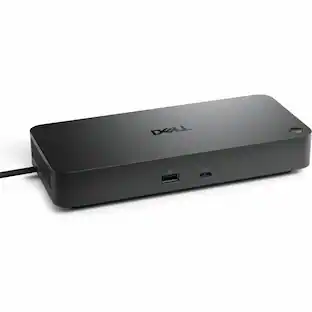
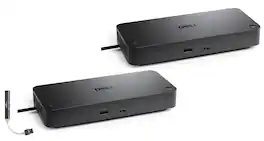
Dell - Pro Thunderbolt 4 Smart Docking Station SD25TB4, Bundle with Dockztorm Hub (USB-C, HDMI, Ethernet & USB-A) 2 Pack - Black
Reviews coming soon
About this product
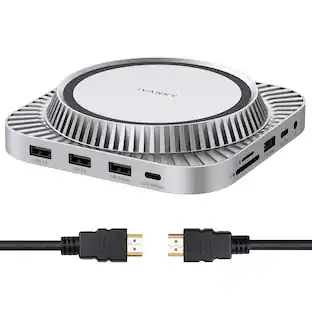
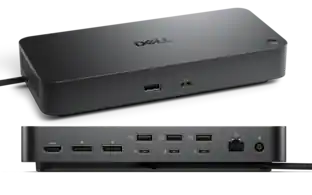
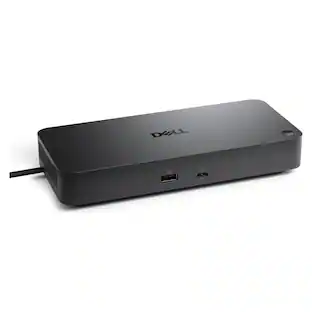
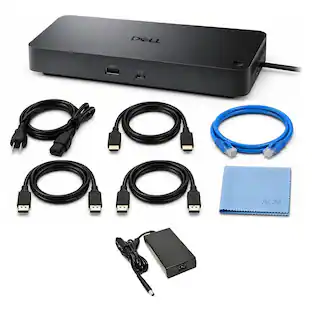
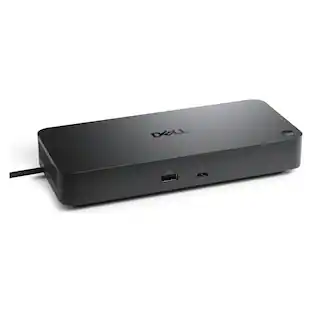
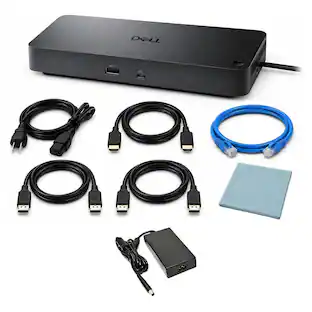
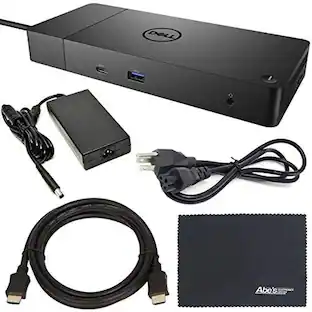
The Dell SD25TB4 Thunderbolt 4 Docking Station is a high-performance wired docking solution designed for Thunderbolt 4 and USB-C laptops. Finished in black, it features a Thunderbolt 4 (USB Type-C) interface with up to 130W Power Delivery from a 180W AC adapter, making it ideal for powering demanding laptops while expanding connectivity. The dock supports up to four external displays with resolutions of 1 × 8K (7680 × 4320) or 4 × 4K (3840 × 2160) using DSC, and includes 2 × DisplayPort 1.4, 1 × HDMI 2.1, 1 × USB-C with DisplayPort Alt Mode, and 2 × Thunderbolt 4 downstream ports. It offers extensive connectivity with 4 × USB 3.2 Gen 2 Type-A (10Gbps) ports, 2 × USB-C 3.2 Gen 2 ports (one supporting DP Alt Mode), 2.5 Gigabit RJ-45 Ethernet, and Thunderbolt 4 data transfer speeds up to 40Gbps. Additional enterprise features include Wake-on-LAN, PXE Boot, remote firmware updates, and a Kensington lock slot for enhanced security. The dock includes a 0.83 m (2.7 ft.) cable, measures 8.07 × 3.54 × 1.39 inches, weighs 1.28 lb, and comes bundled with a Dockztorm USB Hub (Special Edition Portable Dockztorm Data Hub) offering data transfer speeds up to 5Gbps for added convenience.
Features
High-Performance thunderbolt 4 dock
Expand your workspace with the Dell Pro Thunderbolt 4 Smart Dock SD25TB4, delivering up to 130W power delivery for supported Dell laptops (up to 96W for non-Dell systems), plus ultra-fast 40Gbps data transfer through Thunderbolt 4.
Supports up to four 4k displays
Create a powerful multi-monitor workstation with support for up to four 4K displays at 60Hz (host dependent). Features 2 DisplayPort 1.4, 1 HDMI 2.1, and Thunderbolt 4/USB-C video output for exceptional productivity.
Extensive connectivity
Connect all your essential peripherals using 4 USB-A 3.2 Gen 2 (10Gbps) ports, 2 USB-C 3.2 Gen 2 ports, 2 Thunderbolt 4 downstream ports, 2.5 Gigabit Ethernet, audio, and additional expansion options through a single cable.
Enterprise-Grade management
Built for business with Wake-on-LAN, PXE Boot, MAC Address Pass-Through, Intel vPro/AMT compatibility, remote firmware updates, and a Kensington Security Slot, making deployment and IT management simple.
Includes
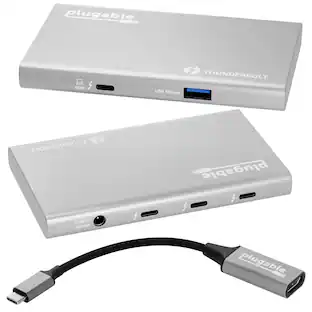
Dockztorm Dock (Special Edition Portable Dockztorm Data Hub; Super Speedy Data Sync Rate upto 5Gbps)
Specifications
- Maximum Number of Displays Supported4Number of DisplayPort Outputs (Total)2Number of Thunderbolt Ports (Total)2
Reviews
This product doesn't have any reviews yet.

- Poly - Voyager 4310 Wireless Noise Cancelling Single Ear Headset with mic - Black$113.99The price was $157.99
- HP - G6 USC-C 100W Docking Station - Black$199.99The price was $264.99




Compare similar products
The Dell SD25TB4 Thunderbolt 4 Docking Station is a high-performance wired docking solution designed for Thunderbolt 4 and USB-C laptops. Finished in black, it features a Thunderbolt 4 (USB Type-C) interface with up to 130W Power Delivery from a 180W AC adapter, making it ideal for powering demanding laptops while expanding connectivity. The dock supports up to four external displays with resolutions of 1 × 8K (7680 × 4320) or 4 × 4K (3840 × 2160) using DSC, and includes 2 × DisplayPort 1.4, 1 × HDMI 2.1, 1 × USB-C with DisplayPort Alt Mode, and 2 × Thunderbolt 4 downstream ports. It offers extensive connectivity with 4 × USB 3.2 Gen 2 Type-A (10Gbps) ports, 2 × USB-C 3.2 Gen 2 ports (one supporting DP Alt Mode), 2.5 Gigabit RJ-45 Ethernet, and Thunderbolt 4 data transfer speeds up to 40Gbps. Additional enterprise features include Wake-on-LAN, PXE Boot, remote firmware updates, and a Kensington lock slot for enhanced security. The dock includes a 0.83 m (2.7 ft.) cable, measures 8.07 × 3.54 × 1.39 inches, weighs 1.28 lb, and comes bundled with a Dockztorm USB Hub (Special Edition Portable Dockztorm Data Hub) offering data transfer speeds up to 5Gbps for added convenience.

Professional Thunderbolt 5 docking station designed to expand connectivity and streamline your workspace. The WD25TB5 provides high-speed data transfer, power delivery, and multi-monitor support through a single cable, making it easy to connect displays, peripherals, and storage for improved productivity. Compact and compatible with Dell systems, it helps reduce cable clutter and simplifies device management for everyday office and remote work environments.

Organize needed peripherals with this Microsoft USB-C travel hub. The HDMI ports support 4K monitors for enhanced performance, while the USB ports let you connect and charge your wireless mouse, keyboard and other accessories. This black Microsoft USB-C travel hub works seamlessly with PC systems and all Surface laptops for increased compatibility.
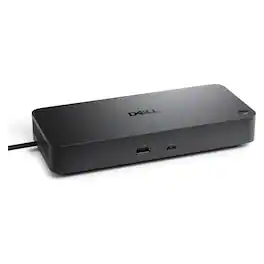
Dell Pro Dock WD25Z USB-C docking station - expand a compatible laptop with a single USB-C connection to add displays, Ethernet, USB peripherals and power delivery, reducing cable clutter and creating a streamlined desktop workspace.
| Pros for Dell - Pro Thunderbolt 4 Smart Docking Station SD25TB4, Bundle with Dockztorm Hub (USB-C, HDMI, Ethernet & USB-A) 2 Pack - Black | |||
|---|---|---|---|
| There were no pros for this product— | There were no pros for this product— | Ease of use, HDMI, Overall Performance, Compatibility, Size | There were no pros for this product— |
| Cons for Dell - Pro Thunderbolt 4 Smart Docking Station SD25TB4, Bundle with Dockztorm Hub (USB-C, HDMI, Ethernet & USB-A) 2 Pack - Black | |||
| There were no cons for this product— | There were no cons for this product— | Price, Ports | There were no cons for this product— |
Specs
Be the first to ask a question.
We’ll try to get your question answered within 24 hours by a Best Buy customer or brand representative.
Customers often buy these together
 Top Deal$89.99The price was $119.99
 $39.99The price was $49.99
 Top Deal$129.99The price was $199.99







More to consider
 $242.24The price was $439.99

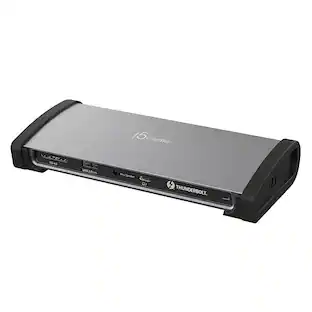
Explore tech essentials Sponsored
 $539.99The price was $638.99
 $111.00The price was $119.99




Keep exploring
 $357.98The price was $445.98