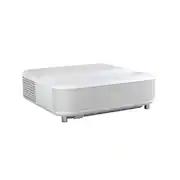
Rating 4.7 out of 5 stars with 31 reviews
4.7- Picture Quality (24)
- Setup Ease (9)
- Brightness (6)
- Noise Level (7)
- Size (4)
Customer Images
The vast majority of our reviews come from verified purchases. Reviews from customers may include My Best Buy members, employees, and Tech Insider Network members (as tagged). Select reviewers may receive discounted products, promotional considerations or entries into drawings for honest, helpful reviews.
- Rated 5 out of 5 stars
Excellent Ultra-Short-Throw Projector with Stunnin
I purchased the Epson LS650 and have been very impressed with its performance so far. The picture quality is excellent — bright, sharp, and vibrant even in a room with some ambient light. Colors look very natural, and 4K content especially looks fantastic. The ultra-short-throw design is a big plus. It sits right below the screen and doesn’t require ceiling mounting or long cable runs, which made setup simple and clean. The built-in speakers are surprisingly good for a projector and are more than enough for casual viewing without an external sound system. The laser light source is another advantage — instant on/off and no bulb replacements to worry about. Gaming performance is also solid, with low input lag and smooth motion. Overall, this is a premium projector that delivers on both convenience and image quality. It’s a great option if you want a large, immersive screen experience without the complexity of a traditional projector setup.
Posted by Sunil
- Rated 5 out of 5 stars
Everything We Hoped For
Love it. It came quickly and has been great so far.
Posted by CadeA
- Rated 5 out of 5 stars
Excellent 1st experience with an UST projector
As the title states, this is my first experience using a UST projector as I have only used standard ones from a few years ago. I love the look and convenience of how it performs in my living room. Unboxing ------------------------------------------------------ Inside the box is a well protected LS650, paperwork taped to the top and a small box containing the remote, batteries and power cable. Use care when lifting out the projector and setting it down to it's destination. It has a multiple layers of plastic protecting it that must be removed and also the side with the power button and cover. Setup ------------------------------------------------------ I did not elect to just use my wall for the picture as texture and paint could effect my quality though some people have just fine experience. I instead paired it with a 120 inch projector screen and I couldn't be anymore happier with the results in my living room. For those new to the UST market, the projector is actually seated below and in front of your selected preference for a screen. With mine, I will give you from approximations so it can give you an idea on how I achieved my 120inches. The top of my screen is at 94". The BOTTOM of the projector to the floor is ~39". From the BOTTOM of the screen to the top back edge of the projector is ~31" in height. From the screen itself to the actual projector is ~42" apart. But also do not forget the projector in depth is another ~40 inches so make sure whatever you set it on has enough clearance. Once setup is done and powered on, you are greeted with Android TV getting you started and options on what apps to download to get you watching. But before that, during my setup I noticed the bottom 60% of my screen was looking great but the top was blurry. No problem here for an easy fix. On the side with the power button, just remove the cover to gain access to the slide bar to adjust sharpness. Once I got it to where I wanted, the picture looked amazing. Also you can download the Epson app and use that for adjustments, but I just used the included remote. To fill the screen 100%, there is a button on the very bottom left to change where to project all 4 corners. After that, it was time for watch parties. 1 thing to note is the inputs. You get 2 HDMI 2.0 ports. 1 is a regular input and 2 is the eARC for those wanting to use an external sound option. Performance ------------------------------------------------------ Whether it is during the day or at night, the 3600 lumens the UST projects does not hinder my viewing experiences at all. Mind you, you can change the brightness (of course this will effect laser life) but I have never touched it since setting it up. You can see from the pictures I took (my phone camera does NOT do the quality justice, so please take my word for it) that daytime and nighttime was excellent. The Martian was shot during the peak of the afternoon with just my blinds closed and you can still see everything just fine. Shogun and Fallout 4 was shot during after sunset and during midnight and the quality is perfect. Let's address 4k. For those not tech savvy, just know there is 2 types of 4K projectors; Native and Pixel Shift. In my honest opinion, there is no difference I can tell with the naked eye. The LS650 uses Pixel Shift technology to project multiple 1080p pictures with the total pixel count to hit 4K. Native is by far a lot more expensive but shows all pixels from the same source. My PS5 and Series X had checked every TV diagnostics box except for 4k 120 (projector is 4k 60) and Dolby Vision. This is perfectly fine and I had an absolute blast gaming on this thing. My friends and I could not tell this is was a non-native 4k display so I believe most others won't either. The picture quality is outstanding. Fan noise. Now admittingly, the fan ramps up during startup, but then calms down after the picture starts getting projected to the point of being non-existent. I've had 0 complaints about the fan noise during streaming or gaming. The only time I know it will get noisy is if you turn up the brightness so that way it can cool it down, but as I said above, I never changed it from out of the box. Sound ------------------------------------------------------ Now I will admit I almost let intrusive thoughts win when I was setting up the projector by pairing it with a soundbar, but I am glad I did not. I was genuinely shocked that the Yamaha 2.1 speakers built in were actually REALLY REALLY good. I mean, you aren't going to throw raves with this thing, but the sound quality from low bass to highs were never distorted. Even during gaming, my friends complimented on the quality of the sound. You can actually get the speakers to get really loud and fill up a room quite easily. Even after a time, I still am just using the built in speakers as they perform great during movie nights or gaming sessions. For my 1st time using an UST, Epson gave me a super positive experience. I am in love with it and my friends are always wanting to come over and watch on it.
Posted by Woo151
- Rated 5 out of 5 stars
The Epson LS650 is a winner!
Introduction Epson has been a major player in the world of everything from basic projectors for meetings to gaming projectors. Going in Having already owned three projectors, this wasn’t new territory for me. What was new was the fact that this was a short throw laser projector. This means that unlike long throw projectors that throw an image to a screen typically behind you, a short throw projector can be placed a few inches away from the screen and will project an image. What comes in the box? Out of the box you get the projector, a power plug, a remote, a pair of AA batteries, and documentation. Minor wins The Yamaha speakers on this projector are actually surprisingly nice. Typically you want to connect some sort of awesome sound system to this projector, but if you’re having a movie night on your deck and use this projector outside, the sound is more than suitable. I put it on high, and it wasn’t fully immersive, but I would say it was pretty impressive. Major wins The picture on this projector is absolutely terrific. I wouldn’t say that this comes close to any OLED, but for a projector, you get great colors, and pretty deep blacks. I’m guessing it’s from the HDR10. Once you pair it with a nice screen, then you’ll really get that awesome movie theater experience. You can play with the settings until you find the picture setting that you like. Another major win is having more than one HDMI port. Usage First, this projector is quite large. It’s roughly 30% bigger than my largest projector. It isn’t however, heavy. It’s surprisingly light. Once you set up the projector and pair your remote to the projector, it’s time to turn it on, and go through the setup process. You setup wifi and download specific apps. This is an Android powered projector. If you have a Google account, and most of your streaming site passwords will be saved in the password manager. I was able to set up all of my apps with my logins and password in minutes. You have a lot of options to play with in just getting your angle right. You can choose whether you’re projecting to a bare wall or to a screen. You can have it try to autocorrect the angles, or you can manually adjust it to your liking. There’s a focus sliding adjuster on the right side of the projector. You also have picture and sound options to your specific liking. The default natural, vivid, dynamic, and cinema settings aren’t bad. You can still tweak the settings on the default settings. After about 10 minutes of playing with the cinema settings, I was quite happy with the movies I tested. The projector’s Android OS is pretty fast. My current projector is also an Android projector, and it’s not nearly as fast and responsive as the LS650. The remote is just as responsive. You can use your voice to “talk” to the remote to perform tasks. I’m old school in that I just like scrolling through my app. I will admit that it is nice when I can press the mic button and say something like “Find such and such movie,” and it gives you options. When I initially turned it on, I heard a fan noise. I thought “great, this shouldn’t be distracting.” Surprisingly, it really wasn’t. It gets really loud when you raise the brightness, but other than that, it was at a pretty low decibel level. Once I connected my surround sound system to the projector, I never heard the fan ever again… except for quiet/ambient moments in a movie. Minor issues Nowhere on the quick start guide does it tell you what the USB-A ports on the back do, as well as the service port (Mini USB-A port). Major issues I really do wish they included at least one HDMI cable. Yes, this is primarily a streaming projector, but it would be nice to have a HDMI cable so you can plug in your laptop and do some gaming. Primarily for People may have limited spacing but still want a huge screen. It’s definitely for movie and gaming lovers. This is for people who have an older long throw projector and want something faster, and don’t want to worry about mounting a projector from their ceiling, or worrying about how far you have to place the projector to get a large screen size. Probably not for People that already have an established movie setup that aren’t interested in streaming through the projector directly. All in all The Epson LS650 is an awesome projector. It’s easy to setup, you have a lot of picture and sound options, and you can plug in 2 HDMI devices. It outputs a beautiful 4K/HDR picture, and the Yamaha speakers are actually quite nice. It’s convenient to place a projector in front of you, and never have to see a shadow as someone walks by the projector. Those days are over. I would definitely recommend this projector.
Posted by EthanH
- Rated 5 out of 5 stars
Big and beautiful.
Epson EpiqVision Ultra LS650 Smart Streaming Laser Projector - White Summary: Big, but beautiful display. Pros: * Display. The display is why you buy this unit. This display certainly doesn't disappoint. It is bright, it is easy to configure, and it makes me happy. * Ports. The available ports are adequate for what I imagine most use cases might be. * Aesthetics. This unit looks great for a projector. It isn't as svelte as I'd like, but it should fit well with most decor. I chose a white version because I didn't want it to stick out against our lighter color pallete. * OS. The integrated Google OS is surprisingly responsive and it smartly makes readily available some of the top streaming platform apps. * Remote. The remote is a bit large, but it does everything you need it to including adjusting the units aligntment/display/audio. It connects to the projector via Bluetooth so line-of-sight is not an issue with controlling the unit. * Audio. Surprisingly, the audio is full and more rich than I'd expect for being integrated. I plan on using a surround system, but until I get that setup, I am content to use the integrated audio. * Adjustable. This unit is easy to adjust and get the display leveled and sized just right for your screen. Cons: * Size. The unit is big. I had the measurements, but I'm always surprised at my lack of imagination. Though large, the unit will fit in well enough with most decor. Most projectors with these specifications are equally as large, but fit into slightly different form factors. Still, I've waited years before finally pulling the trigger and I am pleased with the decision. Use: This projector will replace our wall-mounted 75" LCD TV. We have been looking at projectors for years. Epson among many other brands. Epson consistently appears in the top of lists for value. I agree with this assessment now that I have one. Unfortunately, our retractible mechanized ALR UST screen arrived damaged and another unit is on the way. All of our testing was done against a plain old white wall as a result. Given the circumstances, I have to say that even without an ALR screen to enhance the visibility of the projection I am quite happy. Due to the reflective high-gloss coating on our LCD TVs glare and lighting have always been issues. But since our LCDs weren't OLED we experienced weird banding in our TVs for low light scenes/images. The projected image is bright during the day and in the evening. The wall we're using for the test is right next to our saltwater aquarium, and a window, pendant lighting, and a sliding door to a small patio. Tons of light comes through and I can very easily watch the projector without any complaints. We have another Epson projector. It's only 1080P. We used it to set up big screens when we had big events to watch in social situations. But it is a much smaller unit and therefore not as bright. Also, obviously, not 4K. The unit still runs well. We have high expectations for the LS6500 as we move to streamline our living room by removing the big black rectangle hanging on our wall. Now we can at least display artwork on the TV wall while not in use. If you're on the fence, and have been looking at UST projectors, definitely consider this unit. I highly recommend it.
Posted by Rhostam