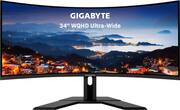
Rating 4.6 out of 5 stars with 369 reviews
4.6- Price (67)
- Gaming (38)
- Color (25)
- Refresh rate (22)
- Ultrawide (22)
- Speakers (14)
- Dead pixel (6)
- Controls (4)
- Stand (3)
- Replacement (2)
Customer Images
The vast majority of our reviews come from verified purchases. Reviews from customers may include My Best Buy members, employees, and Tech Insider Network members (as tagged). Select reviewers may receive discounted products, promotional considerations or entries into drawings for honest, helpful reviews.
- Rated 4 out of 5 stars
Good value display
Pros: Games look amazing at 100+FPS(with my new 3070!) The ultra wide is amazing for games obviously, but the extra screen space for multitasking is amazing too. Very nice display for the price. Cons: cheap plastic stand wobbles. The single ‘joystick’ UI is annoying until you get used to it. The ports face down, so if you lower the adjustable screen, the cables have a sharp bend. The speakers are terrible(but no one will use them) I paid $75 extra for a 4 year full replacement no deductible warranty. If you want some peace of mind.
Posted by Exprojoe
- Rated 5 out of 5 stars
Best value ultrawide gaming monitor
This monitor is perfect at this price point. Picture is nice, and So far everything has worked great, using G-Sync works too with my GTX 1080ti. No reported issues I've read about online for my monitor. It did take me sometime to get the settings in Nvidia control panel to make my games looks fast and smooth. Now I came from 1440p 144hz TN Dell monitor With NATIVE G-Sync module built in. So at first this monitor fell really slow and blurry during fast movement. But like I mentioned after messing with settings for a while I got it where is Much better. It's not as quick and smooth as the Dell one I had But it's still 144hz and looks alot better overall due to it being VA panel. So for this price I'm not complaining and enjoy gaming on since the certified G-Sync ultrawide monitors cost few hundred more dollars. So for those that are coming from 60hz or 1080p monitors without FreeSync, this for sure will be Really nice upgrade. I know at this time it been sold out, but if you find it somewhere else for similar price, I'd recommend it. Unfortunately mine did come with a chipped foot on the bottom of the stand. I will not dock a star off due to this since it can probably be super glued back on and plus I got it at even lower price at $359. That being said I am considering returning it and just getting the more expensive LG ultragear ultrawide monitor, I haven't decided just yet. In the end this will be a great upgrade for most people, for me the trade off is with the lower response but better image and color (HDR also was nice but nothing mind blowing but not terrible in my opinion, it did looked good in Destiny 2 gameplay), and the size upgrade from my Dell going from 27" 16:9 to this 34" 21:9.
Posted by Dmad206
- Rated 5 out of 5 stars
amazing, customizable screen,
Okay, I have to admit, I thought I wasn't getting a good deal on this monitor, I was completely wrong! I tried the 49 inch I liked it but it was taking too much space on my desk ( my desk is not tiny just too much) plus, I couldn't see my Miku FIGMAS and I need to feel loved by them. anyway. Seeing that they were VA panels I thought it would be crap quality. I had 2 27 inch 2k displays but found the borders ANNOYING so, I ordered the Samsung 49 inch... no thank you ( remember too big ?) I decided that maybe a 38 inch is the sweet spot and I was like yes that might do it! I DID NOT WANT A FLAT PANEL NO WAY. The least expensive was a 2k for 900$ from LG and I was like uh uh ... MOVING ON. So, than I saw this . for 399 I was like I can live with a va a panel ( did some research) I was like not bad I can live with this! I thought that my 2 27 inch monitors I had were IPS and I was like I'm down-grading ( so ill live with it because I LOVED IPS so I thought) UNTIL I read the full specs and it turns out IPS can only run at 60 FPS ... and my 2 monitors were at 144 FPS SO guess what ? I HAD VA PANELS THIS WHOEL TIME! I was sold, I just got my monitor and I was not going to pay almost double for a 1080 49 inch monitor and this has speakers for just light listening. I LOVE IT. a little tweaking and it looks great! I play genishin impact A TON ( I like the grind what can I say ). ALL and all, it's a perfect size fits my needs for work ( at home and play). I like that it had dp ports. looks smooth and ghosting love that I can make custom settings for my wants/needs in terms of screen will insert photos GREAT JOB WITH MAKING THIS MONITOR AFFORABLE & AMAZING QUALITY GIGABYTE!
Posted by Loubee
- Rated 5 out of 5 stars
Big is Beautiful
The GIGABYTE - 34" LED UltraWide WQHD is hands down the best monitor I have owned and had been looking for when it comes to the ultrawide category. Everything from the size, to the 144hz refresh rate and the higher 1440 resolution, oh this monitor has everything. After months of looking I purchased this one as soon as I saw it and have had no regrets. The only gripe I would have had is that the mount sticks out far onto a desk but I wall mounted this monitor with the supported VESA holes on the back. I picked it up for $440 on a 10 off sale and I think its completely deserving of the 450 tag. Monitor powered by i7-9700k and 3060ti plays a majority of games at 144fps highest settings.
Posted by dilly
- Rated 4 out of 5 stars
Awesome 34 inch 1440 ultrawide at good price
I came from a 1080p Asus 144 hertz monitor. so this natural bump in resolution along with 144 hertz ultra wide at 21:9 felts really good to me. I chose this because of the size, 144 hertz, 21:9 and good reviews from fellow tech youtubers and for the price as well the brand gigabyte, its an all around great deal for what you get. The ultrawide and curve feels really nice and refreshing. I got really used to it as I used it on some games. I am still getting used to the colors and adjusting as I go, but they are good enough in my eyes. Came with bad display cables as my screen would some weird flickers in the background that my eyes would catch, so I used my original DP cables I already had, and now gameplay and visuals feels more normal instead of all jerky and stuttery. Who would have thought bad DP would do that! I noticed during the day, the top left corner had some slight material that is suppose to be underneath the display kinda showing, I really hope it doesnt affect the the screen negatively in the near future. The top right side is fine.
Posted by cesartech