Labor Day Appliances SaleEnds 9/16. Limited quantities. No rainchecks.Shop now

Skip to contentGo to Product Search
Main Content

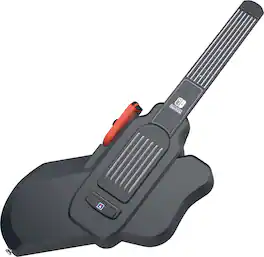
Hori - Guitar Life: Lesson 1 for Nintendo Switch - Black

Model: NSW-509U
SKU: 6664826
Sold byBest Buy

Customers are saying

Customers are delighted by the ergonomic design and solid build quality of this controller, which users find comfortable and durable. Many appreciate how effectively the device facilitates learning, noting that the setup process is straightforward and the educational features provide helpful guidance for chord placement. While the product is highly regarded, some users have noted that it requires a separate Nintendo Switch Joy-Con to function properly.

Generated by AI based on customer reviews.
Features
  • Requirements

    Requires 1 Joy-Con(R) Switch 1 Controller

  • Educational

    Easy guitar lessons anytime, anywhere

  • Officially licensed

    Officially licensed by Nintendo®

  • Compatible Platform(s)

    Nintendo Switch, Nintendo Switch OLED, Nintendo Switch 2

See all features
Specifications
  • Compatible Platform(s)
    Nintendo Switch, Nintendo Switch 2, Nintendo Switch – OLED Model
Sponsored

Reviews

Rating 4.1 out of 5 stars with 29 reviews

83% would recommend to a friend
Customers are sayingCustomers are delighted by the ergonomic design and solid build quality of this controller, which users find comfortable and durable. Many appreciate how effectively the device facilitates learning, noting that the setup process is straightforward and the educational features provide helpful guidance for chord placement. While the product is highly regarded, some users have noted that it requires a separate Nintendo Switch Joy-Con to function properly.
This summary was generated by AI based on customer reviews.
  • Ergonomics (9)
  • Build Quality (7)
  • Learning Effectiveness (6)
  • Ease of Setup (5)
  • Educational Feature (3)
  • Compatibility (7)

Customer Images

The vast majority of our reviews come from verified purchases. Reviews from customers may include My Best Buy members, employees, and Tech Insider Network members (as tagged). Select reviewers may receive discounted products, promotional considerations or entries into drawings for honest, helpful reviews.

  • Rated 4 out of 5 stars

    Good way to start learning the Basics

    I’ve always wanted to learn how to play the guitar, I’ve started multiple times using different methods but each time I never stuck with the method as motivation quickly left. I thought that if I could gamify the process, I could most likely stick with learning long enough to learn how to play. I saw that there was a Guitar Life: Lesson 1 by Hori for the Nintendo Switch, which comes with a Guitar like controller that connects with the switch. I decided to give it a go. Pros: - Easy to get playing. - Guided lessons are easy to follow for beginners. -Controller matches real guitar finger placement and pressure. Cons: - Requires a Switch 1 Right Joycon to work with Switch 2. - Game and Lessons could be more engaging for the player. Out of the Box: Included in the box is the Guitar Joycon compatible controller, a guitar pick, and a code for downloading the Guitar Life: Lesson 1 game. The Guitar Controller requires a Switch 1 Right Joycon to be slotted into the controller to work, a Switch 2 Joycon will not work. Luckily, the Switch 2 is backwards compatible with Switch 1 controllers. You will just need a separate charging stand if you only have a Switch 2. Initial setup is very simple. Make sure the Joycon is paired with your Switch before starting the game, startup the game up and slot the Right Joycon onto the Guitar controller then strum the Guitar to proceed to the main menu. Game/Lessons: From the main menu, the options are; Lesson, Musical Performance, Free Play, Cord Run, My Data, Guide, and Options. All can be easily accessed by navigating over via the Joycon attached to the Guitar controller and pressing the A button. Lessons contains most of the game & learning; you unlock additional lessons as you complete each lesson and more levels with the full completion of all lessons within that level. Each Lesson teaches you the placement of a Chord, showing you your finger placement on screen while playing, then has you play the Cord at timed intervals along with strumming. A score is provided at the end of the Lesson, if you succussed you can progress or repeat if you didn’t quite get it. Building on each learned Chord and stumming technique, until you can complete a full song. The main gamification is done through completing lessons, which earn you points and those points level your account up. I was hoping for a bit more “gamification” within the actual lessons to help provide additional drive to play and learn. The lessons are easy to complete, and build on each previous lesson, but the overall motivation is just a linear path of learning more not so much gaming. The progression is very basic; complete the lesson to unlock additional lessons and finally a song which you can play with the accumulated lessons knowledge. Completing a full lesson a song will unlock additional Lesson levels; completing Beginner unlocks Intermediate, which unlocks Advanced and finally Expert. Musical Performance provides guided performances on 13 songs, which is a great way to practice once you’ve completed the required lessons. I wish there was a larger selection or a way to add additional songs. Free Play is just that, it provides the ability to play the Guitar controller like an actual Guitar without any guidance. Cord Run kind fits the mini games I was hoping to see in the lessons to learn the different cords. You’re tasked with hitting the different cords at the right time as a character run across the screen, providing some level of “gamification” to the challenge. It is very basic, though I’ve only started the initial sets, so it might become more challenging as you unlock additional cords later. My Data provides a summary of all your activities within the game, a nice “report” card on your progress. Guide is helpful if you want to look up specific cords or other inputs for the controller or a guitar in general, it’s a helpful tool to review how to play. Options provides adjustments for playing the game. Build & Feel: The Guitar Controller is made of a black matte plastic, which is light weight but solid enough to play on without concern of breaking it. The light weight made it easy to play for a duration without feeling fatigue in my hands or wrists, as there is not over the shoulder strap for the controller included but adding one wouldn’t be too difficult. For being a game/toy, the Guitar Controller felt good in hand as an adult, I could see the controller might feel tiny for a larger adult or slightly big for a child. But in both cases, because the size of the controllers’ inputs (frets and strumming fins) matches that of a standard Guitar, the experience would be the same as using an actual Guitar. I found the Guitar controller to be way more comfortable of a learning experience than using an actual Guitar, as the fins and strings are a rubberized material, instead of metal strings that can hurt your fingers if you don’t have calluses built up. Which most beginners would not have, I’d recommend being cautious when switching from the game controller to an actual Guitar, as your fingers will probably not have the calluses from playing an actual Guitar yet. Conclusion: Overall, I found the Guitar Life: Lessons 1 by Hori to be a fun and easy way to learn the basics of playing the Guitar, I’ve been playing it for an hour or so each day since I got it, progressing slowly but steadily. I’m already further along than any of my other attempts at learning the Guitar, so I’ll keep at it for now. I do wish the Lessons were more gamified but have been keeping up with the step-by-step building of knowledge. It will be a while before I can actually play, but one Lesson at a time.

    Posted by BradfordBT

  • Rated 4 out of 5 stars

    Fun but with some issues

    Was looking for something to bring our Switch out of the drawer and back to life and came across the Guitar Life Lesson 1. I figured it would be fun for the grandkids and the older kids. First thing it looks cool and is comfortable to hold with or without the strap. The joycon mounted and the game loaded up fine and we were off and running. Guitar Life is really good at teaching you finger placement for chords and fairly easy to follow the lesson. The included songs are for an older generation but fun none the less. For us though the buttons that are to mimic guitar strings were a little awkward and didn’t give the feel of strumming strings. We also had connection issues with the joycon. It would lose connection quite often taking some of the fun away. I don’t know if it was our joycons or the mounting the guitar?And this was with 2 different sets of joycons. Overall the Guitar Life is fun when it keeps the connection. And does a good job at showing correct finger placement for chords. As to how well you will learn to play an actual guitar will definitely vary by user.

    Posted by Xtant

  • Rated 5 out of 5 stars

    A Guitar Lesson that Sticks

    I've always wanted to play actual guitar, I've paid for lessons a couple times but nothing has really stuck. When I came across Hori Guitar Life for Nintendo Switch, I was curious, but not too sure how it would translate to a video game peripheral. This one is built to teach you real chords, finger placement, and technique on a controller shaped like a guitar, then let you put that to work on actual songs. It runs on Switch (I used the original Switch), the OLED model, and Switch 2, and the idea is that picking up guitar can start out feeling like a game instead of a monotonous lesson. I went in curious whether a Switch accessory could really get me playing guitar, so here's how it's going. - Unboxing/Design/Build Quality/Setup - My first impression with the box is that it does a great job with the idea of actual guitar lessons and not just a toy. The controller is designed like a compact guitar with a black body and a slim neck. Instead of real strings you've got pressure sensitive strings you press along the neck, with a strum area down by the body where you actually pick or strum. A right Joy-Con controller slots into the side, and that's the piece that connects wirelessly to the Switch, so the guitar itself uses the Joy-Con's connection rather than needing to pair on its own. Setup was simple. All I had to do was enter the download code and it downloaded Lesson 1 for me. From there you place the Joy-Con in (it slides in easily and is very easy to use when you're making selections in between lessons) and you're ready to go. Setup took about 5 minutes and I was already on my first lesson. I love the guitar. It's light, but it feels ergonomically like a guitar. It's easy to strum with your hands, a little harder for me with the pick, but it still works fine. The online lessons remind me of the classic Nintendo simulation games in the way they talk to you and almost treat your lessons like a story. I think it's a great idea, and it works very well. I was learning quickly thanks to the repetitive nature of the lessons, but most of all the lessons keep you interested. It's easy to get hooked and want to do just one more. I think it's a great idea for all ages. I'm in my 40s, grew up playing video games, and can totally relate. This is the easier way to learn guitar before stepping up to the real one. - Comfort - Comfort is great. The guitar is light and it just feels right in my hands. My fingers feel fine on the neck, a lot like a normal fretboard. You do have to stretch your wrist and hand the same way you would on a real guitar, but I actually see that as a plus. It's good practice, and it's the same movement you'd be building toward on the real thing anyway. - Performance - I didn't notice any lag while I was playing. When I pressed the strings and strummed, the game kept up with what I was doing, so nothing felt disconnected between my hands and what showed up on screen. I played around with the different modes and the lessons themselves were the part that stood out to me. I was picking things up quickly because of the way they repeat and build on each other, and I stayed engaged the whole way through the lesson instead of losing interest. What's smart regarding the software is you can literally just knock out a few lessons in minutes. It doesn't feel like a chore. - Pros/Cons - * Pros * Build to teach real guitar skills, not just a rythym game * Lightweight and comfortable * Fretboard feels real * Lessons are engaging and quick enough to keep going * Easy setup * Controller works well with guitar * Software is very well done * Guitar is very responsive * Suggestions/Needs Improvement * Song library could be a little more dynamic * Pick doesn't work as well as fingers while strumming For me, this does what I hoped it would. I've tried real lessons before and they didn't stick, but the game format kept me coming back and I was actually learning. It's light, comfortable, and easy to pick up, and it treats learning like something fun instead of a chore. If you've wanted to learn guitar but haven't been able to stay with it, this is a solid way to build the basics before you step up to a real guitar. I can't think of much they can improve upon here. Hori really delivered a polished product. I highly recommend this peripheral for all ages.

    Posted by NanoEthan

  • Rated 4 out of 5 stars

    Great learning tool for aspiring guitarists

    As someone who played guitar for years and was self taught, I thought this might be worth a try to see if I can actually learn fundamentals that I never learned before. Keep in mind, I haven’t actually picked up my guitars in over 10 years so I would be starting extremely rusty. I feel the fret board is laid out pretty well and will help users learn the lay of the land. The chords I still remember translated accurately to the fretboard of the controller which I was happy to see. My only grip with the controller would be where you would pick the strings. I don’t feel this is anywhere near an accurate representation of what it feels like to strum a real guitar whether it be steel or nylon strings. There just didn’t feel like there was enough give. But then I started thinking about it and think this could be a good thing as it slows you down and may help me focus on individual string picking which I admittedly have always been sloppy with. The lessons have been pretty solid I love the fact that it forces you to stay in time and tells you when you hit the note to early, too late, or just right. Timing in music is extremely important and I feel this feature is excellent not to mention it shows if your chords are accurate. Overall, I see this as an excellent tool to use to learn and practice with in a fun way. Bringing the video game element to training really helps keep interest and I am enjoying it.

    Posted by Dylnel

  • Rated 4 out of 5 stars

    Educational Software Inspired by Rhythm Games

    📦 UNBOXING: Inside the box, you will find the guitar, a manual, a thick guitar pick, and a redemption code for Guitar Life: Lesson 1 on Nintendo Switch. 💪 BUILD: Right off the bat, it’s important to note that the guitar controller requires a Nintendo Switch Joy-Con (R) controller. This game is not compatible with a Joy-Con 2 (R) controller. If you’re using a Nintendo Switch 2, you will have to use a Joy-Con (R) for Nintendo Switch or Nintendo Switch OLED. The guitar controller itself is largely plastic. A Joy-Con (R) slides into the controller, so no additional batteries are required. The fretboard (where your left hand goes) uses a silicone or rubber material as the strings. This makes it easy for your fingers to press down strings. The bridge area (where your right hand goes) also uses this same material as strings for strumming and picking. In my experience, you ought to pick fairly firmly for it to register, while the fretboard doesn’t need you to press down terribly hard in order to register your finger placement for a chord. There are also two bolts on the guitar in case you want to use a guitar strap, but one isn’t included in the box. With that said, I did all my testing without one, and found that it was comfortable enough in my lap—something I can’t say about a lot of real guitars that surprised me about this “toy” guitar. 🛠️ SETUP: You will need to use the included redemption code to download Guitar Life: Lesson 1 from the Nintendo eShop. One quirk about this game is that they require you to pair both the left and right Joy-Con as a controller. Even though you won’t actively use the left Joy-Con, it must remain paired or else the game will prompt you to re-pair it. This means the left Joy-Con’s battery will drain even though it’s not actively being used. So if the battery is low and the left Joy-Con dies, you will need to keep it charging in order to keep playing. The box and manual only mention that the Joy-Con (R) is required. So from that perspective, I think Hori should be a bit more transparent about this requirement. ⚡ LATENCY: If you’re using your console docked to a TV with an external sound system, there is a chance that there will be additional latency that is really not great for a game like this. For most games, that added latency is not an issue, but for a game like this where audio feedback is critically important to the performance, that added latency can be a dealbreaker. Even with Low Latency modes enabled on my TV, I found the added audio latency in my home setup was simply too much. Undocking the Switch from my TV and playing in tabletop mode was not ideal, but quickly demonstrated how much better the latency was. So for some folks who cannot get lower latency, this might end up being the best way to play. I’d recommend trying undocked first so you understand the intended latency, then try docking the Switch to see if the latency that your system adds is tolerable. For me, it was not tolerable, but this is not Hori’s fault. Despite this, it could be a challenge that Hori has to overcome due to the nature of this being a rhythm game. 💿 LESSONS: The game itself has different modes, but the primary one will be the Lesson Mode. Lessons will introduce newcomers to guitar on the basics like frets, strumming, chord charts, and learning to play actual chords. A typical lesson will have you play chords against a song, following the rhythm. It will have you play the song 5 times, but each time it will remove some assistance. For example, the first time you play a lesson, it will have Automatic Strum Input, Simplified Strum Mode, Display Chord Fingering, and Mini Chord Diagram. Once you complete your first playthrough of the song, the second playthrough will remove Automatic Strum Input, so you’ll be required to strum. The third playthrough will then additionally remove Simplified Strum Mode so there will be more strumming and you’ll be required to match the rhythm and upstroke/downstrokes in the song. The fourth playthrough will then additionally remove Display Chord Fingering, so you will no longer have a diagram showing you how to orient your fingers to play the chord; you’ll need to rely on the chord diagram. And lastly, the fifth playthrough will additionally remove the Mini Chord Diagram, so you’ll need to remember the chords by their name in order to play them. To move onto the next playthrough within a lesson, you’ll need to reach a certain level of proficiency, so you won’t be rushed onto the next playthrough until you’ve had a sufficient number of hits. Lessons whose songs introduce new chords will typically have you first learn the name of the chord, and show you both the chord diagram and fingering, and have you practice strumming the chord correctly before you begin your playthroughs of the song. This helps make sure you’re not just walking in blind. The lessons and songs are simple and repetitive, but that’s by design. Learning to play guitar requires you to get good at memorization, be quick with your finger placement, and develop a good sense of rhythm and strumming. I have been playing guitar for about two decades, so I decided to have my partner (who is completely new to guitar) play the game as well. Interestingly, she found that using the mirrored chord diagrams was very helpful, as she found the conventional diagrams to be unintuitive for her. This is something that never crossed my mind, so it’s great to see that Hori added these options to accommodate different players who find that mirroring what they see is more intuitive than looking at the conventional “top-down” representation of the guitar fretboard. With that said, are lessons fun? I think “fun” is subjective, but for my partner and I, I think Guitar Life: Lesson 1 can be considered “educational software” rather than a “game”. While it tries to be somewhat visually interesting, I think the focus here is mostly for learning purposes rather than as a game that anybody should want to pick up. 💿 OTHER MODES: Guitar Life also supports a few other game modes like Musical Performance where you can learn and play a number of songs, Free Play where you can openly play the guitar however you like, Chord Run to help you practice and quickly transition between chords in a rhythm style game, and Rhythm Riff which lets you bypass learning chords entirely and lets you just play entire chords simply by holding a single note on the fretboard. 🧐 CONCLUSION: Overall, I think Hori Guitar Life: Lesson 1 is educational software that is best suited to someone who has genuinely expressed interest in learning to play guitar. While the lessons aren’t going to be as thrilling as most popular rhythm games, the fact that you can learn to play real guitar in a structured way from your Nintendo Switch makes this a worthy pickup for someone who is genuinely interested in learning how to play. The lessons you will experience won’t turn you into a pro, but can genuinely get you off the ground and teach you how to read chord charts. And while it doesn’t teach you music theory, such lessons aren’t necessary to learn the basics of playing a guitar. I think Hori Guitar Life: Lesson 1 can help get a complete novice off the ground and push them to keep learning beyond what is included in the software.

    Posted by Xephyroth

Compare similar products

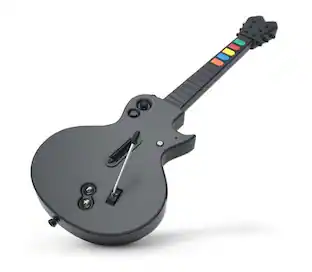
Hori - Guitar Life: Lesson 1 for Nintendo Switch - Black
4.1(29)

Learn to play guitar while gaming! This controller and software bundle is designed specifically for learning guitar on the Nintendo Switch. Shaped like a real guitar, the controller features pressure sensitive strings and even includes a pick for a realistic guitar experience as you learn. Interactive lessons provide opportunities to learn popular songs as well as master chords and various exercises. The software lets you track your achievement progress, analyze areas for improvement, and increase your proficiency rank through regular practice. With multiple game modes and difficulty levels to switch between, there are plenty of ways to keep practice feeling fresh and challenging.
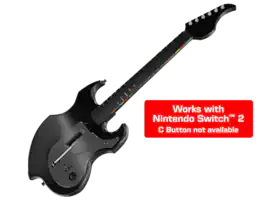
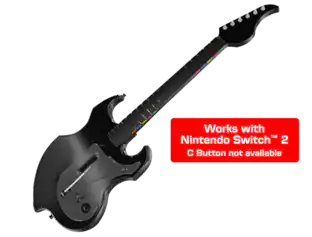
PDP - Riffmaster Wireless Guitar Controller - Nintendo Switch™ - Black

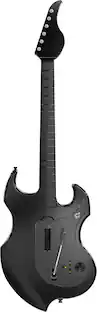
Get ready to take center stage on Fortnite Festival with the Riffmaster wireless guitar controller, officially licensed by Nintendo for Nintendo Switch™, Nintendo Switch™ Lite, & Nintendo Switch™ - OLED Model. This guitar also works with Nintendo Switch™ 2 – C Button not available. Designed to enhance your gaming experience, the lightweight guitar is perfect for both left- and right-handed players of all ages. With up to 30-foot low-latency wireless connection, you’ll enjoy complete freedom of movement. The built-in rechargeable battery provides up to 36 hours of playtime on a single charge, and the shoulder strap ensures comfortable play. Featuring a patented analog stick for precise control, the Riffmaster improves your rhythm gaming experience. The guitar also fully collapses allowing for easy travel or storage. Rock out to your favorite songs like never before!

PDP - RIFFMASTER Wireless Guitar Controller For XBOX Series X|S, XBOX One & Windows 10/11 PC - Black

Rock On with the RIFFMASTER wireless guitar controller! The newest guitar in the market allows you to play music like a true rock star now on Fortnite Festival and Rock Band 4. With a unique design that is suitable for both left and right handed guitarists, everybody has a chance to dominate the competition. Enjoy elevated comfort and convenience with a 30-foot low latency wireless connection, a built-in, rechargeable battery for up to 36-hours of play per charge, shoulder strap, and patened pending analog stick. Turn it up to 11 with the 3.5mm audio jack, and adjust volume on-the-fly with the audio controls located on the D-pad. The guitar is also collapsible allowing you to pack it for your next tour or safely store at home. PDP's RIFFMASTER is officially licensed by XBOX and compatible across XBOX Series X|S, XBOX One, and Windows 10/11.
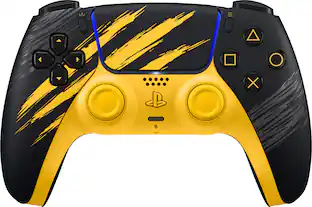
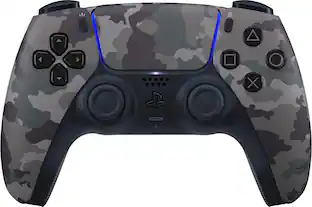
Sony Interactive Entertainment - DualSense Wireless Controller for PS5, PC, Mac & Mobile - Marvel’s Wolverine Battle Limited Edition - Yellow

Get the DualSense Wireless Controller – Marvel’s Wolverine Battle Yellow Limited Edition featuring striking slashes inspired by Wolverine’s iconic claws. DualSense Wireless Controller Features for Marvel’s Wolverine. Feel the full brutality of Wolverine’s Adamantium claw combat with the responsive and tactile features of the DualSense wireless controller’s haptic feedback and adaptive triggers.

Pros for Hori - Guitar Life: Lesson 1 for Nintendo Switch - Black
Ergonomics, Build Quality, Learning Effectiveness, Ease of Setup, Educational FeatureThere were no pros for this productOverall Performance, Ease of use, Battery Life, Connectivity, CompatibilityThere were no pros for this product
Cons for Hori - Guitar Life: Lesson 1 for Nintendo Switch - Black
CompatibilityThere were no cons for this productButton Quality, Strum Bar, Ergonomics, PriceThere were no cons for this product

Specs

Questions & Answers
  • What platforms are compatible with this guitar controller?

    This guitar controller is compatible with Nintendo Switch, Nintendo Switch OLED, and Nintendo Switch 2.

    This question and answer was generated by AI based on customer and product data.
  • What is the warranty on labor for this product?

    The warranty on labor for this product is one year.

    This question and answer was generated by AI based on customer and product data.
  • What is the warranty on parts for this product?

    The warranty on parts for this product is one year.

    This question and answer was generated by AI based on customer and product data.
  • Does this guitar controller require any additional accessories?

    Yes, this guitar controller requires one Joy-Con(R) Switch 1 Controller.

    This question and answer was generated by AI based on customer and product data.
  • What kind of product is this?

    This is a controller product.

    This question and answer was generated by AI based on customer and product data.
Ask a question
No content

Customers often buy these together

Sponsored

Finance Options

My Best Buy® Credit Card
Buy Now, Pay Later

Finance Options

My Best Buy® Credit Card
Buy Now, Pay Later