Rating 4.1 out of 5 stars with 3780 reviews
4.1- Ease of use (1070)
- Print Quality (825)
- Price (352)
- Size (239)
- Setup (97)
- Connectivity (209)
Customer Images
The vast majority of our reviews come from verified purchases. Reviews from customers may include My Best Buy members, employees, and Tech Insider Network members (as tagged). Select reviewers may receive discounted products, promotional considerations or entries into drawings for honest, helpful reviews.
- Rated 5 out of 5 stars
Solid printer at a great price
Look, here’s a real review for you. It’s a perfect printer for me. I print stuff maybe 1-3 times a month max and got sick of having to go do it at fedex office, so it does everything I need and probably a lot more if I cared to print things more often or push more buttons. I can’t speak to the fancy features that other printers may have, but this one has an app that made it super simple to set up and a scanner that I’m sure I’d use if I didn’t have an iPad. I can print from my phone wirelessly or from my computer. If you need a non-complicated machine that sets up quickly, prints things out effectively, and looks pretty good while doing it, then get this. I’m happy with the purchase, and you can bet your fanny you will be too.
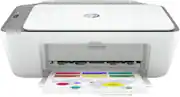
This review is from HP - DeskJet 2755e Wireless Inkjet Printer with 3 months of Instant Ink Included with HP+ - White
Posted by Jonathan
- Rated 5 out of 5 stars
AWESOME PRINTER
Ok so I just got this printer like today and it’s really awesome. I bought it so I could print stickers and that stuff, and this has exceed expectations. The print color quality is really rich and the dpi is great, the printer can handle online labels white matte sticker paper, it takes up a small amount of space, and setup was SUPER easy. I did it on my computer and it took my 12 year old brain 15 ministers to get it all set up. Super easy ink placement, connectivity, overall is really great. The 1 prob I have is that I say I wanna print something and it takes a like 10-15 seconds for the printer to start printing. It still works really well though. The material feels kinda cheap but is still really strong and good. Overall I think this is a great printer and you should totally buy it!
- Rated 5 out of 5 stars
perfect printer!
So easy to set up! And easy to use, great deal as it comes with ink cartridges! Prints , scans..fits in my small office space…I named her Jolene!
This review is from HP - DeskJet 2755e Wireless Inkjet Printer with 3 months of Instant Ink Included with HP+ - White
Posted by LoveBestBuy
- Rated 5 out of 5 stars
Worth, compact, easy to use, uncompromised quality
I like this compact & light weight printer from HP. My first time to have both wifi and bluetooth access. So no inconvenience from cable! I'm not so sure able cable capability though there is an opening port for cable but sticker saying no cable, possible no free cable or access. But best part is 6 mos of instant Ink included with HP+ That is equivalent to free ink usage for 6 months! With the price I paid I think this is best deal. A printer, scanner, free ink as a package! Without compromising the quality and easy installation for faster connectivity & printing!
This review is from HP - DeskJet 2755e Wireless Inkjet Printer with 3 months of Instant Ink Included with HP+ - White
Posted by Hermie
- Rated 5 out of 5 stars
Best quality-price printer on the market
An amazing printer that does the job perfectly. Easy to configure, with guides and instructions for its use. It comes with a 6-month ink delivery service when ink is low, which is appreciated. I like that I can set it up and print directly from my mobile device wirelessly. At the same time one of its weak points is that its connection is only wireless, it does not have a USB connection for a computer, keep that in mind, but if it is a laptop or a desktop computer with wireless connectivity you will have no problem using it.
This review is from HP - DeskJet 2755e Wireless Inkjet Printer with 3 months of Instant Ink Included with HP+ - White
Posted by Abiel