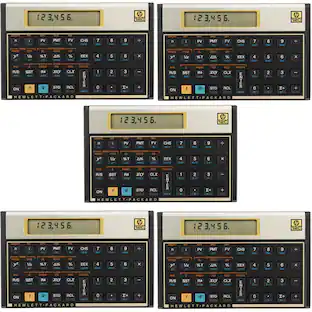
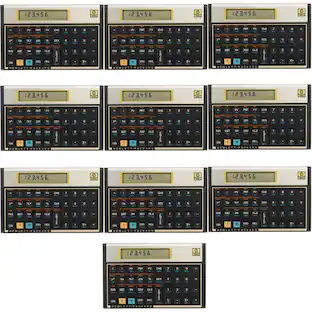
HP - Financial Calculator - Black
About this product
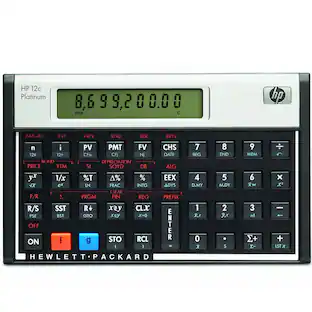
Make financial computations easier with this calculator that features a 1-line x 10-digit display and more than 120 built-in functions.
From our expanded online assortment; not available in all Best Buy stores
1-line x 10-digit display
20 memory registers
Over 120 built-in functions
- BrandHPModel Number12C#ABA/ HP12C#INTProduct NameFinancial CalculatorColorBlackProduct Width5 inchesProduct Height3.1 inches
Reviews
Rating 4.6 out of 5 stars with 212 reviews
The vast majority of our reviews come from verified purchases. Reviews from customers may include My Best Buy members, employees, and Tech Insider Network members (as tagged). Select reviewers may receive discounted products, promotional considerations or entries into drawings for honest, helpful reviews.
Compare similar products

Make financial computations easier with this calculator that features a 1-line x 10-digit display and more than 120 built-in functions.

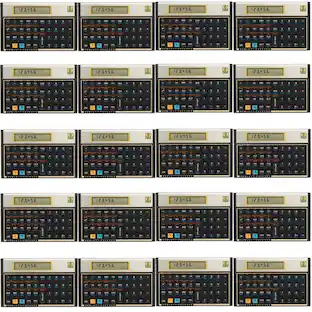
HP 12C Platinum Calculator. A time-tested performer, the HP 12C Platinum offers an easy-to-use layout, one-line LCD display, and efficient RPN data entry. It easily calculates loan payments, interest rates, conversions, standard deviation, percent, TVM, NPV, IRR, cash flows, bonds, and more with over 130 built-in business, financial, statistical, and math functions. Customizing features and keystroke programming with up to 400 steps provide flexibility and efficiency. It includes time and date management, date arithmetic, and supports both RPN and algebraic data entry. The simple, easy-to-read 1-line-by-10-character display ensures clarity for all financial operations.

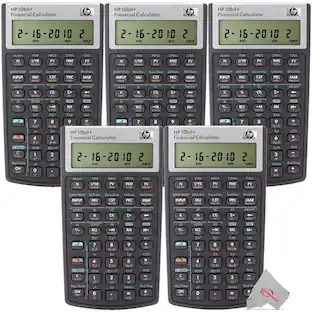
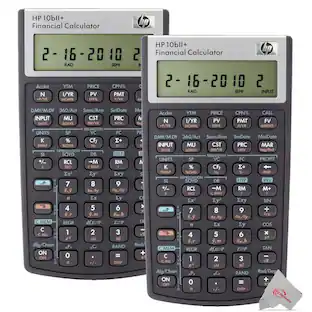
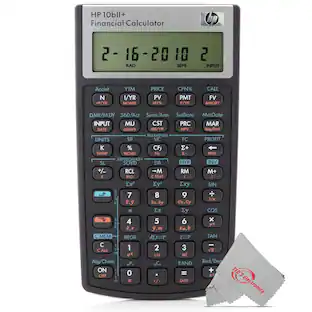
Whether you are a student or a practicing professional, the fast and powerful HP 10bII+ makes it easy to solve business, financial, statistical, and math calculations accurately and quickly, at a price that everyone can afford. Easy-to-learn and use Dedicated keys provide fast access to common financial and statistical functions and it maintains keystrokes of the HP 10bII while adding 10 types of financial and statistical calculations. Fast and powerful Designed with powerful finance, business and statistical operations, you can view answers with up to 12 digits of accuracy, get immediate results with no waiting for complex calculations, and store up to 22 numbers in memory registers for later use. Meets exam requirements SAT, PSAT/NMSQT, and College Board AP Tests; ideal for exams with an intuitive keyboard layout and minimal keystrokes for many common functions. A great investment that can grow with your needs Suitable for multiple courses including business, finance, accounting, real estate, banking, mathematics, science and statistics. It is the first calculator in its class with probability distribution functions, a topic required in many introductory statistics classes. HP’s legendary quality and reliability offer peace of mind. This calculator is ideal for business and statistical functions including loans, IRR, depreciation, cashflow and more. It has a large LCD display for easy viewing. The calculator is powered by 2 CR2032 batteries. It allows storage of up to 22 numbers in memory registers for later use. It includes over 170 built-in functions. An automatic power-off function helps save battery life. It comes with a 12-month warranty for peace of mind. The metal screen border provides added protection. It features a stylish black design.

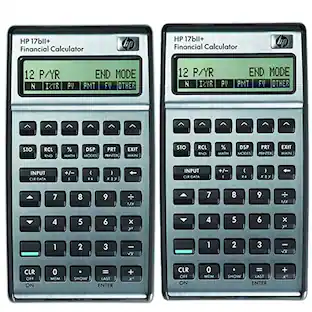
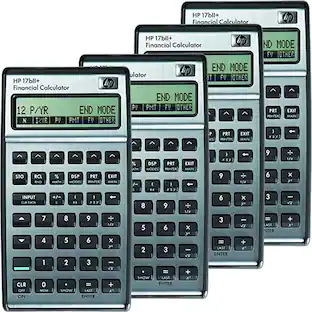
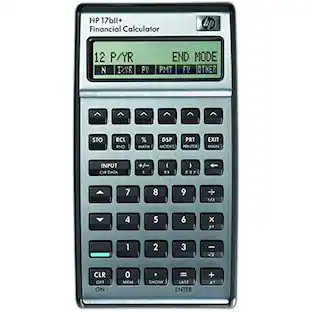
HP 17bII+ Business Calculator. For students and professionals in real estate, finance, accounting, and business, the HP 17bII+ financial calculator is both powerful and easy to use. Quickly calculate loan payments, interest rates and conversions, standard deviation, percent, TVM, NPV, IRR, cash flows, bonds, and more. Features 28KB of user memory, over 250 functions, RPN and Algebraic data entry, clock, appointments, calendar, HP Solve application, menus, prompts, and messages. For students and professionals in real estate, finance, accounting, and business. The HP 17bII+ financial calculator is both powerful and easy to use. Quickly calculates loan payments, interest rates and conversions, standard deviation, percentage, TVM, NPV, IRR, cash flows, bonds, and more. Features 28KB of user memory, more than 250 functions, RPN and Algebraic data entry, clock, appointments, calendar, HP Solve application, menu prompts, and messages. Permitted for use on the Certified Financial Planner (CFP) Certification Exam. MPN: F2234A. UPC: 808736931304.
Specs
how do i replace the comma with decimal point?
Answered by HP TeamHere how you do this on an HP 12C Calculator Changing the Display from a Comma to a Decimal Point 1)Turn off the calculator. 2)Hold down the decimal point. 3)Continue to hold the decimal point key, while turning on the calculator.

How many numbers (positions) can the screen hold?
Answered by HP TeamThe screen can display a total of 10 characters.
Where can I purchase and what is the description of battery replacement for HP 12C calculator?
Answered by HP TeamThank you for your question, Hugh! This takes a 2032/CR2032 battery, which you can find here: https://www.bestbuy.com/site/energizer-2032-batteries-2-pack-3v-lithium-coin-batteries/6017135.p?skuId=6017135
My HP Financial Calculator 12C I've had for 41 years. Still original batteries. The problem is the "enter" key isn't working consistently. I think the contact is worn or something like that. do you think it is repairable?
Answered by HP TeamHi James. Have you tried to reset the calculator? You might try this first: https://support.hp.com/us-en/document/bpia5202 I'm afraid that it is unlikely to find a repair shop for this product, and purchasing a new one would probably be the most cost effective choice. That being said, here is some information on folks who repair HP calculators: https://www.hpmuseum.org/repair.htm#else
is this hp12c model RPN?
Answered by AnonymousYes.
Find more like this
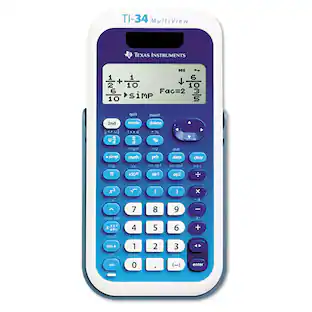 $28.99The price was $33.25
 $17.81The price was $18.84
 $53.16The price was $66.13
 $89.91The price was $108.99



More to consider
- $53.16The price was $66.13



Discover lifestyle innovations Sponsored
 $219.99The price was $229.99


Discover related products











Keep exploring
- $53.16The price was $66.13