Rating 4.6 out of 5 stars with 137 reviews
4.6- Keyboard Quality (34)
- RGB Back Lighting (26)
- Volume Control (16)
- Key Feel (11)
- USB Port (6)
Customer Images
The vast majority of our reviews come from verified purchases. Reviews from customers may include My Best Buy members, employees, and Tech Insider Network members (as tagged). Select reviewers may receive discounted products, promotional considerations or entries into drawings for honest, helpful reviews.
- Rated 4 out of 5 stars
Does exactly what it says it will do
Only had this a little less than month now but it works perfectly. Software was already installed on my new Omen Gaming pc so when I plug in the kb it light up and the command center software launched right away. Set up and tested all the lighting on the keyboard. It looks great. I really like the caps all light up so you can see the letters and numbers. Some lighted Keyboard do not light through the caps and light the key tops. This does. All Keys. The rolling bar for audio is also very cool and works great. Choose any mode you want and try it out a while. I am using Ocean Sequence now but used them all and they work. The Omen Keyboard has the section in the Sequencer to make changes to do some overclocking if you wish. I leave that alone. My pc have RTX 2080 Nvidia card 32 ram and really no need to overclock for the games I run. Keyboard, Do exactly what supposed to. I can not say if this will work the same on other pc rigs. Mine is the Gaming system and is an Omen pc. Paired with this keyboard it is great. I recomend this with any Omen pc and probably would work on some other systems. Check Mfg to see if work on other pc rigs. So hope this is helpful. The Keyboard is a little heavy. Feet on bottom for adjustment, I have no problem with them breaking as other reported. Maybe just get good one in that area. Peace.
Posted by Rich68
- Rated 5 out of 5 stars
Best keyboard I've owned.
This is my first mechanical keyboard, having become used to typing on low travel chiclet keys. I gotta say, I thought the clicky sound would get to me, but the switches have a really satisfying push/sensitivity and I've since found any other keyboard is lackluster in feel. The baked-in color options in the Omen command center aren't the best, if looking for a really satisfying aesthetic to the RGB, custom create your own scene for your keys one by one. I suggest trying a rainbow color gradient for the first attempt to get a good feel for how long certain colors should stretch.
Posted by Dylan
- Rated 5 out of 5 stars
Excellent Gaming Keyboard
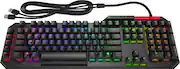
This has pretty much everything you could ask for from a gaming keyboard. It’s well built, it’s got great keys that for typing and gaming, and the RGB and macro functions are easy to program in the software. The keyboard physically feels extremely sturdy, if a bit heavy, but it feels like it’s going to stay put, which I appreciate. It’s a full-size keyboard that includes 5 programmable macro keys, some basic media controls, a USB port, and a knurled volume wheel. The volume wheel might be one of my favorite things about this keyboard; It has a great feel and I find myself scrolling the volume up and down just to mess with it. I know nobody’s buying this thing for the volume wheel, but I felt it should be mentioned. All of the key caps are also removable, revealing the ‘blue’ switches underneath of them (more on that later). The cable coming off the keyboard is a bit bulky but feels like it should stand up well to being pinched and bent. This keyboard does take 2 USB ports; one for the keyboard and one for the USB port on the keyboard. The RGB lighting and macros are all managed in the OMEN Command Center software. You can set each key individually to whatever color you want or select a group of keys. There are also some neat animated effects that are pretty cool. The macros keys are also easy to setup whether you want to them to do key combinations, custom text, or launch an application. The general interface is pretty easy to follow and I never had trouble figuring out how to configure the keyboard. Using the keyboard is great for both typing and gaming. The keys are extremely responsive since they’re each triggered optically instead of mechanically. HP calls these ‘Blue’ switches, which means they mimic the Cherry MX Blue switches in being clicky and more audible to provide better feedback on whether a key has been pressed. The keys are a bit loud for my taste, but I do like using them; it feels like it takes just the right amount of pressure to depress them. I will say if you’re using this in a public space your neighbors are not going to appreciate the sound. One thing that does annoy me is HP chose to replace the Home key with a shortcut that launches the OMEN software. It may not be a huge loss for some, but for someone who uses the home key on a fairly regularly basis navigating web pages and documents it’s a little irritating. Overall I’ve been happy using this keyboard. I was skeptical that it might end up being just another basic branded accessory, but it feels like HP put some real thought into this keyboard and it shows.
Posted by SamG
- Rated 4 out of 5 stars
Excellent for Gaming
What a great gaming keyboard! It has an excellent look, good build, and premium feel. I was excited to get my hands on my first ever optical keyboard – I wasn’t disappointed. I’m used to using a traditional red switch mechanical keyboard for gaming and typing. I was a little unsure how I’d like the blue switches used in the Sequencer. Ultimately, the keys feel fast – like really fast - and very clicky. Overall, I’m very pleased and I think my reaction times have actually seen a benefit. I’ve seen complaints from others about the space bar and clickiness – but I just don’t agree. The design includes a pass through usb port and one of the most interesting volume controls I’ve used. The keyboard is full RGB and can be programmed with the Omen software. You can also program a handful of macro keys here. My gripe here is that the home button has been reassigned to launch the software. I can’t be the only one who uses the home button regularly when typing, right? My other complaint has to do with the underside legs/feet. They’re small and seemingly under engineered. After about 3 days of gaming, one of the legs completely split in half and collapsed. Broken leg aside, the keyboard itself has been incredible. With the optical keys, blue switches, and great aesthetic, I’d definitely recommend the HP Omen Sequencer to anyone looking for a solid gaming keyboard.
Posted by zero325
- Rated 4 out of 5 stars
Great keyboard but not perfect
I have always been a big fan of mechanical keyboards. Maybe because I'm old school and dove into the computer industry with the IBM PC. Yea, dating myself. When I unboxed the keyboard I was impressed with the weight and sturdiness of it. This is one beefy keyboard. I hate keyboards that creep across the desktop as I'm typing. No problem with this one. That being said, this is not a keyboard you would want to have sitting on your lap for a long period. Yes, it is that heavy. Speaking of durability, the USB cable is crazy thick. I would think anyone with a cat would be quite pleased to have this type of keyboard cable. There are two USB connections on this beast. One for the keyboard and the other for the USB port on the upper left corner of the keyboard. Personally, with a cable this thick and requiring two USB connections, I would have expected more than one USB port on the keyboard. But, you can always do what I did and add a small multi-port connector. I love the retractable feet which sets the keyboard at the right angle for those who like their keyboards at a slight incline. The spacing of the keys and the placement of the keys are very comfortable and intuitive. The spacebar can't be missed due to its double width extending below the line of the bottom key row. The top row of function keys has extra spacing above the number keys which helps with avoiding accidental function keystrokes. Five programmable keys are on the left. The switches of the keyboard have a feel similar to the blue mechanical switches. The tactile pressure and click of the keys are very satisfying for those of us who like the touch and audible feedback of these keys. I tend to be a heavy on the keys which makes this a loud keyboard and one that I would not have near anyone trying to sleep or concentrate. The specs on this keyboard say that these are optical switches. If you have a light touch on the keyboard the responsiveness of the keys is still there. HP saying that the response time is .2 milliseconds. While the red metal volume bar seems to be a nice addition and easy to access for controlling the volume, I personally think it is a bit of an overkill feature and I would have been just as happy with the usual up/down volume keys on most keyboards. In fact, it would be a nice feature to be able to re-program this as a screen vertical scrollbar. The software that comes with the keyboard (downloadable from HP) is the OMEN Command Center. This provides the ability to use a pre-defined set of back-lighting colors and effects. The color response can be Static or Animated, with the ability to create keyboard zones. The most popular zone for gaming is the ASWD keys and this is visibly highlighted on the keyboard markings, and in the color arrangement for the lighting. New zones can be added and customized to the games or applications you want to use. If you don't like the default color schemes you can create your own custom color theme. The Macros settings in the software are for programming the five P keys on the left. The programming allows for shortcuts, multi-key sequences, application launching, and pasting of textual content. Since the normal HOME key has been replaced with the Command Center launcher, I re-programmed the P1 key to be my new HOME key. Took a little getting used to, but it does work. Personally, 5 keys for programming are just not enough for me. I would have liked the ability to get another 10 keys with Ctrl and Alt combinations. Are you listening, HP? A very cool feature of the Command Center is the Game Stream feature. This provides the ability to stream the computer activity (display) to another device on the same local network. Kind of a built-in Twitch Streaming feature. I was not able to try this out since all my other devices are Apple related and only Windows or Android devices are supported. I found that the responsiveness of the keyboard to be very good. I've never really had any issues with responsiveness with other mechanical keyboards, but if HP is saying the optical switches are giving me an additional .05 ms speed increase, I guess I'll take their word for it. My son, who is a serious gamer, spent some time with the keyboard and was very pleased with it regardless of the game he was on. My only gripe with the keyboard has to do with the backlighting of the keys. I tend to have my office a little on the dark side. I'm pretty much a touch typist and I know where most of the symbols are at, however, every now and then I look at the keyboard to locate the ampersand or some other symbol. These do not appear with the backlighting. Really HP? What were you thinking? Would it be so hard to allow the light to shine through the whole key and not just the primary character? It might seem like a minor issue, but it does irk me. Overall, I do like this keyboard and it is my primary keyboard for use with my laptop when at my home office. It's not perfect and I'm taking a star off for the lack of backlighting of the symbols and the inability to use the programmable keys with Ctrl & Alt combinations.
Posted by TimothyTrimble