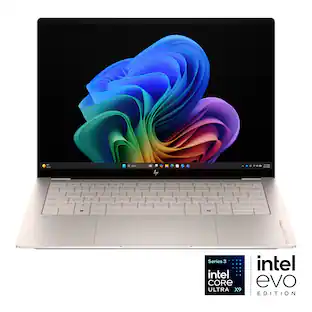
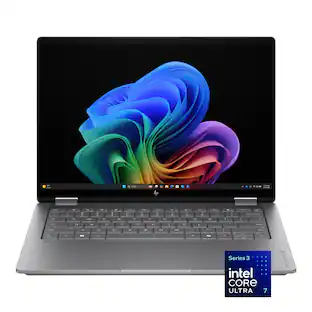
HP - OmniBook X – 16” 2K OLED Touchscreen Laptop – Intel Core Ultra X7 358H 2026 – 32GB Memory – 1TB SSD – Copilot+ PC - Meteor Silver

Key Accessories:
- HP - OfficeJet Pro 8125e Wireless AI-Enabled AiO Inkjet Printer w/ 3 Months of Instant Ink - White$119.99The price was $179.89
More Buying Options from Best Buy

Highlights
- Key Specs
- Screen Type: UWVA
- Screen Size: 16 inches (Size of the screen, measured diagonally from corner to corner.)
- Screen Resolution: 2048 x 1280 (Screens come in a range of resolutions (measured in pixels, horizontal x vertical). The higher the resolution, the greater the picture quality.)
- Touch Screen: true (Touch-screen devices make navigating more intuitive. Using a touch-screen display, you can do things such as tap to select, hold and drag to move items, swipe to scroll, and pinch to zoom.)
- Refresh Rate: 120Hz (The number of frames per second the device can produce natively without enhancement. Higher rates help produce smooth, seamless pictures.)
- Brightness: 400 nits (A measure of the total light output.)
- Processor Model: Intel Core Ultra X7 Series 3 (Your computer's processor is like its brain. Working in combination with system memory, the power of the processor determines the complexity of software you can run, how many programs you can have open at the same time, and how fast those programs will run. Most computers feature an AMD, Intel or Snapdragon processor.)
- Storage Type: SSD
- Total Storage Capacity: 1000 gigabytes
- System Memory (RAM): 32 gigabytes (Random-access memory (RAM) is a computing device's short-term data storage, which allows active information to be accessed quickly. The size and type of RAM determines how efficiently the device can handle large amounts of information at one time. For example, gaming or video editing requires more RAM for optimal performance.)
- Graphics: Intel Arc B390 (Often referred to as a "graphics processing unit" (GPU), this device is responsible for displaying image content and decoding/encoding video content in programs and games.)
- Display Connector(s): 1 x Thunderbolt 4, 1 x DisplayPort 2.1, 1 x HDMI 2.1 (The number and type of connectors used to connect to an external display.)
- Battery Life (up to): 19 hours (Battery life will vary depending on the product configuration, product model, applications loaded on the product, power management setting of the product and the product features used by the customer. As with all batteries, the maximum capacity of this battery will decrease with time and usage.)
- Battery Chemistry: Lithium-ion polymer
- Backlit Keyboard: true (Integrated lights allow for visibility of the keys in low-light conditions.)
- General
- Brand: HP
- Model Number: 16-BG0013DX/CL2U7UA#ABA
- Product Name: OmniBook X – 16” 2K OLED Touchscreen Laptop – Intel Core Ultra X7 358H 2026 – 32GB Memory – 1TB SSD – Copilot+ PC
- Color: Meteor Silver
- Year of Release: 2026
- Display
- Display Type: OLED
- Screen Type: UWVA
- Screen Size: 16 inches (Size of the screen, measured diagonally from corner to corner.)
- Screen Resolution: 2048 x 1280 (Screens come in a range of resolutions (measured in pixels, horizontal x vertical). The higher the resolution, the greater the picture quality.)
- Touch Screen: true (Touch-screen devices make navigating more intuitive. Using a touch-screen display, you can do things such as tap to select, hold and drag to move items, swipe to scroll, and pinch to zoom.)
- Refresh Rate: 120Hz (The number of frames per second the device can produce natively without enhancement. Higher rates help produce smooth, seamless pictures.)
- Brightness: 400 nits (A measure of the total light output.)
- Processor
- Processor Brand: Intel
- Processor Model: Intel Core Ultra X7 Series 3 (Your computer's processor is like its brain. Working in combination with system memory, the power of the processor determines the complexity of software you can run, how many programs you can have open at the same time, and how fast those programs will run. Most computers feature an AMD, Intel or Snapdragon processor.)
- Processor Model Number: 358H
- Processor Model Year of Release: 2026 (The year the processor model was initially available for sale or built into a computer.)
- CPU Cache Memory Level: L3
- L3 Cache: 18 megabytes (Cache memory, also called CPU memory, is random-access memory (RAM) that a computer microprocessor can access more quickly than it can access regular RAM. This memory is typically integrated directly with the CPU chip or placed on a separate chip that has a separate bus interconnect with the CPU.)
- Neural Processing Unit (NPU): true (Whether the product comes with an integrated neural processing unit (NPU) that performs computations for AI (artificial intelligence) functions to increase proficiency of the CPU and reduce power consumption.)
- Maximum NPU Performance: 50 trillions operations per second (The maximum neural processing unit (NPU) computations performed. NPUs increase proficiency of the CPU and reduce power consumption for AI (artificial intelligence) functions.)
- Storage
- Storage Type: SSD
- Total Storage Capacity: 1000 gigabytes
- Solid State Drive Capacity: 1000 gigabytes (The amount of data that can be stored on the device's solid state drive (SSD). SSD is a flash-based storage with faster speeds than a hard disk drive (HDD).)
- Memory
- System Memory (RAM): 32 gigabytes (Random-access memory (RAM) is a computing device's short-term data storage, which allows active information to be accessed quickly. The size and type of RAM determines how efficiently the device can handle large amounts of information at one time. For example, gaming or video editing requires more RAM for optimal performance.)
- Type of Memory (RAM): LPDDR5X (Each type of RAM delivers a different level of speed, bandwidth, energy efficiency and performance.)
- Graphics
- Graphics Type: Integrated (Dedicated graphics uses a separate graphics card for processing video images. Because it does not use memory from the system's RAM, there is no extra burden on the CPU and graphics are processed more efficiently. Integrated graphics shares system RAM to process video images.)
- GPU Brand: Intel
- Graphics: Intel Arc B390 (Often referred to as a "graphics processing unit" (GPU), this device is responsible for displaying image content and decoding/encoding video content in programs and games.)
- Compatibility
- Operating System: Windows 11 Home (The operating system manages all software and hardware, including files, memory and connected devices. Most importantly, it lets you interact with your device and your programs in a visual way; otherwise, you'd be typing computer code to get anything done.)
- Connectivity
- Display Connector(s): 1 x Thunderbolt 4, 1 x DisplayPort 2.1, 1 x HDMI 2.1 (The number and type of connectors used to connect to an external display.)
- Number of HDMI Outputs (Total): 1
- Number of DisplayPort Outputs (Total): 1
- Number of Thunderbolt Ports (Total): 1
- Number of VGA Ports: 0 (VGA (Video Graphics Adapter or Video Graphics Array) is a display standard that transmits via analog signals. This type of interface is typically used to connect a computer to a display device such as a monitor, projector, or TV.)
- USB Ports: 1 x USB-C, 2 x USB-A (The number and type of USB ports the product has.)
- Number of USB Ports (Total): 3
- Number of USB-A Charging Ports: 0
- Number of USB-C Charging Ports: 1
- Headphone Jack: true (The device features an interface that allows for the connection of headphones.)
- Microphone Input: true (The device features an input for connecting an external microphone.)
- Wireless Connectivity: Wi-Fi, Bluetooth (The manner in which a device sends data to another device over a short distance without the use of wires or cables.)
- Power
- Power Supply Input: USB-C
- Power Supply Maximum Wattage: 100 watts
- Battery Life (up to): 19 hours (Battery life will vary depending on the product configuration, product model, applications loaded on the product, power management setting of the product and the product features used by the customer. As with all batteries, the maximum capacity of this battery will decrease with time and usage.)
- Battery Chemistry: Lithium-ion polymer
- Camera
- Front-Facing Camera: true
- Built-In Microphone: true
- Features
- Backlit Keyboard: true (Integrated lights allow for visibility of the keys in low-light conditions.)
- Windows AI: Copilot+ PC
- Security Features: Privacy camera
- Dimensions
- Product Height: 0.59 inches (The out of box height of the item. Height is measured as the vertical distance from the bottom of the item to the top as it would be primarily used or placed.)
- Product Width: 14.08 inches (The out of box width of the item. Width is measured as the horizontal distance from one side of the item to the other as it would be primarily used or placed.)
- Product Depth: 10.03 inches (The out of box depth of the item. Depth is measured as the distance from the front of the item to the back as it would be primarily used or placed.)
- Product Weight: 4.6 pounds (The out of box weight of the item.)
- Certifications Listings & Approvals
- ENERGY STAR Certified: true (Devices carrying the ENERGY STAR service mark, such as computer products and peripherals, kitchen appliances, and other products, generally use 20% to 30% less energy than required by federal standards.)
- EPEAT Qualified: true (The Electronic Product Environmental Assessment Tool (EPEAT) was designed to provide an environmental assessment tool for purchasers. In order to qualify for EPEAT, a product must meet all 23 required criteria.)
- EPEAT Level: Gold (The Electronic Product Environmental Assessment Tool (EPEAT) was designed to provide an environmental assessment tool for purchasers. In order to qualify for EPEAT, a product must meet all 23 required criteria. Products are rated Bronze, Silver or Gold based on how many of 28 optional criteria they meet (below 50%, 50%, 75%).)
- Included
- Numeric Keypad: true
- Stylus Included: false
- Warranty
- Warranty - Parts: 1 year
- Warranty - Labor: 1 year
- Other
- UPC: 199764127372
HP OmniBook X 16" Next Gen AI PC: Designed to empower, built to perform, engineered to last. Experience enhanced AI processing, smoother graphics, and seamless multitasking powered by an Intel Core Ultra processor with Intel AI Boost delivering 50 NPU TOPS. Plus, this device meets military-grade standards and undergoes rigorous testing to handle drops, shocks, and extreme environments, keeping up with your toughest challenges so you never have to slow down.
- Intel Core Ultra X7 358H processor with Intel AI Boost (50 NPU TOPS): Brings breakthrough battery life, performance, AI efficiency, and built-in Intel Arc graphics for creators, gamers, and multitaskers who demand it all. That's the power of Intel inside.
- 16-in 2K OLED touchscreen with 120Hz switchable refresh rate: Get sharper and more detailed visuals for editing and content creation with OLED, with 2048x1280 resolution, up to 400 Nits of brightness and 120Hz switchable refresh rate, so you can enjoy the clarity you want for all your creativity to flow.
- 32 GB LPDDR5x Memory (RAM): Low power double data rate 5x memory optimizes a mobile laptop device for smooth and frequent actions, ensuring it meets the needs for high performance and efficient power consumption.
- Up to 19 hours and 30 minutes video playback battery life¹: One charge lasts a full day of mixed usage for all your work, school, and entertainment needs.
- Intel Arc B390 Graphics: Get the speed for gaming, editing, rendering, and streaming, without the drain of a dedicated GPU. For creators and gamers, built-in Intel Arc graphics deliver all the power you need.
- 1TB Solid State Drive (SSD) storage: With high-speed data transfer, the PCIe Gen4 NVMe M.2 SSD offers fast speed and efficient storage.
- HP Fast Charge: In addition to long lasting battery life, this laptop optimizes charging to go from 0 to 50% in approximately 30 minutes².
- Wi-Fi 7 (2x2) and Bluetooth 6.0 wireless card: Expect faster speeds, improved stability, and ultimate reliability when connecting multiple devices, even in crowded areas.
- Windows 11 Home operating system: All the best elements of Windows 10, with added features to make it easier to log in to start working, gaming, or creating.
- Microsoft Copilot: Do more with AI as your personal assistant. Kickstart new projects with relevant answers, simplified solutions, and helpful advice. Copilot in Windows 11 is ready to support you whenever and wherever you need it.
- Exclusive on-device Copilot+ PC experiences: Copilot+ PC brings exclusive on-device AI experiences designed to accelerate productivity and creativity. With powerful performance for unique AI experiences and the most advanced Windows security, you can find mission-critical information fast, turn ideas into action, respond quickly to customers, and safeguard your most sensitive data.
- HP 5MP IR Camera with HDR Switch: Take visually stunning works of art with HP 5MP IR Camera with HDR Switch capabilities. With High Dynamic Range and 16:10 aspect ratio you get HD content natively, so you can capture more gradients between lights and darks for truer color accuracy.
- Full-Size Backlit backlit lattice-less keyboard with numeric keypad: Provides properly spaced keys, square forms and enlarged lettering. Optimized for precise typing.
- Advanced AI Noise Reduction: Enjoy clearer team conversations with AI noise reduction. Using the Advanced Personal Mode, it tracks only your voice during conference calls while automatically filtering out noises and other speakers for distinctively focused communications.
- Poly Camera Pro: Elevate your video calls with help from AI to enhance virtual interactions, customizable settings and professional grade features across all collaboration and streaming apps, without sacrificing performance or battery.
- Smart Display with Screen Shift and Task Group features: Seamless multitasking on multiple displays with one-click to shift, snap, and launch windows where you want.
- Ports: 1 USB Type-C (10Gbps signaling rate, USB Power Delivery 3.1, DisplayPort 1.4a, HP Sleep and Charge), 1 USB Type-A (10Gbps signaling rate), 1 USB Type-A (5Gbps signaling rate), 1 Headphone/microphone combo, 1 HDMI 2.1, 1 Thunderbolt 4 with USB Type-C (40Gbps signaling rate, USB Power Delivery 3.1, DisplayPort 2.1, HP Sleep and Charge)
- Poly Studio Audio with dual speakers: HP + Poly together will continuously accelerate innovation across our hybrid solutions, including AI-generated technology. With pitch perfect audio, you'll get the best experience to collaborate anywhere with audio tuned by Poly Studio.
- HP Audio Boost 2.0: Feel and hear state-of-the-art sound with the next generation of HP Audio Boost powered by Smart Amp technology—providing louder, richer sound and making music or sound effects feel more dynamic.
- DTS: X Ultra Technology: Spatially accurate, 3D sound drops you into the middle of your favorite games, movies, and music with a level of depth and immersion you can feel.
- Screen Distance and Screen Time: Offers a customized experience to support the wellbeing of the whole family. Manage reminders for balanced productivity and encourage proper posture while minimizing eyestrain.
- Making responsible choices: Designed using responsible materials like ocean-bound and post-consumer recycled plastic to help drive progress toward a more sustainable future.
- Weighs 4.60 lbs. and measures 0.59" thin: A portable and lightweight design that fits perfectly in your lap, so you're never tethered to one place. 4-cell, 70 Wh Li-ion polymer battery.
- Enjoy 2 months of Xbox Game Pass Premium: Free 2-month trial with your new HP Laptop. Access a library of legendary, high-quality games, get exclusive in-game perks, partner discounts, and earn points annually with Xbox Rewards.
Whats Included
- HP OmniBook X 16" Next Gen AI PC
- 100 W USB Type-C GaN power adapter
- Setup instructions
Product Manuals
Disclaimers
- ¹Battery life tested by HP using continuous FHD video playback, 1080p (1920x1080) resolution, 200 nits brightness, system audio level as image default, player audio level at 100%, played full-screen from local storage, headphone attached or through speaker (if no audio jack port), wireless on but not connected. Actual battery life will vary depending on configuration and maximum capacity will naturally decrease with time and usage.
- ²Recharges your battery up to 50% within 30 minutes when the system is off using “shut down” command, using HP adapter provided with the notebook or recommended power adapter disclosed in specifications. After charging has reached 50% capacity, charging speed will return to normal speed. Charging time may vary +/-10% due to system tolerance.
- Intel, Pentium, Celeron, Core, Atom, Ultrabook, Intel Inside and the Intel Inside logo are trademarks or registered trademarks of Intel Corporation or its subsidiaries in the United States and other countries.
- This laptop does not include a built-in DVD/CD drive.
Q: What operating system is installed on this laptop?
A: Windows 11 Home operating system is installed on this laptop.
Q: What is the maximum wattage of the power supply?
A: The power supply maximum wattage is 100 watts.
Q: What kind of graphics does this laptop use?
A: This laptop uses Intel Arc B390 graphics.
Q: How many USB Type-A ports does this laptop have?
A: This laptop has two USB Type-A ports.
Q: How much storage does this laptop have?
A: This laptop has 1TB of solid state drive storage.
Q: Can I use a stylus with this laptop?
A: No, a stylus is not included with this laptop.
Q: Does this laptop have a backlit keyboard?
A: Yes, this laptop features a full-size backlit keyboard.
Q: Why did the price of this laptop jump up $500? It makes it a horrible deal at $1899.
A: Ram price were already sky high before this released at $1499, so that excuse means little ESPECIALLY with all the cost cutting they did with this laptop.
Compare similar products
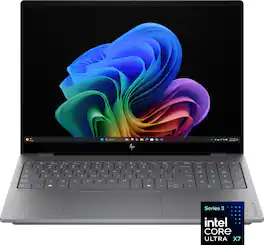
HP OmniBook X 16" Next Gen AI PC: Designed to empower, built to perform, engineered to last. Experience enhanced AI processing, smoother graphics, and seamless multitasking powered by an Intel Core Ultra processor with Intel AI Boost delivering 50 NPU TOPS. Plus, this device meets military-grade standards and undergoes rigorous testing to handle drops, shocks, and extreme environments, keeping up with your toughest challenges so you never have to slow down.
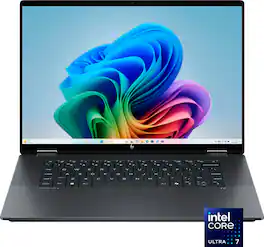
The future has arrived with HP OmniBook X Flip 16 Next Gen AI PC. Whether you want to be entertained or finish creative work, this AI-powered PC has the processor speed and performance to make it happen. Engineered with a dazzling 16" display and the ability to view it flat, folded, or flipped, you can enjoy vibrant, high-contrast colors in any angle that suits your mood. Made from sleek, recycled metal and designed with a backlit keyboard with large keycaps, your future PC is bright.
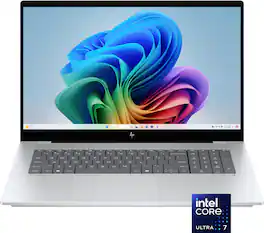
Backed by rigorous military-grade standard testing, the HP OmniBook X 17.3" Next Gen AI PC, with its large 17.3” Full HD touch display and modernized backlit keyboard, is the perfect blend of high style and high performance. Equipped with the latest AI-powered Intel Core Ultra Processor, to fuel creativity and AI personalized efficiency. Copilot+ PCs bring exclusive on-device AI experiences designed to accelerate productivity and creativity.
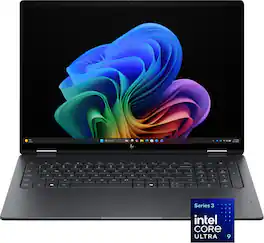
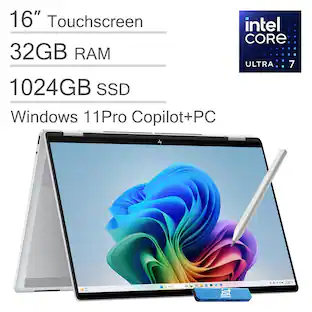
Flip your day, your way. More than just a laptop—it’s your all-day, anywhere companion with 4 flexible modes. Power and performance for AI acceleration, it keeps pace with your most creative ideas and demanding workloads. With fast charging and a design that’s both sleek and durable, the OmniBook X Flip moves as effortlessly—and stylishly—as you do.
| Pros for HP - OmniBook X – 16” 2K OLED Touchscreen Laptop – Intel Core Ultra X7 358H 2026 – 32GB Memory – 1TB SSD – Copilot+ PC - Meteor Silver | |||
|---|---|---|---|
| Graphics Performance, OLED Quality, Build Quality, Battery Life, Charging Speed | There were no pros for this product— | There were no pros for this product— | Processor Speed |
| Cons for HP - OmniBook X – 16” 2K OLED Touchscreen Laptop – Intel Core Ultra X7 358H 2026 – 32GB Memory – 1TB SSD – Copilot+ PC - Meteor Silver | |||
| Weight, Port Placement | There were no cons for this product— | There were no cons for this product— | There were no cons for this product— |
Specs

- LG - gram Book 16" Copilot+ PC Touchscreen Laptop with AMD Ryzen AI 7 445 -16GB RAM -1TB SSD - Titan Black$899.99The price was $1,099.99
Reviews
Customers are saying
Customers are enthusiastic about the OmniBook X, highlighting its impressive graphics performance suitable for light gaming, the excellent OLED screen quality, and solid build. The laptop also receives praise for its very good battery life and fast charging capabilities. While some find the laptop heavier than expected and express a desire for an ethernet port, the positive aspects appear to outweigh these concerns.
- Graphics Performance (25)
- OLED Quality (17)
- Build Quality (15)
- Weight (4)
- Port Placement (3)
Customer Images
The vast majority of our reviews come from verified purchases. Reviews from customers may include My Best Buy members, employees, and Tech Insider Network members (as tagged). Select reviewers may receive discounted products, promotional considerations or entries into drawings for honest, helpful reviews.
- Rated 5 out of 5 stars
A Powerhouse of a Laptop from HP!
The HP OmniBook X laptop is an impressive piece of technology that is functional, well built, and packed with useful features for everyday tasks. During my time with it, I have come to appreciate the robust build quality, and the powerful specs that allow me to tackle any project I am working on. As with most tech products these days, the first thing you will notice about this laptop is the packaging and unboxing experience. HP has done a solid job of making sure this process is enjoyable, and showcases how well the laptop has been secured for travel. Once everything was unboxed, a couple of things caught my attention. First, the power adapter is very small and compact, which is a breath of fresh air from most large laptop power supplies. It uses a USB-C connector, so it fits in well with all modern tech. Second, this 16” laptop uses an all-aluminum construction, and weighs approximately 4.5 pounds, so it doesn’t feel too heavy for a large-screen laptop. I was immediately impressed with the cool-to-the-touch aluminum, which definitely feels premium. Upon opening up the HP, you are greeted with a couple of very cool things. The first item is the 2K OLED touchscreen, which looks phenomenal with any content you throw at it. The second item is the full-size keyboard, WITH an included ten-key. While I do not do much work that required a dedicated numerical keypad, if you do accounting work, or work with numbers, this is an amazing feature to have. As for this keyboard, the keys feel great to use, with a good amount of travel, and a satisfying click when they engage. There is an LED backlight for the keyboard, which can be quickly adjusted with a dedicated button at the top of the keyboard. Powering up the OmniBook X was quick, and the Windows 11 set up process was painless. It takes a bit of time, but this seems to be the case regardless of tech specs or what computer you are using. And speaking of tech specs, this HP has some very impressive tech inside. It uses: - Intel Core Ultra X7 Series 3 Processor - Intel Arc B390 Graphics - 32 Gigabytes of RAM - 1 TB SSD of storage - 2048 x 1280 OLED screen with 120 Hz refresh rate, and 400 nits of brightness What does this mean for daily use? Well, I found this laptop to be extremely competent, and capable of handling any task I could think of. I did not notice any slow-down while doing things like browsing the web with multiple tabs open; watching videos; or running photo and video editing software. I typically use my laptop for school (graduate school) and work purposes, as well as leisure activities, where I watch content on streaming sites/YouTube, listen to music, and work on video editing software. Additionally, I have used the Microsoft suite of office programs, and they have run flawlessly, though I expected them to, considering the specs. The OmniBook does have CoPilot capabilities, although I do not spend too much time with these features. If you are into AI things like image generation, then these can be fun, but I have found them to be of limited use as of right now. One thing I have not spent much time doing with the OmniBook is gaming. I have played some of my old favorites, like Fallout 3 and Fallout New Vegas, and they ran smoothly, but these are not “modern” games. I haven’t tested anything as demanding as Cyberpunk 2077, just because I do not feel like this is a true gaming laptop. That being said, the OmniBook might do surprisingly well at running more demanding, current-generation titles, but I have not actually tested this performance. Some other things I wanted to mention about the OmniBook: - The touchscreen is awesome! It works great, with no lag, and is a nice feature to have. - This laptop uses 1 Thunderbolt 4 port, 1 DisplayPort 2.1, and 1 HDMI 2.1 for displays, and also includes 1 USB-C, and 2 USB-A ports. Overall, a nice selection of ports, and some good options for daily use scenarios. - The lithium-ion battery is rated for 19 hours, and I’d say this is pretty accurate. It definitely lasts long enough for a full day of heavy use, and charges relatively quickly with the included adapter. - The meteor-silver aluminum finish is NOT a fingerprint magnet, which may not matter to some, but is a huge plus for me. - The webcam has a built-in privacy slider, which is a feature that should be standard on all laptops, in my opinion. The OmniBook X from HP is a great choice for someone who needs a powerful laptop, that won’t be left behind by constantly improving technology. With its impressive specs, it ensures that your PC is equipped with tech that will allow it to work flawlessly well into the future. I have been thoroughly impressed with the performance, the build quality, and the inclusion of thoughtful features and high-end technology. If you are looking for your next powerhouse of a laptop, the HP OmniBook X 16” 2K OLED Touchscreen Laptop is the one to check out!
JohnR Posted
- Rated 5 out of 5 stars
Great performance and display!
This is a nice all-around workstation/computer. Its great for daily tasks, running AI models locally, and even some gaming. In my experience HP has made some solid laptops, and this Omnibook is no exception. Its hardware is well built and performs strongly. Getting 32GB of RAM, 1TB hard drive, and the latest mobile CPU from Intel coming in with 16 cores sets you up with a strong device to work with, which is part of the reason I chose this one. Starting off, I will say the laptop is heavier than I expected. Its not bad heavy, but I’m guessing the large battery is probably where the extra weight comes in. With all the specs I already mentioned, this thing runs smooth. I’ve been using it daily for the past week, including setup, and it can handle multitasking easily. My goals were to take advantage of the unified memory with AI, be able to handle light to medium gaming, and of course handle my day to day tasks which including managing projects, day trading, and my side business. This is officially the first computer that takes advantage of my Wifi 7 network in my home, making the speed and range quite nice. Ran a speed test on my network and got 573 Mbps down and 386 Mbps up. The ports on the device are typically enough for your average user, 4 USB (2-A and 2-C), however I do wish there was an ethernet port, otherwise its plentiful. The keyboard gives me mixed emotions, I am happy they have a num pad on it, but I think because of this the keyboard layout is a bit tight and takes some getting used to type on. There is also missing the right CTRL button, which I’m used to using on my desktop. There are several backlit options to choose from including how bright and how long you want the lights turned on. The keyboard is sturdy and like I said the hardware is well-built, so pressing down on the keyboard doesn’t push it down/inward like you see on some laptops. I like the option to run some local LLM’s (AI models) on here because of the privacy and wanting to save a monthly fee, so the 32GB was a big draw for me. I’ve ran 3 different models on here, and had some good success. I get around 20 tokens per second response time, using some of the better models like Qwen 3.6 and Gemma 4. I also decided to try out some gaming even though I didn’t buy this computer for that, normally I would use a gaming specific laptop. I installed No Rest for the Wicked, and it worked just fine getting me around 60 FPS. Which leads me to my next thing, the graphics/screen...boy did it look great! The OLED screen is fantastic and you get those rich colors popping out. The game typically has a lot of dark scenes or areas, which OLED’s perform very well on, and it amazed me. I love the OLED glossy screens, makes everything look so much better IMO. I personally would have traded in the touch screen for a higher resolution display, but thats just because I don’t use a touchscreen. Speakers sound good too, they are unique as the sound comes more from the bottom, rather than on the top or sides. I haven’t noticed any air flow coming out or around me either, which is nice not having hot air blown towards me. Even when doing heavy work, the fans don’t get that loud. Some thoughtful design went into this device. I’ve been using the Face Unlock feature through Windows Hello and it works quickly and accurately, even in darker areas. System boots up or wakes up from sleep speedily. Battery seems to have some good life while using the backlit keyboard and having my screen brightness the same level as plugged in. Charges quick too, I went from 16% battery to 50% in 25 min. Overall this is a pretty solid computer that runs exceptionally well. The only 2 small downsides I discussed for me would be the weight and getting used to the keyboard. Otherwise it performs like a performance workstation should, and can handle a variety of tasks and applications simultaneously. The icing on it is the beautiful display, which somehow makes my desktop OLED monitor look dull! I’ve heard good things about this Intel CPU and it has not disappointed yet. I have attached a screenshot of the game with the resource overlay at the top along with my network speed test for reference.
Jp223 Posted
- Rated 4 out of 5 stars
16" mobile workstation with 2k OLED monitor
HP - OmniBook X – 16” 2K OLED Touchscreen Laptop – Intel Core Ultra X7 358H 2026 – 32GB Memory – 1TB SSD – Copilot+ PC The HP Omnibook X 16” has a sturdy design and exhibits minimal flex with a strong display hinge that supports the touchscreen without wobbling. Build quality is respectable, being all aluminum, but it comes off as a fairly plain design with some noticeable quirks. It has a hefty chassis of 4.6 lbs, but somehow it seems heavier, and the unit is better suited as a mobile workstation than an easy-to-tote laptop. The small power brick is always a nice feature, but the 6.8 ft USB-C to USB-C cord for it is a little short for my taste. Though there is plenty of real estate on the Omnibook the ports are all crammed in a small area of the right side near the top and a couple on the left side near the top. The left side has a USB-2 port and a headset connector while the right side has a USB-2, a full-size HDMI 2.1 port, and two USB-C ports (1 x Thunderbolt 4, 1 x DisplayPort 2.1). It would have been nice to have a USB-C port on the left side. It has Bluetooth 6.0 built-in. And WiFi 7. The speakers are typical for a laptop and decent, and I chose to use some high-end headsets when I wanted real quality sound They narrowed the keys on the keyboard and bumped them slightly to the left to fit in a full keypad. It may take a little practice to get comfortable with the key spacing. The keys are backlit, but when the lighting is off, the contrast between the keys and their low-contrast letters is difficult to read. The keys are comfortable, with a decent feel and adequate travel. There is a nice, responsive touchpad with reliable clicks across most of the pad. The built-in mic is fine for when you are in a pinch for a video meeting. The 16-inch display panel features a 2K, 2048×1280 OLED with a 120Hz refresh rate. While the refresh rate is satisfactory, the 2K resolution limits sharpness. For improved clarity, QHD+ (3.2K) or 4K UHD would be preferable. Text and fine details may appear soft, especially during programming or spreadsheet tasks. The OLED provides deep blacks and vibrant colors, with over 400 nits of brightness, 500 nits on HDR. However, when on battery in Best Power Efficiency mode, which dims the edges, it can be quite distracting. Additionally, the panel shows a noticeable screen-door effect where pixel structure is visible on light backgrounds. Coupled with the glossy finish and reflections in bright settings, this detracts from the nicety of an OLED display. There isn’t a stylus with the machine, and the hinge doesn’t allow for the machine to be a two-in-one or to lay the display flat. The HP 5MP IR Camera with High Dynamic Range Switch capabilities and 16:10 aspect ratio is a nice feature. The camera has a manual shutter for privacy and is of sufficient quality to work as a facial recognition for biometric access. There is no fingerprint reader. The video conferencing quality is quite good. The machine has 32GB of memory and a 1TB solid-state drive. It has an Intel Core Ultra X7 358H 1.9GHz processor with Intel AI Boost (50 NPU TOPS), enabling it to run Windows 11 Copilot Plus. Integrated Intel Arc B390 graphics is used instead of a dedicated graphics setup, which is sufficient for some mid-level games and adequate for video editing. Cooling is adequate, with only some downthrottling under heavy graphics and CPU usage during intensive gaming. When it does get hot you notice the heat is concentrated near the number pad on the right. Normal operation is generally a cool and quit experience. Battery life is approximately 10 to 19Hours worth of video playback and the fast charge allows for charging to go from 0 to 50% in approximately 30 minutes when the computer is in shutdown mode with the included 100W GaN charger. I would consider this a mid-level laptop (mobile workstation) with a pretty high performance level. With a RAM shortage, this will likely remain at a higher price as long as the shortage persists.
AZEqualizer Posted
Explore tech essentials Sponsored
 $1,199.99The price was $1,599.99
 $499.99The price was $799.99
 $1,749.99The price was $1,899.99