J-Tech Digital - HDMI ARC/eARC to Optical Digital Audio Converter Cable - Black
Reviews coming soon
About this product
Upgrade your TV audio setup with the J-Tech Digital JTECH-EARC-OP HDMI eARC/ARC to Optical Converter Cable. Designed for TVs with an ARC or eARC HDMI port, this convenient all-in-one cable sends your TV’s audio to a compatible soundbar or audio system through its built-in optical SPDIF connection. The integrated USB cable provides power from your TV’s USB port or another USB-compatible port, helping keep installation simple and convenient. The JTECH-EARC-OP supports up to 24-bit/192kHz audio sampling and multiple audio formats, including PCM, Dolby 5.1, and DTS 5.1. For Dolby 5.1 or DTS 5.1, the connected audio system must also support the selected format. Simply connect the HDMI end to your TV’s ARC/eARC port, connect the optical end to your audio system, provide USB power, and configure your TV’s audio settings. Please note that optical connections do not support CEC volume control, so volume should be adjusted directly through the connected soundbar or audio system.
Features
HDMI eARC/ARC to Optical Converter Cable
Connects an eARC or ARC-compatible TV to a sound system through the built-in optical SPDIF cable. For TVs with an ARC/eARC port only. Set the TV audio output to ARC/eARC and select a supported audio format.
Plug & Play Setup
Built-in HDMI, optical, and USB connections simplify installation. The USB cable provides power from the TV’s USB port or another USB-compatible port. Easy to use for home theaters, meeting rooms, conference rooms, and other AV setups.
24-Bit / 192kHz Audio
Supports up to 24-bit / 192kHz audio sampling for clear digital audio when connecting your TV to a compatible sound system or soundbar.
Multiple Audio Formats
Set the TV audio format to PCM, Dolby 5.1, or DTS 5.1. When using Dolby 5.1 or DTS 5.1, the connected sound system must also support the selected audio format.
Important Setup Notes
Optical connections do not support CEC volume control, so adjust volume directly on the soundbar or audio system. Connect the USB cable to the TV’s USB port or another USB-compatible port for power. For setup, connect HDMI to the TV’s ARC/eARC port, set audio output to ARC/eARC, select the audio format, enable CEC, and refer to the TV manual if needed.
Specifications
- Cable Length3.4 feetConnector Type (End 1)HDMI Type AGender (End 1)MaleConnector Type (End 2)ToslinkGender (End 2)MaleIn-Wall RatedNo
Reviews
This product doesn't have any reviews yet.
Compare similar products
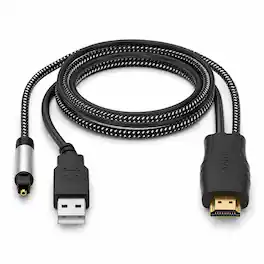
Upgrade your TV audio setup with the J-Tech Digital JTECH-EARC-OP HDMI eARC/ARC to Optical Converter Cable. Designed for TVs with an ARC or eARC HDMI port, this convenient all-in-one cable sends your TV’s audio to a compatible soundbar or audio system through its built-in optical SPDIF connection. The integrated USB cable provides power from your TV’s USB port or another USB-compatible port, helping keep installation simple and convenient. The JTECH-EARC-OP supports up to 24-bit/192kHz audio sampling and multiple audio formats, including PCM, Dolby 5.1, and DTS 5.1. For Dolby 5.1 or DTS 5.1, the connected audio system must also support the selected format. Simply connect the HDMI end to your TV’s ARC/eARC port, connect the optical end to your audio system, provide USB power, and configure your TV’s audio settings. Please note that optical connections do not support CEC volume control, so volume should be adjusted directly through the connected soundbar or audio system.
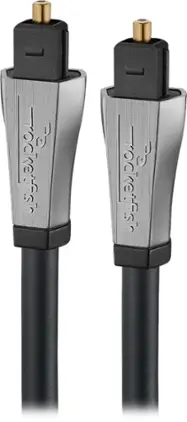
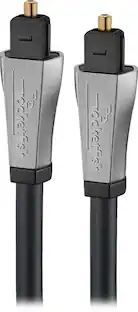
Complete your entertainment setup with this Rocketfish premium optical cable, featuring 4 feet of extension for ideal placement. Compatible with slimline audio components for a reliable compact connection, this optical cable offers effortless plug-and-play function. This Rocketfish premium optical cable uses a digital audio signal for clear sound reproduction and immersive enjoyment.

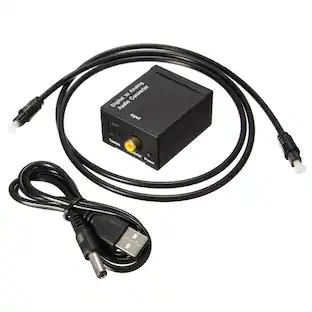
The Sanoxy Digital Coax Toslink to Analog Audio Converter is the perfect solution for connecting your digital audio devices to your analog audio system. It supports uncompressed 2-channel LPCM digital audio signal output and provides electromagnetic-noise-free transmission. The converter also supports sampling rates at 32, 44.1, 48, 96, and 192 KHz, making it compatible with a wide range of audio devices. The Sanoxy Digital Coax Toslink to Analog Audio Converter is easy to install and use. Simply connect your digital audio device to the converter using a coaxial or Toslink cable, and then connect the converter to your analog audio system using RCA cables. The converter is powered by an included USB power cable.
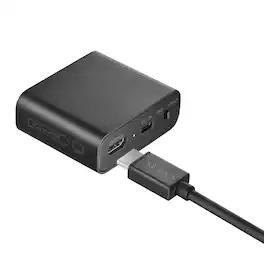
Experience your legacy content on modern displays with the help of this Insignia RCA to HDMI Converter. The unidirectional converter sends RCA input signals to an HDMI output, allowing you to watch old home movies or DVDs on your modern TV screen.
| Pros for J-Tech Digital - HDMI ARC/eARC to Optical Digital Audio Converter Cable - Black | |||
|---|---|---|---|
| There were no pros for this product— | Compatibility, Sound Quality, Ease of use, Length, Price | There were no pros for this product— | Compatibility, Overall Performance, Ease of Use, Connectivity, Video Quality |
| Cons for J-Tech Digital - HDMI ARC/eARC to Optical Digital Audio Converter Cable - Black | |||
| There were no cons for this product— | HDMI, Fit | There were no cons for this product— | There were no cons for this product— |
Specs
Be the first to ask a question.
We’ll try to get your question answered within 24 hours by a Best Buy customer or brand representative.
Customers often buy these together
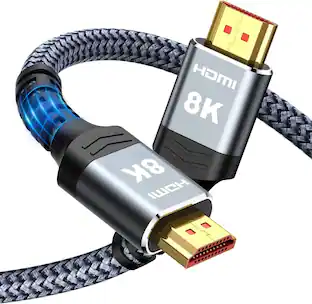 $27.99The price was $34.99

Elevate your entertainment Sponsored
 Top Deal$29.99The price was $36.99
Keep exploring
 $12.99The price was $13.99
 $12.99The price was $14.99