Rating 4.3 out of 5 stars with 146 reviews
4.3- Sound Quality (91)
- Battery Life (52)
- Comfort (30)
- Weight (11)
- Bass (8)
- Fit (25)
Customer Images
The vast majority of our reviews come from verified purchases. Reviews from customers may include My Best Buy members, employees, and Tech Insider Network members (as tagged). Select reviewers may receive discounted products, promotional considerations or entries into drawings for honest, helpful reviews.
- Rated 5 out of 5 stars
Didn't like headphones
I do not like headphone. But after putting these headphones on. Jabra has changed my mind. The comfort and quality are amazing. Love funding excuses for putting on these great headphones and watching something or listening to my music. If i ever get another pair of headphones again. It will be Jabra.
This review is from Jabra - Elite 45h Wireless On-Ear Headphones - Navy
Posted by Delzompo
- Rated 4 out of 5 stars
Good design and Sound at an affordable price
I have had them for over a week now and am so far happy with them. Here are key observations from my side: - Very good sound. All types of music sounds great on these. The Sound+ mobile app also let you customize their sound based on your hearing profile. You should definitely try that. Also they perform very well during calls. There are two built-in microphones which provide very good sound. - They look pretty good and are also very comfortable. Unlike the over-the-ear head phones, because these are on-the-ear I can wear them for longer time periods without feeling uncomfortable. - The bluetooth 5.0 connectivity is pretty good and results in reliable connection. You can connect two devices at the same time. - Longest battery life on any of my headphones. As advertised, their battery can last for a very long time. Also, the quick charge feature as well as USB-C charging are nice touches. - Their are physical buttons on the right cup which are placed correctly and perform the standard actions. Overall, they are good headphones for the price.
This review is from Jabra - Elite 45h Wireless On-Ear Headphones - Titanium Black
Posted by Shail
- Rated 5 out of 5 stars
Sleek, lightweight and affordable
The Jabra Elite 45h offer a lot of value for the money in a small portable package. They also give you plenty of nice features for the price, such as USB-C, Bluetooth 5.0 for better range and a more stable connection and multi device support. With multi device support you can have them connected to both your tablet and phone at the same time. This feature allows them to switch devices automatically, so if you’re watching a movie on your iPad and a phone call comes in, the headphones will automatically switch to the phone so you can take the call. Watching videos on YouTube, I noticed no lag between the audio and video. In terms of audio quality, from my personal experience they sound excellent and with the app you can change audio profiles. While on a call the person I was talking to said I sounded clear even with a fan and tv in the background, it was the same on my end as well. The headphones feel lightweight and very comfortable to wear, they have very little clamping force on your head while wearing them. This is important if these will be worn for hours on end. They give you excellent battery life of up to 50 hours and with the quick charge feature, a 15 minute charge gives you up to 10 hours of playback. If you don’t like earbuds and don’t want the bulk of over the ear headphones, the Jabra Elite 45h on ear headphones are nice alternative. They won’t break the bank, they’re very comfortable, have excellent battery life (if not best in class) and they sound excellent.
This review is from Jabra - Elite 45h Wireless On-Ear Headphones - Titanium Black
Posted by Linksys
- Rated 5 out of 5 stars
Great with hearing aids!
FIT: I have been working at home and earphones with mic are a must for online meetings and consultations. I wear in-ear canal hearing aids and have used OVER the ear headphones in the past as I cannot wear earbuds. These Jabra headphones are ON the ear, which makes them not encompass the ear, just sit on top. So if you are used to over-the-ear, this may take a little getting used to as they are not parallel with your head, but rather tilt forward a bit. If you find them sliding off if you look downward, push the top towards the back of your head and perhaps tighten the fit. Physical: Now, the headphones! very lightweight. All of the control buttons are on the right earphone, so that can help you distinguish it. They also put R and L into the speaker covers! See the pic. Battery: The battery seems to work as promised! It took about an hour to fully charge out of the box. I used them on and off for two days without charging!!! It is set to auto shutoff within about 20 minutes of no sound. These is a marvelous feature! I also can give you several hours of sound if you just give it 15 minutes of charge tim. Phone app. I am a fan of the Jabra Sound+ app for my iPhone. It takes you through a personal sound hearing test to adjust the output for your hearing! As a wearer of hearing aids, I chose to align them with my hearing aids on. It would be great if there were a multi-profile option in the app. Within the app, you can also choose a noise profile for when you just need some white noise, wave sounds, etc. This is through the widgets. The other plus is the "locate" feature. If you can't find your headphones, you can find the spot where they were last attached to you phone! Microphone. I have talked to a couple of people with the mics and they say that my voice sounds fine. The headphones have two mics which is meant to distinguish your voice over extraneous noise. Overall, I really like these earphones for a lightweight use, especially for video conferencing. They are much smaller than my over-the-ear headphones and look a bit more professional. With hearing aids, I don't have the option to use more discreet ear buds, so the Jabra Elite 45h seems the best choice.
This review is from Jabra - Elite 45h Wireless On-Ear Headphones - Titanium Black
Posted by Aggieof83
- Rated 5 out of 5 stars
The Best Features all In One Pair of Headphones
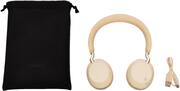
The Jabra Elite 45h Wireless On-Ear headphones have a great mixture of features and benefits. The Setup with the App was very quick and intuitive. Add customization to each ear cup to the ever growing list of features that help these headphones really standout. • Jabra Sound + App – The beauty of these headphones is that they tie everything together with the App. The quick setup guide in the App includes My Sound, directions on buttons for Volume/mute and calls can be found in the App once paired with Jabra Elite 45h headphones. • Bluetooth Pairing – This took me about 20 secs to pair the headphones with my Bluetooth on my Smart Phone. I then played Pandora into the headphones via my smart phone, and the music came in clear, full and filling my ears full of sound. The range of the Bluetooth is 30ft from its source (smart phone). • App features – “My Sound” is a real cool feature in the app that allows you to customize your listening experience. I chose a personal setup with sound bars from bass to treble. The app works with each ear cup and sets up for your individual sound (left, right). Each ear cup is treated separately with a series of tones. When you hear the tone simply press the button in the app. Very simply each ear gets the amount of sound value that is needed because you hear individually in the right ear different then the left ear. This was pretty cool because it truly represents the hearing differences from the L to the R. • Buttons – The buttons are located on the right ear cup. How do tell which ear cups are left or right? It is worth noting there is a subtle dot configuration on the inside of each ear cup that spell out L or R. So the buttons on the right ear cup include: Volume up/down with buttons toward the top of the ear cup, Next track button (hold Volume up button for 2 secs), Restart track button (hold Volume down button for 2 secs). Mute button mutes the sound of the call. There is also a personal assistant with guidance when the mute button is pushed (Siri, Alexa, Google asst.) that can connected. It is great to get info on all kind of things like getting directions, movie times or any number of things. This only works when you are not on a call and press the Mute button. This feature adds to the already high end features with the Jabra Elite 45h. The Multi Function Button, is pressed to pick up a call or reject a call. It also helps when you are listening and want to pause/restart. I found most buttons easy to find and easy to use. There are all these features but the learning curve moves fast, because in part there are really not that many buttons to confuse users. • Sound – These Jabra Elite 45h sound quite dynamic with 40 mm drivers and an app equalizer. With sliders to move at your discretion to customize to make your music all your own. There are also presets in the app if you don’t want to move the sliders. You can even add “pink noise” which means you can have ambient noise to hear the music better in the ear phones. I love the fact your can arrange music to your listening tastes. I chose a bassy mix with the equalizer. It works for me! • Charging – When I received the headphones there was still a charge in them. When I went to the App it showed me that I had 64% remaining battery life. Use the charging cable to USB C to USB A to get the shortest time for the most charging is pretty remarkable. A 15 min charge with fill the headphones with 10 hrs of battery life! For a full charge the headphones only need with a 2 – 2 ½ hour charge for 50 hrs!! I will hardly ever need to charge the Jabra Elite 45h headphones again! • Fit - The lightweight design is very comfortable and fitting. The ultra light ear cups rest gently on your ears for hours of play without fatigue. You hardly notice you have them on. • Portable - The Jabra Elite 45 headphones ear cups turn in to lay flat. At the end of the day, traveling, or on the go the headphones fit nicely in a felt like carry bag. The carry bag can also hold the charging cable as well. The Jabra Elite 45h Wireless headphones are a can’t miss set of headphones. If your ideals for a set of headphones include comfort, battery life, sound customization, Bluetooth, voice assistants, and easy pairing with an App, look no further. The Jabra Elite 45h Wireless headphones cover all of those features/benefits and more.
This review is from Jabra - Elite 45h Wireless On-Ear Headphones - Titanium Black
Posted by stoptheclocks