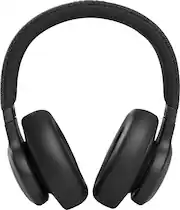
Rating 4.5 out of 5 stars with 1271 reviews
4.5- Sound Quality (823)
- Comfort (223)
- Battery Life (181)
- Fit (61)
- Bass (39)
- Volume (28)
- Charging (3)
Customer Images
The vast majority of our reviews come from verified purchases. Reviews from customers may include My Best Buy members, employees, and Tech Insider Network members (as tagged). Select reviewers may receive discounted products, promotional considerations or entries into drawings for honest, helpful reviews.
- Rated 5 out of 5 stars
My new favorite thing!
Enough bass, nice clear trebs and mids. Button controls are simple and easy to find. Pairs very well and battery life is not an issue. Noise cancellation works great and has a good transparency mode. The mic is ok for short calls. Fit is perfect for the gym and on the go. Very comfortable, especially for smaller people. You can’t go wrong at this 179.00 sale price.
This review is from JBL - Live 660NC Wireless Noise Cancelling Headphones - Blue
Posted by VRAddict
- Rated 5 out of 5 stars
Solid headphones!
The JBL Live 660NC wireless noise-canceling headphones deliver an exceptional audio experience, combining robust bass with crisp highs for a well-balanced sound profile. The active noise cancellation feature effectively isolates you from your surroundings, ensuring an immersive listening session whether you're commuting or in a busy environment. Comfort is a standout feature with plush ear cushions and an adjustable headband, allowing for extended wear without discomfort. The over-ear design contributes to effective noise isolation, adding to the overall audio quality. Battery life is impressive, providing extended usage on a single charge. This is particularly beneficial for users who prioritize long-lasting performance during travel or daily use. Additionally, the headphones support quick charging, minimizing downtime when you need a boost. The build quality is sturdy, and the controls are intuitive, offering easy access to playback, volume, and calls. The wireless connectivity ensures hassle-free pairing with devices, providing the freedom to move without being tethered by cables. The JBL Live 660NC headphones offer a compelling combination of audio excellence, comfort, and convenient features, making them a solid choice for those seeking a reliable wireless noise-canceling solution.
Posted by Reif
- Rated 4 out of 5 stars
Decent mid-tier headphones!
Decent headphones for the price! It is quite comfortable and light, making it nice for on the go or working out. The app allows you to customize the sound to your tastes. I love the different noise cancelling modes and the battery life is solid! I can get through a shift at work without it running out. It also has an option to connect to 2 devices at once that you can switch between quickly. It's been very convenient to go from laptop to phone call. Mic quality seems good as well, I haven't heard any complaints about them. A couple of things that keep this from being 5 stars is the voice assistance button. A slight brush against the button activates it and it cannot be deactivated. It's annoying to avoid that side of the headphone when I'm using it. Also, the carrying case is literally just a bag and not very protective, therefore I just keep the headphones around my neck.
Posted by AenieVilas
- Rated 4 out of 5 stars
Overall my favorite purchase this year!
THESE ARE THE BEST HEADPHONES IVE EVER USED! The are really awesome for noise canceling and the volume is perfect. I’ve worn these for hours at a time and they don’t hurt my ear by the time I take them off. They feel super high quality and have a beautiful design to them that’s minimal. They can really hold a charge too! I use them everyday at the gym and even with all my moving around- THEY DONT BUDGE. On top of that, when I turn them on they have no trouble connecting to my phone. I gave these headphones 4 stars because there are time where my music or podcast will pause without me doing it. It could be my phone? But I’ve never had that happen with other headphones. It’s not frequent so it doesn’t bother me! Overall my favorite purchase this year!
Posted by JackieN
- Rated 3 out of 5 stars
Decent ANC but flimsy plastic
Decent overall headphones for sound quality, comfort, and battery life but kinda disappointing durability for almost daily use. Capacitive touch and auto pausing triggers are far too sensitive and activated by accident so much I just turned them off to stop the annoyance. Plastic housing and components cracked within a year and failed entirely not long after, to the point one can is dangling by its internal wire. If I were to get these exact same headphones again I'd apply my current fix of using craft wire to reinforce their connection to the headband. Hinges don't even fold all the way anyway, hardly saving any space at all for travel, so they're a bizarre design choice. They do their job okay but if you use them frequently treat them very tenderly.
Posted by ArtistDragon