Rating 4.8 out of 5 stars with 408 reviews
4.8Customer Images
The vast majority of our reviews come from verified purchases. Reviews from customers may include My Best Buy members, employees, and Tech Insider Network members (as tagged). Select reviewers may receive discounted products, promotional considerations or entries into drawings for honest, helpful reviews.
- Rated 5 out of 5 stars
Amazing TV
Looks as good as you think it will. The color is downright brilliant. When watching in 4K the realism is excellent. I find it feels like I’m at the cinema when watching movies. Sports in 4K are crisp and clean. Very simple to set up the picture and the apps. I also found the installation quite easy.The low profile to the wall looks fantastic. Hanging the TV onto the mount was also quick and easy to do. I would recommend making a cut out from cardboard and place it on the wall and put all your furniture that would be underneath it back in place. I ended up hanging a bit high due to that error for it is a large TV. My only complaint would be the picture slightly blurs when the picture pans across the screen quickly although subtle. I think this is pretty inherent in most TVs so just more of a personal thought. A beautiful TV all around
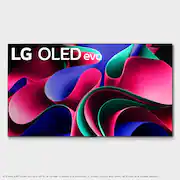
This review is from LG - 77" Class G3 Series OLED evo 4K UHD Smart webOS TV with One Wall Design (2023)
Posted by SL2024
- Rated 4 out of 5 stars
Great TV! One large caveat..
Just getting it out of the way.. right now I'm giving the overall score and picture score 4 stars instead of 5 due to one issue. Flickering. This TV flickers whether you are watching Dolby Vision, HDR 10 or SDR content. The effect looks like there is a torch to the side of or behind the camera when watching low light scenes in movies or shows. You see the picture getting lighter and darker. LG is aware of the issue but I have not seen any commitments to a fix and I have been looking. I may need to return the TV for this reason which is a shame... it's a great TV otherwise. Now to the positives. This TV has a beautiful picture. It gets extremely bright and is very colorful. LG's color boosting technology works! Upscaling of lower resolution content is also shockingly good and I'm coming from Sony TVs which are considered to be the best in the business at upscaling. Motion is great as well.. LG is making nice strides here. If you are a sports or gaming fan, don't hesitate to get this TV because you will be in love. I just caution those who like to watch darker shows and movies for the previously mentioned flickering. Outside of that I love this TV.
This review is from LG - 77" Class G3 Series OLED evo 4K UHD Smart webOS TV with One Wall Design (2023)
Posted by CraigL
- Rated 5 out of 5 stars
Love This New LG G3 77”
Great looking tv. Got the G3 77”. Previously had a new EF9500 65” OLED we purchased new in late 2015 for $5000 back then. It died in February of this year and we’ve been waiting for the G3 and to upsize to a 77”. Well, first off this tv is huge compared to the 65” we had before. Colors seem to be much better and contrast better too. The dark scenes in a movie on the old set are much improved watching this new G3. I also like that it mounts with included wall bracket almost flush to the wall. I highly recommend this tv and the Geek Squad guys that came to install it did a great job. I am a total tech member son nstall was basically free. Look at my pics and you’ll see how close it mounts to the wall using the included wall mount. Also kudos to our great salesman at Best Buy Pembroke Pines store for all his help and recommendations.
This review is from LG - 77" Class G3 Series OLED evo 4K UHD Smart webOS TV with One Wall Design (2023)
Posted by TDWIN2000
- Rated 5 out of 5 stars
Stunning Television
Expensive but worth it if you enjoy watching films and/or gaming and you care about having the best possible picture quality. The picture is amazing and the TV itself when installed on the wall is extremely elegant. The included wall mount is easy to install (although I did have to buy additional hardware to satisfy my own desire for maximum security--the included hardware is meant for mounting on a concrete wall). The additional notes on the Best Buy page indicate that this includes a $200 mount for keeping the TV on a stand. Mine did not include this mount, and I'm not sure if that was an oversight or if they are just no longer available. I was initially kind of disappointed, but I can't imagine not having this beautiful TV on the wall. I personally love the remote and the OS as well. So far I'm very happy with this purchase. I did have to buy a couple longer HDMI cables due to the cables being routed from the far left side of the TV (as you can see in the photo which was taken prior to getting the longer cables and finishing with a cord hiding unit).
This review is from LG - 77" Class G3 Series OLED evo 4K UHD Smart webOS TV with One Wall Design (2023)
Posted by Jason
- Rated 5 out of 5 stars
Buy this thing you will be blown away!
By far the best Oled TV by LG, always been a Samsung product only customer since the 3D glasses features from way back in the 2010’s. Never owned an Oled untill I saw this thing you will be blown away of the picture quality this TV has to offer…the brightness the deep blacks…just a big wow.
This review is from LG - 77" Class G3 Series OLED evo 4K UHD Smart webOS TV with One Wall Design (2023)
Posted by mgrGHosr1988